
1. Introduction
Welcome to the hellibito Smart Watch user manual. This guide provides detailed instructions on how to set up, operate, and maintain your new smart watch. Please read this manual thoroughly to ensure proper use and to fully utilize all features of your device.
2. Product Overview
2.1. Device Components
The hellibito Smart Watch features a sleek design with a 1.96-inch AMOLED full-touch color screen, offering a high-definition visual experience. It includes a side button for navigation and a sensor array on the back for health monitoring.
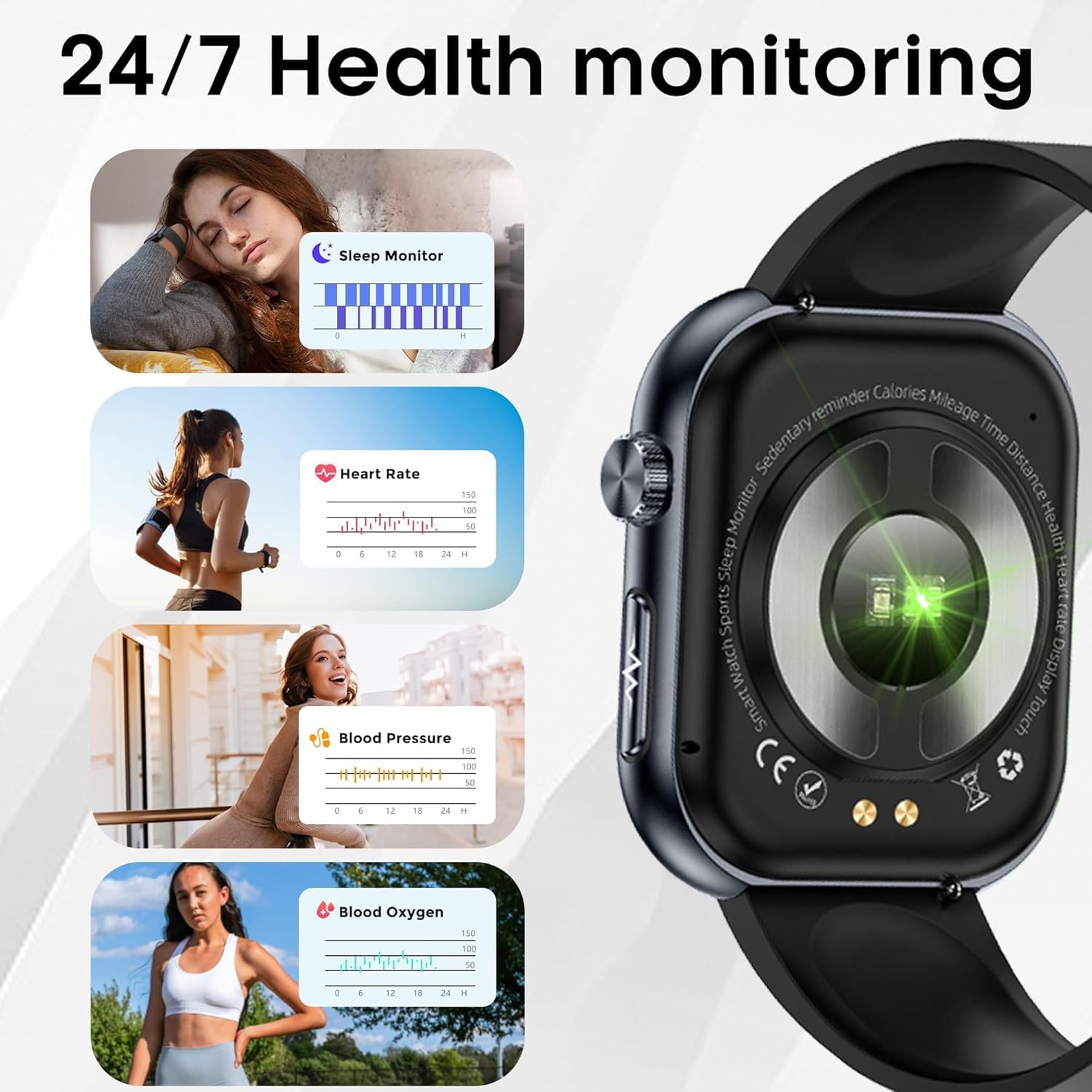
Figure 1: Front view of the hellibito Smart Watch.

Figure 2: Rear view of the hellibito Smart Watch, showing the health monitoring sensors.
2.2. Display Features
The 1.96-inch AMOLED display provides vibrant colors and clear visuals with a 410*502 resolution and 60Hz refresh rate. It supports ultra-wide color gamut (98% Adobe RGB) and a super wide viewing angle (178° H/V).

Figure 3: Illustration of the hellibito Smart Watch's 1.96" AMOLED display capabilities.
3. Setup Guide
3.1. Charging the Device
Before first use, fully charge your hellibito Smart Watch. Connect the magnetic charging cable to the charging contacts on the back of the watch and plug the USB end into a power adapter (not included) or a computer's USB port.
- Charging Time: Approximately 2 hours for a full charge.
- Battery Life: 4-7 days of typical use, up to 20 days in standby mode.
3.2. Pairing with Your Smartphone
To unlock the full functionality of your hellibito Smart Watch, pair it with your smartphone via the dedicated app.
- Download the App: Search for the companion app (refer to the packaging or quick start guide for the app name) on the App Store (iOS) or Google Play Store (Android) and install it.
- Enable Bluetooth: Ensure Bluetooth is enabled on your smartphone.
- Open the App: Launch the app and follow the on-screen instructions to create an account or log in.
- Add Device: In the app, select 'Add Device' or a similar option. The app will search for your hellibito Smart Watch.
- Confirm Pairing: Select your watch from the list of found devices. A pairing request may appear on both your phone and watch. Confirm the pairing on both devices.
- Grant Permissions: Allow necessary permissions (e.g., notifications, location, contacts) for the app to function correctly.
The hellibito Smart Watch is compatible with smartphones running Android 5.0 and above, or iOS 10.0 and above, utilizing Bluetooth 5.3 for stable connections.
4. Operating Instructions
4.1. Basic Navigation
- Wake Screen: Raise your wrist or press the side button.
- Swipe Up/Down: Access quick settings or notifications.
- Swipe Left/Right: Navigate through widgets and main functions.
- Tap: Select an item or open an application.
- Press Side Button: Return to the home screen or access the app menu.
4.2. Bluetooth Calling and Message Reminders
Once paired, your hellibito Smart Watch can make and receive calls directly from your wrist, and display message notifications.
- Making Calls: Access the dialer or contact list on your watch to initiate a call. The built-in microphone and Hi-Fi speaker ensure clear audio.
- Receiving Calls: When a call comes in, you can answer or reject it directly from the watch screen.
- Message Notifications: Receive vibration reminders and view text messages and social media notifications (e.g., Facebook, WhatsApp, Twitter) on the large screen.
4.3. Health Monitoring
The hellibito Smart Watch is equipped with high-performance sensors for comprehensive health tracking.
- Heart Rate Monitoring: Provides 24-hour dynamic heart rate tracking.
- Blood Oxygen (SpO2) Monitoring: Measures blood oxygen levels.
- Blood Pressure Monitoring: Tracks blood pressure readings.
- Sleep Tracking: Monitors sleep quality, including awake, light, and deep sleep stages.
- HRV Monitoring: Measures Heart Rate Variability.
- Women's Menstrual Cycle Tracking: Supports tracking and predictions for menstrual cycles.
- Stress Measurement: Provides insights into stress levels.
- Breathing Training: Guided breathing exercises for relaxation.
- Body Composition Analysis: Offers basic body composition measurements.

Figure 4: Emotion and fatigue detection, and body composition measurement features.
4.4. Activity Tracking
Track your fitness progress with multiple workout modes and all-day activity monitoring.
- Workout Modes: Supports various activities such as running, cycling, hiking, and more.
- All-Day Tracking: Records steps taken, distance covered, and calories burned.
- Fitness Goals: Use the companion app to set and monitor your fitness goals.

Figure 5: Visual representation of the hellibito Smart Watch's all-day fitness activity tracking.
4.5. Other Smart Functions
The hellibito Smart Watch offers a range of additional features to enhance your daily life.
- Voice Assistant: Easily operate various functions using voice commands.
- Remote Care: (Requires app setup) Monitor the health data of loved ones.
- Weather: Get real-time weather updates.
- Alarm: Set alarms directly from your watch.
- Camera Control: Remotely control your phone's camera.
- Music Player Control: Manage music playback on your smartphone.
- Sedentary Reminder: Get alerts to move after periods of inactivity.
- Stopwatch: A built-in stopwatch function.
- Find Phone: Locate your paired smartphone.

Figure 6: Examples of multi-functional use, including camera control, music control, sedentary reminders, alarm, and weather.
5. Care and Maintenance
5.1. Water Resistance
The hellibito Smart Watch has an IP68 waterproof rating. This means it is resistant to dust and can withstand immersion in water up to 1.5 meters for 30 minutes. It is suitable for daily use, such as washing hands, face, or sweating during exercise. However, it is not recommended for hot showers, saunas, or diving, as steam and hot water can compromise the seal.
5.2. Cleaning and Storage
- Cleaning: Wipe the watch and strap regularly with a soft, damp cloth. Avoid using harsh chemicals or abrasive materials. Ensure the charging contacts are clean and dry before charging.
- Storage: Store the watch in a cool, dry place when not in use. Avoid direct sunlight and extreme temperatures.
6. Troubleshooting
If you encounter issues with your hellibito Smart Watch, please refer to the following common solutions:
- Watch not turning on: Ensure the watch is fully charged. Connect it to the charger for at least 30 minutes.
- Cannot pair with phone:
- Ensure Bluetooth is enabled on your phone and the watch is within range.
- Restart both your phone and the watch.
- Check if the companion app is updated to the latest version.
- Try unpairing and re-pairing the device through the app.
- Inaccurate health data:
- Ensure the watch is worn snugly on your wrist, not too loose or too tight.
- Keep the sensor area on the back of the watch clean.
- Avoid excessive movement during measurements.
- Notifications not received:
- Verify that notification permissions are granted to the app on your phone.
- Ensure the app is running in the background and not restricted by battery optimization settings.
- Check the app's settings to ensure notifications for specific apps are enabled.
- Short battery life:
- Reduce screen brightness and screen-on time.
- Disable continuous heart rate monitoring or other intensive features if not needed constantly.
- Close unused apps on the watch.
If the issue persists, please consult the app's help section or contact hellibito customer support.
7. Specifications
| Feature | Specification |
|---|---|
| Brand | hellibito |
| Screen Size | 1.96 Inches |
| Display Type | AMOLED Full-Touch Color Screen |
| Shape | Square |
| Connectivity Technology | Bluetooth 5.3 |
| Wireless Communication Standard | Bluetooth |
| Operating System Compatibility | Android 5.0+ / iOS 10.0+ |
| Special Feature | Activity Tracker, Heart Rate/SpO2/Sleep/Blood Pressure Monitor, SOS Button, Bluetooth Call, Voice Assistant |
| Battery Capacity | 380 Milliamp Hours |
| Battery Cell Composition | Lithium Polymer |
| Waterproof Rating | IP68 |
| GPS | GPS Via Smartphone |