
1. Introduction
This manual provides essential information for the safe and efficient operation of your Kaiser KSB-4012 Speaker System. Please read these instructions thoroughly before using the product and retain them for future reference.
2. Safety Information
- Power Source: Use only the specified power adapter for charging. Ensure the voltage is compatible with your region.
- Water and Moisture: Do not expose the speaker to water, rain, or excessive moisture. This product is not waterproof.
- Ventilation: Ensure adequate ventilation around the speaker. Do not block any ventilation openings.
- Heat: Keep the speaker away from heat sources such as radiators, heat registers, stoves, or other apparatus (including amplifiers) that produce heat.
- Cleaning: Disconnect the power before cleaning. Use a dry, soft cloth. Do not use liquid cleaners or aerosol cleaners.
- Servicing: Do not attempt to service this product yourself. Refer all servicing to qualified service personnel.
- Placement: Place the speaker on a stable, flat surface to prevent it from falling.
- Volume: Prolonged exposure to high volume levels may cause permanent hearing damage. Adjust volume to a comfortable level.
3. Package Contents
- Kaiser KSB-4012 Speaker System
- Wireless Microphone
- Remote Control
- Power Adapter
- User Manual
4. Product Overview
Front View
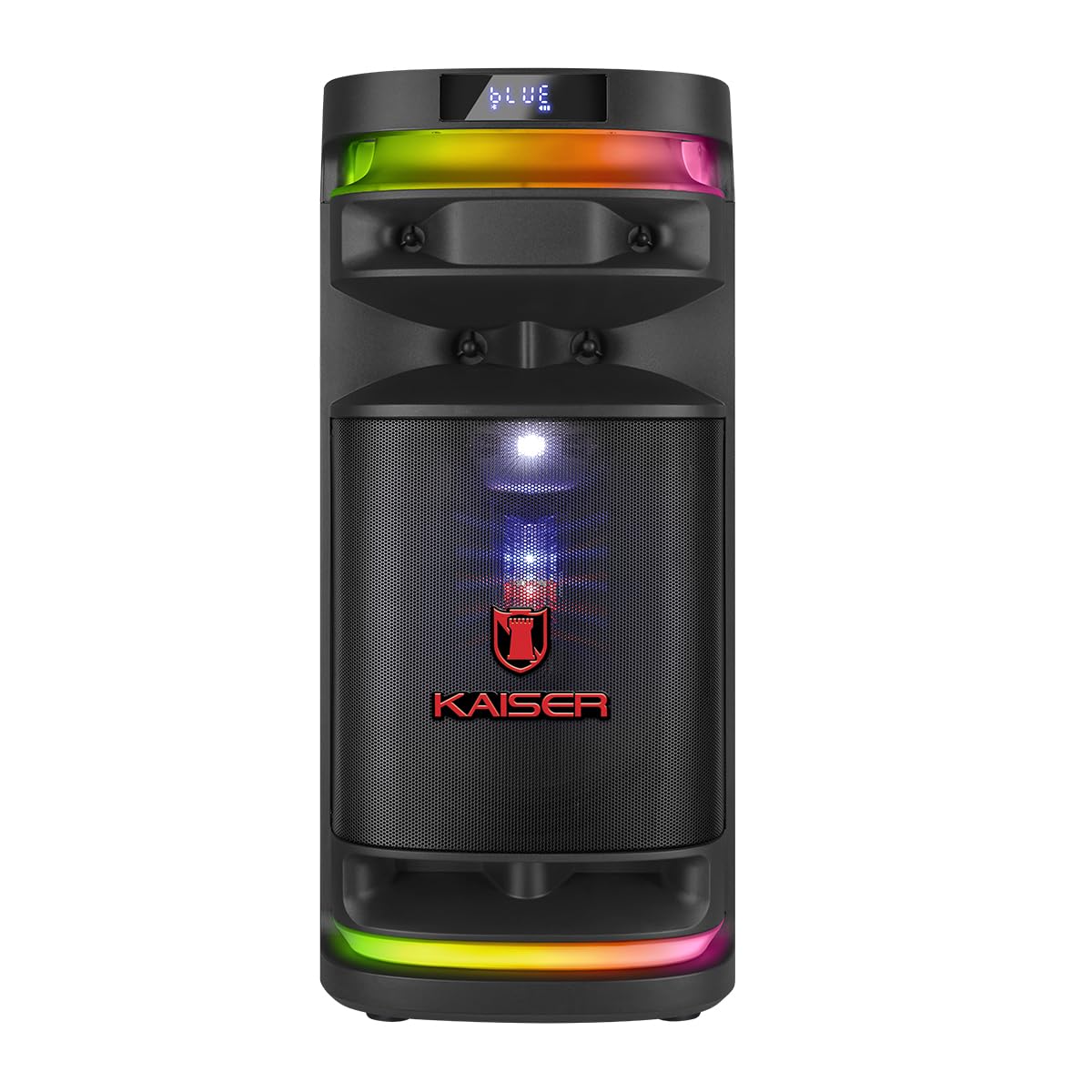
Figure 4.1: Front view of the KSB-4012 speaker, showcasing the 12-inch woofer, 2-inch tweeter, 4-inch midrange, and integrated RGB LED lighting.
Rear View
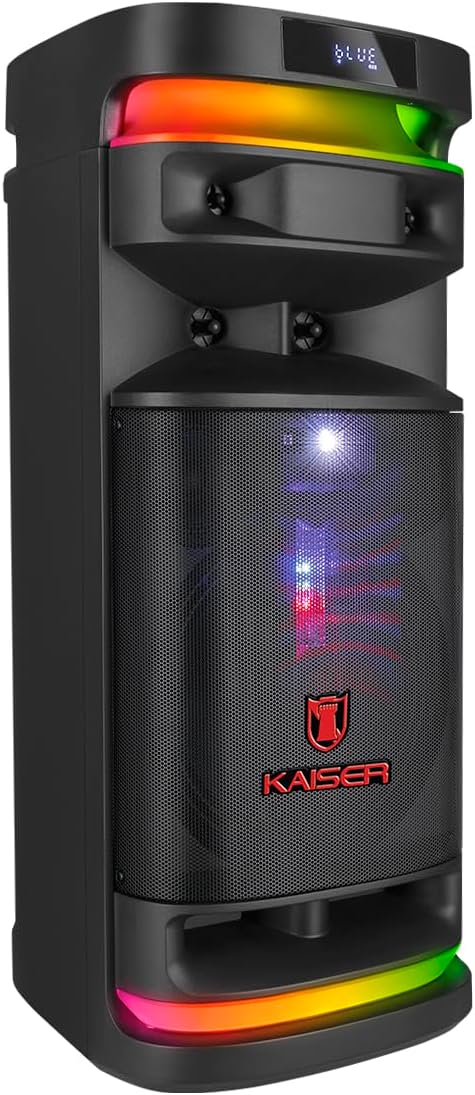
Figure 4.2: Rear view of the KSB-4012 speaker, showing the bass reflex port and access panel.
Control Panel

Figure 4.3: Detailed view of the top control panel, including inputs for microphones, USB, Micro SD, AUX, and various control knobs and buttons for volume, equalization, and mode selection.
Wireless Microphone

Figure 4.4: The wireless microphone and its USB charging cable, designed for use with the KSB-4012 speaker.
5. Setup
- Unpacking: Carefully remove all components from the packaging. Retain packaging for future transport or storage.
- Placement: Position the speaker on a stable, flat surface. Ensure there is enough space for ventilation.
- Charging: Before first use, fully charge the speaker using the provided power adapter. Connect the adapter to the speaker's power input and a suitable wall outlet. The charging indicator will show the charging status.
- Microphone Setup: Ensure the wireless microphone is charged. Turn on the microphone and the speaker. The microphone should automatically pair with the speaker.
6. Operating Instructions
6.1 Power On/Off
Press and hold the 'POWER' button on the control panel to turn the speaker on or off.
6.2 Bluetooth Connection
- Turn on the speaker. The display will show 'BLUE' or 'BT' indicating Bluetooth mode. If not, press the 'MODE' button to select Bluetooth.
- Enable Bluetooth on your device (smartphone, tablet, etc.).
- Search for available devices and select 'Kaiser KSB-4012' (or similar name) from the list.
- Once paired, the speaker will emit a confirmation sound. You can now play audio from your device.
6.3 USB/Micro SD Playback
- Insert a USB flash drive or Micro SD card into the corresponding port on the control panel.
- The speaker will automatically switch to USB or Micro SD mode and begin playing audio files. If not, press the 'MODE' button to select the correct source.
- Use the playback controls (Play/Pause, Next/Previous Track) on the control panel or remote control.
6.4 FM Radio
- Press the 'MODE' button to select FM radio mode.
- Press the 'Play/Pause' button to automatically scan and save available FM stations.
- Use the 'Next/Previous Track' buttons to navigate between saved stations.
6.5 AUX Input
- Connect an external audio device (e.g., MP3 player, laptop) to the 'AUX' input using a 3.5mm audio cable (not included).
- Press the 'MODE' button to select AUX input mode.
- Control playback and volume from your connected device.
6.6 Microphone Usage
- Ensure the wireless microphone is powered on and paired.
- Adjust the microphone volume using the 'VOL MIC' knob on the control panel.
- For wired microphones, connect them to the 'MIC 1' or 'MIC 2' input.
6.7 KSR-Link (True Wireless Stereo)
The KSR-Link function allows you to connect two KSB-4012 speakers wirelessly for a stereo sound experience.
- Ensure both speakers are powered on and in Bluetooth mode.
- On one speaker (this will be the primary speaker), press and hold the 'KSR-Link' button. The speaker will search for another KSB-4012 unit.
- Once connected, both speakers will play audio in stereo.
6.8 RGB LED Lights
Press the 'LED' button on the control panel to cycle through different RGB lighting modes or to turn the lights off.
6.9 Recording Function (REC)
The speaker can record audio from the microphone to a connected USB drive or Micro SD card.
- Insert a USB drive or Micro SD card.
- Ensure a microphone is connected and active.
- Press the 'REC' button to start recording. Press it again to stop recording.
- Recorded files will be saved to the USB drive or Micro SD card.
6.10 Equalizer (EQ)
The speaker features both manual and pre-defined equalization settings. Use the 'EQ' button to cycle through pre-set equalizer modes or adjust the individual frequency sliders for manual control.
7. Maintenance
- Cleaning: Wipe the exterior surfaces with a soft, dry cloth. Do not use abrasive cleaners or solvents.
- Storage: When not in use for extended periods, store the speaker in a cool, dry place, away from direct sunlight and extreme temperatures.
- Battery Care: To prolong battery life, avoid fully discharging the battery frequently. Charge the speaker regularly, even if not in use.
8. Troubleshooting
| Problem | Possible Cause | Solution |
|---|---|---|
| No power | Battery discharged; Power adapter not connected. | Charge the speaker; Ensure power adapter is securely connected. |
| No sound | Volume too low; Incorrect input mode; Device not connected. | Increase volume; Select correct input mode (BT, USB, AUX); Reconnect device. |
| Bluetooth not pairing | Speaker not in pairing mode; Device Bluetooth off; Too far from speaker. | Ensure speaker is in BT mode; Turn on device Bluetooth; Move device closer (within 10m). |
| Microphone not working | Microphone off; Microphone battery low; Microphone volume low. | Turn on microphone; Charge microphone; Increase 'VOL MIC' knob. |
| KSR-Link not connecting | Speakers too far apart; One speaker not in BT mode. | Ensure speakers are close; Both speakers must be in Bluetooth mode before initiating KSR-Link. |
9. Specifications

Figure 9.1: Dimensions of the KSB-4012 speaker: 86 cm height, 35 cm depth, 36 cm width.
| Feature | Detail |
|---|---|
| Model Name | KSB-4012 |
| Speaker System | 3-way (12" Woofer, 2" Tweeter, 4" Midrange) |
| Output Power | 80W RMS |
| Connectivity Technology | Bluetooth, USB, Micro SD, AUX |
| Wireless Technology | Bluetooth |
| Frequency Response | 2.4 GHz (Bluetooth) |
| Audio Output Mode | Surround |
| Power Source | Battery (Rechargeable) |
| Control Method | Remote Control, On-device controls |
| Included Accessories | Wireless Microphone |
| Dimensions (D x W x H) | 37.4 x 36.2 x 80 cm |
10. Warranty and Support
This product comes with a 90-day manufacturer's warranty. For warranty claims or technical support, please contact Kaiser customer service through their official channels or the retailer where the product was purchased. Keep your proof of purchase for warranty validation.
For additional information or support, please visit the Kaiser Brand Store.


