
1. Product Overview
The WHATOOK Mini Pocket Fan L03 is a compact and portable handheld fan designed for personal cooling. It features a powerful brushless motor, a rechargeable battery, and multiple speed settings, making it suitable for various outdoor and indoor activities.
Key Features:
- Compact and lightweight design (approximately 0.3 lb).
- High-speed brushless motor delivering up to 18,500 RPM and a maximum wind speed of 9.9 m/s.
- Built-in 3000mAh rechargeable battery providing 2.5 to 9 hours of operation.
- Five adjustable wind speed settings.
- LED display for battery level and current gear.
- Safe design with a protective net to prevent accidental contact with blades.
- USB Type-C fast charging.

Image 1.1: The WHATOOK Mini Pocket Fan L03 in green, showcasing its compact design.
2. Package Contents
Please check the package for the following items:
- WHATOOK Mini Pocket Fan L03
- USB Type-C Charging Cable
- User Manual
3. Setup and Charging
3.1 Initial Charge
Before first use, fully charge the fan. Connect the provided USB Type-C cable to the charging port on the fan and plug the other end into a compatible USB power adapter (not included) or a computer USB port. The LED display will indicate charging status.

Image 3.1: The fan connected to a USB Type-C charging cable, illustrating the 3000mAh battery and LED display.
A full charge typically takes approximately 2 hours with a 2A charger.
3.2 Portability
The fan's ultra-light design (0.3 lb) and compact dimensions (4.6D x 6.1W x 12.7H cm) allow it to be easily carried in a pocket or small bag.

Image 3.2: The WHATOOK Mini Pocket Fan L03 being placed into a pocket, highlighting its compact size and light weight.
4. Operating Instructions
4.1 Power On/Off and Speed Adjustment
- To turn on the fan, press the power button located on the handle. The fan will start at the lowest speed setting.
- To increase the wind speed, press the power button repeatedly. There are five speed settings.
- The LED display will show the current speed gear and battery level.
- To turn off the fan, continue pressing the power button until it cycles past the highest speed setting, or press and hold the button for a few seconds.

Image 4.1: An illustration of the fan's internal brushless motor, highlighting its 5-gear turbo fan, 18500 RPM maximum speed, and 9.5 m/s maximum wind speed.
4.2 Safety Features
The fan is designed with a protective net to prevent fingers and hair from coming into contact with the internal blades, enhancing safety during use.
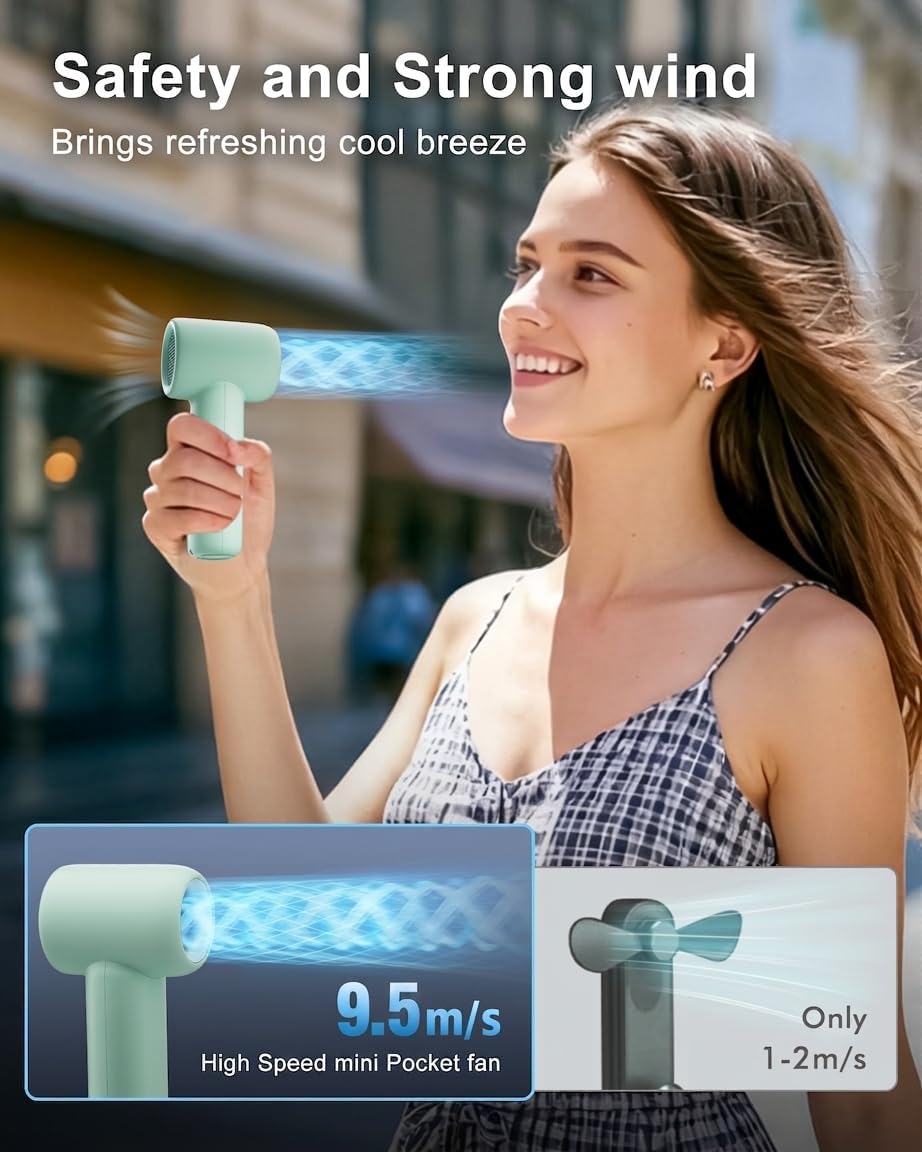
Image 4.2: A person using the fan, demonstrating its strong airflow and the protective design that ensures safety.
5. Maintenance
5.1 Cleaning
To clean the fan, ensure it is powered off. Use a soft, dry cloth to wipe the exterior. Do not use abrasive cleaners or immerse the fan in water.
5.2 Storage
When not in use for extended periods, store the fan in a cool, dry place. It is recommended to charge the battery at least once every three months to maintain battery health.
6. Troubleshooting
- Fan does not turn on:
- Ensure the battery is charged. Connect the fan to a power source using the USB Type-C cable.
- Press the power button firmly.
- Weak airflow:
- Increase the fan speed by pressing the power button.
- Check for any obstructions at the air inlet or outlet.
- Fan not charging:
- Verify that the USB Type-C cable is securely connected to both the fan and the power adapter.
- Try a different USB cable or power adapter.
- Ensure the power source is active.
7. Specifications
| Feature | Specification |
|---|---|
| Brand | WHATOOK |
| Model Name/Number | L03 |
| Colour | Green |
| Electric Fan Design | Blower |
| Power Source | Battery Powered |
| Battery Capacity | 3000mAh |
| Charging Time | Approx. 2 hours (with 2A charger) |
| Battery Life | 2.5 - 9 hours (depending on speed setting) |
| Product Dimensions (D x W x H) | 4.6D x 6.1W x 12.7H centimetres |
| Material | Plastic |
| Number of Speeds | 5 |
| Maximum Speed | 18500 RPM |
| Maximum Wind Speed | 9.9 m/s |
| Wattage | 11.1 watts |
| Control Method | Push Button |
| Motor Type | Brushless |
| Cordless | Yes |
8. Warranty and Support
For warranty information and customer support, please refer to the documentation provided with your purchase or contact the manufacturer directly. Keep your proof of purchase for any warranty claims.
