
Introduction
The TheraGun Sense (2nd Generation) is a percussive therapy massage device designed to provide relaxing massage for stress relief, tension, and improved sleep. It features built-in guided routines, an enhanced LED screen with live pressure feedback, and a whisper-quiet motor for a personalized and effective recovery experience.
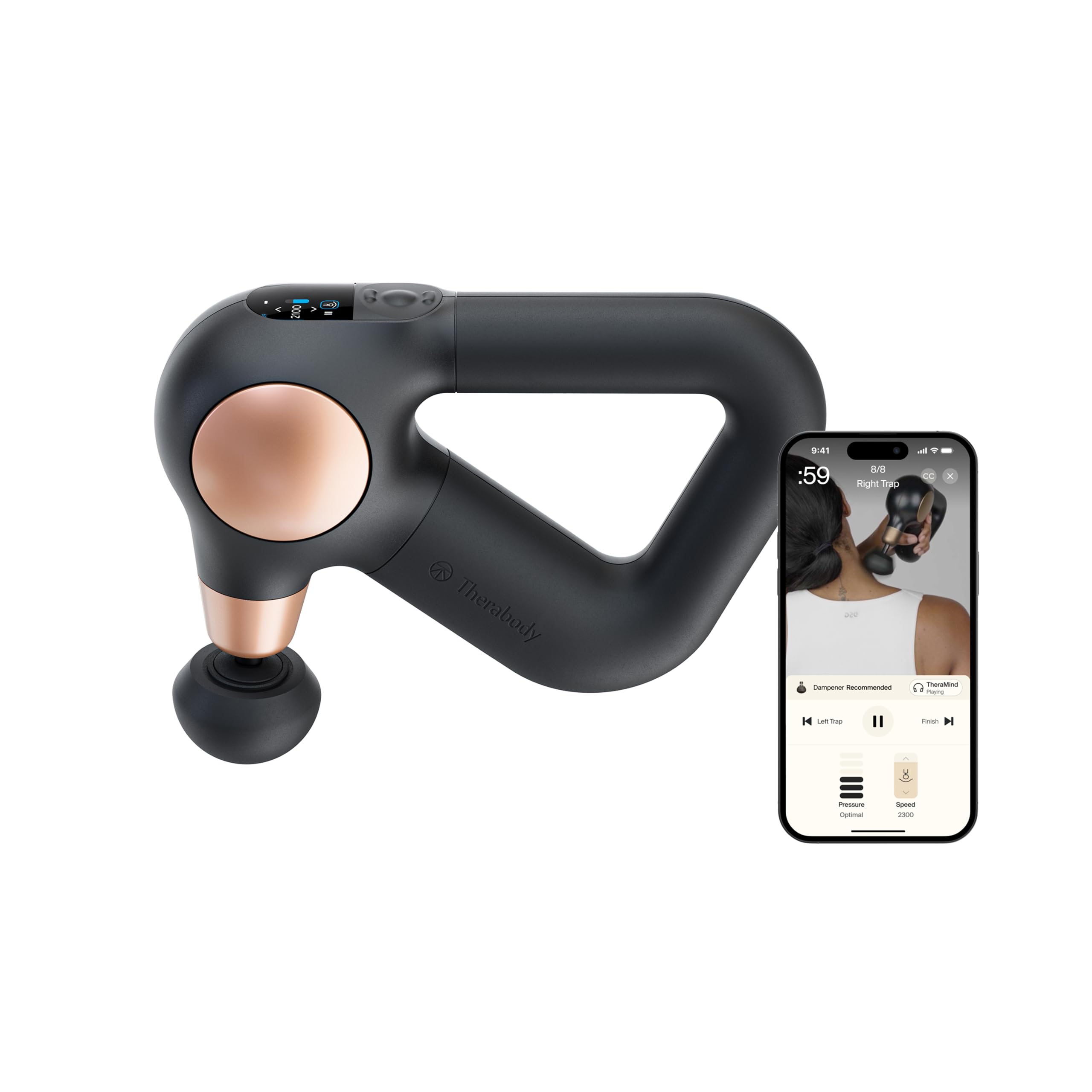
Image: The TheraGun Sense (2nd Generation) Massage Gun in black with gold accents.
Key Benefits:
- Scientifically-Proven Pain Relief: Relieves daily aches, pains, and stress, supporting full-body relaxation.
- Built-in Guided Routines: Features 4 expert-designed routines preloaded on the device, guiding users on massage location, duration, and pressure via the LCD screen.
- Enhanced LED Screen & Quiet Performance: Provides live pressure feedback across 3 levels and 5 adjustable speeds. The quiet, adaptive motor maintains consistent power.
- Ergonomic Grip & Versatile Attachments: Patented triangle grip allows comfortable reach to hard-to-access areas. Includes Dampener and Standard Ball attachments.
- Smart App Control: Bluetooth-enabled for app control and access to a library of guided routines, including personalized recovery plans based on activity data.
What's Included
Your TheraGun Sense package includes the following items:

Image: Contents of the TheraGun Sense package, including the device, attachments, charging cable, and travel pouch.
- Theragun Sense (2nd Gen) Device
- 2 Massage Attachments: Dampener and Standard Ball
- USB-C Charging Cable
- Travel Pouch
Setup
Follow these steps to set up your TheraGun Sense device:
- Charge the Device: Before first use and whenever the battery is low, charge the device using the provided USB-C cable.
- Select a Routine: Choose one of the 4 preloaded routines or select a saved routine from the Therabody app.
- Follow On-Screen Guidance: The LCD screen will guide you on where to massage, for how long, and with how much pressure.
- Adjust Speed: Use the simplified controls to adjust the speed across 5 levels to match your needs.
- Attach Head: Select and attach the appropriate massage attachment for the target body area.
- Positioning: Use the device while seated or lying down for optimal comfort and effectiveness.
- Safety: Avoid using near water and be cautious to prevent dropping the device.
Operating Instructions
The TheraGun Sense is designed for ease of use with intuitive controls and guided routines.
Power On/Off:
- To power on, press and hold the center button on the control panel until the screen illuminates.
- To power off, press and hold the center button until the screen turns off.
Adjusting Speed:
- Use the up and down arrow buttons on the control panel to cycle through 5 different speed levels.
- The LCD screen will display the current speed (RPM).
Pressure Sensor:
- The device features a pressure sensor that provides live feedback on the LCD screen, helping you apply the right intensity.
- Adjust your pressure based on the on-screen indicators for optimal treatment.
Guided Routines:
The TheraGun Sense comes preloaded with routines for various needs, such as Sleep Prep, Back Pain, Tension Relief, and Lower Body Recovery. Select a routine from the menu and follow the on-screen instructions for a tailored experience.
Video: An official introduction to the Theragun Sense (2nd Generation), showcasing its features and ease of use.
Attachments
The TheraGun Sense includes two versatile attachments, with additional options available through the Therabody app for personalized treatments:
- Standard Ball:
Use for all-over body massage to reduce tension. Its medium firmness is suitable for general use on large and small muscle groups.
Image: The Standard Ball attachment, a versatile option for general muscle recovery.
- Dampener:
Designed for sensitive areas, reducing aches and pains with a softer touch. Ideal for bony areas or areas requiring less intensity.
Image: The Dampener attachment, a softer head for sensitive areas.
- Thumb:
Use on the lower back and trigger points to ease painful knots. Its shape mimics a human thumb for precise treatment.
Image: The Thumb attachment, designed for targeted relief on trigger points.
- Micro-point:
Increases circulation and stimulates recovery. Its textured surface provides a more invigorating massage.
Image: The Micro-point attachment, featuring small nubs for increased circulation.
Smart Features & App Control
The TheraGun Sense integrates smart technology to enhance your wellness journey:
- Biometric Sensor: The device includes a built-in biometric sensor for personalized insights, which can be used with guided breathwork routines to reduce stress and improve relaxation.
- Therabody App Connectivity: Connect your TheraGun Sense via Bluetooth to the Therabody app. The app offers a library of guided routines, including programs for sciatica pain relief, back massage, and tech neck.
- Coach by Therabody: Access personalized recovery plans based on your fitness goals and activity data through the free Coach feature in the app.
- On-Device Routines: Update the preloaded routines with up to 5 of your favorite personalized treatments from the Therabody app.

Image: The Therabody app displaying intelligent recovery plans and connectivity options.
Download the Therabody App: iOS App Store
Maintenance
Proper maintenance ensures the longevity and optimal performance of your TheraGun Sense:
- Cleaning: Wipe the device and attachments with a damp cloth after each use. Do not use harsh chemicals or abrasive cleaners.
- Storage: Store the device in its travel pouch in a cool, dry place away from direct sunlight.
- Battery Care: Charge the device regularly, even if not in frequent use, to maintain battery health. Avoid fully depleting the battery before recharging.
- Attachment Care: Ensure attachments are clean and dry before storing. Inspect them periodically for any signs of wear or damage.
Troubleshooting
If you encounter any issues with your TheraGun Sense, refer to the following common troubleshooting tips:
- Device Not Turning On: Ensure the device is fully charged. Press and hold the center button firmly for a few seconds.
- Attachments Not Staying On: Ensure the attachment is correctly aligned and pushed firmly onto the device's shaft.
- Inaccurate Biometric Readings: Ensure your finger is placed firmly and correctly on the biometric sensor. Avoid squeezing too hard, as this may lead to inaccurate readings.
- App Connectivity Issues: Ensure Bluetooth is enabled on your mobile device and the TheraGun Sense is within range. Try restarting both the device and the app.
- Reduced Performance: Check the battery level. If the device feels sluggish, it may require recharging.
For further assistance, please contact Therabody customer support.
Specifications

Image: Detailed specifications for the TheraGun Sense (2nd Generation).
| Feature | Detail |
|---|---|
| Product Dimensions | 9.6 x 6.48 x 2.64 inches; 3 Pounds |
| Item Model Number | TG0004351-1A10 |
| Batteries | 1 9V batteries required. (included) |
| Power Source | Battery Powered |
| Other Special Features | 5 Speeds, LCD Screen & Pressure Sensor, Lightweight, Patented Ergonomic Grip, Quiet, Relaxing Massage |
| Massager Form | Massage Gun |
| Specific Uses For Product | Full-body stress relief and wellness |
| Product Benefits | Ease Soreness, Reduce Tension, Relieve Aches & Pains, Sleep Better |
| Is Product Cordless | Yes |
| Water Resistance Level | Not Water Resistant |
| Massage Therapy Technique | Percussion |
| Charging Time | 1 Hours |
| Battery Average Life | 2 Hours |
| Material Type | Polycarbonate |
Warranty & Support
The TheraGun Sense (2nd Generation) comes with a 1-year manufacturer's warranty.
For warranty claims, technical support, or any product-related inquiries, please refer to the contact information provided in your product packaging or visit the official Therabody website.


