
1. Introduction
This manual provides essential information for setting up, operating, maintaining, and troubleshooting your Motorola Moto Edge 60 Pro 5G Ai smartphone. Please read this guide thoroughly to ensure optimal performance and longevity of your device.
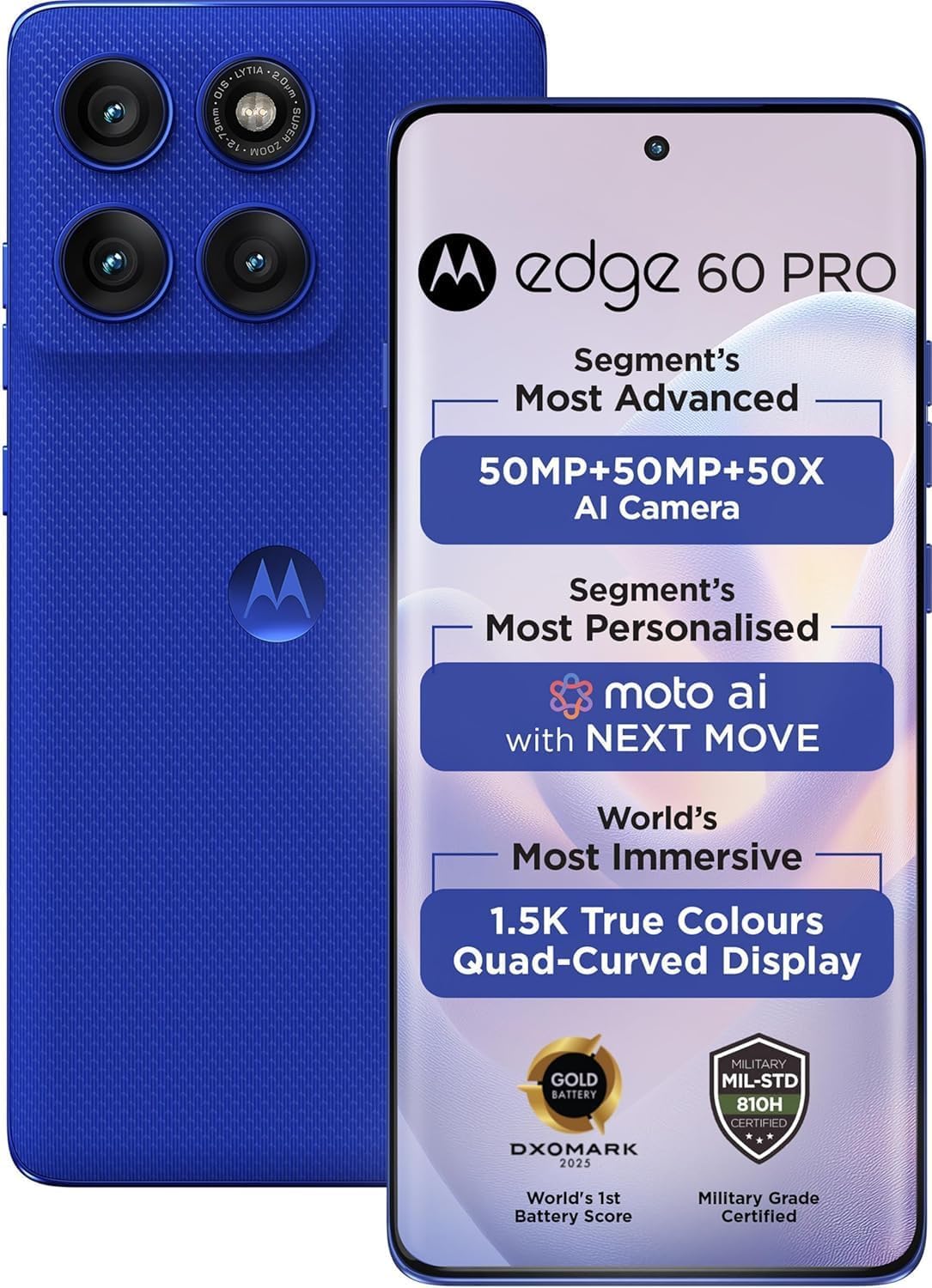
Figure 1: Motorola Moto Edge 60 Pro 5G Ai device overview.
2. Setup
2.1. What's in the Box
- Motorola Moto Edge 60 Pro 5G Ai Smartphone
- Phone Case
- Power Adapter
- USB Cable
2.2. SIM Card Installation
The Motorola Moto Edge 60 Pro 5G Ai supports Dual Nano SIM cards. This device does not include a MicroSD slot for expandable storage.
- Locate the SIM tray on the side of your device.
- Insert the SIM ejector tool into the small hole on the SIM tray to open it.
- Place your Nano SIM card(s) into the tray with the gold contacts facing down. Ensure proper orientation.
- Gently push the SIM tray back into the device until it clicks into place.
2.3. Initial Power On and Configuration
- Press and hold the power button until the Motorola logo appears.
- Follow the on-screen prompts to select your language, connect to a Wi-Fi network, and sign in with your Google account.
- Configure security settings such as fingerprint unlock and face unlock.
2.4. Network Compatibility
This phone is GSM Unlocked. It is designed to work with GSM carriers. Please verify your carrier's network type before use.

Figure 2: GSM Network Compatibility for USA Carriers.
For USA Buyers: This phone is GSM Unlocked and does not work on CDMA Carriers such as Verizon, Sprint, Boost, Cricket, Xfinity, or AT&T. It works on T-Mobile, Metro PCS, Mint Mobile, Tello, and other carriers that use T-Mobile towers.
3. Operating Your Device
3.1. Display Features
The device features a 6.7-inch Super HD pOLED display with 4500 nits peak brightness. It supports HDR10+ and offers over a billion shades of color with 100% DCI-P3 color space. The display is Pantone Validated and Pantone Skintone Validated, ensuring accurate color reproduction. Enjoy a smooth experience with a 120 Hz refresh rate and 300 Hz touch rate (in gaming mode).
3.2. Camera System
The Motorola Moto Edge 60 Pro 5G Ai is equipped with an advanced triple camera system and a high-resolution front camera.
- Main Camera: 50 MP with a 1/1.55" optical format, f/1.4 aperture, 1.0 µm pixel size (2.0 µm with Quad Pixel Technology). Features Omni-directional PDAF and Optical Image Stabilization (OIS).
- Ultrawide Camera: 13 MP (120° FOV) with Macro Vision, f/2.2 aperture, 1.12 µm pixel size, and autofocus.
- Telephoto Camera: 10 MP with 3x Optical Zoom, f/2.0 aperture, 1.0 µm pixel size, autofocus, and OIS.
- Front Camera: 50 MP with f/1.9 aperture, 0.64 µm pixel size (1.28 µm with Quad Pixel Technology), and autofocus.
The camera system also includes laser autofocus (time-of-flight) and a 3-in-1 sensor for exposure, auto white balance, and flicker detection. Dynamic Bokeh intelligently enhances depth for professional-looking portraits.

Figure 3: Key features of the Motorola Edge 60 Pro.
3.3. Performance and Storage
The device is powered by the MediaTek Dimensity 8350 Extreme chipset, an ultra-efficient 4nm-class chip with an Octa-core CPU (4 x Arm Cortex-A715 cores up to 3.35 GHz) and Arm Mali-G615 MC6 GPU. It includes a MediaTek NPU 780 for AI-powered efficiency. The phone comes with up to 512GB UFS 4.0 storage and up to 12GB of next-gen RAM for smooth multitasking.
3.4. Security Features
Your device includes multiple security options:
- On-screen fingerprint reader
- Face unlock
- ThinkShield security platform
- Moto Secure for enhanced privacy
3.5. Connectivity
The Motorola Moto Edge 60 Pro 5G Ai supports a wide range of connectivity options:
- 5G (n1/2/3/5/7/8/20/26/28/38/40/41/66/77/78)
- 4G LTE (various bands)
- 3G (B1/2/4/5/8)
- 2G (B2/3/5/8)
- Bluetooth
- NFC
- USB
- Wi-Fi
- GPS
3.6. Battery
The device is equipped with a 6000 Milliamp Hours (mAh) battery, providing up to 24 hours of talk time. It supports fast charging for quick power-ups.
4. Maintenance
4.1. Cleaning Your Device
To clean your phone, use a soft, lint-free cloth. Avoid abrasive materials or harsh chemicals. For stubborn smudges, slightly dampen the cloth with water or a screen cleaner specifically designed for electronics.
4.2. Water and Dust Protection
The Motorola Moto Edge 60 Pro 5G Ai features IP68 and IP69 dust and water protection, and is Military-grade certified (MIL-STD-810H). While designed to withstand splashes, spills, and dust, it is not waterproof. Avoid intentional submersion in water or exposure to high-pressure water jets.
4.3. Software Updates
Regularly check for and install software updates to ensure your device has the latest features, security patches, and performance improvements. You can usually find this option in your phone's settings under 'System' or 'About phone'.
5. Troubleshooting
If you encounter issues with your device, try the following common troubleshooting steps:
- Restart the device: A simple restart can often resolve minor software glitches.
- Check network connection: Ensure Wi-Fi or mobile data is enabled and working correctly.
- Clear app cache: If an app is misbehaving, try clearing its cache in the app settings.
- Update software: Ensure your device's operating system and apps are up to date.
- Factory reset (last resort): If problems persist, you may consider a factory reset. Warning: This will erase all data on your phone. Back up important information before proceeding.
For more complex issues, please refer to the official Motorola support resources.
6. Specifications
| Model Name | Moto EDGE 60 PRO 5G |
| Item Model Number | XT2507-1 |
| Brand | Motorola |
| Operating System | Android 15 |
| CPU Speed | 3.35 GHz (MediaTek Dimensity 8350 Extreme) |
| Screen Size | 6.7 Inches |
| Resolution | 2340 x 1080 (Super HD) |
| Refresh Rate | 120 Hz |
| RAM Memory Installed Size | 12 GB |
| Memory Storage Capacity | 512 GB |
| Battery Capacity | 6000 Milliamp Hours |
| Phone Talk Time | 24 Hours |
| Connectivity Technologies | Bluetooth, NFC, USB, Wi-Fi |
| Special Features | Fast Charging Support, Internationally Sourced |
| Protection | IP68 & IP69 dust and water protection, MIL-STD-810H certified |
| Audio Jack | 3.5 mm |
| Color | Pantone Dazzling Blue |
| Item Weight | 1.08 pounds |
| Package Dimensions | 6.69 x 3.23 x 2.32 inches |
7. Warranty and Support
7.1. Warranty Information
Your Motorola Moto Edge 60 Pro 5G Ai is covered by a limited manufacturer's warranty. Please refer to the warranty card included with your product or visit the official Motorola website for detailed terms and conditions.
7.2. Customer Support
For technical assistance, service, or additional information, please visit the official Motorola support website or contact their customer service. You can find more information and resources on the Motorola Store on Amazon.


