
1. Introduction
The Motorola Edge 5G (2024) XT2405-1 is a high-performance smartphone designed for seamless connectivity and advanced mobile experiences. This manual provides essential information to help you set up, operate, and maintain your device.
- Enjoy rapid downloads, smooth streaming, and real-time gaming on Metro’s 5G network.
- Massive storage for photos, videos, apps, and more—no need to worry about running out of space.
- Capture pro-level shots and video with optical image stabilization and AI enhancements.
- Experience vibrant color and fluid visuals with a high refresh rate screen.
- Long-lasting battery paired with fast charging keeps you powered throughout your day.
2. Setup
2.1 What's in the Box
Your Motorola Edge 5G (2024) package includes the following items:
- Motorola Edge 5G (2024) Phone
- USB-C Cable
- SIM Ejector Tool
2.2 Inserting the SIM Card
- Locate the SIM card tray on the side of your phone.
- Insert the SIM ejector tool into the small hole next to the tray and press gently until the tray pops out.
- Place your Nano-SIM card into the tray with the gold contacts facing down.
- Carefully push the tray back into the phone until it clicks into place.
2.3 Powering On and Initial Setup
- Press and hold the Power button on the side of the phone until the Motorola logo appears.
- Follow the on-screen instructions to select your language, connect to a Wi-Fi network, and sign in with your Google account.
- Complete the setup process by customizing your device settings.
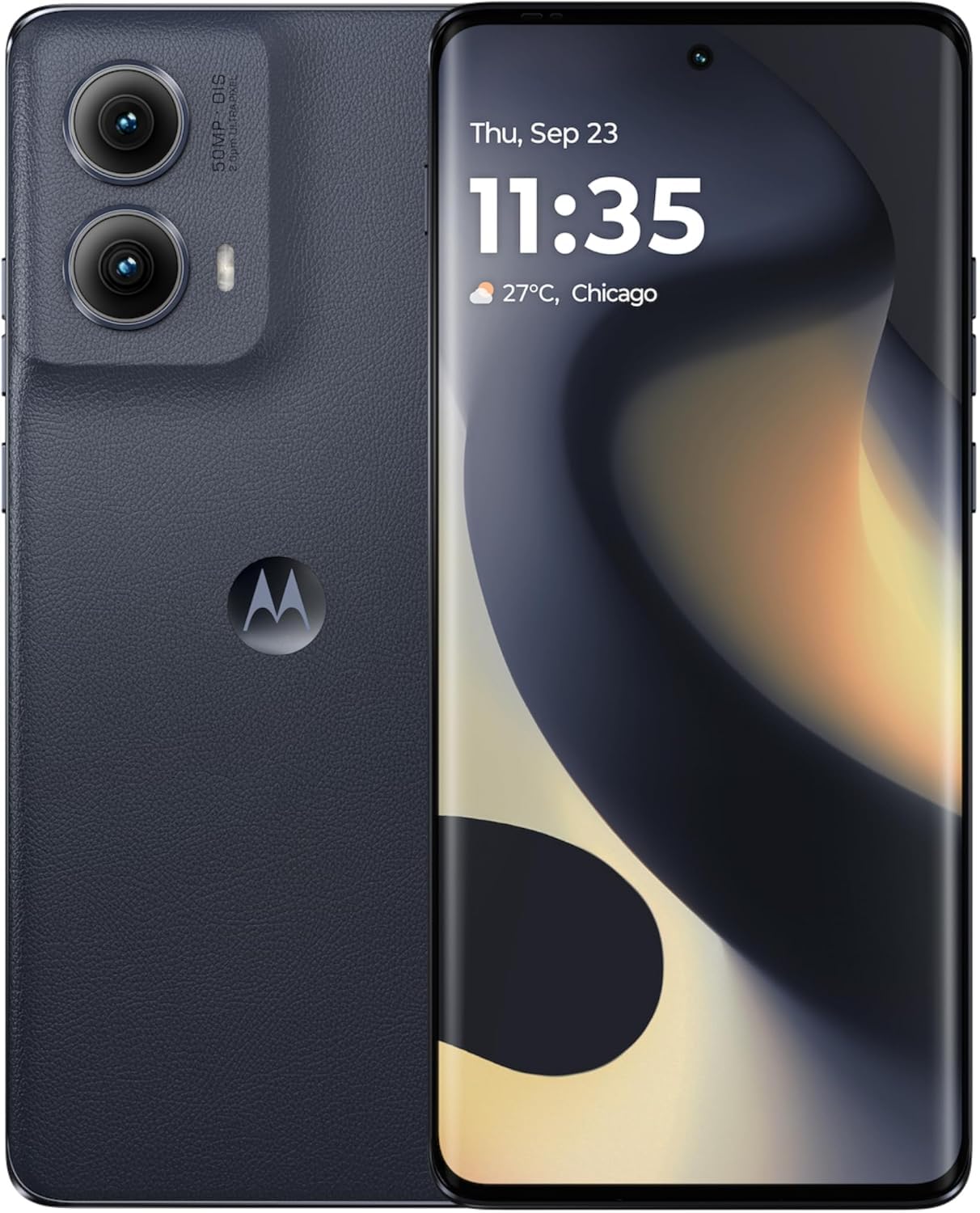
Figure 1: Motorola Edge 5G (2024) XT2405-1 smartphone.
3. Operating Your Device
3.1 Display and Navigation
The Motorola Edge 5G (2024) features a 6.6-inch OLED display with a 120Hz refresh rate, providing smooth visuals and vibrant colors. Navigate your device using intuitive touch gestures and the Android 14 operating system.
3.2 Camera Features
Capture stunning photos and videos with the advanced camera system:
- 50MP Main Camera: Equipped with Optical Image Stabilization (OIS) and AI enhancements for crisp, detailed shots.
- Front Camera: High-resolution front camera for clear selfies and video calls.
- AI Features: Utilize artificial intelligence for scene detection, optimal settings, and enhanced photo quality.
3.3 Performance and Connectivity
Experience seamless multitasking and fast data speeds:
- Processor: Powered by a Mediatek Dimensity 900 CPU for efficient performance.
- RAM: 8GB of RAM ensures smooth app switching and responsiveness.
- Storage: 256GB of internal storage provides ample space for your files.
- 5G Connectivity: Enjoy ultra-fast 5G speeds for streaming, gaming, and downloads.
3.4 Quick Button and Gestures
The device includes a customizable Quick Button and supports various gestures for quick access to features and applications. Refer to the device settings for gesture customization options.
Video 1: Motorola Edge 5G UW Overview. This video provides a general overview of the Motorola Edge 5G UW model's features and design.
4. Charging and Battery
The Motorola Edge 5G (2024) is equipped with a 4400 mAh battery designed for long-lasting use. It supports fast charging to quickly power up your device.
4.1 Charging Your Device
- Connect the USB-C cable to the charging port on your phone.
- Connect the other end of the USB-C cable to a compatible power adapter (sold separately) and plug it into a power outlet.
- For optimal fast charging, use a Motorola-approved fast charger.
5. Maintenance
To ensure the longevity and optimal performance of your Motorola Edge 5G (2024), follow these maintenance guidelines:
- Keep your device clean using a soft, dry cloth. Avoid abrasive materials or harsh chemicals.
- Protect your phone from extreme temperatures, direct sunlight, and moisture.
- Regularly back up your data to prevent loss.
- Install software updates to ensure your device has the latest features and security patches.
6. Troubleshooting
If you encounter issues with your Motorola Edge 5G (2024), try the following common troubleshooting steps:
- Device not responding: Press and hold the Power button for about 10-15 seconds to force a restart.
- App crashing: Close the app and reopen it. If the issue persists, clear the app's cache or reinstall it.
- Connectivity issues: Toggle Wi-Fi or mobile data off and on. Restart your phone or reset network settings if necessary.
- Battery draining quickly: Check battery usage in settings to identify power-hungry apps. Reduce screen brightness and disable unnecessary features.
- Software updates: Ensure your device is running the latest software version. Go to Settings > System > System updates.
For more complex issues, refer to Motorola's official support website or contact customer service.
7. Specifications
| Feature | Detail |
|---|---|
| Model Name | Motorola Edge 5G (2024) |
| Item Model Number | XT2405-1 |
| Brand | Motorola |
| Operating System | Android 14 |
| Screen Size | 6.6 Inches |
| Resolution | 1920 x 1080 |
| Refresh Rate | 120 Hz |
| CPU Model | Mediatek Dimensity 900 |
| CPU Speed | 2.4 GHz |
| RAM Memory Installed Size | 8 GB |
| Memory Storage Capacity | 256 GB (Internal) |
| Battery Power Rating | 4400 mAh |
| Connectivity Technologies | 5G, LTE, GSM |
| Color | Black |
| Audio Jack | No headphone jack |
8. Warranty and Support
Your Motorola Edge 5G (2024) is covered by a limited warranty. Please refer to the warranty card included in your product packaging or visit the official Motorola support website for detailed warranty terms and conditions.
For technical support, product registration, or to find service centers, please visit the Motorola support website or contact their customer service hotline. Keep your proof of purchase for warranty claims.


