
1. Introduction
Thank you for choosing the DUDAO K10 10000 mAh Power Bank. This portable charger is designed to provide reliable power for your mobile devices on the go. With its high capacity, dual USB-A output, and integrated safety features, the DUDAO K10 ensures your devices stay charged efficiently and securely.
Please read this manual carefully before using the product to ensure proper operation and to maximize its lifespan.
2. Safety Information
- Do not expose the power bank to extreme temperatures (above 60°C / 140°F or below 0°C / 32°F), direct sunlight, or high humidity.
- Avoid dropping, hitting, or disassembling the device.
- Keep the power bank away from water and other liquids.
- Do not use the power bank if it is damaged, swollen, or leaking.
- Keep out of reach of children.
- Dispose of the power bank responsibly according to local regulations.
- The DUDAO K10 features integrated protection against overcharge, short circuit, overheating, and overvoltage to ensure safe operation.
3. Product Overview
Familiarize yourself with the components and features of your DUDAO K10 Power Bank.
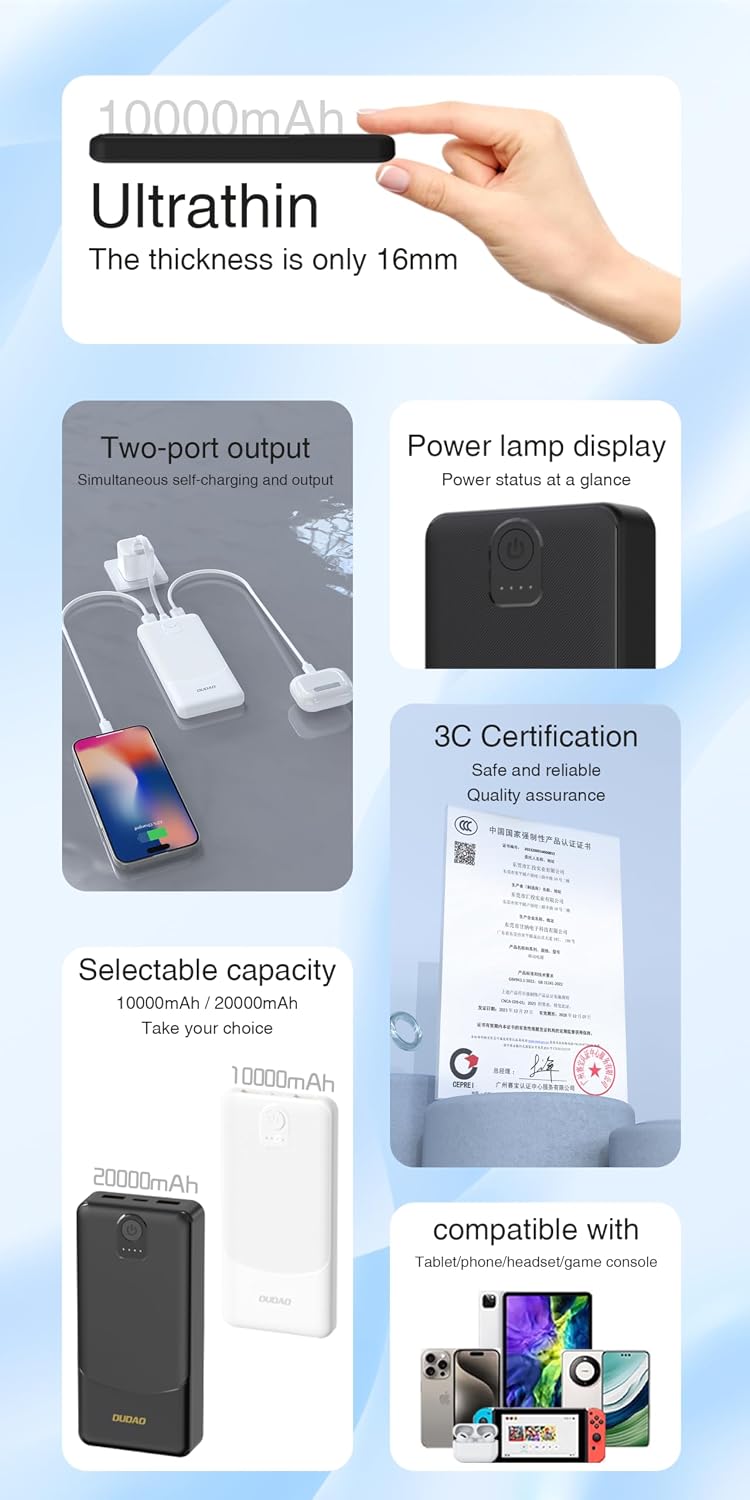
Figure 1: DUDAO K10 Power Bank Key Features
- Power Button: Activates the power bank and checks battery level.
- LED Indicators: Display the remaining battery capacity.
- USB-A Output Ports (x2): For charging external devices.
- Input Port (Micro USB/USB-C): For charging the power bank itself. (Note: Specific input port type not detailed in product info, assuming standard for power banks)
4. Setup
4.1 Initial Charging of the Power Bank
Before first use, fully charge your DUDAO K10 Power Bank.
- Connect the power bank's input port to a USB wall charger (not included) or a computer's USB port using a compatible charging cable.
- The LED indicators will light up to show the charging progress. All LEDs will be solid when fully charged.

Figure 2: Charging the Power Bank
5. Operating Instructions
5.1 Charging External Devices
The DUDAO K10 features two USB-A output ports, allowing you to charge two devices simultaneously with a combined output of up to 2.4A.
- Connect your device's charging cable to one of the USB-A output ports on the power bank.
- Connect the other end of the cable to your smartphone, tablet, or other compatible USB device.
- The power bank will automatically begin charging your device. If not, press the power button once to initiate charging.
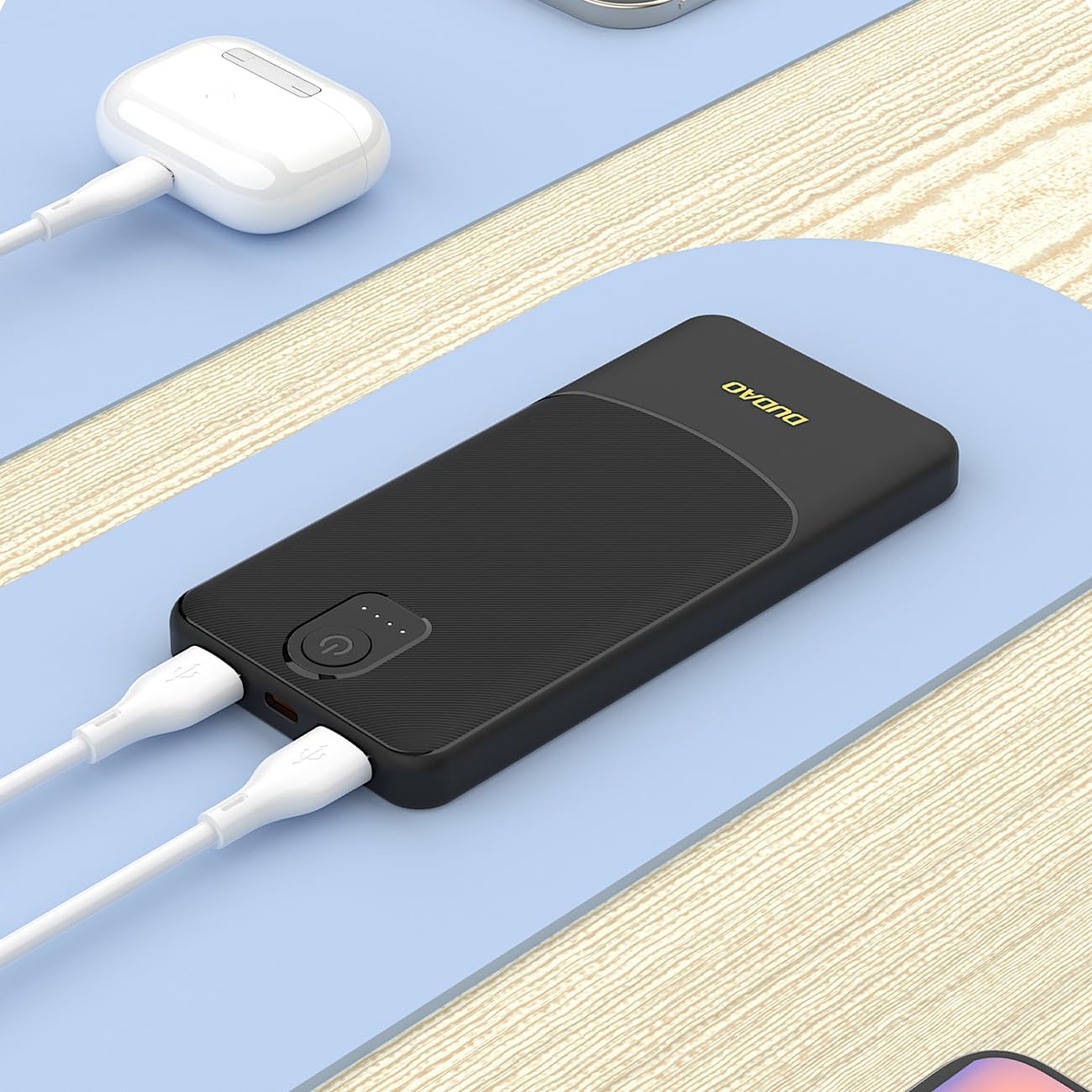
Figure 3: Charging Devices with the Power Bank
5.2 Checking Battery Level
Press the power button once to view the current battery level indicated by the LED lights. Each light typically represents a percentage of the total capacity.
6. Maintenance
- Cleaning: Use a soft, dry cloth to clean the power bank. Do not use abrasive cleaners or solvents.
- Storage: Store the power bank in a cool, dry place away from direct sunlight and extreme temperatures. If storing for extended periods, charge the power bank to about 50-75% every three months to maintain battery health.
- Handling: Avoid physical shocks or drops, as these can damage internal components.
7. Troubleshooting
| Problem | Possible Cause | Solution |
|---|---|---|
| Power bank not charging | Charging cable is faulty; Wall adapter is not working; Power bank is fully charged. | Try a different charging cable and wall adapter. Check LED indicators to confirm charge status. |
| Device not charging from power bank | Power bank battery is low; Device charging cable is faulty; Device is incompatible; Power bank needs activation. | Recharge the power bank. Try a different charging cable. Ensure your device is USB-compatible. Press the power button on the power bank. |
| Slow charging | Using a low-power adapter/cable; Device requires higher input; Charging multiple devices. | Use a high-quality charging cable and a 2.4A compatible wall adapter for the power bank. Charging two devices simultaneously may distribute the 2.4A output. |
| LED indicators not working | Power bank is completely discharged; Internal fault. | Attempt to charge the power bank for several hours. If the issue persists, contact customer support. |
8. Specifications
| Feature | Detail |
|---|---|
| Model | K10 |
| Brand | DUDAO |
| Battery Capacity | 10000 mAh |
| Output Ports | 2 x USB-A |
| Total Output | Up to 2.4A |
| Dimensions (L x W x H) | 9 cm x 5 cm x 2 cm (approx. 16mm thickness) |
| Compatible Devices | Smartphones, Tablets, Wireless Headphones, Smartwatches, E-readers, and other USB-powered devices. |
| Safety Features | Overcharge protection, Short circuit protection, Overheat protection, Overvoltage protection. |
9. Warranty and Support
DUDAO products are designed and manufactured to the highest quality standards. For warranty information or technical support, please refer to the warranty card included with your purchase or contact DUDAO customer service through the retailer where you purchased the product.
Please have your model number (K10) and purchase details ready when contacting support.
