1. Introduction
Thank you for choosing the Basike BA-SPO256 Automatic Tracking Phone Tripod. This device is designed to enhance your photography and videography experience with its intelligent features, including automatic facial tracking, a versatile 3-in-1 design, and extensive compatibility. Please read this manual carefully to ensure proper setup, operation, and maintenance of your new tripod.
2. Product Overview
The Basike BA-SPO256 functions as a selfie stick, a desktop tripod, and a phone holder with advanced tracking capabilities. It features a robust aluminum and ABS construction, a reinforced four-legged base, and a detachable Bluetooth remote control.
2.1 Components
- Automatic Tracking Phone Tripod (main unit)
- Detachable Bluetooth Remote Control
- USB Type-C Charging Cable
- User Manual (this document)

Figure 1: The Basike BA-SPO256 tripod shown in its folded selfie stick mode, extended tripod mode with a phone, and a compact tripod mode with a GoPro camera. A remote control is also visible.
3. Specifications
| Feature | Detail |
|---|---|
| Model | BA-SPO256 |
| Material | Aluminum, ABS, Metal |
| Weight | 520 g (product), 640 g (package) |
| Folded Length | 35 cm |
| Adjustable Height | 35 cm – 180 cm |
| Smartphone Holder Width | 6 cm – 9.5 cm (compatible with 5-10 cm devices) |
| Load Capacity | Up to 1.5 kg |
| Remote Control | Bluetooth 5.2 (iOS/Android, up to 10 m range) |
| Tracking Rotation | 360° horizontal |
| Manual Rotation/Tilt | 360° horizontal, 225° vertical |
| Base Stability | Four reinforced legs with silicone pads |
| Battery Type | Lithium Polymer (included) |
| Battery Life (Tracking) | Up to 8 hours continuous use |
| Charging Port | USB Type-C |
| Universal Interface | 1/4" screw thread |
| Compatible Devices | Smartphones (iOS/Android), Cameras, GoPro |
| Certification | ANATEL: 01666-25-14103 |
4. Setup
4.1 Unboxing and Initial Inspection
Carefully remove all components from the packaging. Verify that all items listed in Section 2.1 are present and undamaged. If any items are missing or damaged, please contact customer support.
4.2 Charging the Device
Before first use, fully charge the tripod's internal battery and the remote control. Connect the provided USB Type-C cable to the charging port on the tripod and a compatible USB power source (e.g., wall adapter, computer USB port). The remote control also charges via Type-C.
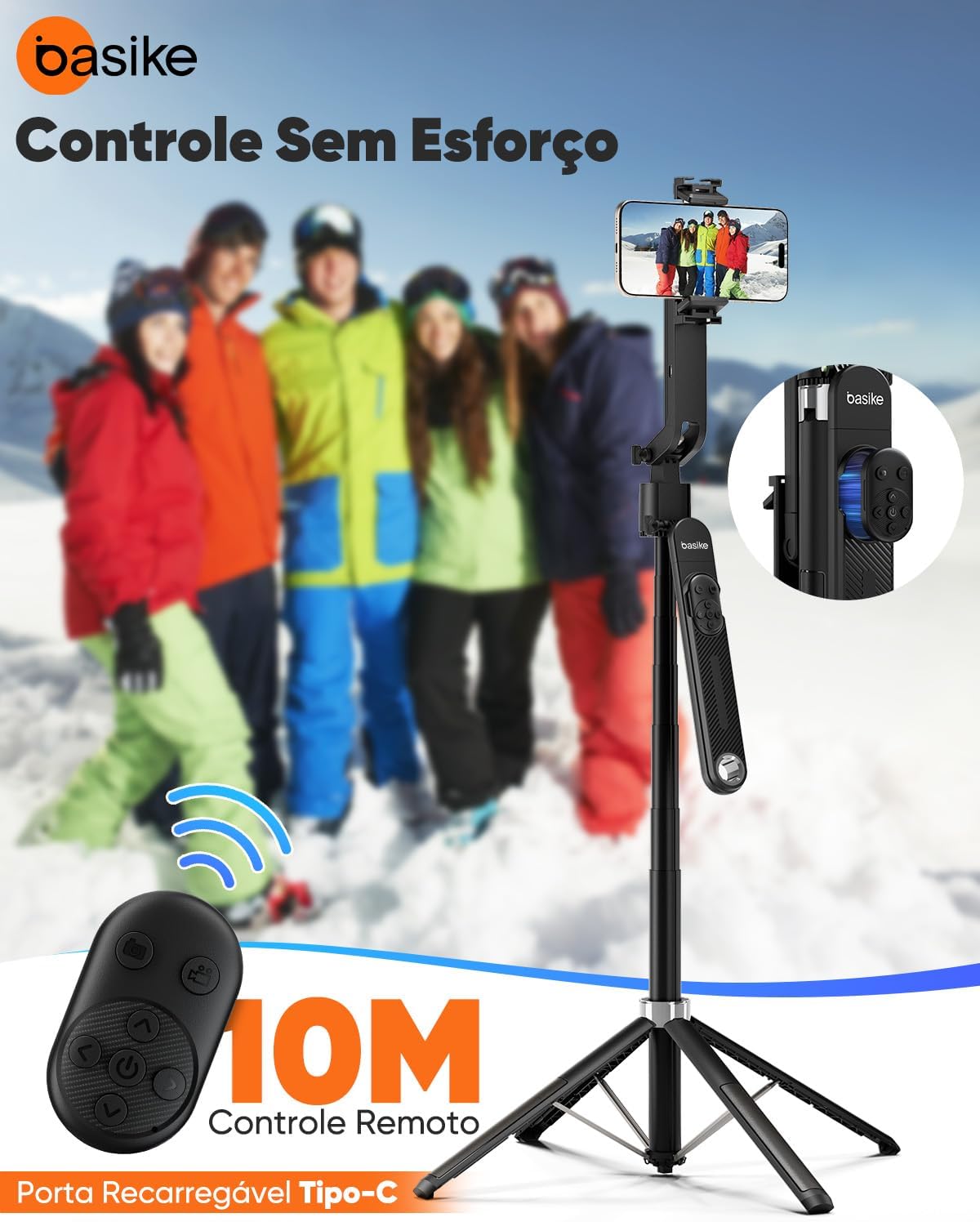
Figure 2: The tripod's remote control and the Type-C charging port are shown, indicating convenient charging for both components.
4.3 Extending and Stabilizing the Tripod
- To extend the tripod, gently pull the main shaft upwards. The tripod features 8 sections of aluminum alloy, allowing extension up to 180 cm.
- To deploy the base, press the button at the bottom of the unit. The four reinforced legs will open, forming a stable quadrupod base. Ensure the legs are fully extended on a flat surface for maximum stability.
- To retract, press the button again and gently push the legs back into the shaft.

Figure 3: The stable four-legged base of the tripod is highlighted, along with the one-touch button for deploying the legs and its reinforced zinc alloy structure.

Figure 4: The tripod's adjustable height capabilities are illustrated, showing it can be used at 40cm for low-angle shots, 80cm for high-angle selfies, and extended to 180cm for landscape photography.
4.4 Attaching Your Device
The tripod features a universal phone holder and a 1/4" screw interface for cameras and other accessories.
- For Smartphones: Gently expand the phone holder and insert your smartphone (compatible with devices 6-9.5 cm wide). Ensure the phone is securely gripped.
- For Cameras/GoPro: Remove the phone holder if necessary. Attach your camera or GoPro to the 1/4" screw thread on the tripod head. Tighten securely.
- Accessories: The tripod also includes a cold shoe mount for attaching accessories like fill lights or microphones.

Figure 5: The tripod head displays its 1/4" screw compatibility for cameras, GoPro, and ring lights, as well as a cold shoe mount for fill lights and microphones.
4.5 Pairing the Remote Control
The remote control uses Bluetooth 5.2 for wireless operation.
- Ensure the remote control is charged.
- Turn on the remote control (usually by pressing and holding a button until an indicator light flashes).
- On your smartphone, go to Bluetooth settings and search for available devices.
- Select "Basike Remote" or a similar name to pair. The indicator light will stop flashing once paired.
- The remote can be detached from the tripod for convenient use up to 10 meters away.
5. Operating Instructions
5.1 Automatic Facial Tracking
The BA-SPO256 features an integrated AI camera for real-time facial and body tracking without requiring a separate application.
- Power on the tripod's tracking module (refer to the power button location, usually near the phone holder).
- Position your face or body within the camera's view. The AI will automatically recognize and begin tracking your movements, rotating the phone holder 360° horizontally to keep you centered.
- The AI prioritizes the main subject in the foreground, ensuring stable tracking even in environments with multiple people.

Figure 6: The tripod's AI gesture recognition feature is shown, where an "OK" gesture initiates tracking and a palm gesture stops it. The tripod tracks movement to keep the subject in frame.
5.2 Gesture Control (AI Recognition)
The AI tracking module supports specific hand gestures for control:
- "OK" Gesture: Make an "OK" sign with your hand to initiate or resume tracking.
- Palm Gesture: Show an open palm to the camera to pause or stop tracking.
5.3 Adjusting Angles and Orientation
Beyond automatic tracking, the tripod allows for manual adjustments:
- Horizontal Rotation: The phone holder can be manually rotated 360° for panoramic shots.
- Vertical Tilt: The holder can be tilted up to 225° vertically to achieve desired angles.
- Balance Handle: The tripod features a 360° adjustable balance handle. Ensure it is unlocked for free movement and locked for a fixed position.

Figure 7: The tripod's head demonstrates its 360° horizontal rotation and 225° vertical tilt capabilities, allowing for flexible camera positioning.

Figure 8: The adjustable balance handle is shown in both its locked and unlocked states, illustrating how to secure or adjust the device's orientation.
5.4 Using the Bluetooth Remote Control
Once paired, the remote control allows you to trigger your device's camera shutter from a distance of up to 10 meters. This is ideal for group photos, selfies, or starting/stopping video recordings without touching your phone.
- Press the camera button on the remote to take a photo or start/stop video recording (functionality depends on your phone's camera app settings).
6. Maintenance
- Cleaning: Wipe the tripod with a soft, dry cloth. Do not use abrasive cleaners or solvents.
- Storage: Store the tripod in a cool, dry place when not in use. Retract all sections and fold the legs for compact storage.
- Battery Care: To prolong battery life, avoid fully discharging the battery frequently. Charge regularly, even if not in constant use.
- Avoid Overloading: Do not exceed the maximum load capacity of 1.5 kg to prevent damage to the tripod.
7. Troubleshooting
7.1 Automatic Tracking Issues
- Q: Does this tripod require an app for automatic tracking?
A: No. The tripod has an integrated AI camera that recognizes faces in real-time. Simply power on the device and position your phone; tracking starts automatically without an extra app. - Q: Does tracking work in environments with multiple people?
A: Yes. The AI focuses on the main subject in the foreground, accurately following their movements. This ensures stable recordings even in crowded settings. - Q: How long does the automatic tracking battery last in continuous use?
A: The internal rechargeable battery offers up to 8 hours of autonomy, depending on usage intensity. This allows for long broadcasts, outdoor recordings, and travel without concerns.
7.2 Remote Control Issues
- Q: Is the remote control removable? How is it charged?
A: Yes. The tripod features a detachable magnetic remote control, practical for selfies or remote recordings. Charging is via a Type-C input with the included cable, ideal for travel and prolonged use. - Q: Remote not pairing or connecting.
A: Ensure the remote is charged and powered on. Check your phone's Bluetooth settings to confirm it's searching for devices. If issues persist, try unpairing and re-pairing the remote.
7.3 Compatibility and Usage
- Q: What is the maximum height, and how does it help with videos?
A: The tripod reaches up to 180 cm, ideal for wider angles, travel, and live streaming. Combined with 360° AI tracking, it offers creative freedom for live streams, vlogs, and recordings. - Q: Can I use it only with a cell phone or also with a camera?
A: In addition to smartphones (iOS and Android), the holder has a universal 1/4" interface, compatible with digital cameras, GoPro, and other devices. This makes it versatile for both photos and videos.
8. Warranty and Support
Warranty: This product comes with a 1-year warranty against manufacturing defects. Basike is not responsible for damages caused by improper use of the product or use with an incompatible electrical device.
Customer Support: 24/7 customer support is available for any inquiries or assistance you may need.
For further assistance, please visit the Basike Store or contact your retailer.