
1. Introduction
This manual provides detailed instructions for the installation, operation, and maintenance of your VECHTEL Android 15 Car Stereo. This unit is designed for specific Ford models, including the Ford Transit (2009-2016) and Ford Focus (2005-2008). Please read this manual thoroughly before installation and use to ensure proper function and safety.
2. Product Overview and Features
The VECHTEL Android 15 Car Stereo features a 9-inch In-Cell HD touchscreen, offering bright images and a slim frame. It operates on Android 15 with a quad-core processor, 4GB RAM, and 128GB ROM for smooth multitasking and quick application launch times.
Key Features:
- Wireless CarPlay & Android Auto: Seamless integration with your smartphone for navigation, calls, and music.
- GPS Navigation: Supports both online and offline maps.
- Wi-Fi Connectivity: Access to the Play Store for app downloads, online video streaming, and internet browsing.
- Bluetooth 5.0: For hands-free calling and audio streaming.
- FM/RDS Radio: Clear reception for various radio stations.
- Steering Wheel Control: Compatible with existing vehicle steering wheel controls.
- Reversing Camera Support: Full HD reversing camera input (camera included).
- Mirror Link: Screen mirroring functionality.
- Split Screen: Run two applications simultaneously.
- Dual USB Interfaces: For media playback and connectivity.

Image: This image displays the core technical specifications of the unit, highlighting the 9-inch In-Cell touchscreen, 4GB RAM, 128GB ROM, and Android 15 operating system. It also shows a comparison of In-Cell screen technology versus traditional screens.
3. Setup and Installation
Professional installation is recommended. Ensure the vehicle's power is disconnected before beginning installation. Verify compatibility with your vehicle model year (Ford Transit 2009-2016 or Ford Focus 2005-2008).
Package Contents:
- 1 x Android Car Stereo
- 1 x Power Cable
- 1 x GPS Antenna
- 1 x Reversing Camera
- 1 x Reversing Camera Input Cable
- 1 x RCA Cable
- 2 x USB Cables
- 1 x Instruction Manual (This document)
- 1 x Microphone
- 1 x Installation Tool
- 1 x Antenna Adapter
- 1 x Canbus
Wiring Diagram:
Refer to the wiring diagram below for proper connection of all components. Ensure all cables are securely connected to their respective ports.

Image: This diagram illustrates the rear panel connections of the car stereo, including the 8-pin Canbus plug, rear camera input, GPS antenna, power cable, RCA cable, and both 4-pin and 6-pin USB cables. It also shows typical vehicle wiring harnesses for Ford Transit/Focus models.
Vehicle Compatibility and Installation Example:
The unit is designed to integrate seamlessly into the dashboard of compatible Ford models. The image below shows a visual comparison of the dashboard before and after installation in a Ford Focus.

Image: This image shows the dashboard of a Ford Focus before and after the installation of the VECHTEL Android car stereo, demonstrating the integrated fit and the new display interface.
4. Operating Instructions
4.1 Wireless CarPlay and Android Auto
Connect your smartphone wirelessly via Bluetooth to enable CarPlay or Android Auto. This allows access to navigation, phone calls, messages, and music directly from the car stereo's display. Voice control via Siri or Google Assistant is supported.
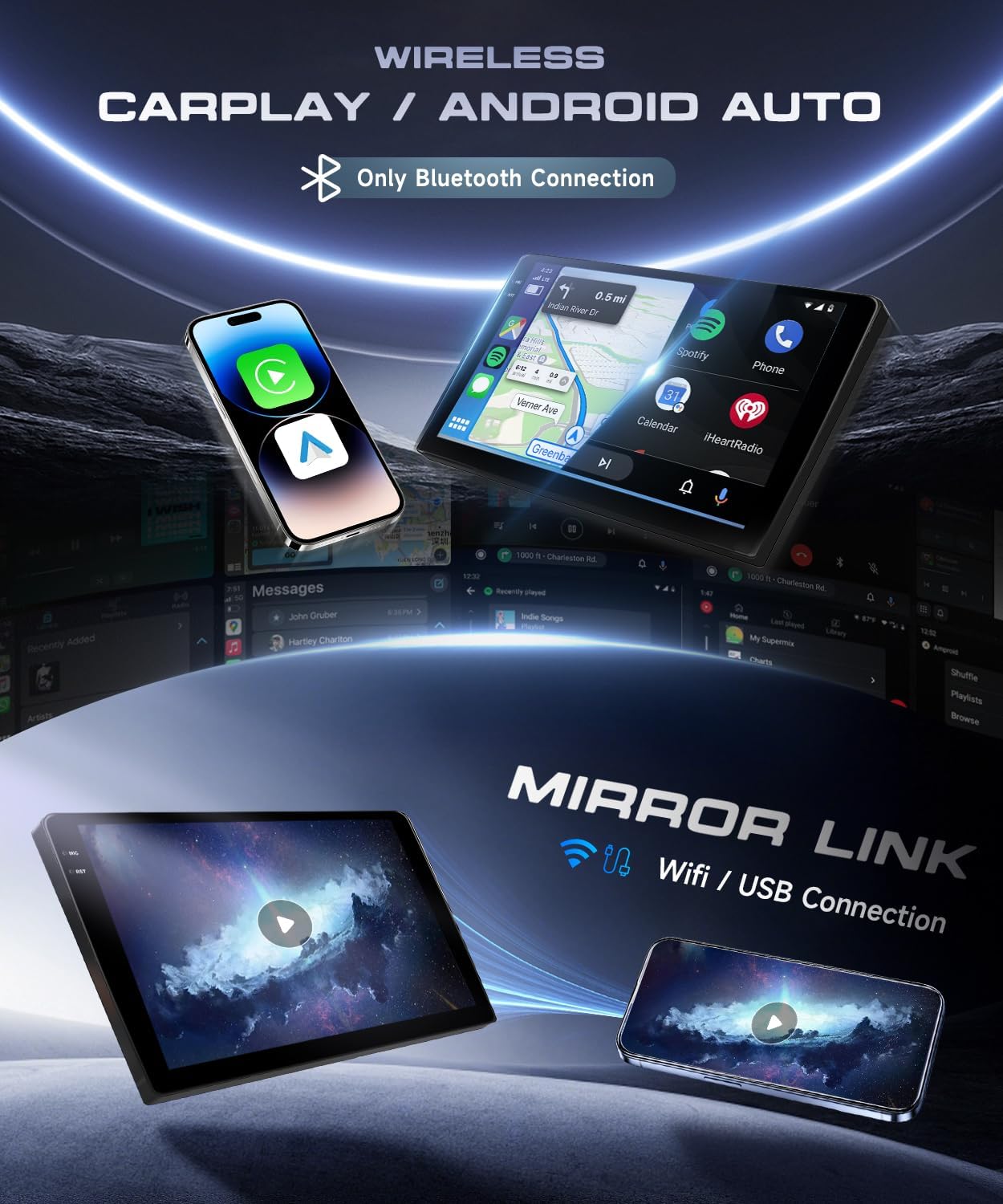
Image: This image illustrates the wireless CarPlay and Android Auto interfaces on the car stereo, along with the Mirror Link feature, which allows screen mirroring via Wi-Fi or USB connection.
4.2 GPS Navigation and Wi-Fi
The unit includes a built-in GPS module. You can use pre-installed offline maps or connect to Wi-Fi (or a mobile hotspot) to use online navigation applications. Wi-Fi also enables downloading apps from the Play Store and streaming online content.

Image: This image shows the GPS navigation interface with various map applications and the Wi-Fi function displaying online video streaming options.
4.3 Bluetooth and FM/RDS Radio
Bluetooth 5.0 allows for stable hands-free calls and high-quality audio streaming from your connected devices. The integrated FM/RDS radio tuner provides access to local radio stations with clear sound quality.
4.4 Steering Wheel Control
The unit supports your vehicle's original steering wheel controls, allowing you to manage audio, calls, and other functions without taking your hands off the wheel. Configuration may be required in the system settings.
4.5 Reversing Camera
When the vehicle is shifted into reverse, the display automatically switches to the view from the connected reversing camera, providing a clear image to assist with parking and maneuvering.
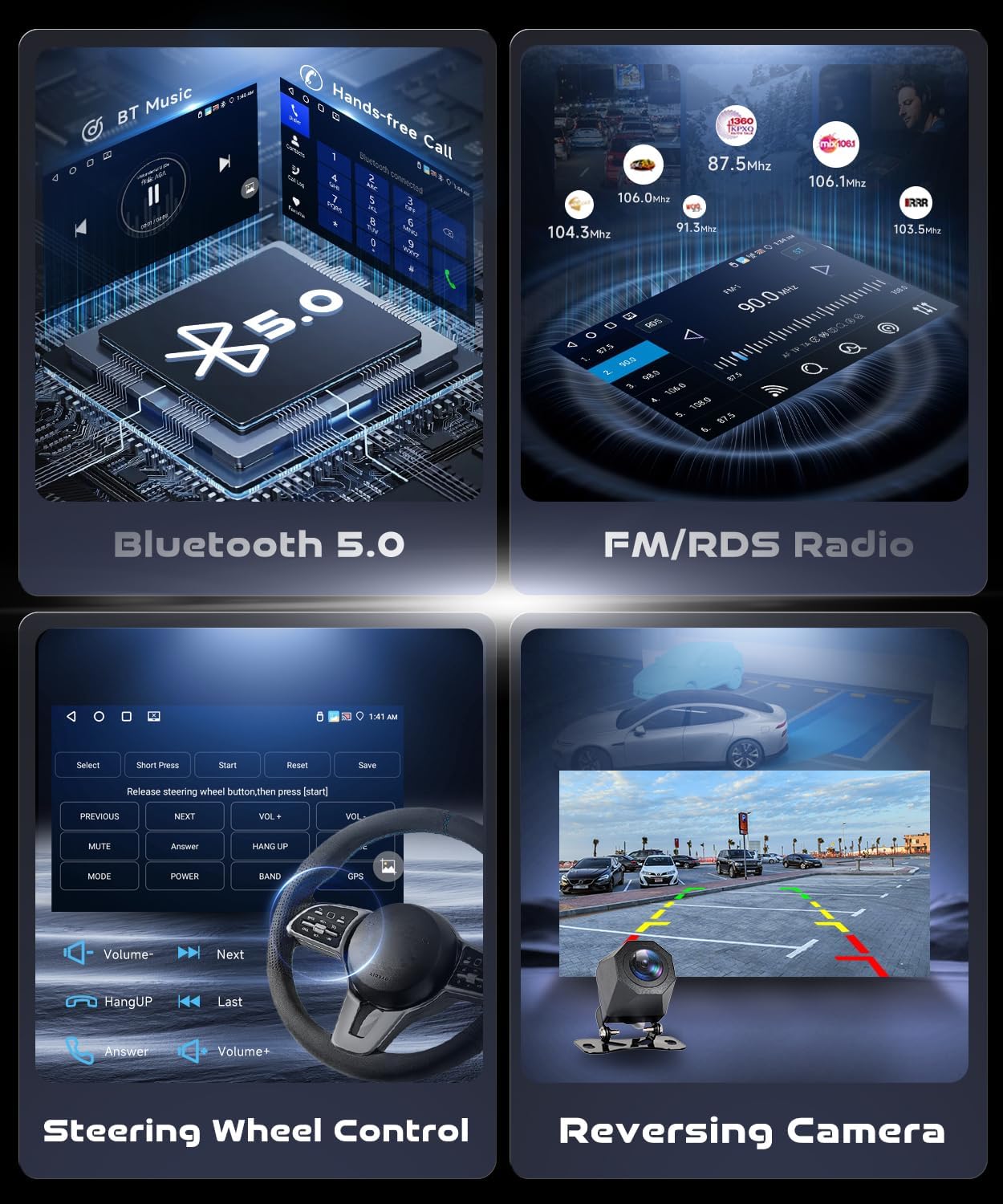
Image: This image displays various operational features including Bluetooth music playback, hands-free calling, FM/RDS radio interface, the steering wheel control setup screen, and a live view from the reversing camera.
4.6 Other Functions
- Mirror Link: Connect your phone via Wi-Fi or USB to mirror its screen onto the car stereo display.
- Split Screen: Access two applications simultaneously on the 9-inch screen.
- EQ Settings: Customize audio output with various equalizer presets and manual adjustments.
- Multiple UI Options: Choose from different user interface themes.
5. Maintenance
To ensure the longevity and optimal performance of your car stereo, follow these maintenance guidelines:
- Screen Cleaning: Use a soft, lint-free cloth to gently wipe the touchscreen. Avoid abrasive cleaners or solvents.
- Software Updates: Periodically check for available software updates through the system settings to ensure the latest features and security patches.
- Temperature Control: Avoid exposing the unit to extreme temperatures for extended periods.
- Connection Checks: Ensure all cables remain securely connected to prevent intermittent issues.
6. Troubleshooting
If you encounter issues with your car stereo, refer to the following common problems and solutions:
- No Power: Check all power cable connections. Ensure the vehicle's ignition is on. Verify the fuse in the vehicle's fuse box.
- No Sound: Check speaker connections. Ensure volume is not muted or set to minimum. Verify audio settings in the system.
- GPS Signal Loss: Ensure the GPS antenna is properly installed and has a clear view of the sky. Check GPS settings in the system.
- Bluetooth Connection Issues: Ensure Bluetooth is enabled on both the car stereo and your mobile device. Try unpairing and re-pairing the devices.
- Touchscreen Unresponsive: Perform a system reset (refer to system settings for reset options). If the issue persists, contact support.
- CarPlay/Android Auto Not Connecting: Ensure your phone is compatible and the connection method (wireless/USB) is correctly selected. Check phone settings for CarPlay/Android Auto permissions.
For persistent issues not covered here, please contact VECHTEL customer support.
7. Specifications
| Feature | Specification |
|---|---|
| System | Android 15 |
| Screen Material | In-cell |
| Chipset | RK3326S |
| MCU | G0001ALT |
| Audio Processor | TM2313 |
| Operating Speed | 1.5 GHz |
| Screen Size | 9 inches |
| Memory (RAM + ROM) | 4 GB (RAM) + 128 GB (ROM) |
| Screen Resolution | 1280*720 |
| Bluetooth | Supported (Bluetooth 5.0) |
| Radio Chip | UMW2652 |
| Output Power | 4*45 W |
| Operating Voltage | 9 V - 16 V |
| Operating Temperature | -20 ℃ - 70 ℃ |
| Steering Wheel Control | Supported |
| Power Amplifier Chip | YD7388 |
| Radio Band | FM/RDS |
| Reverse Input | AHD/CVBS |
| External Microphone | Supported |
| Split Screen | Supported |
| Mirror Link | Supported |
| Maps | Built-in offline maps (requires internet for data download) |
| WI-FI | Supported |
| USB Interface | Dual USB |
| Audio Formats | APE/FLAC/WAV/MP3/WMA, etc. |
| Video Formats | MKV/RMVB/AVI/MP4/MDV, etc. |
| Image Formats | PNG/JPEG/JPG/GIF/WBMP/BNP, etc. |
| Languages | Chinese/English/French/Italian/Korean/Japanese/Arabic/Spanish/Portuguese/Russian/Turkish/Vietnamese/Hebrew/Polish/German |
8. Warranty and Support
Warranty Information:
This VECHTEL car stereo comes with a three-year manufacturer's warranty. Please retain your proof of purchase for warranty claims. The warranty covers defects in materials and workmanship under normal use.
Customer Support:
For technical assistance, troubleshooting, or warranty inquiries, please contact VECHTEL customer support through the retailer where the product was purchased. Provide your model number (e80f1bdb-d3b9-4262-9a05-7083be26a1c1) and a detailed description of the issue.