
Introduction
This manual provides detailed instructions for the K&F CONCEPT Camera Backpack KF13.173. Designed for photographers, this backpack offers versatile storage, comfortable carrying, and protection for your camera gear and personal items. Please read these instructions carefully to ensure proper use and maintenance of your backpack.
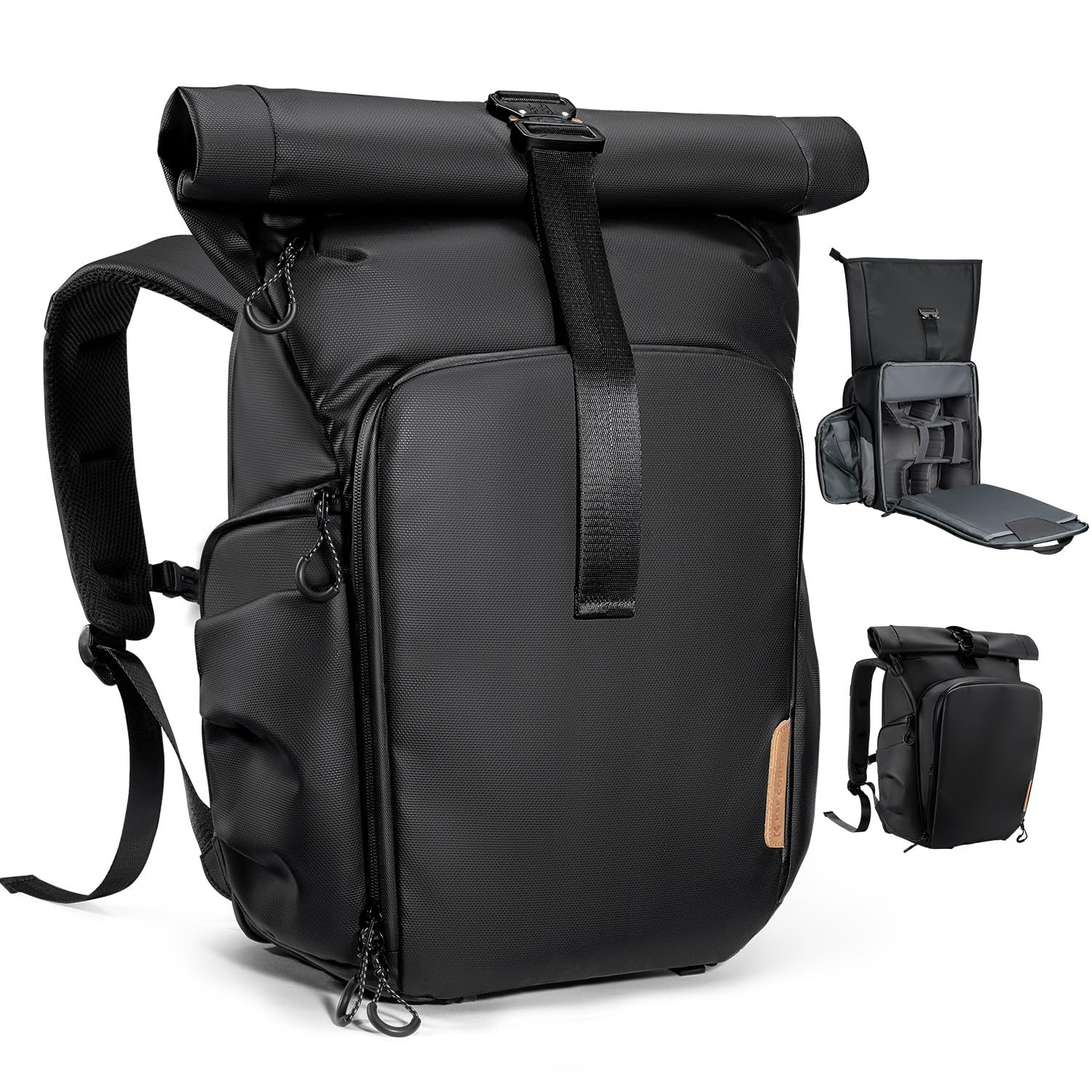
Figure 1: Front view of the K&F CONCEPT Camera Backpack.
Setup and Customization
1. Internal Compartment Configuration
The main equipment compartment features removable long and short dividers, allowing you to customize the interior space to fit various camera equipment sizes. Arrange these dividers to securely hold your DSLR/SLR/Mirrorless cameras, lenses, and accessories.

Figure 2: Customizable internal compartment with dividers for camera gear.
2. Adjusting Shoulder Straps
The backpack is equipped with an ergonomic carrying system designed for comfort and breathability. Adjust the widened shoulder straps and chest strap to achieve a snug and balanced fit, distributing weight evenly across your back. The breathable back panel helps reduce pressure and improve airflow.

Figure 3: Illustration of the ergonomic back panel and adjustable shoulder straps for comfortable carrying.
3. Attaching a Tripod
Utilize the dedicated tripod strap located at the bottom of the bag to securely carry a tripod. Fasten the straps tightly to prevent movement during transport.

Figure 4: A tripod secured to the bottom external straps of the backpack.
Operating Features
1. Main Compartment Access
The professional back full-open design allows for complete access to the main compartment. This facilitates effortless organization of all compartments and equipment while providing maximum protection for your gear when closed.

Figure 5: The backpack's back panel fully unzipped, showing the spacious main compartment.
2. Side Quick Access
For rapid access to your camera, use the quick side access zipper. This feature allows you to retrieve your gear without fully removing the backpack, ensuring you capture important moments swiftly.

Figure 6: A person demonstrating quick access to a camera via the side zipper.
3. Expandable Top Roll-Top Compartment
The roll-top compartment can be fully expanded to add approximately 4 liters of capacity. This is ideal for extra clothing, snacks, or other personal items needed for short daily shoots. Secure it with the zipper and buckle when expanded or rolled down.

Figure 7: The roll-top compartment shown in both compact and expanded states, illustrating its additional capacity.
4. Expandable Front Pocket
The V-type front pocket can be fully expanded to add approximately 2 liters of capacity. This provides supplementary space for additional items or quick-access essentials.
5. Laptop Compartment
A padded zipper compartment on the back of the backpack is designed to accommodate laptops up to 15.6 inches, providing secure and protected storage for your device.
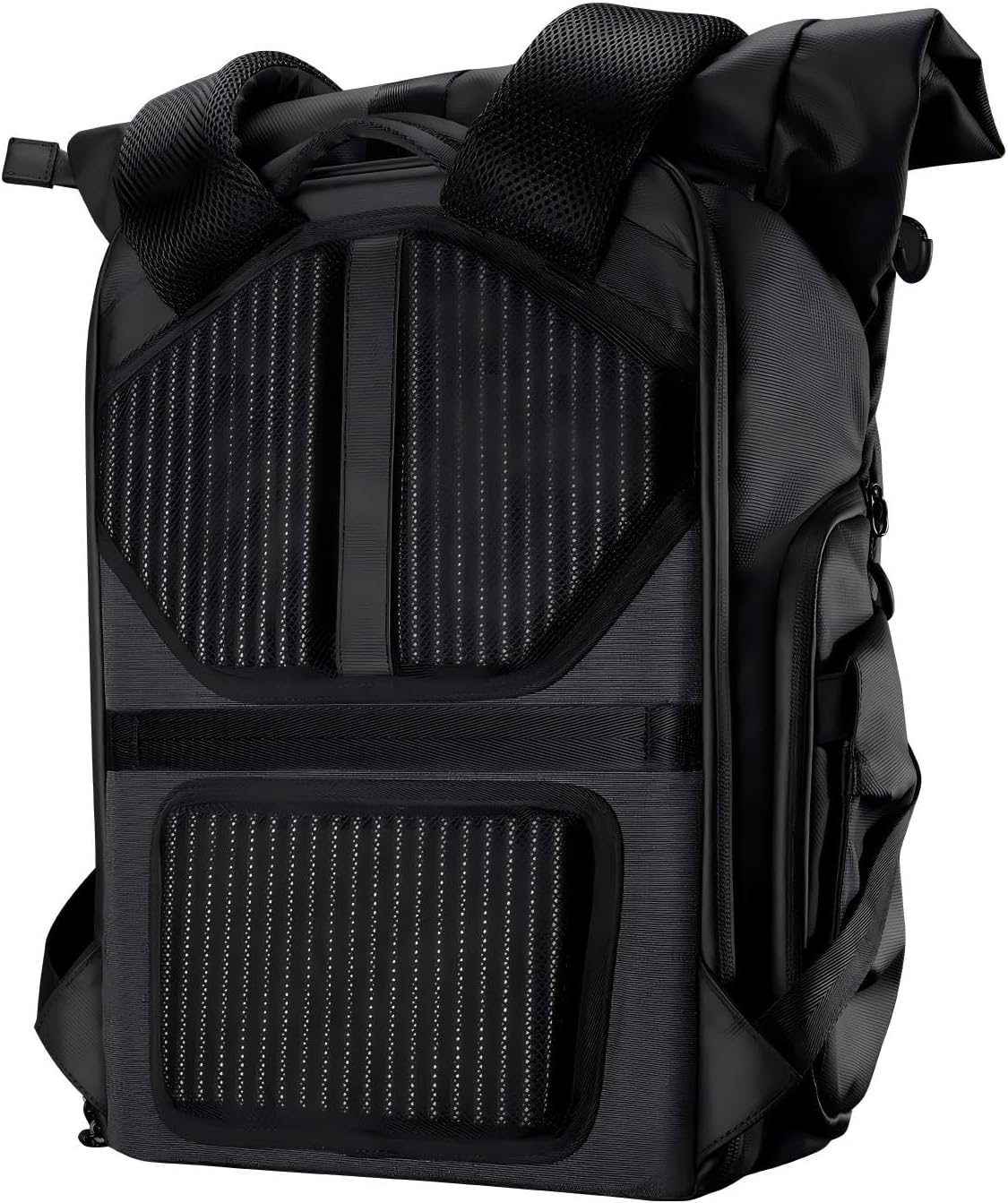
Figure 8: A laptop being inserted into the padded rear compartment.
6. Accessory Pockets
The backpack includes multiple accessory pockets for organized storage:
- Dual Side Pockets: For water bottles or other quick-access items.
- Four Insert Pockets: Suitable for filters, cleaning supplies, or small personal items.
- Three Dedicated Battery Pockets: Designed for organized storage of camera batteries.

Figure 9: Examples of the various accessory pockets, including battery storage and filter pockets.
7. Rain Cover Deployment
A waterproof rain cover is stored in a dedicated compartment at the bottom of the backpack. In adverse weather conditions, pull out the rain cover and fit it over the backpack to protect your gear from moisture.

Figure 10: The backpack with its waterproof rain cover in use.
Maintenance and Care
To maintain the quality and longevity of your K&F CONCEPT Camera Backpack, follow these care instructions:
- Cleaning: Wipe the exterior with a damp cloth and mild soap if necessary. Avoid harsh chemicals or abrasive cleaners.
- Drying: Allow the backpack to air dry completely before storing. Do not machine wash or tumble dry.
- Storage: Store in a cool, dry place away from direct sunlight when not in use.
- Material: The backpack is constructed from durable polyester.
Troubleshooting
If you encounter any issues with your backpack, consider the following:
- Capacity Management: If the backpack feels too full or uncomfortable, try reorganizing your gear. Utilize the expandable sections for less fragile items or items needed for quick access.
- Strap Adjustment: Ensure all straps (shoulder, chest) are properly adjusted for your body type to maximize comfort and weight distribution.
- Zipper Issues: If zippers stick, apply a small amount of zipper lubricant or graphite from a pencil. Avoid forcing zippers.
Specifications
Key specifications for the K&F CONCEPT Camera Backpack KF13.173:
| Feature | Detail |
|---|---|
| External Dimensions | 11"D x 6.69"W x 17.3"H (28cm x 17cm x 44cm) |
| Equipment Compartment Dimensions | 10.6"D x 6.29"W x 15.3"H (27cm x 16cm x 39cm) |
| Material Type | Polyester |
| Color | Black |
| Item Weight | 2.06 Kilograms |
| Laptop Compatibility | Up to 15.6 Inches |
| Water Resistance Level | Waterproof |
| Number of Compartments | 8 |
| Number of Pockets | 10 |
| Top Compartment Expansion | Approximately 4L capacity (20cm height expansion) |
| Front Pocket Expansion | Approximately 2L capacity (6cm depth expansion) |
| Strap Type | Adjustable |

Figure 11: Visual representation of product dimensions and key specifications.
Warranty and Support
This K&F CONCEPT Camera Backpack KF13.173 comes with a 1-Year Warranty. For warranty claims, technical support, or any product-related inquiries, please contact K&F CONCEPT customer service through their official website or the retailer where the product was purchased. Please retain your proof of purchase for warranty validation.
Official Product Video
Video 1: An official product video demonstrating the features and functionality of the K&F CONCEPT Roll Top & Front Pocket Expandable Camera Backpack.