Product Overview
The Glikid 5-in-1 STEM RC Robotics Kit offers an engaging building experience, allowing users to construct five distinct robotic models: a Mech Robot, WALL Robot, Sports Car, Tunneling Robot, and Engineering Grader. This kit is designed to foster problem-solving, critical thinking, and fine motor skills through hands-on construction and interactive play. Please note that only one model can be built at a time using the provided brick pieces.
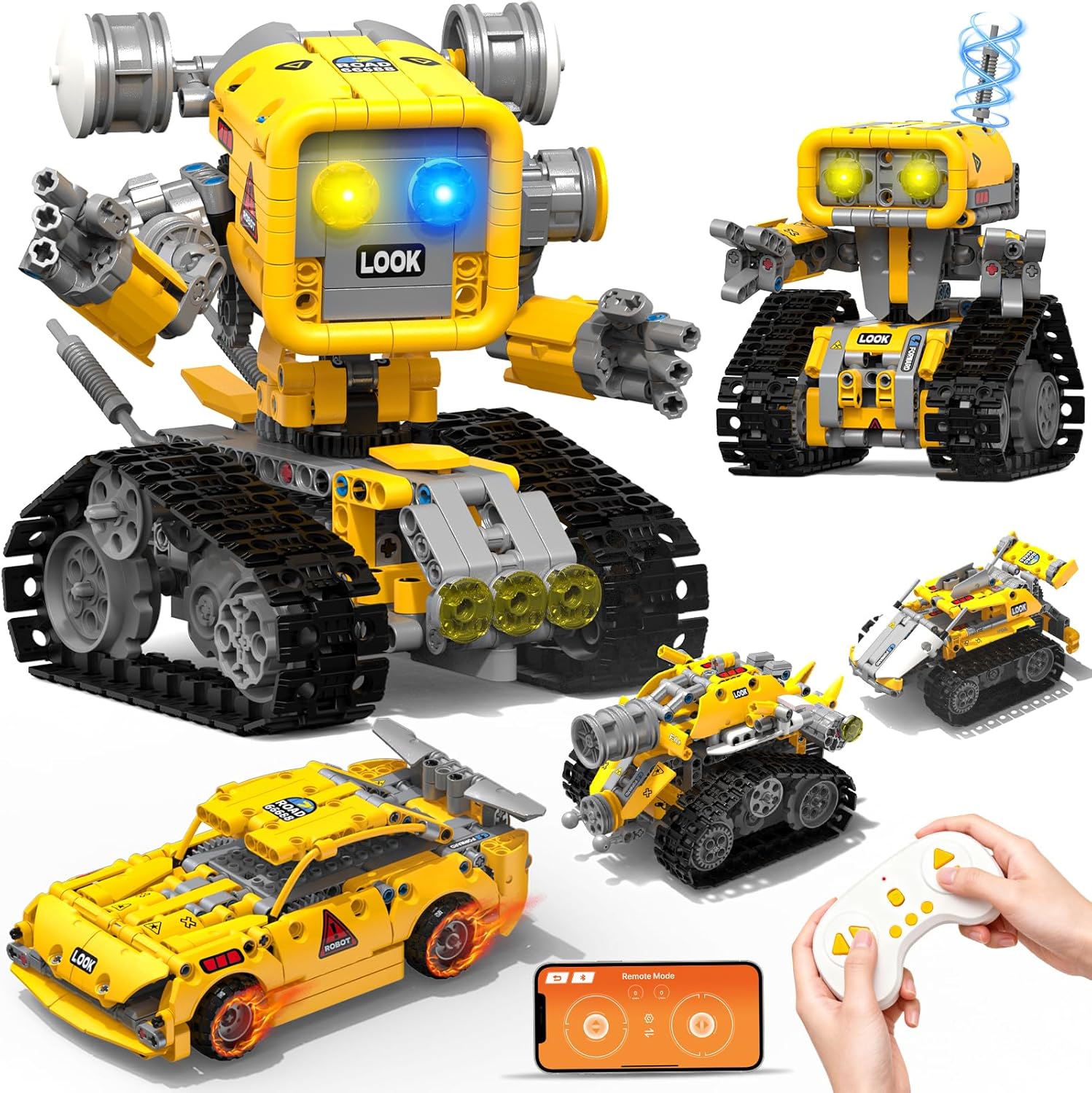
Figure 1: All five models that can be constructed from the Glikid 5-in-1 STEM RC Robotics Kit.
What's in the Box
- Branded Packaging Box
- Product Manual with detailed instructions
- Building Blocks Set (689 pieces)
- Remote Control (requires 2 AAA batteries, not included)
- Built-in 3.7V 500mAh Li-Po battery (included)
- Type-C to USB charging cable (included)
Safety Information
WARNING: Not suitable for children under 3 years due to small parts. Choking hazard. Keep out of reach of infants.
Assembly Instructions
The kit includes an extra-large, easy-to-read manual with clearly illustrated step-by-step instructions for all five models. Pieces are neatly sorted by the main robot build to simplify the assembly process. Follow the manual carefully for each model. Pieces can be disassembled and reassembled into different models, offering varied building experiences.

Figure 2: The comprehensive instruction manual guides users through each building step.
Operating Instructions
The robot can be controlled using either the included 2.4GHz remote control or a dedicated Bluetooth application on a smart device. Both methods offer smooth 360° movement and stable operation.
Remote Control Operation
The remote control allows for direct manipulation of the robot's movements. Ensure 2 AAA batteries are installed in the remote control (batteries not included). Refer to the remote control diagram in your product manual for specific button functions.

Figure 3: Operating the Sports Car model using the 2.4GHz remote control.
App Control Operation
Download the official Glikid application to your smart device (available for iOS and Android). The app offers four control modes: control, driving, route, and program. Connect the robot via Bluetooth to your device to access these advanced functionalities, including programming custom movement sequences.

Figure 4: Utilizing the mobile application for advanced control and programming of the robot.
Video 1: Demonstration of the Glikid 5-in-1 STEM RC Robotics Kit in action, showcasing its various models and control features.
Charging Information
The robot is equipped with a built-in 3.7V 500mAh Li-Po battery. A full charge provides up to 45 minutes of continuous play. The kit includes a Type-C to USB cable for convenient charging. The robot maintains smooth performance even with partial charging.
Maintenance
To ensure the longevity of your Glikid Robotics Kit, keep all components clean and free from dust. Store the kit in a dry place away from direct sunlight and extreme temperatures. Regularly check for any loose connections or damaged parts. If any parts are missing or damaged, refer to the support information for assistance.
Troubleshooting
- Robot not responding: Ensure the robot's battery is charged and the remote control has fresh AAA batteries. Verify that the robot and control device (remote or app) are properly paired.
- App connectivity issues: Make sure Bluetooth is enabled on your smart device and the robot is within range. Restart the app and the robot if connection problems persist.
- Movement issues: Check that all building blocks are securely connected according to the manual. Ensure tracks or wheels are free from obstructions.
- Missing pieces: If you encounter missing pieces during assembly, please contact Glikid customer support as detailed in the "Warranty and Support" section.
Specifications
| Product Dimensions | 5.35 x 5.5 x 6.46 inches |
| Item Weight | 1.85 pounds |
| Model Number | KB7195 |
| Recommended Age | 8 years and up |
| Battery Type | 1 Nonstandard Battery (included) |
| Remote Control Batteries | 2 AAA batteries (not included) |
| Manufacturer | Glikid |
Warranty and Support
For any missing pieces or support inquiries, please contact Glikid customer service. Contact information can typically be found on the product packaging or within the included manual. Glikid aims to respond to messages within 24 hours.
For additional information or to explore other products, visit the official Glikid store: Glikid Store.