1. Introduction
Thank you for choosing the EZVALO RGB Spotlights. These versatile, rechargeable spotlights are designed to enhance your indoor spaces with dynamic and customizable lighting. Featuring a powerful 5500mAh battery, remote control, and multiple color options, these lights are ideal for accentuating plants, artwork, and decorative elements.

Image 1.1: EZVALO RGB Spotlights, remote control, and charging cables.
2. Package Contents
Ensure all items are present in your package:
- 2x Spotlights
- 1x Remote Control
- 1x User Manual
- 1x Charging Cables (USB-C)
- 1x Iron Filings (for magnetic mounting)
- 2x Screws
- 2x Screw Sleeves
3. Product Features
- 5500mAh Rechargeable Battery: Provides up to 100 hours of low brightness lighting or 20 hours of high brightness lighting. Fully charges within 4 hours using the equipped USB-C fast charging.
- Dynamic RGB & DIY Mode: Offers multi-color RGB lighting with 83 color options and 8 preset lighting effects. DIY mode allows selection of 2-5 colors for a looping display.
- Flexible Multi-Directional Lighting Head: The illumination head can rotate horizontally 350° and adjust vertically 90°, allowing precise light direction.
- Easy Installation: Two installation methods are available: using the included 3M tape or screws. The magnetic design allows for easy detachment for charging.
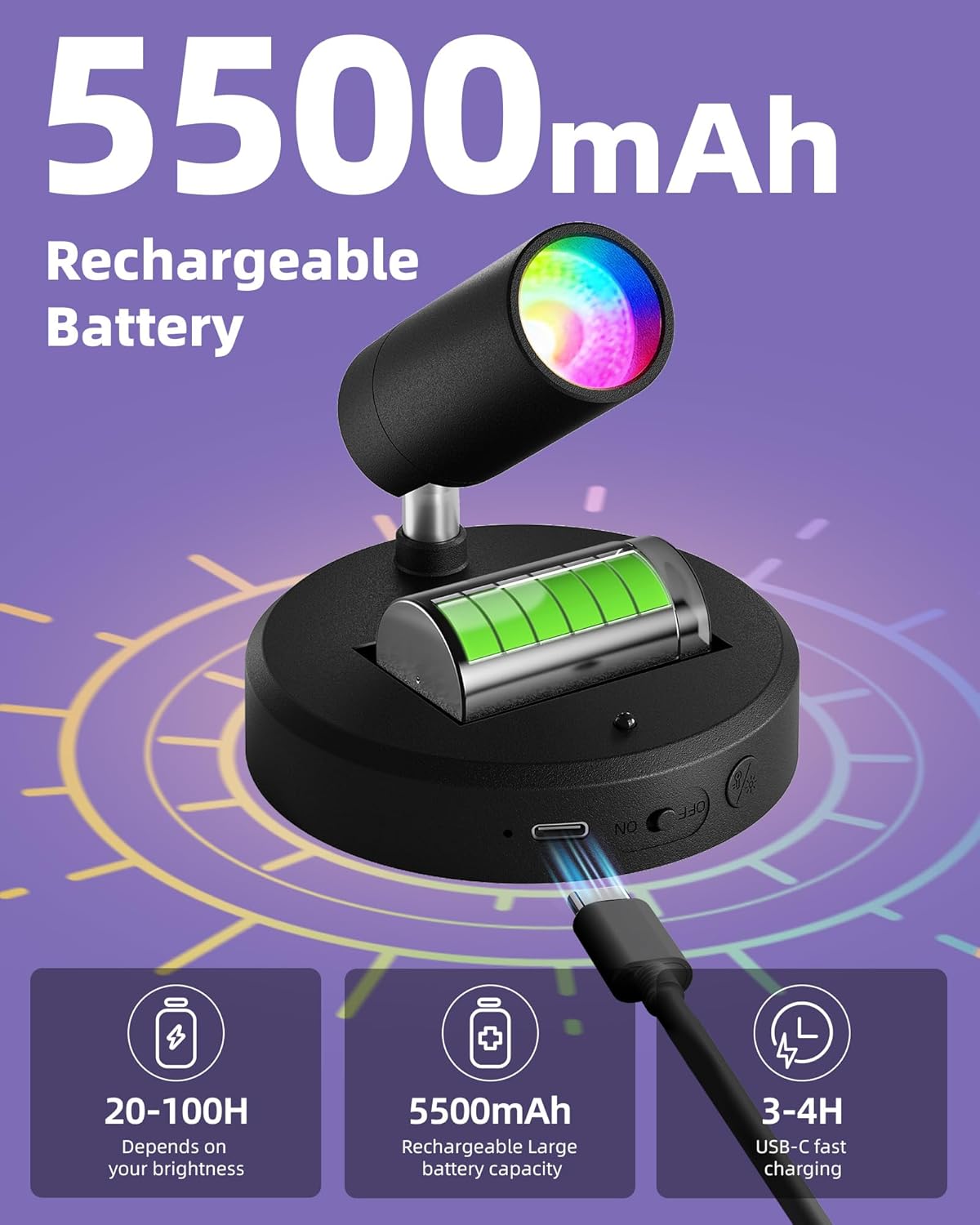
Image 3.1: The spotlight features a 5500mAh rechargeable battery and convenient USB-C charging.

Image 3.2: Battery runtime varies with brightness: 100 hours (low), 50 hours (medium), 20 hours (high).
4. Installation
The EZVALO RGB Spotlights offer two primary installation methods:
4.1 Adhesive Installation (for smooth surfaces)
- Clean and dry the desired wall surface thoroughly. Ensure it is flat and smooth. Residue can reduce adhesion.
- Remove the protective film from the included iron sheet.
- Paste the iron sheet firmly onto the cleaned surface.
- Align the lamp body with the iron sheet; the magnetic base will securely attach.
4.2 Screw Installation (for various wall types)
- Choose your desired mounting location. Before drilling, check for hidden wires or pipes.
- Place the iron plate in position and mark the screw holes.
- Drill pilot holes if necessary and insert the screw sleeves.
- Secure the iron plate to the wall using the provided screws.
- Align the lamp body with the iron plate; the magnetic base will securely attach.

Image 4.1: Visual guide for adhesive and screw installation methods.
5. Operation
The EZVALO RGB Spotlights can be controlled via the included remote or directly using the button on the device.
5.1 Remote Control Functions
The remote control allows for comprehensive adjustment of the spotlight's settings:
- ON/OFF: Power the light on or off.
- Dimming: Use the '+' and '-' buttons to increase or decrease brightness.
- Color Temperature: Select from 3 preset white light color temperatures.
- RGB Buttons: Choose from 83 static RGB colors.
- Customized Mode (DIY): Press the DIY button (flashing purple), then select 2-5 colors from the RGB area. Press DIY again to activate the looping custom mode. Adjust speed with '+' and '-'.
- Theme Mode: Select from 8 preset dynamic lighting effects (e.g., Festival, Natural, Universe, Sleep). Adjust speed with '+' and '-'.
- Timer Settings: Set the light to turn off automatically after 15, 30, 60, or 120 minutes. Press 'Cancel' to deactivate the timer.
Note: The remote control has an 18ft range. Aim the remote at the infrared receiver on the spotlight for optimal response.

Image 5.1: Remote control layout and functions.

Image 5.2: Remote control in use, showing its range and effect on room lighting.
5.2 Button Control (on device)
The spotlight also features a multi-function button on its base:
- Single Press: Turns the light on/off.
- Long Press: Activates stepless dimming.
- Double Press: Cycles through 7 color temperatures.
6. Charging
The EZVALO RGB Spotlights are equipped with a 5500mAh rechargeable battery. To charge the device:
- Detach the spotlight from its magnetic base if mounted.
- Locate the USB-C charging port on the side of the base.
- Connect the provided USB-C charging cable to the port and a suitable USB power source.
- The light will be fully charged within approximately 4 hours.
7. Specifications
| Feature | Specification |
|---|---|
| Model Number | EZL2407A |
| Color | Black (RGB) |
| Shape | Round |
| Material | Acrylonitrile Butadiene Styrene (ABS) |
| Light Source Type | LED |
| Power Source | Battery Powered |
| Battery Capacity | 5500mAh |
| Brightness | 80 Lumen |
| Light Source Wattage | 3 Watts |
| Color Temperature | 6500 Kelvin |
| Product Dimensions | 3.66"L x 3.66"W x 2.67"H |
| Item Weight | 1.1 pounds |
8. Troubleshooting
If you encounter any issues with your EZVALO RGB Spotlights, please consider the following:
- Light not turning on: Ensure the device is charged. Check the on/off switch on the base.
- Remote not responding: Ensure the remote's battery is functional. Aim the remote directly at the spotlight's infrared receiver.
- Adhesive not holding: Ensure the mounting surface is clean, dry, flat, and smooth before application.
For further assistance, please refer to the Warranty and Support section.
9. Warranty and Support
EZVALO is committed to customer satisfaction. If your Spotlights Indoor with Remote arrive damaged or if you experience any quality issues, please contact EZVALO directly for a satisfactory solution. We value your shopping experience.
Video 9.1: Demonstration of the actual brightness of the EZVALO RGB Spotlight.


