
Introduction
Thank you for choosing the AQUBT 42-inch Ceiling Fan with Lights. This manual provides detailed instructions for the safe installation, operation, and maintenance of your new ceiling fan. Please read this manual thoroughly before installation and keep it for future reference.
Safety Information
WARNING: To reduce the risk of fire, electric shock, or personal injury, always follow these basic precautions:
- Read all instructions before installing the fan.
- Ensure the power is turned off at the circuit breaker before installation or servicing.
- All wiring must be in accordance with national and local electrical codes.
- The fan must be mounted to a ceiling joist or support structure capable of supporting at least 35 lbs (15.9 kg).
- Do not operate the fan with damaged wiring or if it has been dropped or damaged.
- Keep hands, clothing, and other objects away from fan blades when the fan is operating.
- Do not use the fan in areas with high humidity or where it may be exposed to water.
Package Contents
Verify that all components are present before beginning installation:
- Ceiling Fan Unit
- Remote Control
- Mounting Hardware
- Instruction Manual
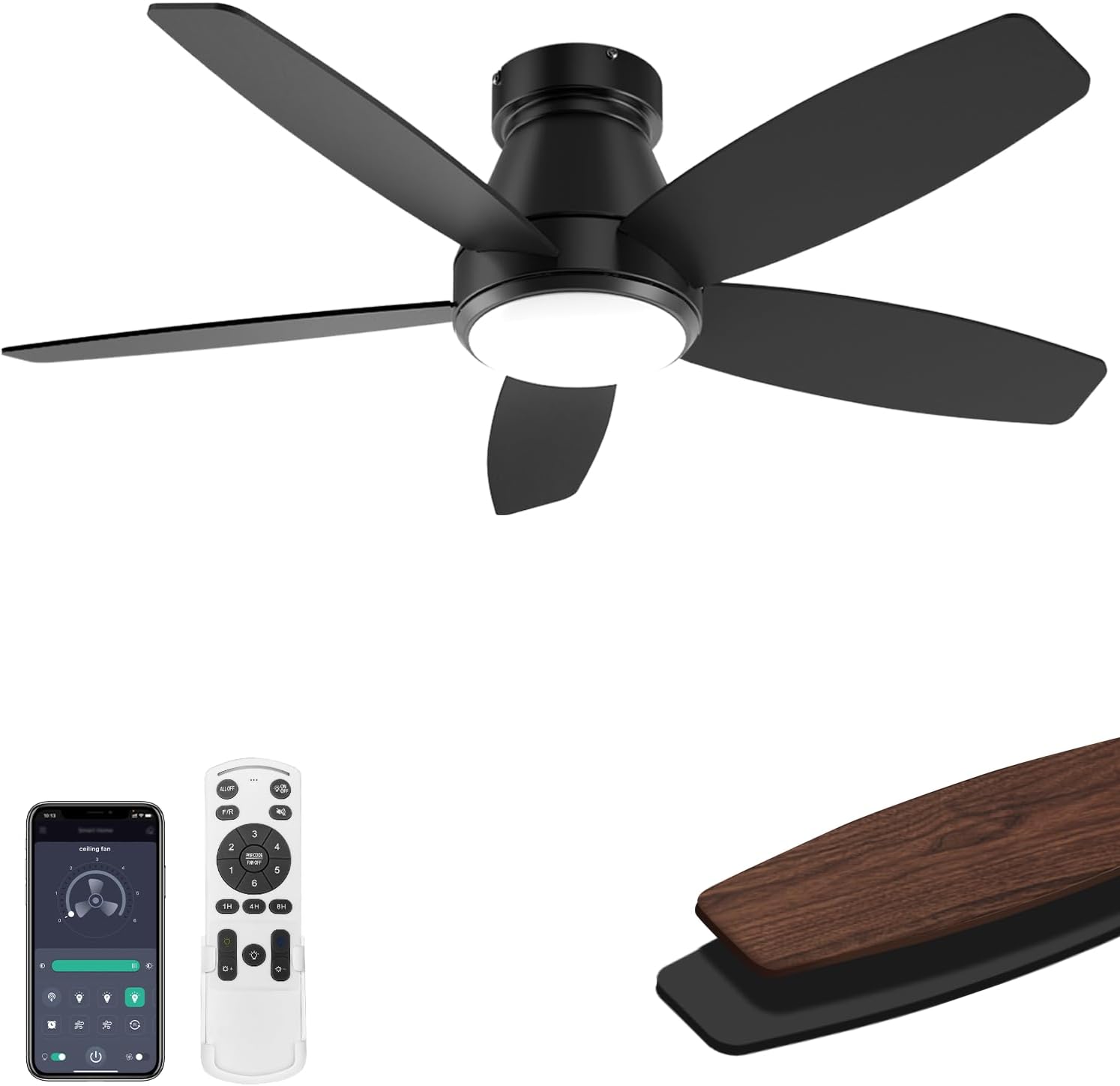
Image: The AQUBT 42-inch Ceiling Fan, showcasing the main unit, remote control, and smartphone app interface.
Specifications
| Brand | AQUBT |
| Model Name | 1368-Black |
| Product Dimensions | 5.9"D x 42"W x 10.2"H |
| Electric Fan Design | Ceiling Fan |
| Power Source | DC |
| Wattage | Motor 35W + LED 18W |
| Voltage | 110 Volts |
| Number of Blades | 5 |
| Blade Length | 17 Inches |
| Speed (RPM) | 220-240 |
| Noise Level | 45 Decibels |
| Control Method | Remote, App (Bluetooth) |
| Special Features | LED Light, Remote Controlled, Timer, Stepless Dimming, 3 Color Temperatures, Reversible DC Motor, Memory Function |
| Indoor/Outdoor Usage | Indoor, Outdoor |
| Recommended Room Size | Up to 30m² |
| Mounting Type | Flush Mount |
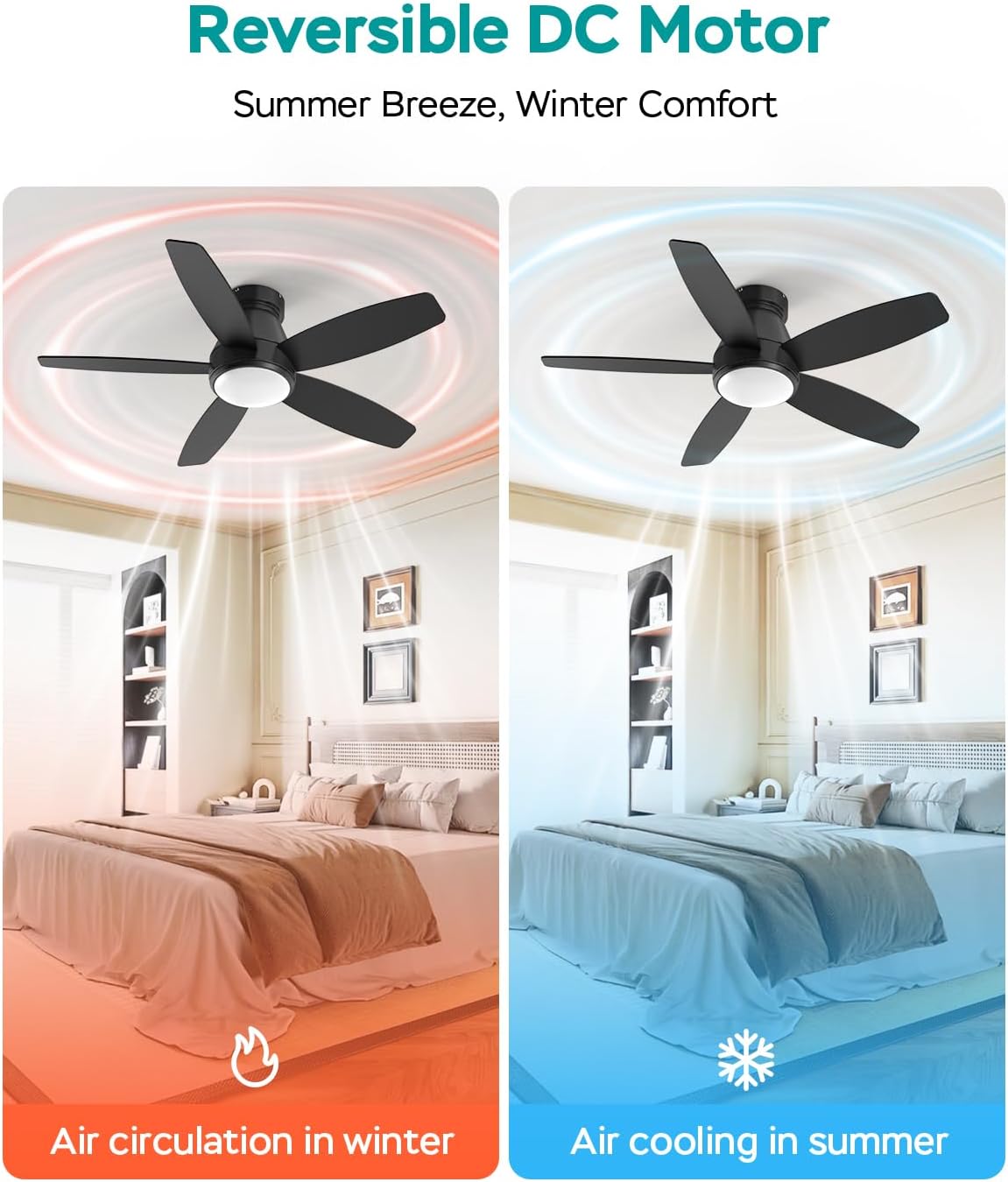
Image: Diagram illustrating the dimensions (5.9"D x 42"W x 10.2"H) and key specifications of the AQUBT 42-inch Ceiling Fan, including output, RPM, recommended room size, and flush mount type.
Setup and Installation
The AQUBT ceiling fan is designed for easy installation. Follow these steps carefully:
- Turn off Power: Before starting, ensure the power supply to the installation area is completely turned off at the circuit breaker.
- Prepare Mounting Location: The fan must be mounted to a junction box or support structure capable of safely supporting the fan's weight.
- Install Mounting Bracket: Secure the mounting bracket to the ceiling junction box using the provided hardware.
- Assemble Fan Blades: Attach the fan blades to the motor housing. Note that the blades are reversible with a black side (Side A) and a walnut brown side (Side B). Choose your preferred finish.
- Wire the Fan: Connect the fan's electrical wires to the household wiring according to the wiring diagram in the full instruction manual. Ensure all connections are secure. Important: Do not connect to a dimmer switch or variable speed switch. Only connect to a standard ON/OFF switch.
- Mount the Fan: Carefully lift the fan assembly and attach it to the mounting bracket. Secure it with the provided screws.
- Install Light Kit: Connect the light kit wiring and secure the light cover to the fan.
- Restore Power: Once installation is complete, restore power at the circuit breaker.

Image: A person installing the AQUBT 42-inch Ceiling Fan, demonstrating the ease of setup.

Image: Close-up view of the reversible fan blades, showing both the black (Side A) and walnut brown (Side B) finish options.

Image: Visual warning indicating that the fan should only be connected to a standard ON/OFF switch, not a dimmer or variable speed switch.
Operating Instructions
Remote Control Functions
The included remote control allows for convenient operation of your AQUBT ceiling fan. Ensure batteries are installed correctly.

Image: Detailed diagram of the remote control, labeling buttons for fan speed (1-6), light ON/OFF, dimming, color temperature (Warm, Natural, Cold), forward/reverse rotation, mute, and timer (1H, 4H, 8H).
- Light ON/OFF: Press the light bulb icon to turn the light on or off.
- Stepless Dimming: Use the '+' and '-' buttons to adjust light brightness from 10% to 100%.
- Color Temperature Adjustment: Select between Warm Light (3000K), Natural Light (4500K), and Cold Light (6500K) using the dedicated buttons.
- Fan Speed: Choose from 6 wind speeds (Level 1-2 for low, 3-4 for medium, 5-6 for high) using the numbered buttons.
- Reversible DC Motor: Press the "F/R" button to switch between downdraft (summer) and updraft (winter) modes.
- Timer Function: Set the fan to automatically turn off after 1, 4, or 8 hours.
- Memory Function: The fan retains your last used light brightness, color temperature, and fan speed settings.
App Control (Optional)
For additional control, download the companion app. The app supports both iOS and Android devices and requires Bluetooth connectivity.
- Download App: Scan the QR code provided in the remote control diagram or visit https://www.jasonghost.com/fanlamppro/ to download the app.
- Pair Device: Open the app, click the menu in the upper left corner to switch languages if needed. Click the '+' button to set the name of your fan light. Click the pair button 1-2 times within 5 seconds after the fan is powered on to connect.
- Control: Use the app interface to control light settings, fan speeds, and other features.
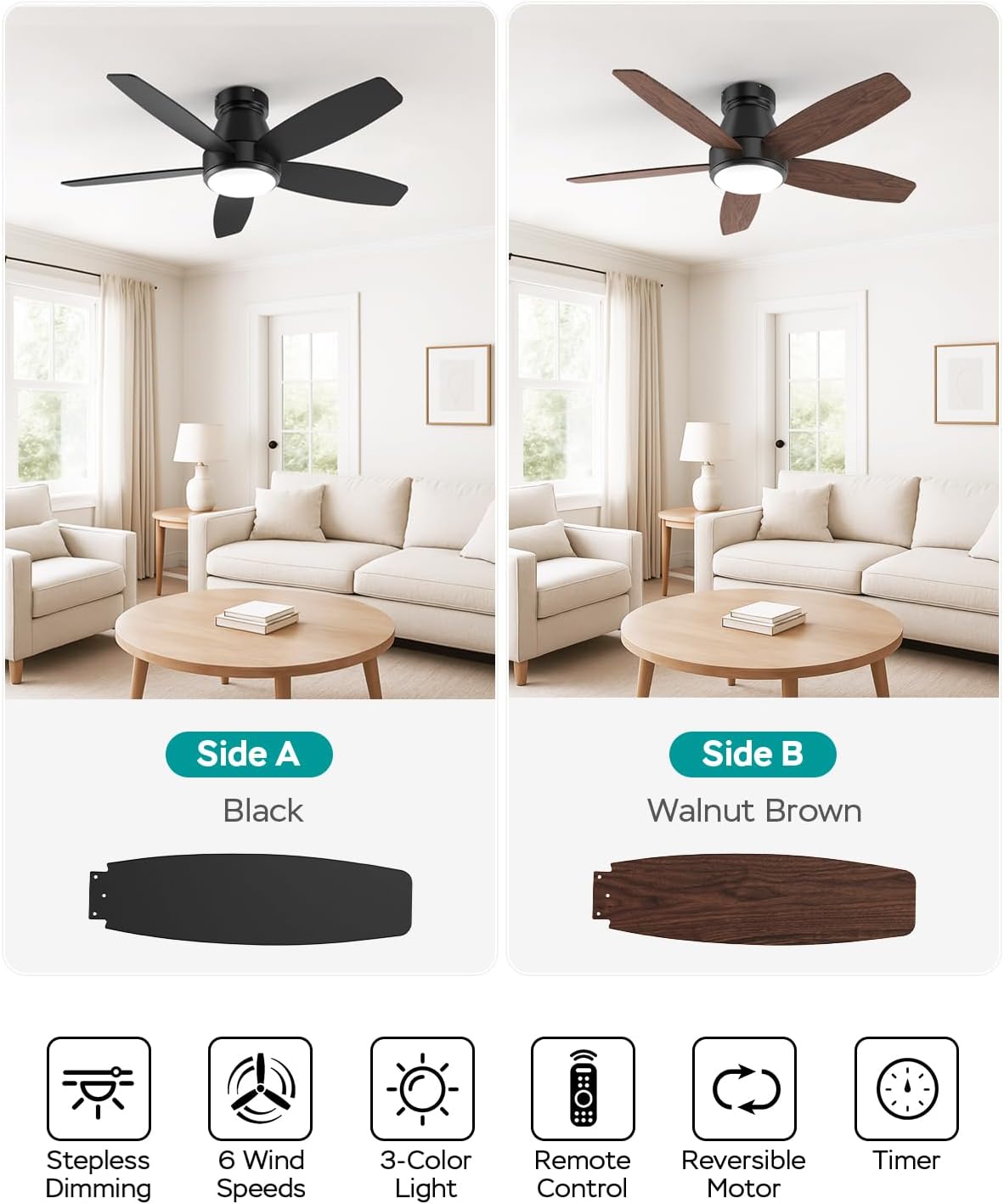
Image: The AQUBT 42-inch Ceiling Fan shown with its remote control and a smartphone displaying the control app interface.

Image: Step-by-step guide for pairing the AQUBT Ceiling Fan with the mobile application, showing language selection, device naming, and connection process.
Maintenance
Regular maintenance ensures optimal performance and longevity of your ceiling fan.
- Cleaning: Periodically clean the fan blades and motor housing with a soft, damp cloth. Do not use abrasive cleaners or solvents.
- Blade Balance: Check fan blades for any wobbling. If wobbling occurs, ensure all blade screws are tightened.
- Light Cover: Clean the light cover with a soft, dry cloth.
- No Lubrication Needed: The motor is permanently lubricated and does not require oiling.
- Power Off: Always turn off the power at the circuit breaker before cleaning or performing any maintenance.
Troubleshooting
If you experience issues with your fan, refer to the following common problems and solutions:
| Problem | Possible Cause | Solution |
|---|---|---|
| Fan does not start | No power to the fan; Loose wire connections; Remote control battery low. | Check circuit breaker and wall switch; Ensure all wire connections are secure (power off first); Replace remote control batteries. |
| Light does not work | Loose wire connection; LED driver issue. | Check light kit wiring (power off first); Contact customer support if LED driver is suspected. |
| Fan wobbles | Loose blade screws; Unbalanced blades; Loose mounting bracket. | Tighten all blade screws; Ensure blades are installed correctly; Verify mounting bracket is securely fastened. |
| Remote control not working | Low battery; Not paired correctly. | Replace remote control batteries; Re-pair the remote control with the fan (refer to operating instructions). |
| Fan makes noise | Loose screws; Motor hum; Blades hitting an obstruction. | Check and tighten all screws; Ensure no obstructions are near the blades; A slight motor hum is normal for some DC motors. |
Warranty and Support
Your AQUBT ceiling fan comes with a 2-year quality guarantee service from the date of purchase.
For any questions, technical assistance, or warranty claims, please contact our customer support. We provide 24-hour online professional support to assist you.
Please refer to your purchase documentation for specific contact details or visit the AQUBT brand store on Amazon: AQUBT Store.

Image: Information graphic detailing AQUBT's 24-hour online professional support and 2-year quality guarantee service.
