
1. Introduction
This manual provides comprehensive instructions for the installation, operation, and maintenance of your CAMCAMP 4MP Solar Camera Wireless Outdoor Security System. This system includes six 4MP solar-powered wireless cameras and a 10-channel Network Video Recorder (NVR) with a pre-installed 500GB Hard Disk Drive (HDD). Please read this manual thoroughly before using the product to ensure proper setup and functionality.

Figure 1: CAMCAMP 4MP Solar Camera Wireless Outdoor Security System Overview
The system is designed for outdoor surveillance, offering 2.4G and 5G WiFi connectivity, color night vision, and IP66 weather resistance for reliable performance in various conditions.
2. What's in the Box
Carefully unpack the contents and verify that all items are present and undamaged. If any items are missing or damaged, please contact customer support.
- 10-Channel NVR with pre-installed 500GB HDD (x1)
- 4MP Battery Cameras (x6)
- Solar Panels (x6)
- USB Mouse (x1)
- DC 12V/2A Power Adapter for NVR (x1)
- HDMI Cable (x1)
- Ethernet Cable (x1)
- Type-C Charging Cable for Camera (x1)
- Mounting Screws (x6 sets)
- User Manual (x1)

Figure 2: Package Contents
3. Product Overview
3.1 Key Features
- 4MP Ultra HD Resolution: Provides clear and detailed video footage (2592x1944P).
- Solar-Powered Cameras: High-efficiency polycrystalline solar panels and built-in batteries ensure continuous operation.
- Dual-Band WiFi: Supports 2.4G and 5G Wi-Fi for stable and extended range connectivity.
- Color Night Vision: Integrated spotlights enable full-color viewing even in low-light conditions.
- 10-Channel NVR with 500GB HDD: Supports up to 10 cameras and provides local storage without subscription fees.
- Advanced AI Human Detection: Reduces false alarms by distinguishing people from other objects.
- IP66 Weatherproof: Cameras are designed to withstand rain, snow, and extreme temperatures.
- Two-Way Talk: Allows for communication through the camera.
- H.265+ Compression: Efficiently saves storage space while maintaining video quality.
3.2 System Components
The system consists of solar-powered cameras and a Network Video Recorder (NVR).

Figure 3: Solar Camera with Panel
Each camera is equipped with a solar panel for power generation and a built-in battery for continuous operation. The NVR acts as the central hub for video recording and management.

Figure 4: NVR with 500GB Local Storage
4. Setup Guide
4.1 NVR Setup
- Connect the NVR to a power source using the provided DC 12V/2A power adapter.
- Connect the NVR to your monitor or TV using the HDMI cable.
- Connect the USB mouse to the NVR's USB port.
- Connect the NVR to your router via the Ethernet cable for internet access (optional, but recommended for remote viewing and updates).
- Follow the on-screen instructions to complete the initial NVR setup, including setting a password and network configuration.
4.2 Camera Installation
The cameras are designed for easy, wire-free installation. Ensure the chosen location receives adequate sunlight for the solar panel.
- Select a mounting location that provides a clear view of the area you wish to monitor and sufficient sunlight exposure for the solar panel.
- Use the provided mounting screws to securely attach the camera bracket and solar panel bracket to the desired surface.
- Attach the camera to its bracket and adjust the viewing angle.
- Connect the solar panel to the camera using the integrated cable.

Figure 5: Camera and Solar Panel Installation
4.3 Camera Pairing (Automatic)
The solar cameras are automatically paired to the NVR at the factory. Once the NVR is powered on and the cameras are charged, they should connect automatically. If a camera does not connect, refer to the troubleshooting section.
4.4 Mobile App Setup
- Download the designated mobile application (e.g., 'CloudEye 365' as shown in product images) from your smartphone's app store.
- Register for an account and log in.
- Add your NVR system to the app by scanning the QR code displayed on the NVR's monitor or by manually entering the device ID.
- Once added, you can view live feeds, access recordings, and configure settings remotely.
5. Operating Instructions
5.1 Live View and Recording
After successful setup, you can view live camera feeds on your connected monitor or through the mobile app. The NVR continuously records footage to the 500GB HDD. Recording modes can be configured via the NVR interface or mobile app (e.g., event-triggered, scheduled).
5.2 Playback
To review recorded footage:
- On NVR: Use the USB mouse to navigate the NVR interface, select the desired camera and time range for playback.
- On Mobile App: Access the playback feature within the app, select the camera, and browse through recorded events or specific timeframes.
5.3 Motion Detection and Alerts
The system features advanced AI human detection to minimize false alarms. When human motion is detected, the system can trigger various alerts:
- App Push Notifications: Receive instant alerts on your smartphone.
- Audible Siren: The camera can emit a loud siren to deter intruders.
- Spotlight Activation: The camera's integrated spotlight can illuminate the area.
- NVR Alarm Mode: Receive abnormal alarms indoors even if your smartphone is off.

Figure 6: Human Detection and App Alert

Figure 7: Intruder Deterrence with Spotlight
5.4 Night Vision
The cameras provide full-color night vision thanks to integrated spotlights, allowing for clear identification of details even in complete darkness.
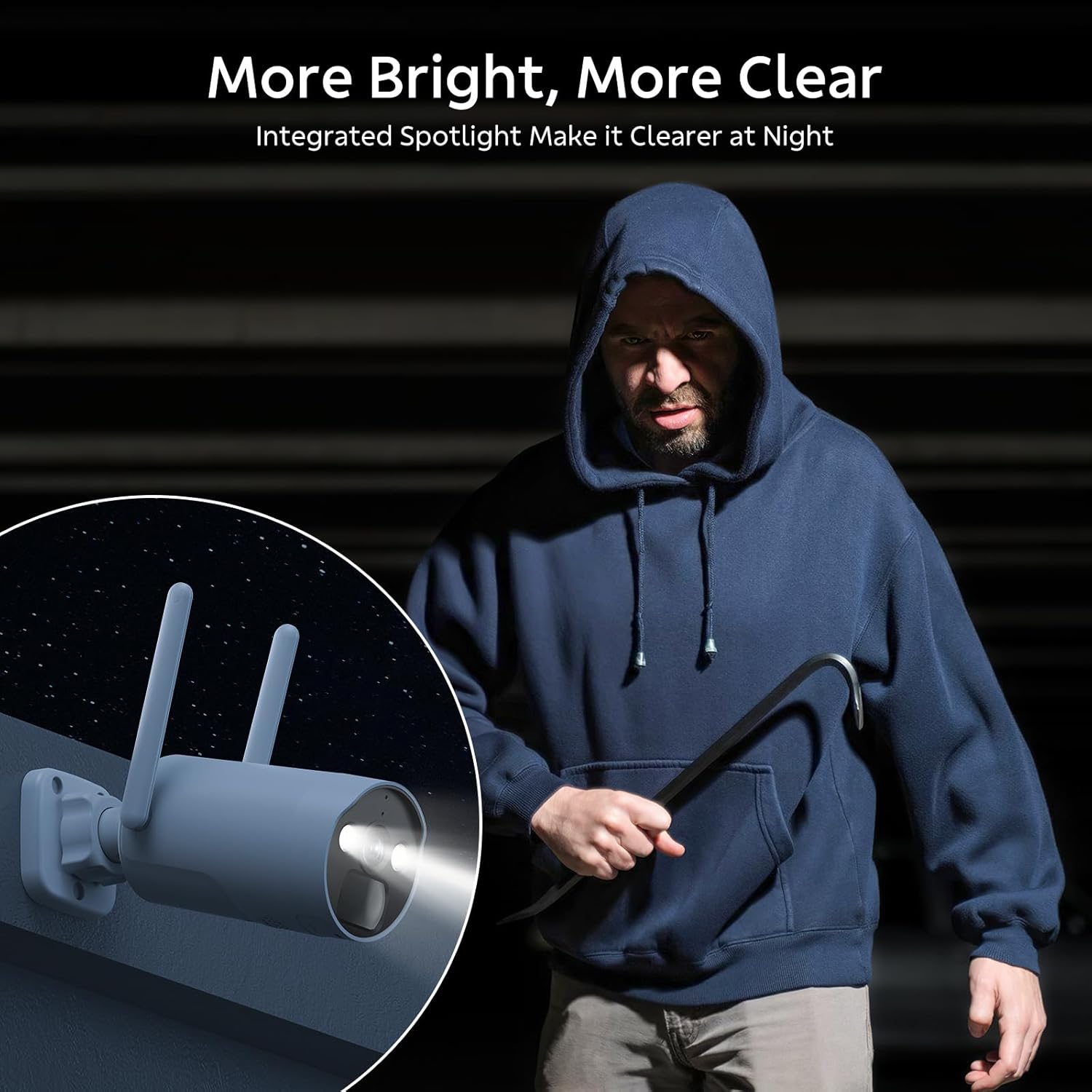
Figure 8: Color Night Vision with Spotlight
5.5 Two-Way Talk
Utilize the two-way talk feature through the mobile app to communicate with individuals near the camera, such as visitors or delivery personnel.

Figure 9: Two-Way Audio Communication
6. Maintenance
6.1 Cleaning
- Regularly clean the camera lens and solar panel with a soft, damp cloth to ensure optimal performance. Avoid abrasive cleaners.
- Ensure the solar panel is free from dirt, dust, leaves, or snow to maximize charging efficiency.
6.2 Battery Management
The cameras are equipped with built-in rechargeable batteries. The solar panel continuously charges these batteries. In periods of prolonged low sunlight, you may need to manually charge the camera using the provided Type-C charging cable.
6.3 Weather Resistance
The cameras are IP66 rated, meaning they are protected against dust and powerful water jets. They are designed to operate reliably in temperatures ranging from -20°C (-4°F) to 50°C (122°F).

Figure 10: IP66 Weatherproof Design
7. Troubleshooting
- No Camera Feed:
- Check if the camera is powered on and fully charged. Manually charge if necessary.
- Ensure the camera is within range of the NVR's WiFi signal.
- Verify the camera is paired with the NVR. If not, attempt manual pairing (refer to NVR settings).
- Restart both the camera and the NVR. - Poor Video Quality:
- Clean the camera lens.
- Ensure there are no obstructions in the camera's field of view.
- Check your network connection speed if viewing remotely. - False Motion Alerts:
- Adjust the motion detection sensitivity settings in the NVR or app.
- Ensure the AI human detection feature is enabled.
- Reposition the camera to avoid areas with frequent non-human motion (e.g., swaying branches). - NVR Not Recording:
- Check the NVR's storage status to ensure the 500GB HDD is not full. The system uses H.265+ compression to optimize storage.
- Verify recording schedules and event triggers are correctly configured. - No Remote Access:
- Ensure the NVR is connected to the internet via Ethernet.
- Check your router's internet connection.
- Verify the mobile app is correctly linked to your NVR system.
8. Specifications
| Feature | Specification |
|---|---|
| Brand | Camcamp |
| Model Number | SC17 |
| Connectivity Technology | Wireless (2.4G & 5G WiFi) |
| Video Capture Resolution | 4MP (2592x1944P) |
| Special Features | App Control, Color Night Vision, Human Detection, Two-Way Talk |
| Number of Channels | 10 |
| Memory Storage Capacity | 500 GB HDD (pre-installed) |
| Power Source | Solar Powered (cameras), DC 12V/2A (NVR) |
| Weather Resistance | IP66 |
| Operating Temperature | -20°C to 50°C (-4°F to 122°F) |
| Night Vision Range | Up to 65 Feet |
| Frame Rate | 15 frames per second |
| Video Compression | H.265+ |
| Viewing Angle | 90 Degrees |
9. Warranty and Support
CAMCAMP products come with a 12-month replacement warranty, a 30-day money-back guarantee, and lifetime professional technical support.
- Warranty: 12-Months Replacement, No Repair
- Money Back Guarantee: 30-Day
- Technical Support: Lifetime Professional Support
For any after-sales questions or technical assistance, please contact CAMCAMP customer support:
- Phone: +1 (626) 420-9375 (GMT-8 9:00-17:00, Mon-Fri)
- Email: SC@yoooomail.com
