
GYMAX GM2245
GYMAX Exercise Stepper with Handle Bar Instruction Manual
Model: GM2245
Product Overview
The GYMAX Exercise Stepper with Handle Bar is designed to provide an effective and convenient aerobic workout at home. This compact machine combines traditional stepping with a twisting motion to engage core muscles and improve coordination. It features a sturdy metal frame, adjustable handlebar, and an integrated LCD monitor for tracking your progress.
The robust hydraulic rods ensure smooth and quiet operation, making it suitable for use in various home environments without disturbing others. Oversized, anti-slip pedals provide stability and safety during your workout.
Key Features:
- Twist Design: Combines twisting motion with stepping for a comprehensive workout, engaging core muscles and improving coordination.
- Adjustable Handlebar: Features a 5-level height-adjustable handlebar (38.5" to 46.5") wrapped in EVA foam for comfort and balance.
- Easy Setup: Arrives 80% pre-assembled for quick and hassle-free installation.
- Smooth & Quiet Operation: Equipped with durable hydraulic rods designed for over 150,000 retracts, ensuring a quiet workout experience.
- Digital Monitor: Built-in LCD monitor tracks step count and workout time, powered by 2 AAA batteries (not included).
- Sturdy Construction: Features a sturdy metal frame with a wide, anti-toppling base and adjustable foot pads for enhanced stability and floor protection.
- Oversized Pedals: Large, anti-slip pedals accommodate various shoe sizes (up to size 13) for secure stepping.
Package Contents
Please check the package carefully to ensure all components are present and undamaged before assembly.
- 1 x Exercise Stepper
- 1 x Instruction Manual
Setup and Assembly
The GYMAX Exercise Stepper is designed for quick setup, arriving 80% pre-assembled. You will primarily need to attach the handlebar to the main unit.
Step 1: Unpacking and Initial Inspection
Carefully remove all components from the packaging. Place them on a clean, flat surface. Verify that all parts listed in the "Package Contents" section are present.
Step 2: Attaching the Handlebar
Locate the main stepper unit and the handlebar. Insert the handlebar into the designated slot on the stepper's base. Secure it using the provided adjustment knob. Ensure it is firmly tightened to prevent wobbling during use.

This image illustrates the compact design and highlights that the stepper is 80% pre-assembled, indicating minimal setup required. Key dimensions are also shown.
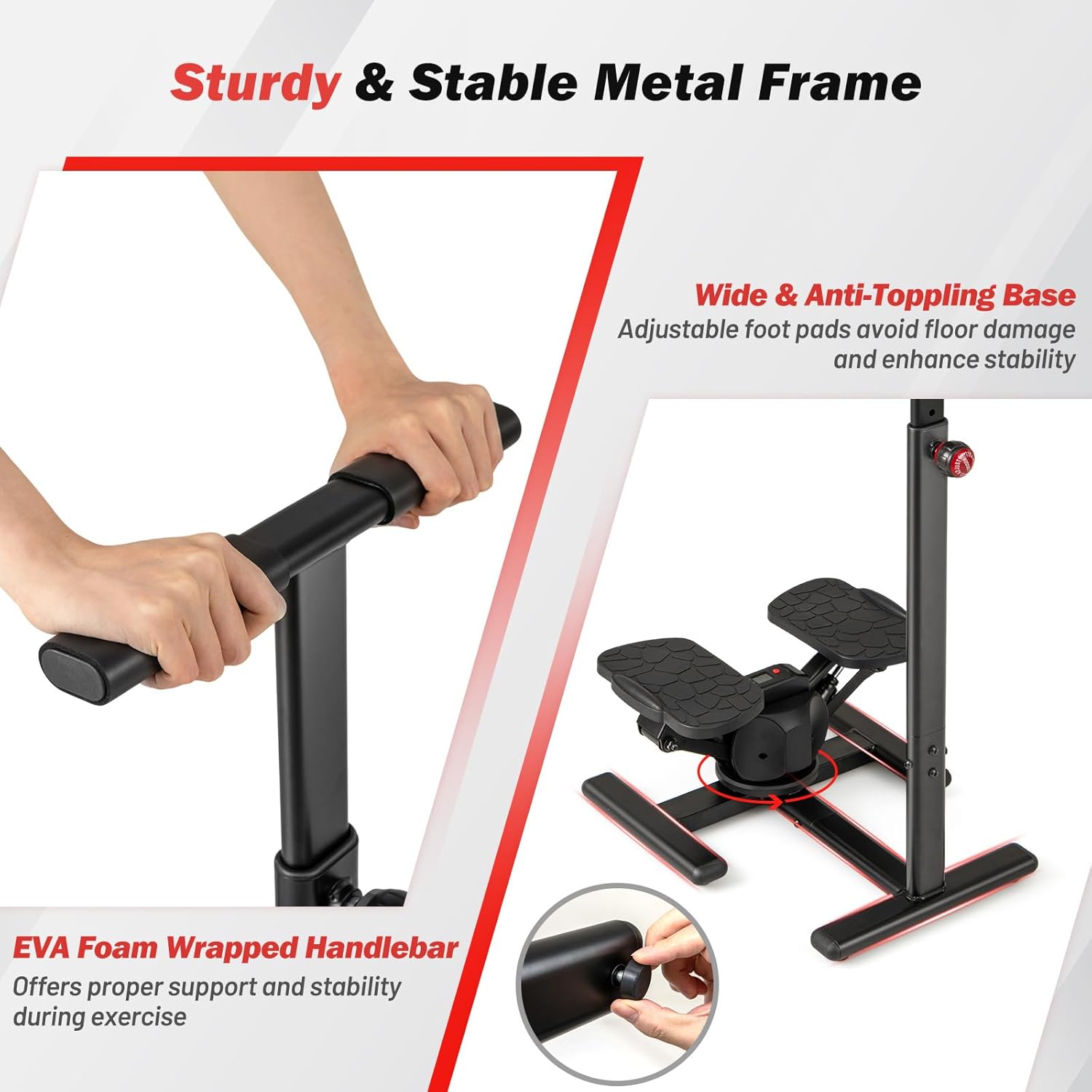
This image details the sturdy metal frame, wide anti-toppling base, and the EVA foam-wrapped handlebar, emphasizing the stability and comfort features of the stepper.
Step 3: Adjusting Foot Pads
The stepper is equipped with adjustable foot pads at the base. Adjust these pads to ensure the stepper is stable on uneven surfaces and to protect your floor from scratches.
Operating Instructions
Using the Stepper
To begin your workout, stand on the oversized pedals, ensuring your feet are securely placed. Hold onto the handlebar for balance. Begin stepping in an alternating motion, allowing the twisting mechanism to engage your core and lower body muscles. Maintain a steady rhythm for an effective aerobic exercise.

This image demonstrates the twisting motion of the stepper, highlighting how it provides a more comprehensive workout by engaging core muscles and improving coordination.

This image shows a person actively using the GYMAX Exercise Stepper, providing a visual reference for proper posture and engagement during a workout.
Adjusting Handlebar Height
The handlebar height can be adjusted to suit users of different heights. Loosen the adjustment knob located on the handlebar post, slide the handlebar to your desired height (between 38.5" and 46.5"), and then firmly tighten the knob to secure it in place. Ensure the handlebar is at a comfortable height for maintaining balance and proper form.
This image illustrates the 5-level adjustable height feature of the handlebar, showing the various height settings from 38.5 inches to 46.5 inches, accommodating different user preferences.
LCD Monitor Operation
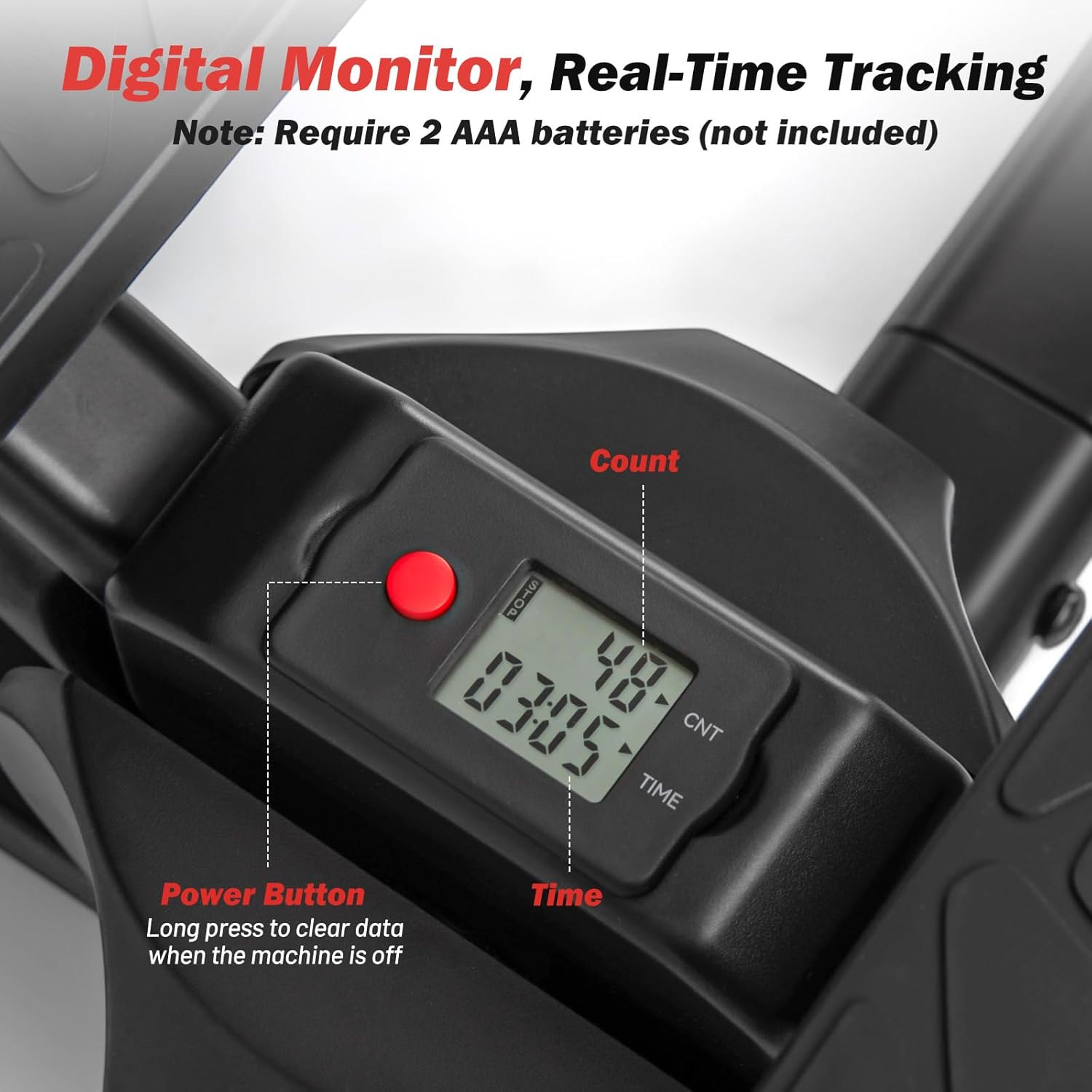
The built-in LCD monitor tracks your workout data. It displays your step count and workout time. To power on the monitor, simply begin stepping. To clear the data, long press the power button when the machine is off. The monitor requires 2 AAA batteries (not included).

This image provides a detailed view of the digital LCD monitor, showing its display for count and time, and indicating the location of the power button for real-time tracking and data clearing.
Maintenance
Regular maintenance will ensure the longevity and optimal performance of your GYMAX Exercise Stepper.
Cleaning
Wipe down the stepper with a damp cloth after each use to remove sweat and dust. Avoid using abrasive cleaners or solvents that could damage the finish or components.
Checking Hydraulic Rods
The hydraulic rods are designed for durability, withstanding over 150,000 retracts. Periodically inspect the rods for any signs of leakage or damage. If you notice any issues, contact customer support for assistance.

This image emphasizes the smooth and quiet operation of the stepper, attributing it to the robust hydraulic rods that are built to withstand over 150,000 retracts, indicating their durability and low maintenance.
Pedal Inspection
Ensure the oversized pedals are clean and free from debris. The anti-slip texture should be intact to provide secure footing. If the texture wears down, consider replacing the pedals for safety.
Battery Replacement (LCD Monitor)
When the LCD monitor display becomes dim or stops working, it's time to replace the 2 AAA batteries. Refer to the monitor's battery compartment for proper insertion.
Troubleshooting
This section addresses common issues you might encounter with your GYMAX Exercise Stepper.
Issue: LCD Monitor Not Displaying
- Solution: Ensure 2 AAA batteries are correctly installed. Replace batteries if they are old or depleted.
- Solution: Verify that the sensor cable (if visible) is securely connected.
Issue: Stepper is Noisy
- Solution: Check if the hydraulic rods are functioning smoothly. A slight squeak might occur initially; this often resolves with continued use.
- Solution: Ensure all bolts and connections, especially the handlebar, are tightened securely. Loose parts can cause noise.
- Solution: Verify the stepper is on a flat, stable surface. Adjust the foot pads if necessary.
Issue: Stepper Feels Unstable
- Solution: Ensure the stepper is placed on a firm, level surface.
- Solution: Adjust the foot pads at the base to eliminate any wobbling.
- Solution: Confirm the handlebar is securely tightened at your desired height.
Specifications
| Attribute | Value |
|---|---|
| Material | Metal, ABS, PP, EVA |
| Overall Dimensions (L x W x H) | 23" x 19" x 38.5"-46.5" |
| Handlebar Height Adjustment | 38.5"/40.5"/42.5"/44.5"/46.5" |
| Pedal Dimensions (L x W) | 11.2" x 6.1" |
| Pedal Height off the Ground | 7.5"-12.5" |
| Max Shoe Sizes | 13 |
| Battery Requirement | 2 AAA batteries (not included) |
| Weight Capacity | 330 lbs |
| Net Weight | 26.5 lbs |
| Model Number | GM2245 |

This image provides a visual representation of the stepper's overall dimensions and highlights its 330 lbs weight capacity, offering a clear understanding of its size and robustness.

This image focuses on the oversized pedals, detailing their dimensions (11.2" x 6.1") and anti-slip texture, along with the maximum shoe size supported (size 13), ensuring stable and comfortable stepping.
Warranty and Support
The GYMAX Exercise Stepper comes with a 90-day warranty from the date of purchase. This warranty covers manufacturing defects and material flaws under normal use.
For warranty claims, technical support, or any questions regarding your product, please contact GYMAX customer service. Keep your purchase receipt as proof of purchase.
For further assistance, please refer to the contact information provided on the product packaging or the official GYMAX website.
Ask a question about this manual
Ask about setup, troubleshooting, compatibility, parts, safety, or missing instructions. Manuals+ will review the question and use this page’s manual context to help answer it.