
1. Introduction
This manual provides essential information for the setup, operation, and maintenance of your Kinhank MotionX Active Game Console. Please read it thoroughly before using the product to ensure proper functionality and safety.
The Kinhank MotionX is an AI motion-sensing game console designed for interactive play, promoting physical activity for kids and families. It features pre-installed games and offers ongoing content updates without subscription fees.
2. Safety Information
WARNING: CHOKING HAZARD - Small Parts. Not for children under 3 years.
Always supervise children during play. Ensure the play area is clear of obstacles to prevent accidents. Do not attempt to disassemble or modify the console. Keep the device away from water and extreme temperatures.
3. Package Contents
Verify that all items listed below are included in your package:
- MotionX Game Console
- Remote Control
- Power Adapter
- HDMI Cable
- User Manual (this document)

Image: The MotionX Game Console along with its included accessories: a remote control, power adapter, HDMI cable, and user manual.
4. Setup Guide
Follow these steps to set up your Kinhank MotionX Active Game Console:
- Connect the Console: Connect the MotionX console to your TV, PC, or projector using the provided HDMI cable. Plug the power adapter into the console and a power outlet.

Image: Step 1 of setup, illustrating the connection of the HDMI cable and power adapter to the console's ports.
- Initial Activation (Wi-Fi Required): For the first-time activation and content updates, connect the console to a Wi-Fi network. Navigate to the Wi-Fi settings on your TV screen using the remote control and select your network. Offline play is supported after initial activation.

Image: Step 2 of setup, showing the console's interface for connecting to a Wi-Fi network.
- Open Camera Cover: Slide the physical camera cover to the "Open" position to enable motion tracking.
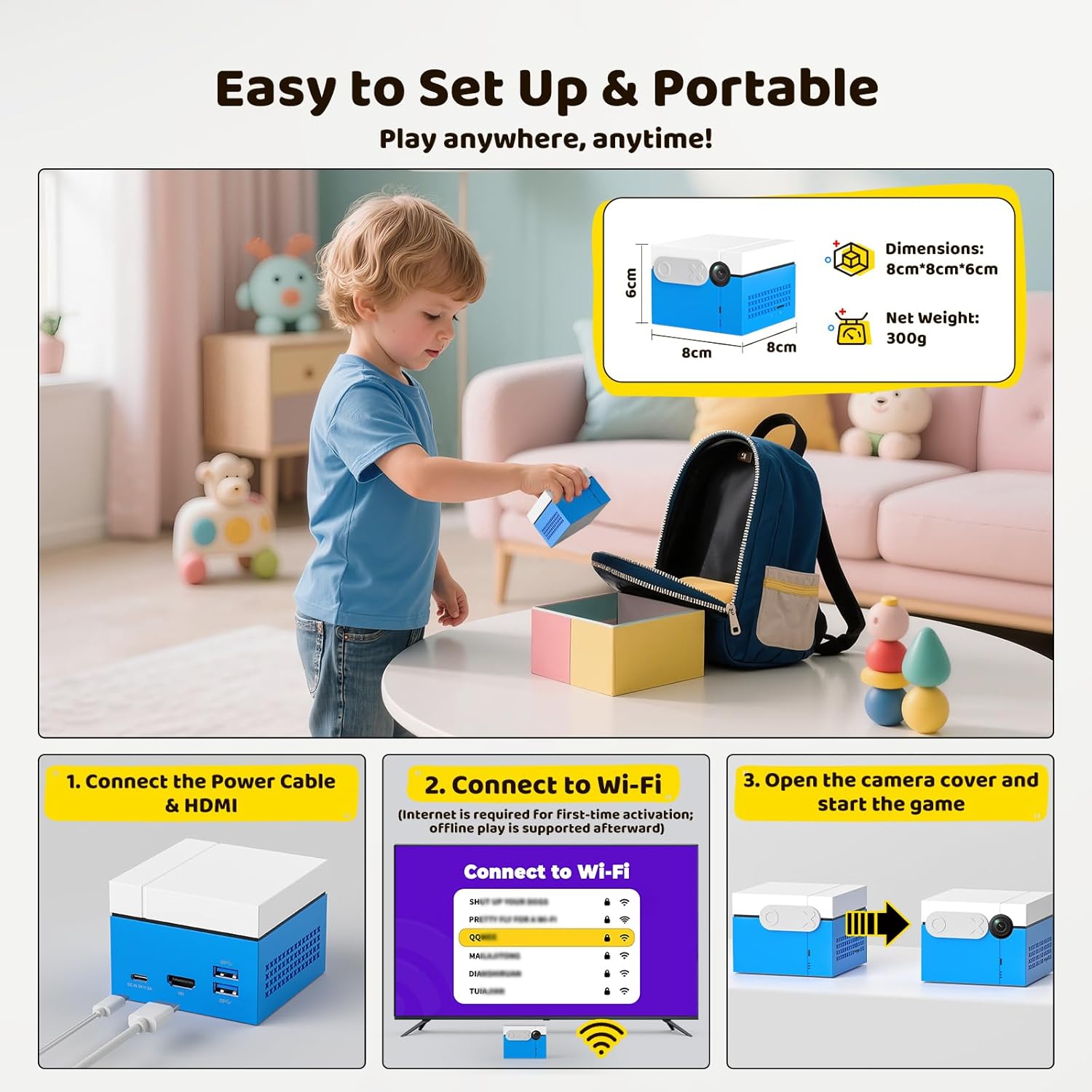
Image: The MotionX console with its camera cover slid open, indicating readiness for use.
- Start Playing: Once connected and the camera is open, you can start playing the pre-installed games.

Image: Step 3 of setup, displaying the game interface with a "Start" prompt, indicating the console is ready for play.
5. Operating Instructions
5.1. Controller-Free Play
The MotionX console utilizes a built-in AI camera for precision movement tracking. No external controllers or wearable devices are needed. Your body movements directly control the game characters and actions.

Image: Children engaging in a motion-controlled game, demonstrating the controller-free interaction with the console.
Tip: For optimal performance, ensure the play area is well-lit and free from obstructions. Stand at an appropriate distance from the console and TV screen for accurate tracking.
5.2. Game Selection and Updates
The console comes pre-loaded with 21 motion games. New games and content updates are provided regularly. To access updates, ensure your console is connected to Wi-Fi and navigate to the update section within the console's menu.

Image: The game selection screen, highlighting the variety of pre-installed games and the availability of continuous updates without subscription.
Note: While core updates are free, future licensed music or branded IP content may be available as optional purchases.
5.3. Multiplayer Mode
The MotionX console supports up to 2 players simultaneously for interactive battles and cooperative play. Future updates may expand support for up to 4 players.

Image: Two children engaged in a competitive game, demonstrating the multiplayer functionality of the console.
5.4. Privacy Features
The console includes a physical sliding camera cover for privacy. When not in use, slide the cover to the "Close" position. All data is stored locally and is not uploaded to the cloud.
Image: The MotionX console demonstrating the physical sliding camera cover in both open and closed states for privacy.
6. Maintenance
To ensure the longevity and optimal performance of your MotionX console, follow these maintenance guidelines:
- Cleaning: Use a soft, dry cloth to clean the exterior of the console. Do not use liquid cleaners or abrasive materials.
- Storage: Store the console in a cool, dry place away from direct sunlight and extreme temperatures.
- Camera Lens: Keep the camera lens clean and free from dust or smudges for accurate motion tracking. Use a lens cleaning cloth if necessary.
- Software Updates: Regularly check for and install software updates to benefit from new features, game content, and performance improvements.
7. Troubleshooting
If you encounter issues with your MotionX console, refer to the following common problems and solutions:
| Problem | Possible Solution |
|---|---|
| No image on TV screen. |
|
| Motion tracking is inaccurate or unresponsive. |
|
| Cannot connect to Wi-Fi. |
|
| Games are not updating. |
|
If the problem persists, please contact customer support for further assistance.
8. Specifications
| Feature | Detail |
|---|---|
| Product Dimensions | 3.15 x 3.15 x 2.36 inches (8cm x 8cm x 6cm) |
| Item Weight | 1.81 pounds (approx. 821g) |
| Model Name | Motion X |
| Brand | Kinhank |
| Platform | Android |
| Color | Blue |
| Manufacturer Recommended Age | 3 years and up |
| Manufacturer | Beijing Jinding Hanke Technology Development Co., Ltd. |
9. Warranty and Support
For warranty information and customer support, please refer to the documentation included with your purchase or visit the official Kinhank website. Keep your proof of purchase for warranty claims.
If you require technical assistance or have questions not covered in this manual, please contact Kinhank customer service.