
1. Important Safety Instructions
Please read all instructions carefully before using this electric space heater. Failure to follow these instructions may result in fire, electric shock, or injury.
- Placement: Always place the heater on a firm, level surface. Do not place on soft surfaces like beds or rugs where openings may be blocked.
- Clearance: Maintain a minimum distance of 3 feet (0.9 meters) from combustible materials such as furniture, pillows, bedding, papers, clothes, and curtains.
- Power Source: Plug heaters directly into a wall outlet. Never use with an extension cord or relocatable power tap (outlet/power strip).
- Moisture: Do not use the heater in wet or moist locations such as bathrooms, laundry areas, or similar indoor locations.
- Supervision: Close supervision is necessary when any appliance is used by or near children or individuals with reduced physical, sensory, or mental capabilities.
- Unplug When Not in Use: Always unplug the heater when not in use.
- Overheat Protection: The heater is equipped with an automatic overheat protection system that will shut off the unit if it becomes too hot. If this occurs, unplug the heater, wait 30 minutes for it to cool, and then plug it back in.
- Tip-Over Protection: The heater features a safety tip-over switch that automatically turns off the unit if it is accidentally knocked over. Ensure the heater is placed on a stable surface for continuous operation.
2. Product Overview
The TUNISE Q21 Portable Electric Space Heater is designed for indoor use, providing quick and efficient warmth for small personal spaces. It features PTC ceramic heating technology for rapid heat delivery and incorporates essential safety mechanisms.
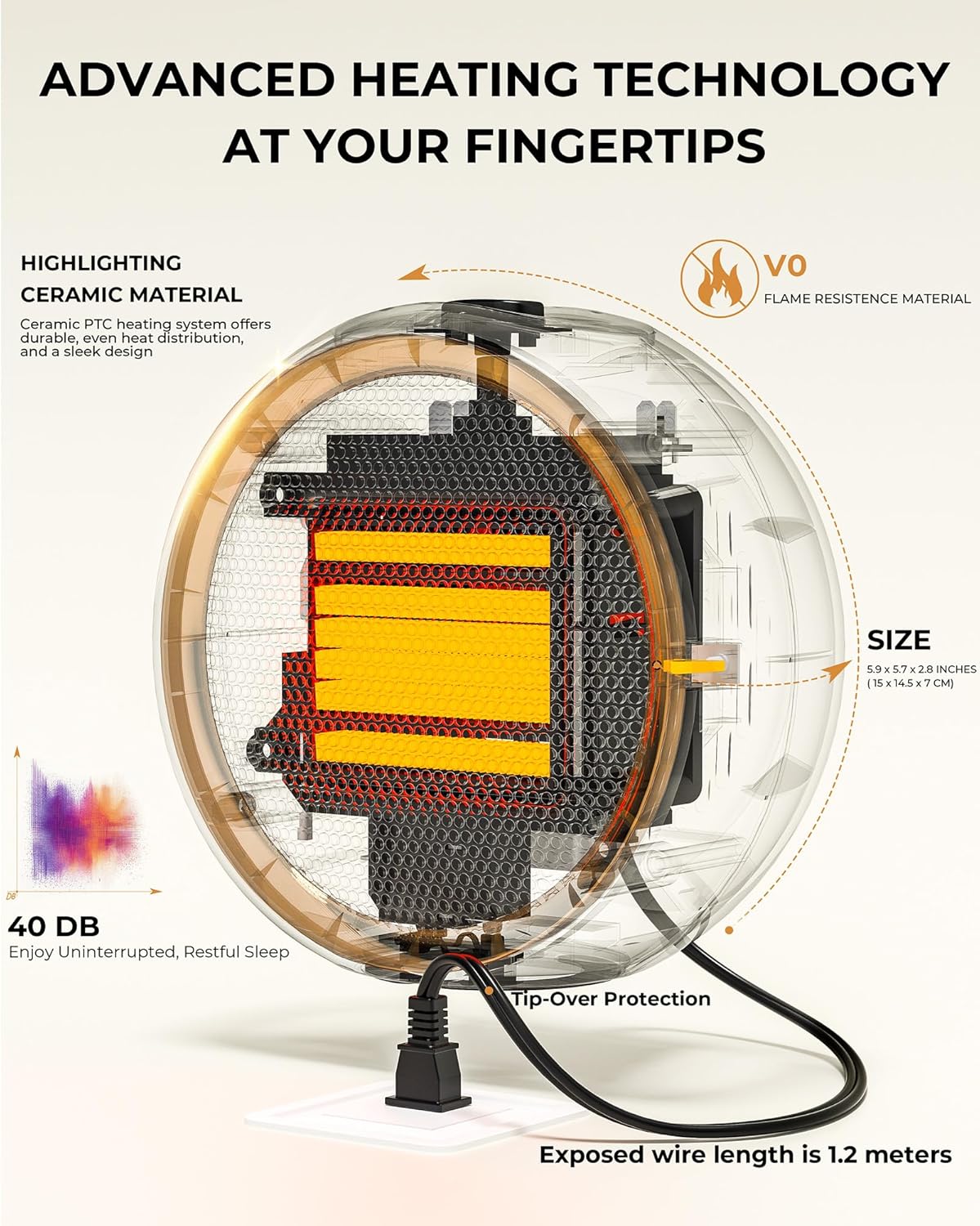
Figure 2.1: Front view of the TUNISE Q21 Portable Electric Space Heater, showcasing its compact design and heating element.
Key Features:
- 2-Second Fast Heating: Utilizes PTC ceramic heating elements for rapid warmth.
- Tip-Over Protection: Automatically shuts off if the unit is tilted or knocked over.
- Overheat Protection: Built-in sensor to prevent overheating.
- Ultra Quiet Operation: Designed to operate at a low noise level (approximately 40 dB).
- One-Touch Control: Simple operation with a single button.
3. Setup
- Unpack the Heater: Carefully remove the heater from its packaging. Retain packaging for future storage or transport.
- Choose a Location: Place the heater on a stable, flat, and level surface. Ensure there is at least 3 feet (0.9 meters) of clear space around the heater from any walls, furniture, or other objects. Do not block the air intake or exhaust vents.
- Power Connection: Plug the power cord directly into a standard 120V AC electrical outlet. Ensure the outlet is in good condition and not overloaded.
4. Operating Instructions
Turning On/Off:
- To turn the heater ON, press the power button located on the top of the unit. An indicator light will illuminate, and the heater will begin to emit warm air within approximately 2 seconds.
- To turn the heater OFF, press the power button again. The indicator light will turn off, and the heating element will cease operation. The fan may continue to run briefly to cool down the internal components.

Figure 4.1: One-touch power button for easy operation.
Safety Features in Operation:
- Tip-Over Protection: If the heater is accidentally tipped over, the internal safety switch will activate, immediately cutting power to the heating element and fan. To resume operation, place the heater upright on a stable surface and press the power button.
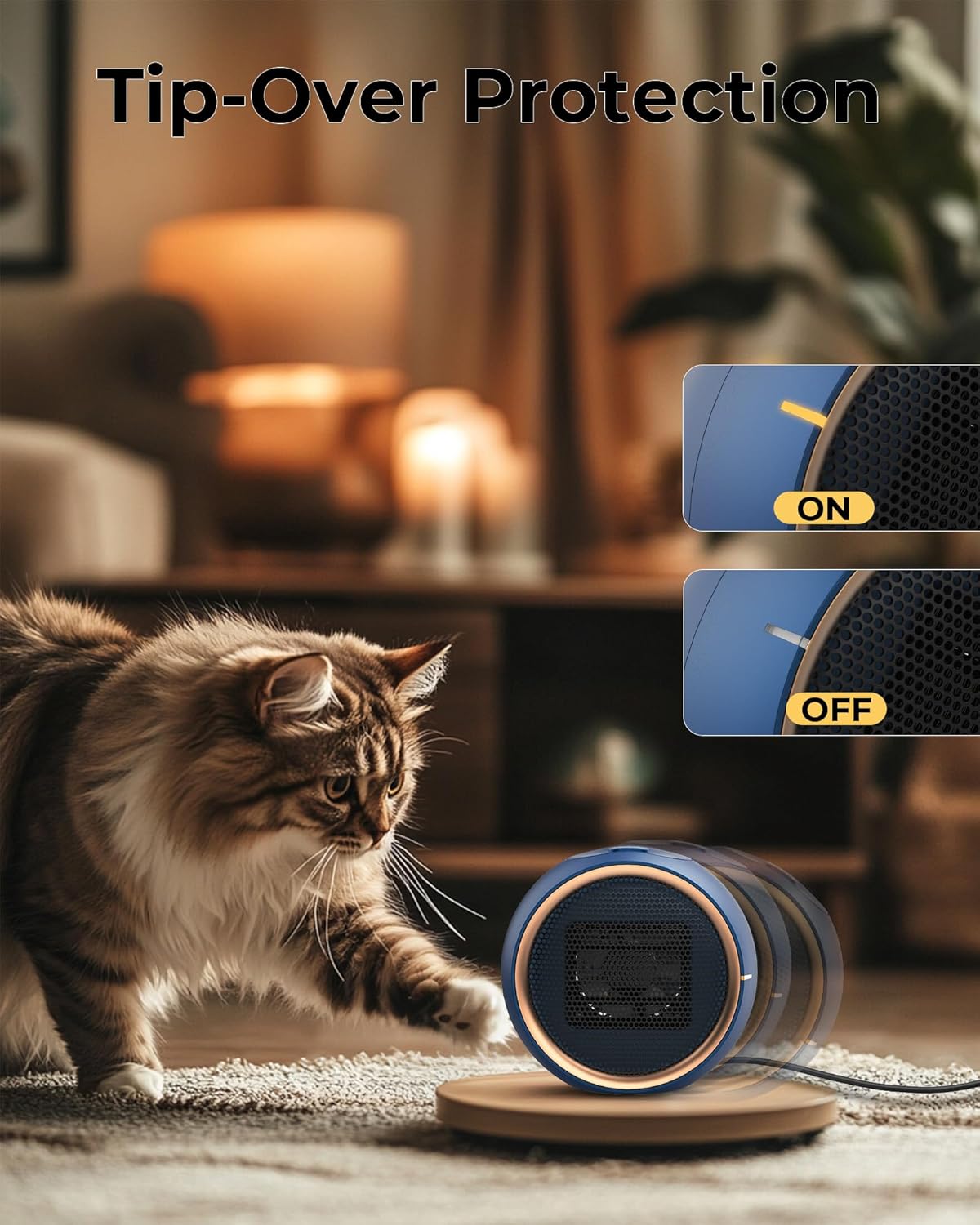
Figure 4.2: The heater automatically shuts off if tipped over, as shown with a cat.
- Overheat Protection: In the event of internal overheating, the heater will automatically shut down. Unplug the unit from the wall outlet and allow it to cool for at least 30 minutes before attempting to restart. Ensure no obstructions are blocking the air intake or exhaust vents.

Figure 4.3: Overheat protection ensures safe operation, even in environments with children.
5. Maintenance
Regular maintenance helps ensure the longevity and efficient operation of your heater.
- Cleaning: Always unplug the heater and allow it to cool completely before cleaning. Use a soft, damp cloth to wipe the exterior surfaces. Do not use abrasive cleaners or solvents. Do not immerse the heater in water.
- Dust Removal: Use a vacuum cleaner with a brush attachment to gently remove dust from the air intake and exhaust grilles.
- Storage: When not in use, store the heater in a cool, dry place. It is recommended to store it in its original packaging to protect it from dust and damage.
6. Troubleshooting
| Problem | Possible Cause | Solution |
|---|---|---|
| Heater does not turn on. | Not plugged in; Tip-over switch activated; Overheat protection activated; Power button not pressed. | Ensure power cord is securely plugged in. Place heater on a flat, stable surface. Unplug and allow to cool for 30 minutes, then restart. Press the power button firmly. |
| Heater stops working unexpectedly. | Tip-over switch activated; Overheat protection activated. | Check if the heater has been tipped over and place it upright. Unplug and allow to cool for 30 minutes, then restart. Ensure vents are not blocked. |
| Reduced heat output. | Dust accumulation on heating elements or vents. | Unplug the heater and clean the air intake and exhaust grilles as described in the Maintenance section. |
If you experience issues not listed here, or if the problem persists after attempting the solutions, please contact customer support.
7. Specifications
| Feature | Specification |
|---|---|
| Brand | TUNISE |
| Model Number | Q21 |
| Special Feature | Overheat Protection, Tip-Over Protection |
| Color | Blue |
| Form Factor | Tower |
| Indoor/Outdoor Usage | Indoor |
| Product Dimensions | 8"D x 5"W x 4.5"H |
| Room Type | Bathroom, Bedroom, Home Office |
| Fuel Type | Electric |
| Item Weight | 1.17 pounds |
8. Warranty and Support
The TUNISE Q21 Portable Electric Space Heater comes with a standard manufacturer's warranty. Please refer to the product packaging or contact TUNISE customer service for specific warranty details and terms.
Customer Support:
For technical assistance, troubleshooting, or warranty inquiries, please contact TUNISE customer support through the retailer's platform or the official TUNISE website.