1. Introduction and Overview
The AUXITO T3-6000A Jump Starter is a portable and powerful device designed to start 12V vehicles with dead batteries, including all gas engines and diesel engines up to 12.0L. It also functions as a power bank for electronic devices and features a multi-mode LED flashlight for emergencies. This manual provides essential information for safe and effective use of your jump starter.

Image: The AUXITO T3-6000A Jump Starter, its accessories, and examples of compatible vehicles.
2. Package Contents
Verify that all items are present in your package:
- 1 x AUXITO T3 Jump Starter
- 1 x Smart Jumper Clamps
- 1 x Type-C Charging Cable
- 1 x Storage Case
- 1 x User Manual

Image: All components included in the AUXITO T3-6000A Jump Starter package.
3. Product Features
- High Peak Current: 6000A peak current for starting all gas and up to 12.0L diesel engines.
- Smart Digital Display: Intuitive LCD screen shows exact power percentage, charging progress, and clamp connection status.
- One-Touch Boost Function: For reliable starts in low-voltage conditions.
- Advanced Safety Clamps: Corrosion-resistant metal and superior insulation to prevent sparking.
- 3-Mode Emergency Flashlight: Features steady light, strobe mode, and SOS red beacon.
- Dual USB Power Bank: 12000mAh capacity with two USB (Output/Input) ports for charging devices.
- Compact and Portable: Lightweight design for easy storage and transport.
- 10-Protection System: Innovative QDSP technology with safeguards against overloads, short circuits, and reverse polarity.
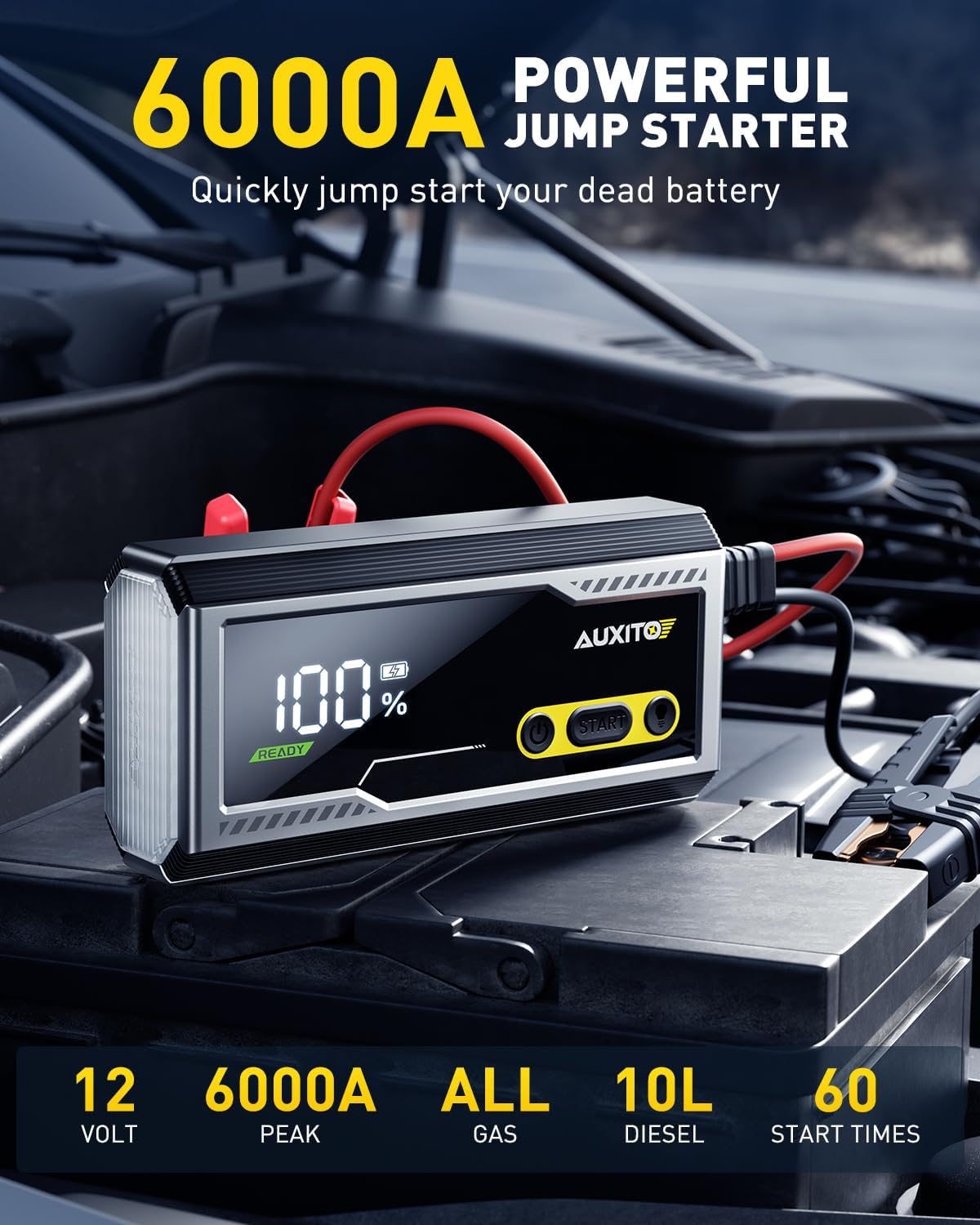
Image: Key features of the AUXITO T3-6000A Jump Starter.

Image: Labeled diagram of the AUXITO T3-6000A Jump Starter components.
4. Safety Information
Read and understand all safety information before using this product. Failure to follow these instructions may result in electric shock, explosion, fire, or serious injury.
- Always ensure the jump starter is at least 50% charged before attempting to jump start a vehicle.
- Do not connect the red and black clamps together.
- Do not attempt to jump start a frozen battery.
- Keep out of reach of children.
- Use in a well-ventilated area.
- The smart clamps are designed with 10 comprehensive safety protections, including reverse polarity, over current, over charge, over discharge, over heat, over voltage, reverse connection, over load, short circuit, and spark proof protection.

Image: Visual representation of the 10 safety protections.
5. Setup
Initial Charging
Before first use, fully charge the AUXITO T3-6000A Jump Starter. Connect the provided Type-C charging cable to the USB-C input port on the jump starter and to a suitable USB power adapter (not included). The digital display will show charging progress. A full charge is indicated by 100% on the display.
Checking Battery Level
Press the power button once to activate the digital display and check the current battery percentage. Ensure it is above 50% for optimal jump-starting performance.
6. Operating Instructions
6.1. Jump Starting a Vehicle
- Ensure the jump starter is adequately charged (above 50%).
- Connect the smart jumper clamps to the jump starter's dedicated port.
- Connect the red (positive) clamp to the positive (+) terminal of the vehicle's battery.
- Connect the black (negative) clamp to the negative (-) terminal of the vehicle's battery.
- The jump starter's display will show "READY" if the connection is correct. If the battery voltage is very low, press the "BOOST" button on the jump starter for a few seconds until "BOOST" appears on the screen.
- Start your vehicle. If it doesn't start immediately, wait 30 seconds before trying again. Do not attempt more than 3 consecutive starts.
- Once the vehicle starts, remove the clamps from the vehicle battery within 30 seconds, then disconnect them from the jump starter.

Image: Step-by-step guide for jump starting a vehicle.
6.2. Using the LED Flashlight
The built-in LED flashlight has three modes:
- Press and hold the light button for 3 seconds to turn on the steady bright light.
- Press the light button again to switch to strobe mode.
- Press the light button a third time to activate the SOS red beacon mode.
- Press and hold the light button again to turn off the flashlight.

Image: The 1000-lumen LED flashlight with its three modes.
6.3. Using as a Power Bank
The jump starter can charge electronic devices via its USB ports:
- Connect your device's USB charging cable to the USB-A output port (5V/2.4A) or the USB-C input/output port (QC 3.0 5V/2.4A).
- The 12000mAh capacity allows for multiple charges of smartphones, tablets, and other USB-powered devices.
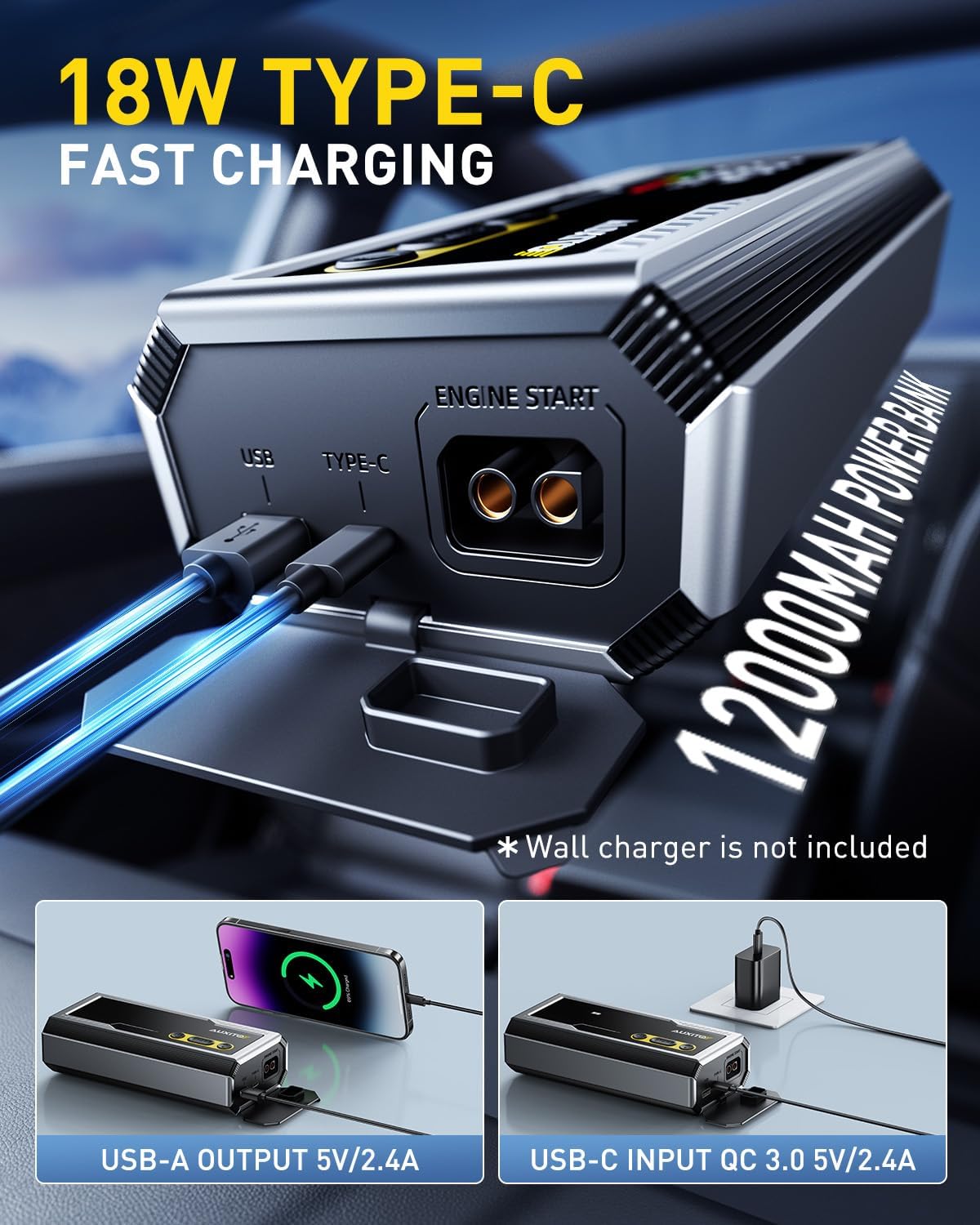
Image: The jump starter functioning as a portable power bank.
Official Product Video: Jump Starting Demonstration
Video: This video demonstrates the process of using the AUXITO 6000A Jump Starter to start a vehicle with a dead battery, showing the connection steps and the unit's display.
Official Product Video: Portable Jump Starter Overview
Video: This video provides an overview of the AUXITO 6000A Portable Jump Starter, showcasing its compact design, features, and ease of use.
7. Maintenance
- Regular Charging: If the product is not used regularly, it is recommended to charge it every three months to maintain battery health and extend its lifespan.
- Storage: Store the jump starter in its provided storage case in a cool, dry place away from direct sunlight and extreme temperatures.
- Cleaning: Use a soft, dry cloth to clean the unit. Do not use harsh chemicals or abrasive materials.

Image: Information on the 48-month standby time and recommended charging frequency.
8. Troubleshooting
- Unit does not turn on: Ensure the unit is charged. If completely drained, it may take a few minutes of charging before the display activates.
- Vehicle does not start:
- Check that the clamps are securely connected to the correct battery terminals (red to positive, black to negative).
- Ensure the jump starter has sufficient charge (above 50%).
- If the vehicle battery is extremely low, use the "BOOST" function.
- Allow 30 seconds between start attempts.
- Error message on display: Refer to the specific error codes in the full user manual for detailed explanations and solutions. Common errors include reverse polarity or short circuit, which the unit's safety features are designed to prevent.
- Device not charging: Ensure the charging cable is properly connected and the power adapter is functional.
9. Specifications
| Brand | AUXITO |
| Model | T3 |
| Peak Output Current | 6000 Amps |
| Battery Capacity | 12000mAh (as power bank) |
| Engine Compatibility | All Gas & 12L Diesel Engines (12V vehicles) |
| Operating Temperature | -20℃ to 60℃ (-4℉ to 140℉) |
| Item Weight | 2.79 pounds |
| Product Dimensions | 5.2 x 9.69 x 4.84 inches |
| Batteries | 1 Lithium Ion battery (included) |
10. Warranty and Support
For warranty information or technical support, please refer to the contact details provided in your product packaging or visit the official AUXITO website. Keep your purchase receipt for warranty claims.


