
1. Introduction and Overview
The WONLINK AC1200 Outdoor WiFi Extender AP7204 is a high-performance dual-band wireless access point designed to provide extended and stable WiFi coverage in outdoor environments. It supports various operating modes including Repeater, Router, AP, and Bridge, offering flexible connectivity solutions for diverse scenarios. With its IP66 weatherproof rating and Power over Ethernet (PoE) support, it is built to withstand harsh outdoor conditions and simplify installation.
This manual provides detailed instructions for setting up, operating, and maintaining your AP7204 device to ensure optimal performance and longevity.
2. Package Contents
Before you begin, please verify that all items listed below are included in your package:
- 1x AC1200 Outdoor WiFi Extender (WL-AP7204)
- 1x Operation Instructions (Quick Start Guide)
- 1x POE Power Adapter
- 1x RJ-45 Network Cable
- 2x Fixing Screws
- 1x Fixed Ties

3. Setup and Installation
Follow these steps to set up your WONLINK AC1200 Outdoor WiFi Extender AP7204:
- Connect Antennas: Attach the two external high-gain antennas to the designated ports on the device. Ensure they are securely fastened.
- Power over Ethernet (PoE) Connection: Connect one end of the provided RJ-45 network cable to the LAN/WAN Ethernet port on the AP7204. Connect the other end of this cable to the POE port on the POE Power Adapter.
- Connect to Network: Connect a second RJ-45 network cable from the LAN port of the POE Power Adapter to your existing router or network switch.
- Power On: Plug the POE Power Adapter into a power outlet. The device will power on.
- Mounting: The AP7204 supports pole mounting and wall mounting. Use the provided installation kit (fixing screws and ties) to secure the device in your desired outdoor location. Ensure the device is positioned to minimize obstacles between it and the desired coverage area for optimal signal strength. The POE power supply allows for cable lengths up to 100 meters, providing flexibility for installation in hard-to-reach areas.


Video: Installation of hardware Pt-2
This video demonstrates the physical installation process of the hardware for the outdoor WiFi extender, including connecting cables and mounting the unit.
4. Operating Modes
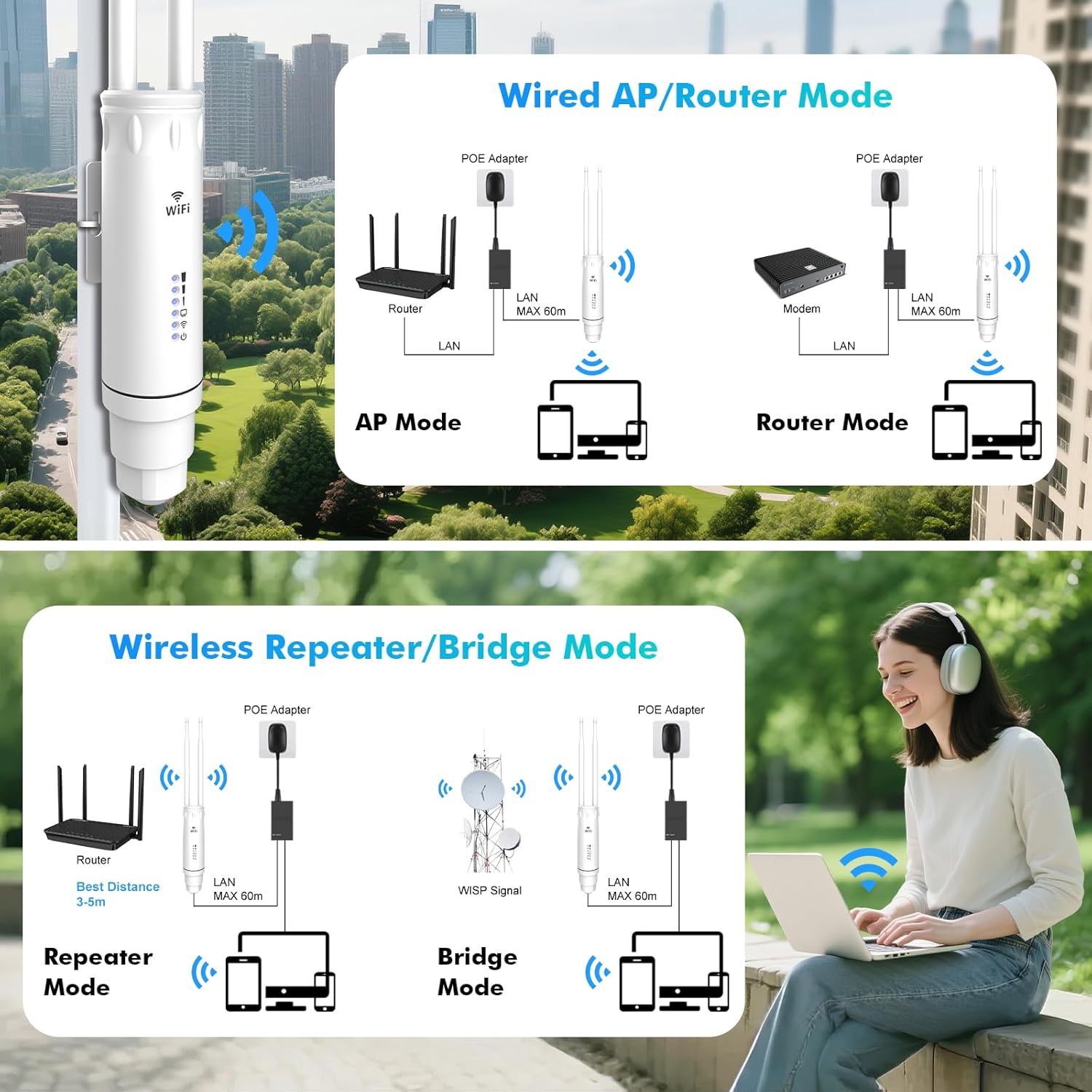
The WONLINK AC1200 Outdoor WiFi Extender AP7204 supports four rich operating modes:
- Repeater Mode: Extends the coverage of an existing WiFi network.
- Router Mode: Functions as a primary router, creating a new WiFi network.
- AP (Access Point) Mode: Converts a wired network connection into a wireless access point.
- Bridge Mode: Connects two wired networks wirelessly, or extends a wireless network to a wired device.
You can switch between these modes based on your scenario requirements. Refer to the quick start guide for detailed configuration steps for each mode.
Video: How to Connect the UeeVii CPE450 Wireless Bridge in Minutes
This video provides a quick guide on how to connect a wireless bridge, demonstrating the ease of setup for similar outdoor WiFi devices.
5. Maintenance
To ensure the longevity and optimal performance of your WONLINK AC1200 Outdoor WiFi Extender AP7204, consider the following maintenance tips:
- Regular Inspection: Periodically check the device and its connections for any signs of wear, damage, or loose cables.
- Cleaning: Gently clean the exterior of the device with a soft, dry cloth to remove dust or debris. Avoid using harsh chemicals or abrasive materials.
- Weather Protection: While the device is IP66 weatherproof, ensure that the PoE converter is protected from moisture as it is not waterproof.
- Firmware Updates: Check the WONLINK official website regularly for any available firmware updates to enhance performance and security.

6. Troubleshooting
If you encounter issues with your AP7204, try the following troubleshooting steps:
- No Power: Ensure the POE Power Adapter is securely plugged into a working power outlet and the Ethernet cable is correctly connected to the POE port.
- No Internet Connection: Verify that your main router has an active internet connection. Check all Ethernet cable connections between the AP7204, POE adapter, and router.
- Weak Signal: Reposition the AP7204 to minimize physical obstructions (walls, trees) between the device and your client devices. Adjust the direction of the external antennas for better coverage.
- Cannot Access Setup Page: Ensure your device is connected to the AP7204's WiFi network or directly via Ethernet. Try restarting the AP7204 and your computer/device.
- Reset to Factory Defaults: If issues persist, you may need to reset the device to its factory default settings. Refer to the quick start guide for instructions on performing a factory reset.
7. Specifications
| Feature | Specification |
|---|---|
| Model Name | WL-AP7204 |
| Wireless Communication Standard | 802.11ac |
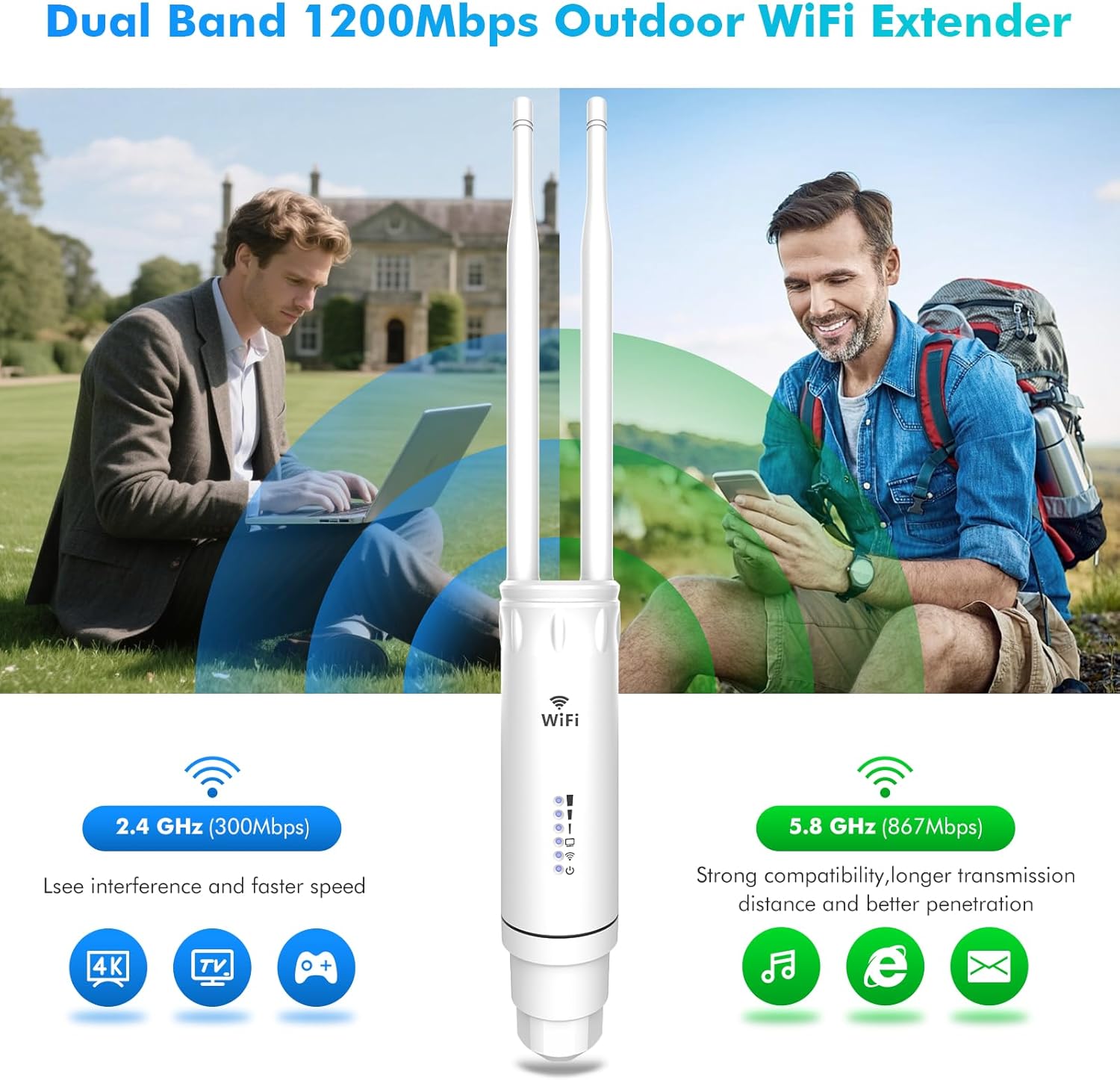
| Frequency Band Class | Dual-Band (2.4GHz & 5GHz) |
| Speed | 867 Mbps (5 GHz), 300 Mbps (2.4 GHz) |
| Antennas | Two External High Gain Antennas |
| Ethernet Port | Gigabit LAN/WAN Ethernet Port |
| Power Supply | PoE (Power over Ethernet) with 48V adapter |
| Weatherproof Rating | IP66 (Waterproof, Windproof, Cold Protection, Lightning Protection) |
| Security | DDoS defense, WPA/WAP-PSK/WPA2/AES encryption, Built-in firewall |
| Operating Modes | Repeater, Router, AP, Bridge |
| Item Weight | 1.15 pounds |
| Package Dimensions | 9.33 x 6.02 x 2.32 inches |
8. Warranty and Support
The WONLINK AC1200 Outdoor WiFi Extender AP7204 comes with a standard manufacturer's warranty. For specific warranty details, including coverage period and terms, please refer to the warranty information provided in your product packaging or contact WONLINK customer support directly.
For technical assistance, troubleshooting, or any product-related inquiries, please visit the official WONLINK Store on Amazon or contact their customer service. You can find more information and support resources at the WONLINK Store.


