
Introduction
The iGarden K60 Robotic Pool Cleaner is designed to provide efficient and autonomous cleaning for both inground and above-ground pools. This manual provides essential information for setting up, operating, and maintaining your device to ensure optimal performance and longevity.
Setup
1. Unboxing
Carefully remove all components from the packaging. Ensure all items listed in the user manual are present.

Image: The iGarden K60 Robotic Pool Cleaner with its retail packaging, showcasing the sleek design and included accessories.
2. Charging the Device
Before initial use, fully charge the pool cleaner. Locate the charging port on the underside of the device. Remove the silicone port cover and insert the charger plug. The status lights on the device will pulse in sequence during charging. Charging is complete when all three lights remain solid. Always charge indoors, away from direct sunlight. Secure the silicone port cover back in place over the charging port after charging.
3. Initial Power On
Rotate the power switch on the underside of the machine to the UNLOCK position. After 3 minutes of inactivity, the machine will enter sleep mode. To wake it up, press and hold the power button on the touchscreen for 3 seconds.
4. App Pairing (Optional)
For app control, simply connect via 2.4GHz Wi-Fi and Bluetooth before the robot enters the water. Launch the iGarden Robotics app, select 'Add Device', and follow the on-screen prompts. To enter pairing mode, press and hold the cleaning mode button on the touchscreen for 3 seconds.
5. Placing the Cleaner in the Pool
After configuring settings, place the machine in the pool within 3 minutes. Before placing the machine, ensure the pool is clear of people and obstacles, and turn off the pool pump and any other equipment to prevent interference with cleaning. Once submerged, the machine automatically dives, scans the pool floor, maps its route, and delivers fast, efficient cleaning.
Video: Demonstrates the complete setup process, including unboxing, charging, powering on, app pairing, and initial placement of the iGarden K60 Robotic Pool Cleaner into the pool.
Operating the Device
1. Cleaning Modes
The iGarden K60 offers various cleaning modes for comprehensive pool care. Short-press the cleaning mode button to toggle between modes: 1 LED indicates pool floor cleaning mode, while 2 LEDs indicate pool floor, walls, and waterline cleaning mode. The device features 3 brushless motors and 2 rubber brushes for effective scrubbing and debris removal. Its adaptive torque control allows it to navigate steps, slopes, and walls for precision cleaning.

Image: The iGarden K60 demonstrating its ability to clean both the pool floor and climb walls to clean the waterline.
2. AI Timer and Scheduling
Control your cordless pool cleaner with the intuitive touchscreen or app. Press the AI Timer button to cycle through scheduling modes: 1 LED for cleaning every 24 hours, 2 LEDs for cleaning every 48 hours, and 3 LEDs for cleaning every 72 hours. All LEDs off indicates the AI timer is disabled. You can schedule 60-120 minutes for each cleaning cycle or use the AI timer for automatic cleaning.
3. Turbo Mode
Activate Turbo Mode for enhanced cleaning power. The Turbo Mode button's LED will be off when disabled and on when enabled. This mode instantly maximizes power, providing 2X cleaning power compared to the standard mode, ideal for stubborn stains, heavy debris, leaves, and hair.
4. Smart Navigation
The robotic vacuum uses intelligent path planning and smooth S-path navigation to efficiently clean every inch of your pool, ensuring full coverage and a debris-free environment. It can easily go up to 2 steps and over drains.
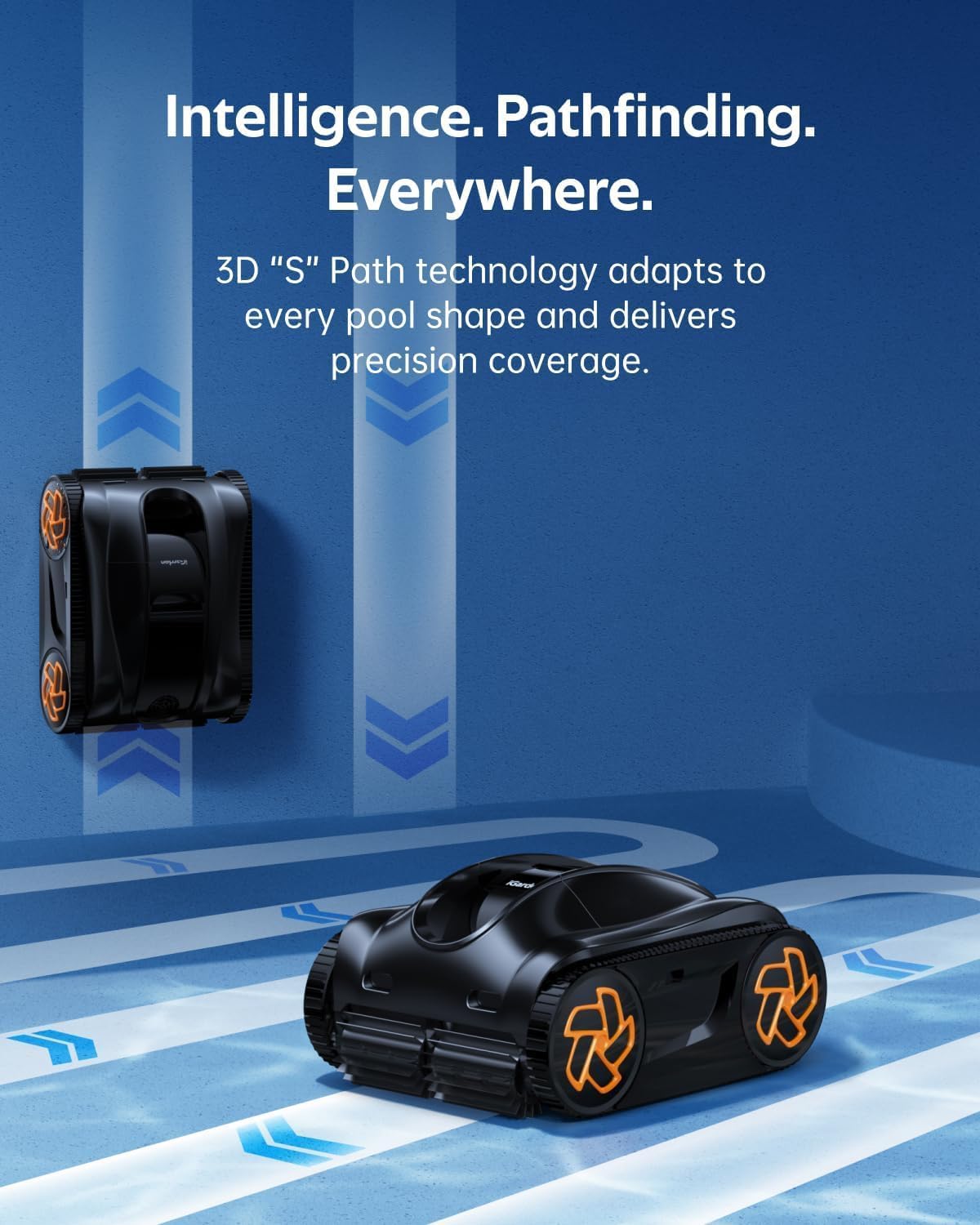
Image: The iGarden K60 navigating the pool floor and walls, illustrating its intelligent pathfinding capabilities.
5. Auto-Parking and Retrieval
The iGarden K60 features an auto-parking function. After completing a cleaning cycle or when the battery level drops to 15%, the machine will automatically move to the pool's edge. Align the retrieval hook (included) with the handle and lift the machine out of the water. This makes manual retrieval and charging convenient.
Maintenance
1. Clean the Filter Basket
The large capacity 4L debris tank and precision 180μm mesh help capture sand, dirt, leaves, and micron-sized particles. To clean, remove the filter basket by lifting the top cover and discard the collected debris. Rinse the filter basket with a garden hose until all debris is washed away, then reinstall it onto the machine.

Image: The iGarden K60's 4L debris tank being removed and emptied, showing captured leaves and other debris.
2. Impeller Maintenance
Regularly inspect and clean the impeller to ensure efficient operation. Power off the machine and remove the filter basket. Using a Phillips screwdriver, loosen and remove the four screws securing the motor guard. Detach the guard to access the impeller assembly, then clean and inspect the impeller for any obstructions or damage.
3. Replace the Filter Basket
If the filter basket is damaged, it can be replaced. Loosen the five screws securing the filter basket using a Phillips screwdriver. Remove and discard the damaged filter basket. Install the new filter basket in position and tighten the five screws to secure it.
4. Replace the Tracks
To replace worn tracks, gently pry up the hub cover using a small flat-head screwdriver. Loosen the five screws on the track clamp with a Phillips screwdriver and remove the clamp. Slide off the damaged track and fit the new track into place. Reinstall the track clamp and tighten all five screws. Snap the hub cover back onto the wheel.
5. Replace the Roller Brush Sleeve
To replace the roller brush sleeve, pry open the retention clips on the brush sleeve by hand. Remove the worn sleeve from the drum. Slide the new sleeve onto the drum, rotating it until it seats fully. Use needle-nose pliers to snap the clips closed and secure the sleeve.
Specifications
| Feature | Detail |
|---|---|
| Power Source | Battery Powered |
| Special Features | 3-Year Full Machine Replacement Protection, 6H Battery Life, Full-Screen Touch Interface, Intelligent Obstacle Crossing, Intelligent Path Optimization |
| Control Method | Touch |
| Battery Type | Lithium-Ion (1 included) |
| Battery Energy Content | 192 Watt Hours |
| Capacity | 4 Liters |
| Installation Type | Robotic |
| Product Dimensions | 19.25"L x 15.31"W x 9.45"H |
| Item Weight | 29.8 pounds |
| Material | Acrylonitrile Butadiene Styrene (ABS), PC |
| Color | Black |
Warranty and Support
The iGarden K60 Robotic Pool Cleaner comes with a 3-year warranty, offering full machine replacement if it fails. Non-core parts are also covered for 3 years. iGarden provides dependable after-sales service, including a 30-day free return guarantee for any reason and 24/7 online support for any questions. For assistance, please contact iGarden Direct support.

Image: iGarden Care details, highlighting the 3-year full replacement warranty and 24/7 call center support.


