
Introduction
This manual provides detailed instructions for the assembly, operation, and maintenance of your SUPERJARE 110.2 Inch Sofa Table. Please read all instructions carefully before assembly and use to ensure safe and proper functionality of the product.
Safety Information
Always follow the assembly instructions provided. When wall-mounting, use the included anti-tip kit to prevent tipping and ensure stability.
Failure to utilize the anti-tip kit may lead to the table toppling over, potentially causing injury or damage.

Package Contents
Before beginning assembly, verify that all components are present and undamaged. The package should include:
- Tabletop sections (Engineered Wood)
- Metal frame components
- Two (2) Power Strips (each with 2 AC outlets, 1 USB port, 1 USB-C port)
- Assembly Guide
- Installation Tool (Allen wrench, screwdriver)
- Anti-tip kit
- Adjustable feet
Assembly Instructions
The product requires assembly. Clear instructions, labeled parts, and tools are included for easy setup. A screwdriver is recommended for assembly.
- Unpack all components and lay them out on a clean, soft surface to prevent scratches.
- Identify each part using the labels and the assembly guide.
- Assemble the metal frame according to the step-by-step diagrams in the included guide.
- Attach the tabletop sections to the assembled frame. The power strips can be placed in various positions along the tabletop (excluding the center board) to suit your needs.
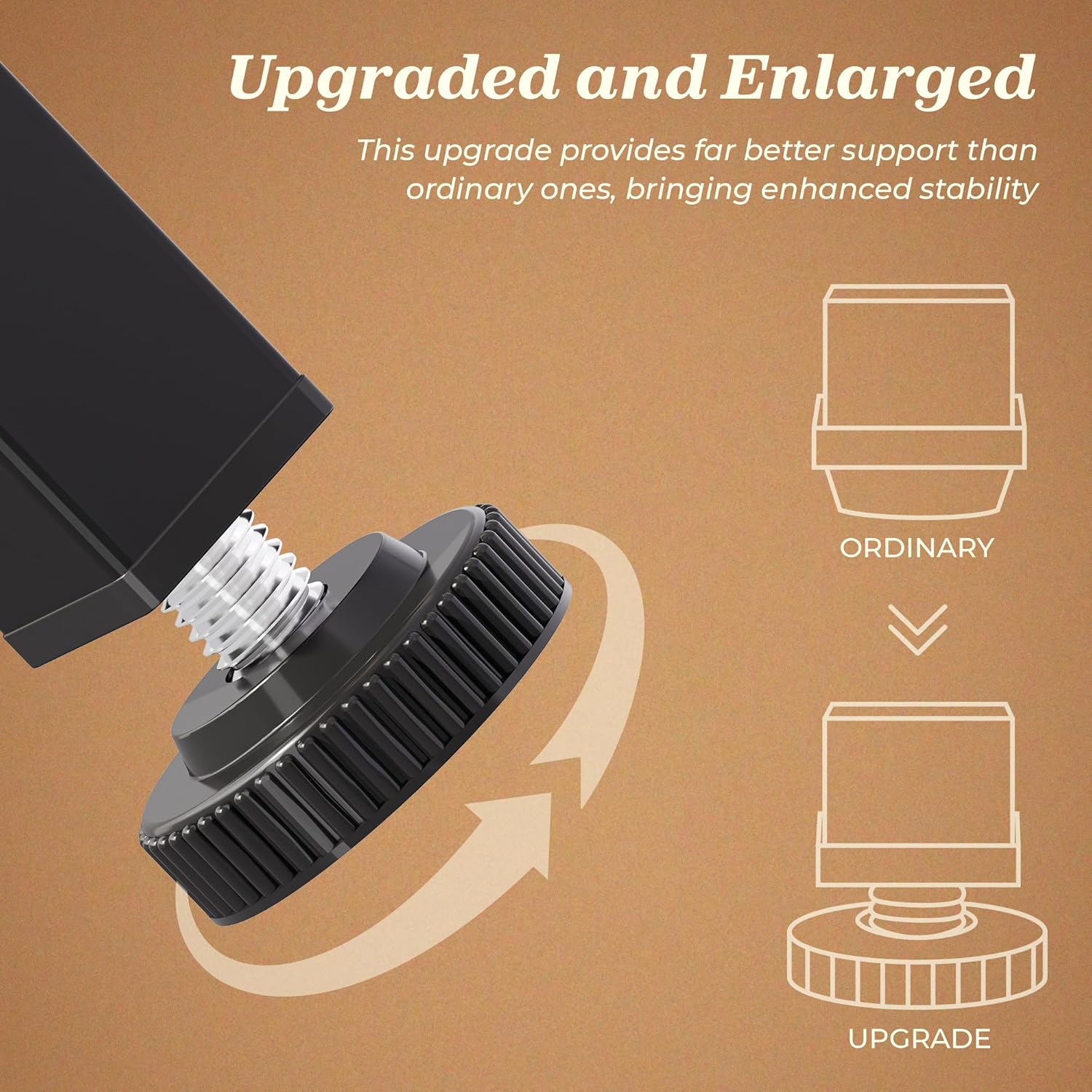
- Install the adjustable feet at the bottom of the table legs. These upgraded larger feet provide enhanced stability on uneven floors.
- Secure the table to the wall using the provided anti-tip kit for safety and stability.
Operating Instructions (Power Outlets)
Your sofa table is equipped with two flexible power strips for convenient device charging.
- Each power strip includes two (2) standard AC outlets (125V/12A), one (1) USB-A port (5V/2A), and one (1) USB-C port (5V/2A).
- The power strips can be installed in various positions along the tabletop, allowing you to customize their placement for optimal access.
- To use, simply plug the table's main power cord (5-foot length) into a wall outlet.
- Connect your devices to the AC outlets, USB-A, or USB-C ports as needed.


Maintenance
To maintain the appearance and longevity of your sofa table:
- Wipe with a damp cloth for general cleaning.
- Avoid using harsh chemicals or abrasive cleaners, which may damage the finish.
- Regularly check all screws and connections to ensure they remain tight.
Troubleshooting
| Problem | Possible Cause | Solution |
|---|---|---|
| Table feels wobbly or unstable. | Adjustable feet are not properly leveled or tightened; anti-tip kit not installed. | Ensure all adjustable feet are firmly on the floor and adjusted to eliminate wobble. Install the anti-tip kit to secure the table to the wall. |
| Power outlets are not working. | Power cord not fully plugged in; wall outlet is not active; device is faulty. | Check that the table's power cord is securely plugged into a functioning wall outlet. Test the wall outlet with another device. Ensure your device is working correctly. |
| USB port charging is inconsistent (surging). | Overload on the USB port; incompatible device. | Try charging a different device. Ensure the device is compatible with the 5V/2A output. Avoid charging multiple high-power devices simultaneously from a single port. |
Specifications
- Brand: SUPERJARE
- Model Number: 70324
- Product Dimensions: 5.9"D x 110.2"W x 29.7"H
- Item Weight: 20 Pounds
- Frame Material: Metal
- Top Material: Engineered Wood
- Color: Black
- Power Outlets: 2 AC Outlets (125V/12A), 1 USB-A Port (5V/2A), 1 USB-C Port (5V/2A) per strip (2 strips included)
- Power Cord Length: 5 feet
- Indoor/Outdoor Usage: Indoor
- Assembly Required: Yes

Warranty & Support
SUPERJARE products are designed for quality and durability. This product comes with a 3-year service commitment. For any questions, concerns, or support needs regarding your sofa table, please contact SUPERJARE customer service through the retailer where the product was purchased or visit the official SUPERJARE website for assistance.