
1. Introduction
The Nekteck MD-KP03 Knee Massager with Heat is a versatile, cordless device designed to provide soothing warmth and gentle vibration for relaxation and comfort around the knee, shoulder, and elbow areas. It features adjustable heat levels and vibration modes to customize your experience.
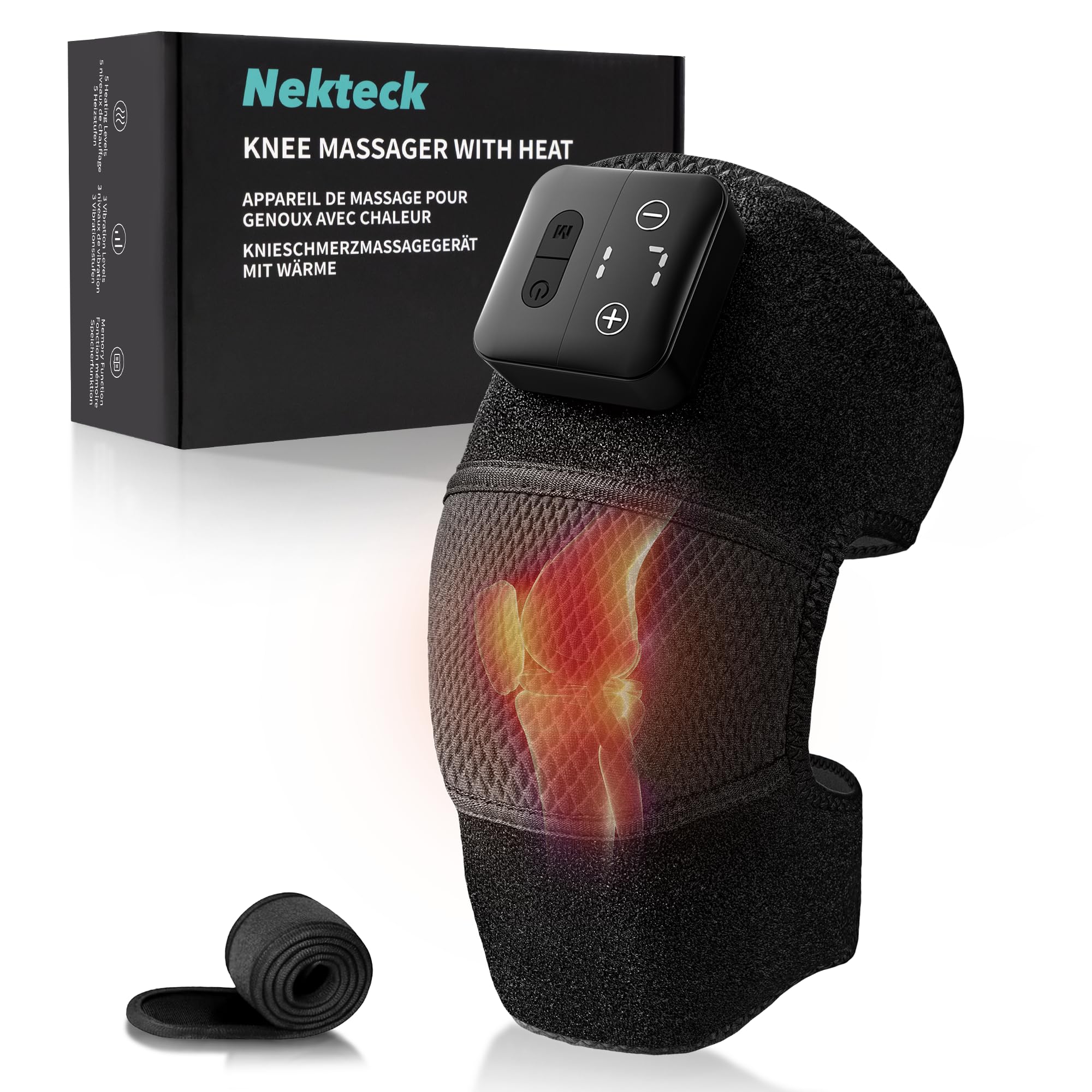
Image 1: The Nekteck Knee Massager with Heat, Model MD-KP03.
2. What's in the Box
- Nekteck Knee Massager with Heat (MD-KP03)
- USB-C Charging Cable
- Extension Strap (26.4 inches / 67 cm)
- User Manual
Video 1: Official product overview showing the contents of the box and basic usage.
3. Setup and Charging
3.1 Initial Charging
Before first use, fully charge the massager using the provided USB-C cable. Connect the USB-C end to the massager and the USB-A end to a compatible power adapter (not included). A full charge provides up to 4 hours of gentle heat on the lowest setting.
3.2 Attaching the Massager
- Place the massager on the desired target area (knee, elbow, or shoulder).
- Secure it using the adjustable hook-and-loop straps. For larger areas, use the included 26.4-inch extension strap.

Image 2: Adjustable straps and optional extension strap for a secure fit.
4. Operating Instructions
The Nekteck Knee Massager features an easy-to-use interface with clear icons for Power, Heat, and Mode.
4.1 Power On/Off
- To turn on: Press and hold the power button for 3 seconds.
- To turn off: Press and hold the power button for 3 seconds.
4.2 Adjusting Heat Levels
The device offers 5 adjustable heat settings (104–140°F / 40–60°C). Press the 'Heat' button to cycle through the different temperature levels.

Image 3: Visual representation of the 5 available heat settings.
4.3 Adjusting Vibration Modes
Choose from 3 vibration modes: gentle, soothing, or intense. Short press the 'Mode' button to switch between vibration patterns.

Image 4: Visual representation of the 3 available vibration modes.
4.4 Lock Screen Function
To prevent accidental touches during use, long press the 'M' button to lock the screen. Repeat to unlock.
5. Usage Areas
The 3-in-1 design allows the massager to be used as a heated knee brace, elbow wrap, or shoulder heating pad. The adjustable straps ensure a secure fit for most body types.

Image 5: The Nekteck massager can be applied to the knee, elbow, or shoulder.
6. Safety Features
- Overheat and Overload Protection: The device is equipped with built-in safety mechanisms to prevent overheating and electrical overload.
- Automatic Shut-off: For added safety and comfort, the massager automatically turns off after 20 minutes of continuous use. If you have good tolerance and heat resistance, you may restart the device after it turns off. We recommend limiting total daily use to no more than 60 minutes.
7. Specifications
| Feature | Detail |
|---|---|
| Product Dimensions | 8 x 4.8 x 2.5 inches |
| Item Weight | 9.6 ounces (0.6 Pounds) |
| Model Number | NK-KP03 |
| Power Source | Battery Powered (1 x 12V battery included) |
| Material | Faux Leather |
| Heat Levels | 5 (104–140°F / 40–60°C) |
| Vibration Modes | 3 (Gentle, Soothing, Intense) |
| Auto Shut-off | 20 minutes |
| Charging Port | USB-C |
8. Maintenance
- Cleaning: Wipe the massager with a soft, damp cloth. Do not immerse in water.
- Storage: Store the device in a cool, dry place away from direct sunlight when not in use.
- Battery Care: To prolong battery life, avoid fully discharging the battery frequently. Charge regularly, even if not used often.
9. Troubleshooting
- Device not turning on: Ensure the device is fully charged. Press and hold the power button for 3 seconds.
- No heat/vibration: Check if the desired heat level or vibration mode is selected. Ensure the device is securely fastened to the body part.
- Charging issues: Verify the USB-C cable is correctly connected to both the device and the power source. Try a different USB-C cable or power adapter.
10. Warranty and Support
The Nekteck Knee Massager is backed by a 1-year warranty. For support or replacement under normal use, please contact Nekteck customer service. Refer to the contact information provided in the user manual included in the product packaging.
