
TAGRY K08
TAGRY AI Translation Earbuds User Manual
Model: K08
1. Introduction
This manual provides detailed instructions for the operation and maintenance of your TAGRY AI Translation Earbuds, Model K08. These earbuds are designed to facilitate real-time communication across language barriers, offering advanced translation capabilities alongside high-fidelity audio for calls and music.
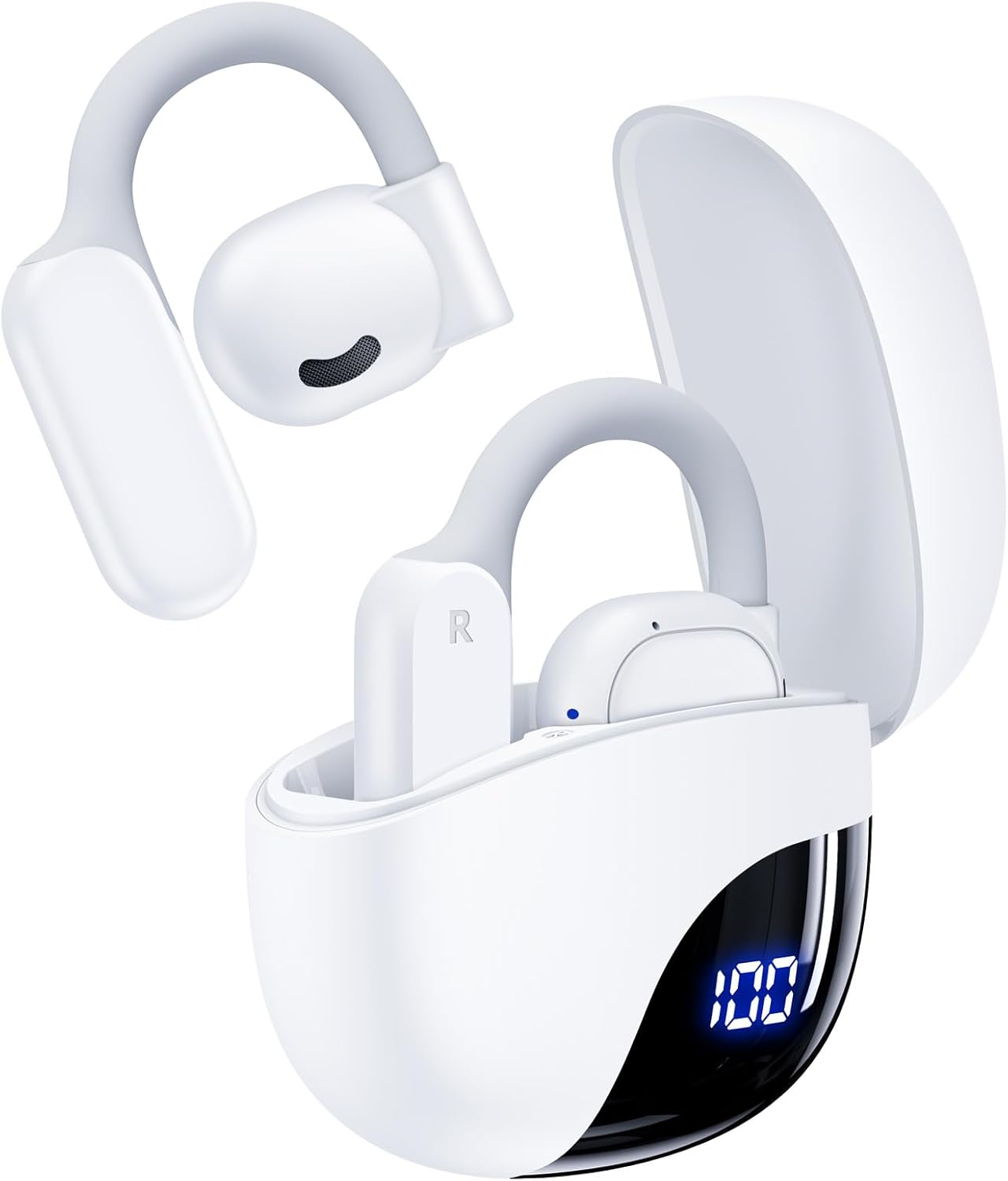
Image 1.1: The TAGRY AI Translation Earbuds and their charging case, showcasing the sleek white design and digital battery display.
Key Features:
- 164 Language Support: Utilizes AI translation technology for real-time translation across 164 languages, including English, Spanish, German, Italian, French, Japanese, and Chinese.
- AI Chat Mode & Audio/Video Call Translation: Features a multilingual AI assistant for queries and language practice, and enables real-time translation during voice and video calls.
- 5 Translation Modes: Includes Free Talk, Headphone+Phone, Audio/Video Call, Photo Translation, and Translation Machine modes to suit various communication scenarios.
- 4-in-1 Multifunctional Design: Combines AI real-time translation, video calls, phone calls, and high-quality music playback in a single device.
- Extended Battery Life: Offers up to 13.5 hours of use on a single charge, with the charging case extending total playtime to 80 hours. Features an LED display for battery monitoring.
- High-Fidelity Sound: Equipped with twin 16mm air-conducting drivers and noise reduction for clear audio during calls, music, and translation.
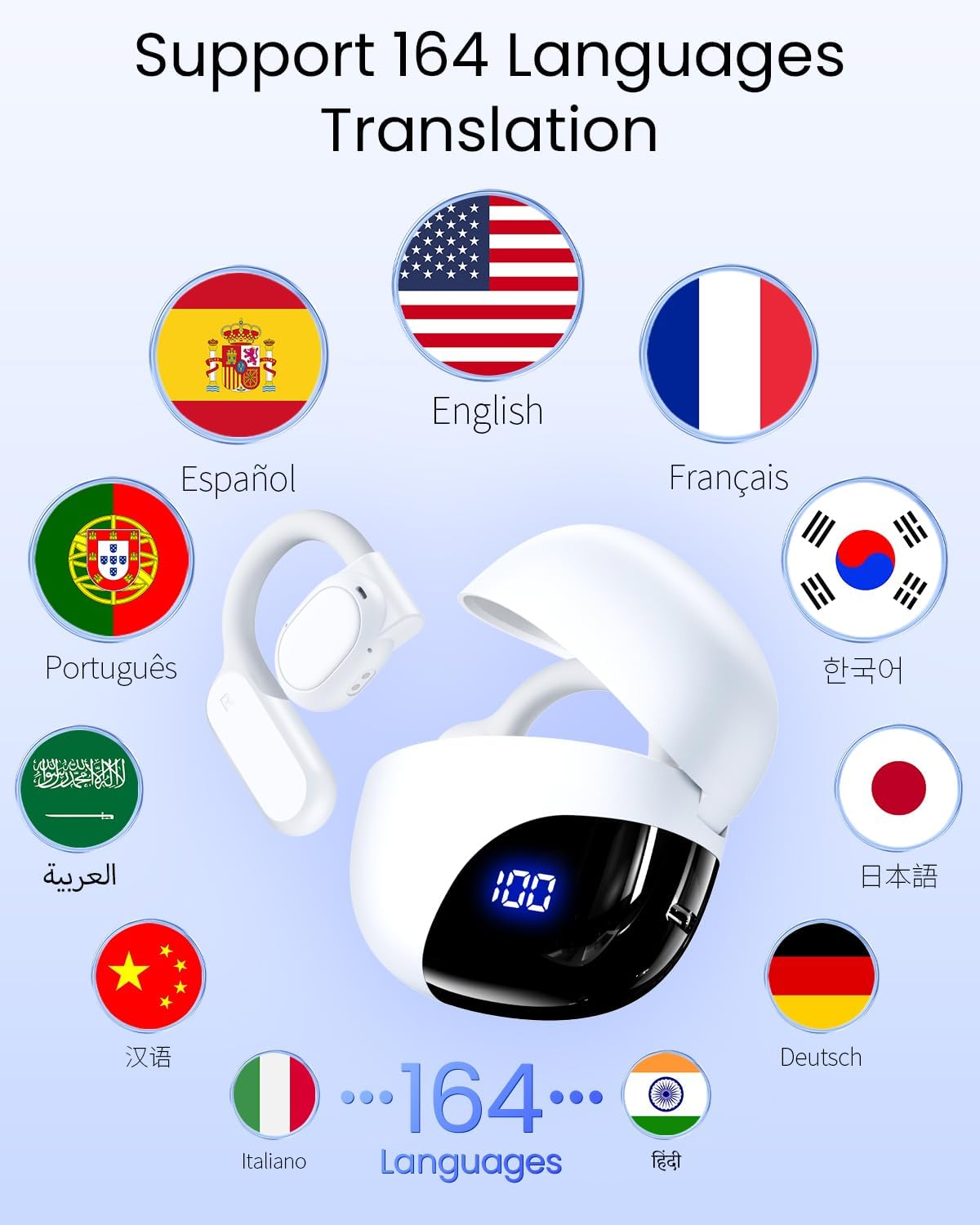
Image 1.2: Visual representation of the earbuds supporting 164 languages, indicated by various national flags.
2. Setup
2.1. Unboxing and Package Contents
Upon opening the package, ensure all components are present:
- TAGRY AI Translation Earbuds (Left and Right)
- Charging Case
- USB Charging Cable
- User Manual (this document)
2.2. Charging the Earbuds and Case
Before first use, fully charge the earbuds and the charging case. The charging case features an LED display to indicate battery levels.
- Place the earbuds into the charging case, ensuring they are correctly seated.
- Connect the USB charging cable to the charging port on the case and to a power source (e.g., USB wall adapter, computer USB port).
- The LED display on the charging case will show the current battery percentage. Allow sufficient time for a full charge.

Image 2.1: The portable charging case with earbuds, displaying the battery percentage on its LED screen.
2.3. Bluetooth Pairing
To use the earbuds, they must be paired with your smartphone or other Bluetooth-enabled device.
- Ensure the earbuds are charged and removed from the charging case. They will automatically power on and attempt to connect to the last paired device.
- On your device, go to Bluetooth settings and enable Bluetooth.
- Search for available devices and select "TAGRY K08" (or similar name) from the list.
- Once connected, you will hear an audio prompt, and the earbuds will be ready for use.
2.4. Companion App Installation
For full access to translation features and AI Chat mode, download and install the dedicated companion application on your smartphone. Refer to the packaging or product information for QR codes or app store links.
3. Operating Instructions
3.1. Power On/Off
- Power On: Remove the earbuds from the charging case. They will automatically power on and attempt to connect to the last paired device.
- Power Off: Place the earbuds back into the charging case. They will automatically power off and begin charging.
3.2. Basic Controls (Music & Calls)
The earbuds feature touch controls for managing audio playback and calls. Specific gestures may vary; refer to the app for customization options.
- Play/Pause: Single tap on either earbud.
- Next Track: Double tap on the right earbud.
- Previous Track: Double tap on the left earbud.
- Answer/End Call: Single tap on either earbud.
- Reject Call: Press and hold either earbud for 2 seconds.
- Activate Voice Assistant: Triple tap on either earbud.
3.3. Translation Modes
The TAGRY AI Translation Earbuds offer five distinct translation modes, accessible via the companion app:
- Free Talk Mode: Designed for face-to-face conversations. Both users wear an earbud, allowing for real-time, seamless two-way translation.

Image 3.1: Two individuals engaged in a conversation using Free Talk Mode, with each wearing an earbud for real-time translation.
- Headphone+Phone Mode: One person wears the earbuds, and the other speaks into the smartphone's microphone. The translation is heard through the earbuds and displayed on the phone.
- Audio/Video Call Translation: Initiate voice or video calls through the app. The earbuds provide real-time translation for participants in different languages.

Image 3.2: A user demonstrating audio and video call translation, with translated text appearing on the smartphone screen.
- Photo Translation: Use the app to take a picture of text (e.g., signs, menus). The app will translate the text and display it on your screen.
- Translation Machine Mode: Functions as a handheld translator. Speak into the phone, and the translation is played aloud or displayed.

Image 3.3: An infographic highlighting the earbuds' effective and fast translation capabilities, including 164 languages, 98% accuracy, and 0.5s response time.
3.4. AI Chat Mode
The AI Chat Mode provides a multilingual AI assistant within the companion app. You can ask questions, receive tips, and practice language skills. This mode enhances learning and provides quick information retrieval.
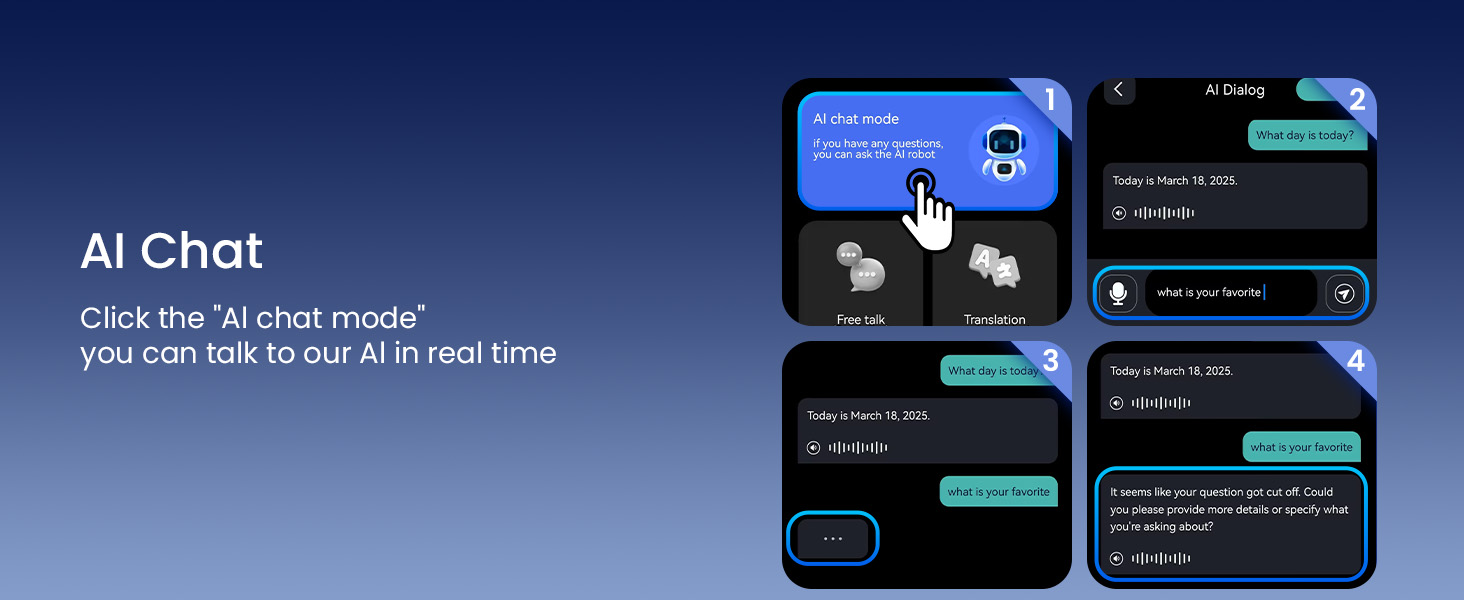
Image 3.4: A smartphone screen displaying the AI Chat mode interface, where users can interact with the AI assistant.
4. Maintenance
4.1. Cleaning
Regular cleaning helps maintain optimal performance and hygiene.
- Gently wipe the earbuds and charging case with a soft, dry, lint-free cloth.
- Do not use abrasive cleaners, alcohol, or chemical solvents.
- Ensure charging contacts on both earbuds and case are clean and free of debris.
4.2. Water Resistance (IPX7)
The earbuds are rated IPX7 waterproof, meaning they can withstand immersion in water up to 1 meter for 30 minutes. This rating applies to the earbuds only, not the charging case.
- Do not intentionally submerge the charging case in water.
- If earbuds get wet, dry them thoroughly before placing them back in the charging case to prevent damage.
- Water resistance is not a permanent condition and may decrease as a result of normal wear.

Image 4.1: The earbuds shown with water droplets, illustrating their IPX7 waterproof capability.
4.3. Storage
Store the earbuds in their charging case when not in use to protect them and ensure they remain charged.
- Avoid extreme temperatures and direct sunlight.
- Keep away from dust and moisture.
5. Troubleshooting
| Problem | Possible Cause | Solution |
|---|---|---|
| Earbuds not powering on | Low battery | Place earbuds in the charging case and charge fully. |
| Unable to pair via Bluetooth | Earbuds not in pairing mode; Bluetooth off on device; interference | Ensure earbuds are out of case. Turn device Bluetooth off/on. Move closer to device. Forget device and re-pair. |
| No sound or poor audio quality | Low volume; improper fit; earbud blockage | Adjust volume. Ensure earbuds are properly seated. Clean earbud mesh. |
| Translation not working or inaccurate | App not open; internet connection issues; incorrect language settings; background noise | Ensure companion app is running and connected. Check internet connection. Verify language settings in app. Speak clearly in a quiet environment. |
| Charging case not charging | Faulty cable/adapter; dirty charging port | Try a different USB cable and power adapter. Clean the charging port. |
6. Specifications
| Feature | Detail |
|---|---|
| Product Dimensions | 4.11 x 1.49 x 3.6 inches |
| Item Weight | 4.2 ounces |
| Model Number | K08 |
| Batteries | 3 Lithium Ion batteries (included) |
| Manufacturer | TAGRY |
| Waterproof Rating | IPX7 (Earbuds only) |
| Playtime (Earbuds) | Up to 13.5 hours |
| Total Playtime (with Charging Case) | Up to 80 hours |
| Driver Size | Twin 16mm air-conducting drivers |
7. Warranty and Support
TAGRY products are manufactured to high quality standards. For information regarding warranty coverage, please refer to the warranty card included in your product packaging or visit the official TAGRY website.
For technical support, troubleshooting assistance, or any inquiries, please contact TAGRY customer service through the contact information provided on the official website or within the companion application.
Related documentsK08


Ask a question about this manual
Ask about setup, troubleshooting, compatibility, parts, safety, or missing instructions. Manuals+ will review the question and use this page’s manual context to help answer it.