
HUAWEI GT 6 46mm
HUAWEI Watch GT 6 46mm GPS Smartwatch User Manual
Model: GT 6 46mm (Atum-B19W) | Brand: HUAWEI
1. Introduction
This manual provides essential information for using your HUAWEI Watch GT 6 46mm GPS Smartwatch. It covers setup, operation, maintenance, and troubleshooting to ensure optimal performance and user experience. The HUAWEI Watch GT 6 features a 1.47-inch AMOLED touchscreen, up to 21 days of battery life, advanced GPS tracking, over 100 sports modes, NFC, and comprehensive health monitoring. It is compatible with both iOS and Android devices.

Image: HUAWEI Watch GT 6 highlighting features like Health+ and extended warranty.
2. What's in the Box
- HUAWEI Watch GT 6 x 1
- Charging Base (including charging cable) x 1
- Quick Start Guide, Safety Information, and Warranty Card x 1
3. Setup
3.1 Initial Charging
Before first use, fully charge your HUAWEI Watch GT 6 using the provided charging base and cable. Connect the charging cable to a power adapter (not included) and place the watch on the charging base. The watch display will indicate charging status.
3.2 Pairing with Your Smartphone
- Download the HUAWEI Health app from your smartphone's app store (compatible with iOS and Android).
- Open the HUAWEI Health app and follow the on-screen instructions to create an account or log in.
- Turn on your HUAWEI Watch GT 6 by pressing and holding the power button.
- In the HUAWEI Health app, navigate to "Devices" and tap "Add device".
- Select "Smartwatches" and choose "HUAWEI Watch GT 6" from the list.
- Follow the prompts on both your phone and watch to complete the pairing process. Ensure Bluetooth is enabled on your smartphone.

Image: The HUAWEI Watch GT 6 demonstrating compatibility with iOS and Android via the HUAWEI Health app.
4. Operating the Device
4.1 Display and Controls
The HUAWEI Watch GT 6 features a 1.47-inch AMOLED touchscreen with up to 3000 nits brightness for clear visibility in various lighting conditions. Navigate the watch interface using touch gestures and the physical buttons.
- Touchscreen: Swipe up, down, left, or right to access different screens and notifications. Tap to select items.
- Crown Button: Rotate to scroll through menus or adjust settings. Press to return to the home screen or open the app list.
- Function Button: Customizable button for quick access to your favorite features or workout modes.

Image: Detail of the HUAWEI Watch GT 6's 1.47-inch AMOLED display, highlighting its brightness.
4.2 Battery Life and Charging
The HUAWEI Watch GT 6 is equipped with a high-silicon content battery, offering extended usage.
- Maximum Battery Life: Up to 21 days (46mm model) or 14 days (41mm model) under light usage.
- Typical Usage: Up to 12 days (46mm model) or 7 days (41mm model).
- Charging: Use the magnetic charging base. The watch supports wireless charging.

Image: Battery life comparison between the 46mm and 41mm HUAWEI Watch GT 6 models.
4.3 GPS and Activity Tracking
The updated HUAWEI Sunflower Positioning System provides precise GPS tracking for various outdoor activities. The watch supports over 100 sports modes, including running, cycling, swimming, skiing, and indoor sports.
- Precise GPS: Enhanced GNSS algorithms and antenna architecture for 20% increased positioning accuracy.
- Cycling Virtual Power: Monitor real-time and average cycling power directly from your wrist to optimize training intensity.
- Fall Detection: Advanced fall detection with accelerometer and gyroscope sensors can trigger automatic SOS alerts.
- Navigation: Voice navigation and automatic trip detection for safe and smart travel.

Image: The HUAWEI Watch GT 6 tracking various activities like running, skiing, and indoor sports.

Image: Cycling activity tracking with the HUAWEI Watch GT 6, showing FTP and Virtual Power metrics.

Image: Fall detection and automatic SOS alerts feature of the HUAWEI Watch GT 6 during cycling.

Image: Smart navigation features of the HUAWEI Watch GT 6 for cyclists.
Video: Demonstrates various sports activities tracked by the HUAWEI Watch GT 6, including cycling, running, and skiing, highlighting its robust tracking capabilities.
4.4 Health Monitoring
The Watch GT 6 offers comprehensive health insights, including heart rate, blood oxygen monitoring, and sleep tracking.
- Heart Rate Monitoring: Continuous heart rate tracking with alerts for abnormal readings.
- Blood Oxygen (SpO2): Monitor your blood oxygen levels throughout the day.
- Sleep Tracking: Detailed analysis of sleep stages and quality, providing personalized recommendations.
- Pulse Wave Analysis: Advanced analysis for deeper health insights.

Image: The HUAWEI Watch GT 6 showing real-time heart rate data.

Image: Health insights displayed on the HUAWEI Watch GT 6, including sleep score and resting heart rate trends.
4.5 Emotional Well-being
The watch categorizes your emotions into 12 subtle states across various dimensions, visualized as flowers. It also features virtual pets that encourage breathing exercises and can be interacted with on watch faces.

Image: The emotional well-being feature of the HUAWEI Watch GT 6, showing emotions visualized as flowers.

Image: Virtual pet feature on the HUAWEI Watch GT 6, encouraging breathing exercises.
Video: A lifestyle video showcasing the HUAWEI Watch GT 6 in daily use, including fitness activities and personalized watch faces.
4.6 Compatibility
The HUAWEI Watch GT 6 is compatible with both iOS and Android smartphones. For full functionality, ensure your device runs iOS 13.0 or later, or Android 8.0 or later, and has the HUAWEI Health app installed.

Image: The HUAWEI Health app interface, demonstrating its role in managing watch features and health data.
5. Maintenance
- Cleaning: Regularly clean the watch and strap with a soft, damp cloth. Avoid harsh chemicals.
- Water Resistance: The watch has a water resistance rating of 50 meters (5 ATM) and IP69. It is suitable for swimming and shallow-water activities but not for diving or high-pressure water activities.
- Charging Contacts: Keep the charging contacts on the back of the watch clean and dry to ensure proper charging.
- Storage: Store the watch in a cool, dry place when not in use.
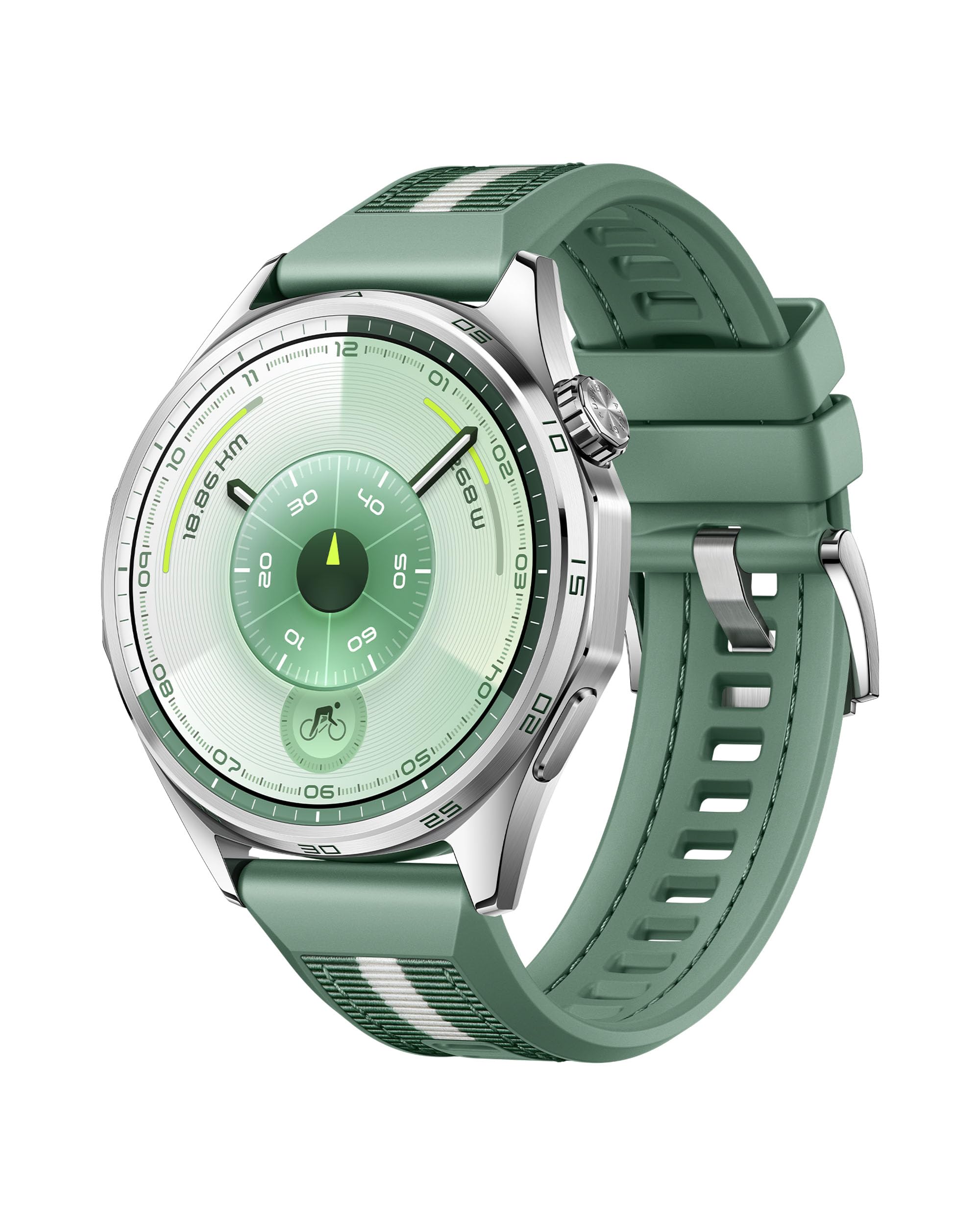
Image: The HUAWEI Watch GT 6 46mm in green, showcasing its design and strap material.
6. Troubleshooting
- Watch not turning on: Ensure the watch is fully charged. Connect it to the charging base and check if the charging indicator appears.
- Cannot pair with phone:
- Ensure Bluetooth is enabled on your phone and the watch.
- Make sure the HUAWEI Health app is updated to the latest version.
- Restart both your phone and the watch.
- Try unpairing and re-pairing the device through the HUAWEI Health app.
- Inaccurate GPS data: Ensure you are in an open area with a clear view of the sky. Allow the watch to acquire a GPS signal before starting your activity.
- Battery draining quickly:
- Reduce screen brightness.
- Disable "Always On Display" if not needed.
- Limit continuous heart rate monitoring or other background features if not actively exercising.
- Ensure the watch software is up to date.
7. Specifications
| Feature | Detail |
|---|---|
| Model Name | Atum-B19W |
| Display | 1.47-inch AMOLED Touchscreen, 3000 nits max brightness |
| Battery Life (46mm) | Up to 21 days (light usage), 12 days (typical usage) |
| Battery Capacity | 867 mAh (Lithium Ion) |
| Connectivity | Bluetooth, GPS, NFC |
| Operating System | Compatible with iOS (13.0+) and Android (8.0+) |
| Sensors | Accelerometer, Gyroscope, Heart Rate Sensor, Barometer |
| Water Resistance | 5 ATM (50 meters), IP69 |
| Case Material | Stainless Steel |
| Strap Material | Textile (for this variant) |
| Dimensions | 12.5 x 12.1 x 6.5 cm (package); 51.3 g (product weight) |
| Supported Sports Modes | 100+ (Running, Cycling, Indoor Sports, Skiing, Fitness, Walking, Multi-Sports, Swimming, Hiking) |

Image: Detailed specifications comparison across different HUAWEI Watch GT 6 models.
8. Warranty and Support
Your HUAWEI Watch GT 6 comes with a 3-year manufacturer's warranty, plus an additional 6 months extended warranty from Amazon. For detailed warranty terms and conditions, please refer to the warranty card included in the box or visit the official HUAWEI support website.
For technical support, product inquiries, or service requests, please contact HUAWEI customer service or refer to the HUAWEI Health app for assistance.
Related documentsGT 6 46mm


Ask a question about this manual
Ask about setup, troubleshooting, compatibility, parts, safety, or missing instructions. Manuals+ will review the question and use this page’s manual context to help answer it.