
Introduction
Thank you for choosing the AFMAT PSX8 Fully Automatic Electric Pencil Sharpener. This innovative device is designed to provide effortless and precise sharpening for a variety of pencils, making it ideal for classrooms, art studios, and home use. Its hands-free operation, adjustable sharpness settings, and rechargeable battery ensure convenience and efficiency.

Image: The AFMAT Fully Automatic Rechargeable Pencil Sharpener in black, highlighting its auto-feed and auto-eject features, and hands-free operation.
Safety Information
- Child-Safe Design: The sharpener is designed with safety in mind. It will not operate if the lid is removed, features overheat protection, and the sharp blade is not exposed to children.
- Soft-Core Pencils: When sharpening soft-core pencils (e.g., some colored pencils), use the blunt setting to prevent lead breakage. Ultra-soft variants are not recommended.
- Charging: Always connect the USB cable to a 5V 2A adapter for charging. Ensure the output does not exceed 5V. The USB cable is included; the adapter is not.

Image: A black AFMAT electric pencil sharpener with a child-safe design, illustrating features like lid removal safety, overheat protection, and concealed blade.
Setup
- Unpacking: Carefully remove the pencil sharpener and all accessories from the packaging.
- Initial Charge: Before first use, fully charge the sharpener. Connect the provided USB cable to the charging port on the device and a 5V 2A USB adapter (not included). A full charge takes approximately 3 hours.
- Secure Case: Ensure the top case is securely fastened. You should feel a click to indicate it is locked. If not securely fastened, the sharpener may not operate correctly.

Image: The AFMAT electric pencil sharpener being charged via a USB cable, emphasizing its 2000mAh rechargeable battery and the requirement for a 5V 2A adapter.
Operating Instructions
- Select Sharpness: Locate the switch at the bottom of the sharpener. Slide it to select your desired tip sharpness: a sharp tip for fine details or a blunt tip for shading and durability.
- Insert Pencil: Gently insert a pencil (diameter φ7-8mm) into the sharpening hole. The sharpener will automatically feed the pencil in.
- Automatic Sharpening: The sharpener will begin sharpening automatically. Once the pencil reaches the optimal sharpness, it will automatically eject.
- Pencil Compatibility: This sharpener is compatible with standard, oval, and hexagonal pencils ranging from φ7-8mm. It can sharpen pencils as short as 2.36 inches.
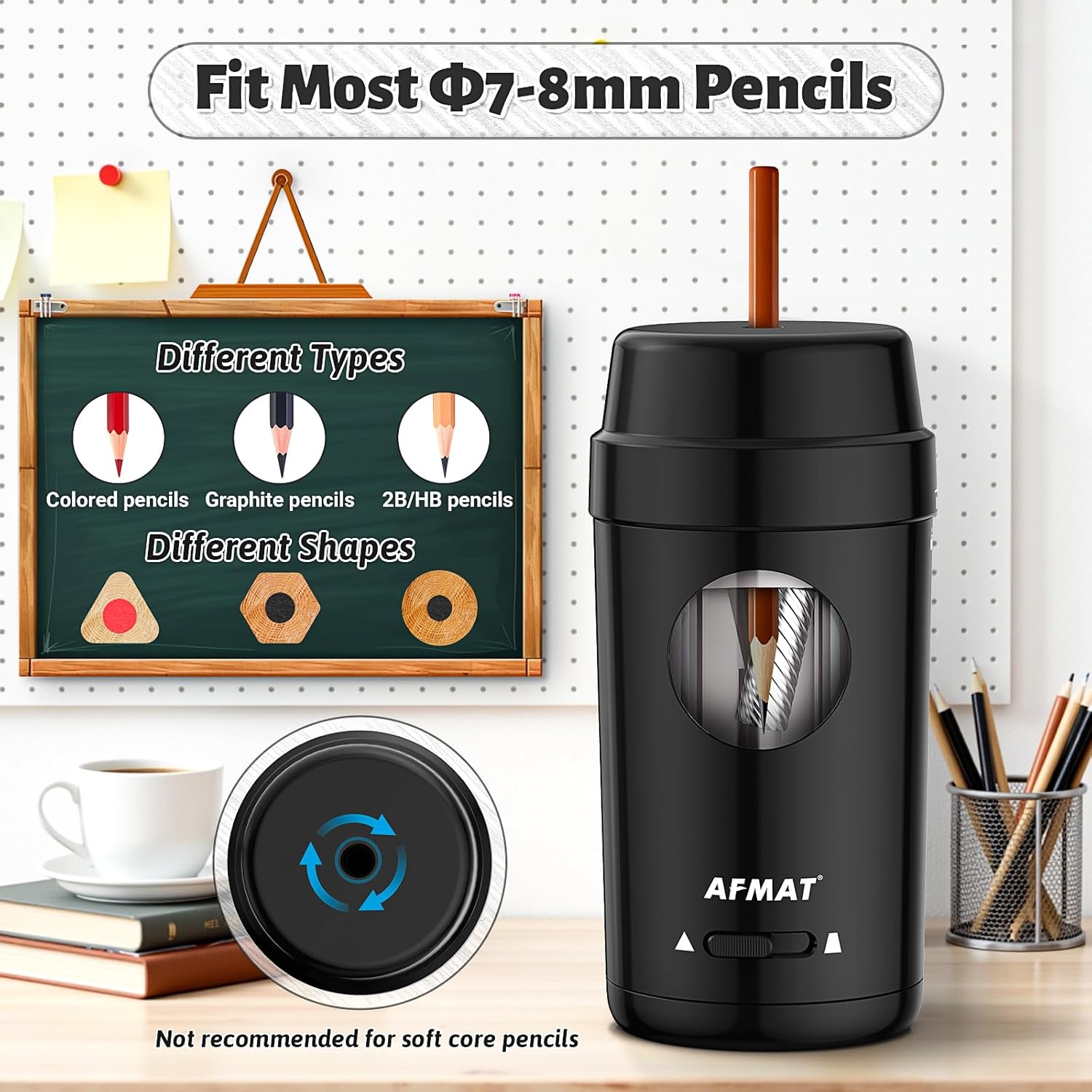
Image: The AFMAT electric pencil sharpener demonstrating its ability to sharpen various pencil types and shapes (7-8mm diameter), including colored and graphite pencils.
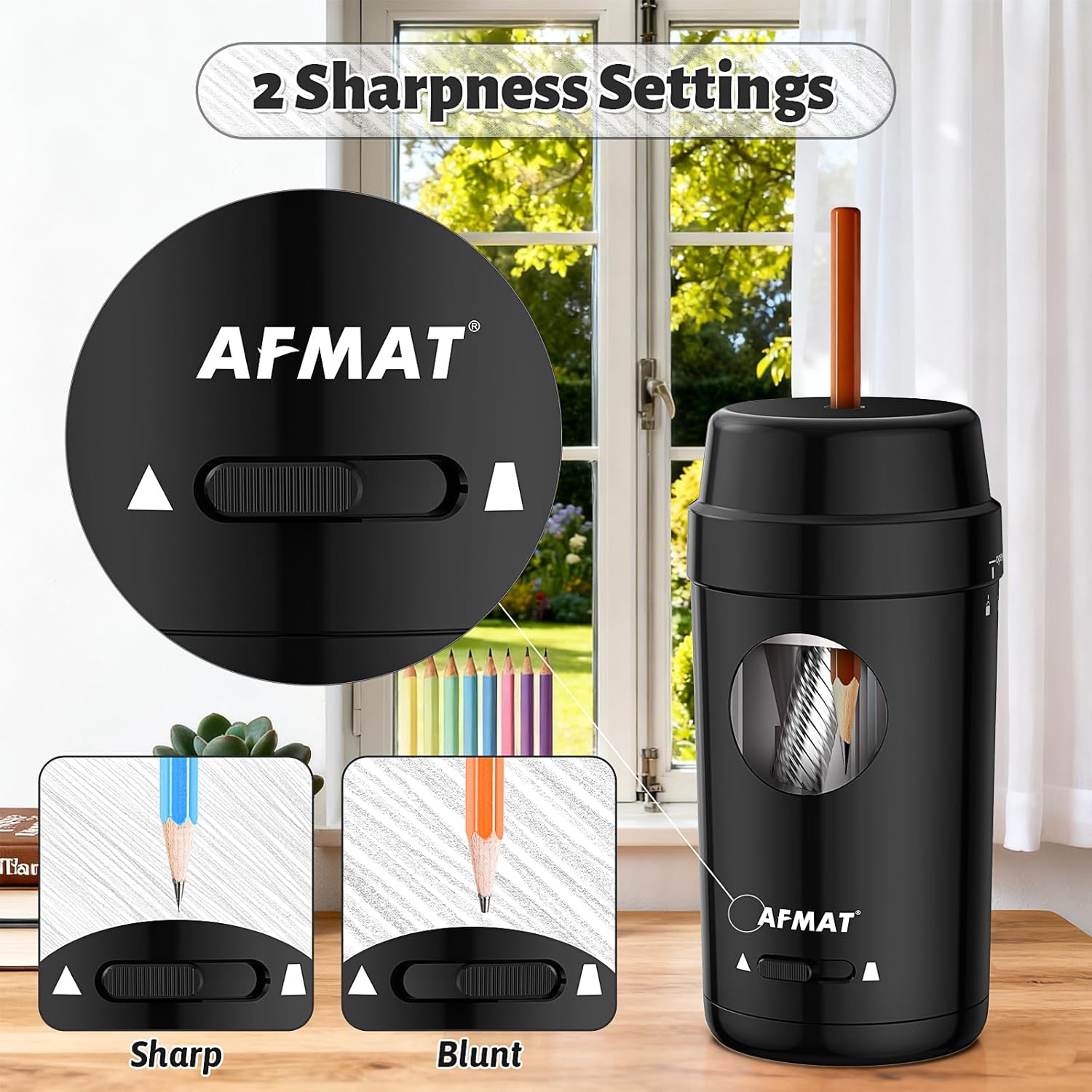
Image: A close-up of the AFMAT electric pencil sharpener's base, showing the slider for selecting between sharp and blunt tip settings.
Demonstration Video: Fully Automatic Sharpening
Video: This video demonstrates the fully automatic operation of the AFMAT PSX8 pencil sharpener, showing pencils being inserted, sharpened, and ejected automatically.
Maintenance
- Emptying Shavings: The sharpener features a spacious shavings tray. To empty, twist the top cover counter-clockwise to unlock and remove it. Discard the shavings and reattach the cover, twisting clockwise to lock.
- Blade Replacement: The durable helical blade is replaceable. Refer to the troubleshooting section or contact customer support for instructions on how to replace the blade if it becomes dull or damaged.

Image: The AFMAT electric pencil sharpener demonstrating its compact size and ease of emptying the shavings tray.
Troubleshooting
- No Sharp Pencil Nib: If your pencil is not sharpening to a sharp point, first check that the sharpness setting is correct. If the issue persists, a broken lead might be jammed.
- Clearing Jammed Leads: To clear a jammed lead, remove the top cover. Carefully remove the blade assembly. Use a small tool or another pencil to gently loosen the marked part of the blade assembly to free the stuck lead. Reassemble the blade and cover securely.
- Uneven Tips: If you observe uneven tips after sharpening, verify that the pencil core is centered.
- Poor Sharpening Performance: If the sharpener is not performing well, it might be due to an aging blade. The blade is replaceable, and a new blade can restore optimal sharpening.
Troubleshooting Video: No Sharp Pencil Nib
Video: This video provides a step-by-step guide on how to troubleshoot issues like a dull pencil nib or jammed leads by disassembling and cleaning the blade mechanism.
Specifications
| Feature | Detail |
|---|---|
| Brand | AFMAT |
| Model Number | PSX8BK |
| Color | Black |
| Power Source | Battery Powered (Rechargeable) |
| Material | Plastic |
| Pencil Compatibility | φ7-8mm (Standard, Oval, Hexagonal) |
| Battery Capacity | 2000mAh |
| Charging Time | Approx. 3 hours |
| Sharpenings per Charge | Up to 500 |
| Dimensions | 3(L) x 3(W) x 6.9(H) inches |
| Additional Features | Adjustable Nib, Auto Feed & Eject, Automatic Stop, Overheat Protection, Child-Safe Lid |
Warranty and Support
AFMAT offers a 1-year warranty from the purchase date for this product. If you encounter any issues that cannot be resolved using the troubleshooting guide, or if you require further assistance, please contact our customer support team. Our team is dedicated to providing prompt and helpful solutions.
For customer support, please visit the official AFMAT website or refer to the contact information provided in your product packaging.