
Introduction
This manual provides essential information for the safe and effective operation of your BRRRRT 1/64 RC Dump Truck. This mini remote control dump truck, measuring approximately 6.5 cm in length, accurately replicates the structure of a real dump truck. Its compact size allows for versatile play scenarios, from desktop construction scenes to easy portability. It offers a simulated operating experience with infrared remote controls, an alloy bucket, and cool lights, designed to enhance hands-on skills and hand-eye coordination.

Image: The BRRRRT 1/64 RC Dump Truck, demonstrating its compact size.
What's in the Box
- RC Dump Truck
- Infrared Remote Control
- 3.7V USB Type-C Charging Cable
- Product Manual
Setup
1. Charging the Dump Truck
The BRRRRT dump truck features a built-in lithium battery and a Type-C charging port. To charge, ensure the truck is powered off. Connect the provided Type-C USB charging cable to the truck's charging port and a compatible USB power source (e.g., computer, wall adapter). The charging indicator light will illuminate during charging and turn off when fully charged.
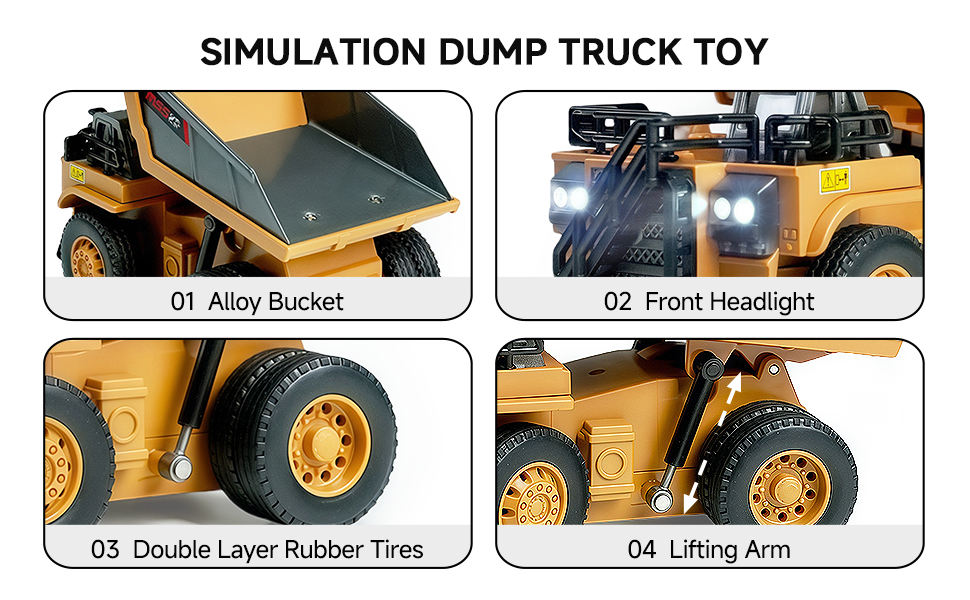
Image: Type-C direct charging port on the BRRRRT RC Dump Truck.
2. Installing Remote Control Batteries
The remote control requires 2 AAA batteries (not included). Open the battery compartment on the back of the remote control. Insert the batteries, ensuring correct polarity (+/-). Close the battery compartment cover securely.
3. Pairing the Remote Control and Truck
Turn on both the dump truck and the remote control. The devices are designed to automatically pair. If pairing does not occur immediately, turn both devices off and then on again. The remote control is sensitive and allows for easy control.
Operating Instructions
1. Basic Movement
Use the left joystick on the remote control to move the dump truck forward and backward. Use the right joystick to steer the truck left and right. Practice smooth movements to gain control.
2. Dumping Function
The remote control includes a dedicated button or joystick control for operating the dump truck's metal bed. Press or manipulate this control to raise the bed, allowing for unloading of materials. The bed can tilt up to 45 degrees. Release the control to lower the bed back into position.
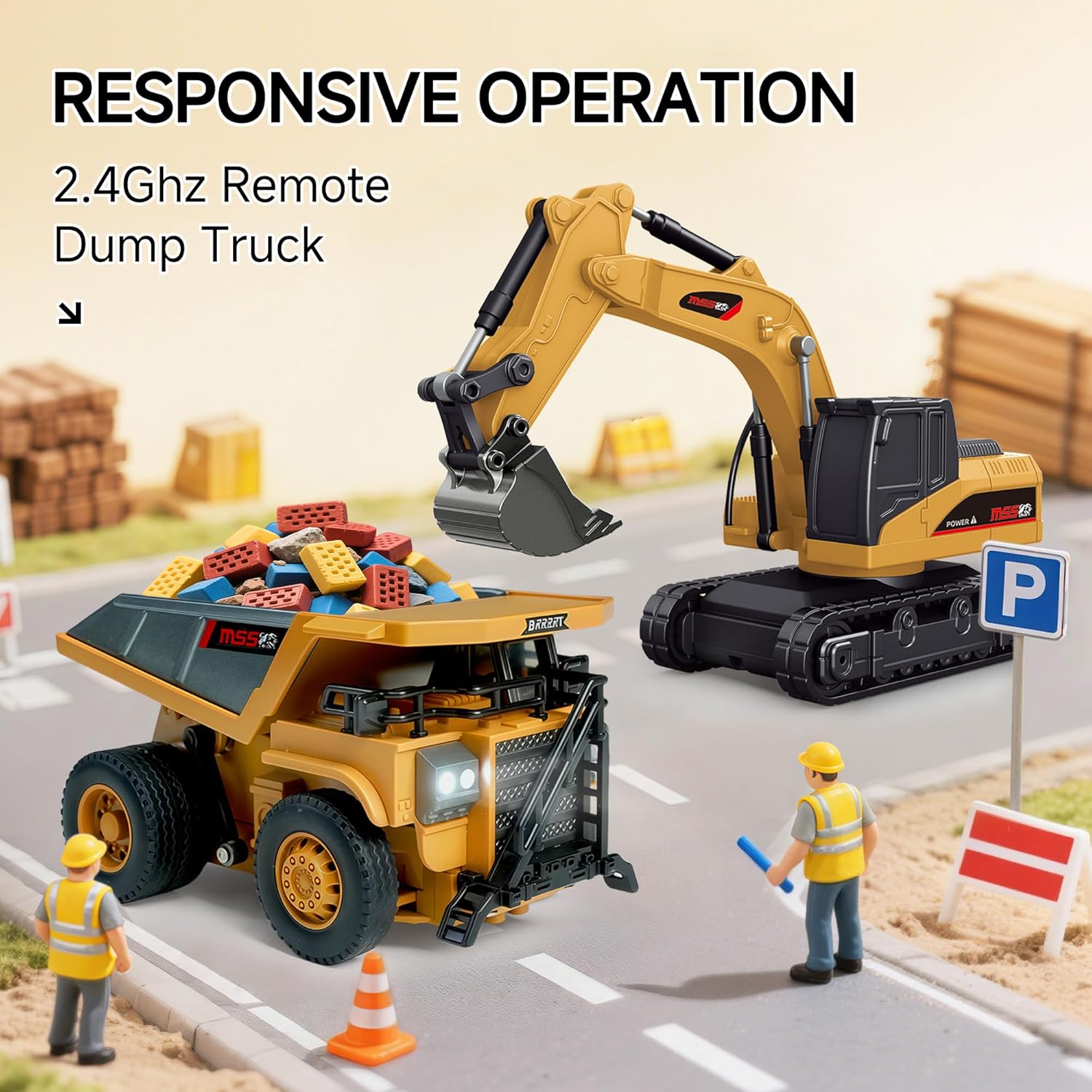
Image: The RC Dump Truck demonstrating its 45-degree tilt dumping capability.
3. Lights
The RC dump truck is equipped with functional front headlights. These lights activate automatically when the truck is powered on, enhancing realism during play.

Image: Detailed view of the dump truck's alloy bucket, headlights, tires, and lifting arm.
4. Multiplayer Operation
The 2.4GHz remote control system allows multiple BRRRRT RC construction vehicles to operate simultaneously without signal interference, enabling interactive play with friends.
Video: Official product video showcasing the BRRRRT 1/64 RC Dump Truck in action, demonstrating its features and movement.
Maintenance
To ensure the longevity and optimal performance of your BRRRRT RC Dump Truck, follow these maintenance guidelines:
- Cleaning: Keep the dump truck and remote control clean and dry. Use a soft, damp cloth to wipe surfaces. Avoid using harsh chemicals or abrasive materials.
- Storage: Store the toy in a cool, dry place away from direct sunlight and extreme temperatures. Remove batteries from the remote control if storing for extended periods.
- Inspection: Regularly check for any loose parts, screws, or damage. Ensure all components are securely fastened before each use.
- Battery Care: Do not overcharge the built-in battery. Follow charging instructions carefully.
Troubleshooting
If you encounter issues with your BRRRRT RC Dump Truck, refer to the following common problems and solutions:
- Truck not responding to remote control:
- Ensure both the truck and remote control are powered on.
- Check if the truck's built-in battery is charged.
- Replace the AAA batteries in the remote control if they are low or depleted.
- Turn both devices off and then on again to re-establish pairing.
- Limited range or intermittent control:
- Ensure there are no strong sources of electromagnetic interference nearby (e.g., Wi-Fi routers, other RC devices).
- Operate the truck within the recommended range of the remote control.
- Dumping mechanism not working:
- Check for any physical obstructions preventing the metal bed from moving.
- Ensure the truck's battery has sufficient charge to power the mechanism.
Specifications
| Product Dimensions | 1.7 x 5.4 x 4.1 inches |
| Item Weight | 5.6 ounces |
| Manufacturer Recommended Age | 3 years and up |
| Batteries | 1 Nonstandard Battery (included for truck), 2 AAA batteries (not included for remote) |
| Control Frequency | 2.4GHz |
| Scale | 1:64 |
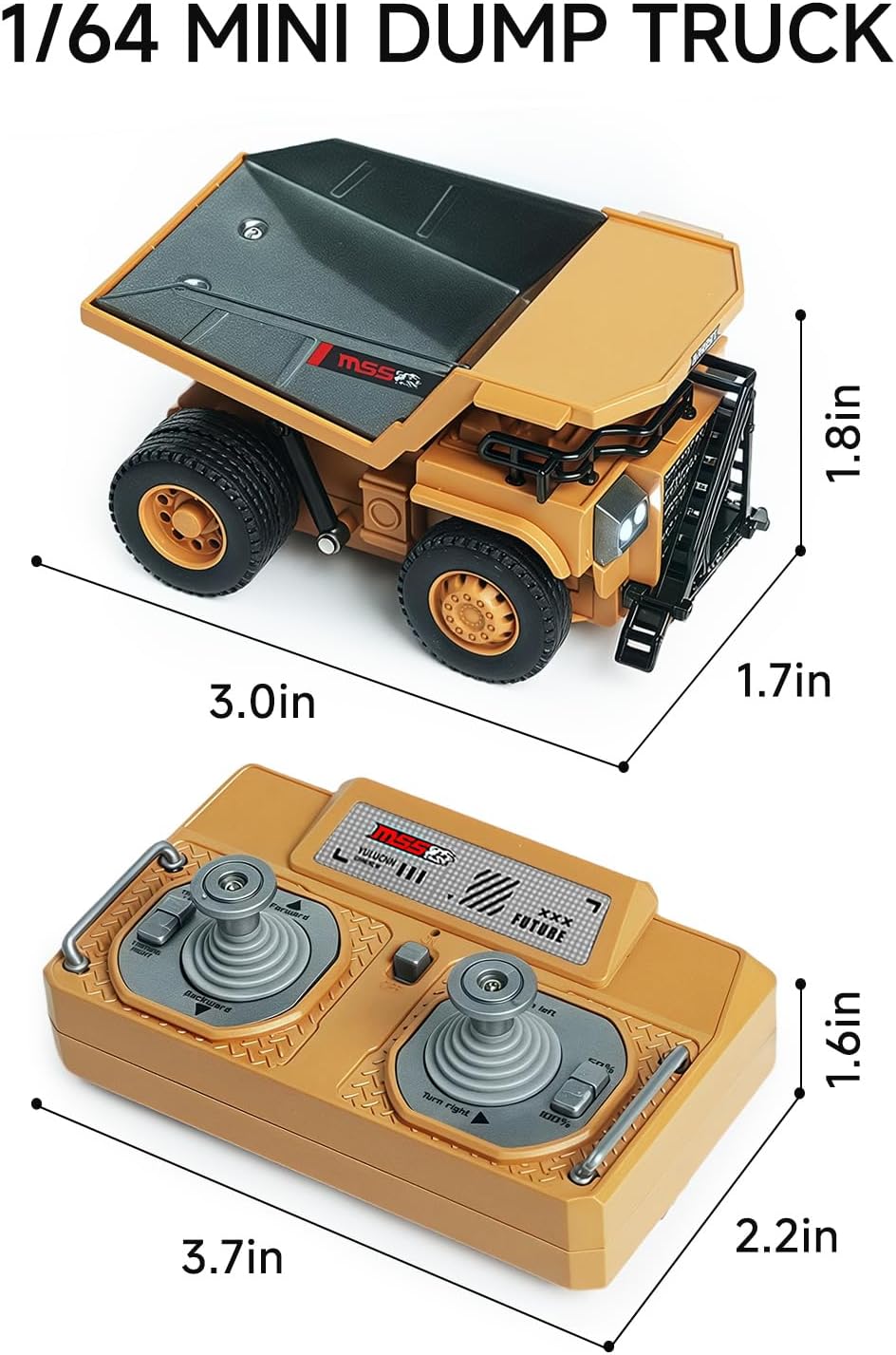
Image: Dimensions of the BRRRRT 1/64 RC Dump Truck and its remote control.
Safety Information
Warning: Choking Hazard - Small Parts. Not suitable for children under 3 years. Adult supervision is recommended during play to prevent accidents. Keep away from water and heat sources. Do not modify or disassemble the product.
Warranty and Support
For detailed warranty information, product support, or to inquire about replacement parts, please refer to the original product packaging or contact BRRRRT customer service directly. Contact details can typically be found on the product box or the manufacturer's official website.