
1. Introduction
Thank you for choosing the Fenix LD36R 3600 Lumens Rechargeable Flashlight. This high-performance, multicolor flashlight is designed for versatility, offering powerful white light output and a range of atmospheric color options. It features a USB Type-C charging port, a threaded socket for tripod mounting, and comes with a diffuser tip for various lighting needs. Please read this manual thoroughly before use to ensure proper operation and maintenance.
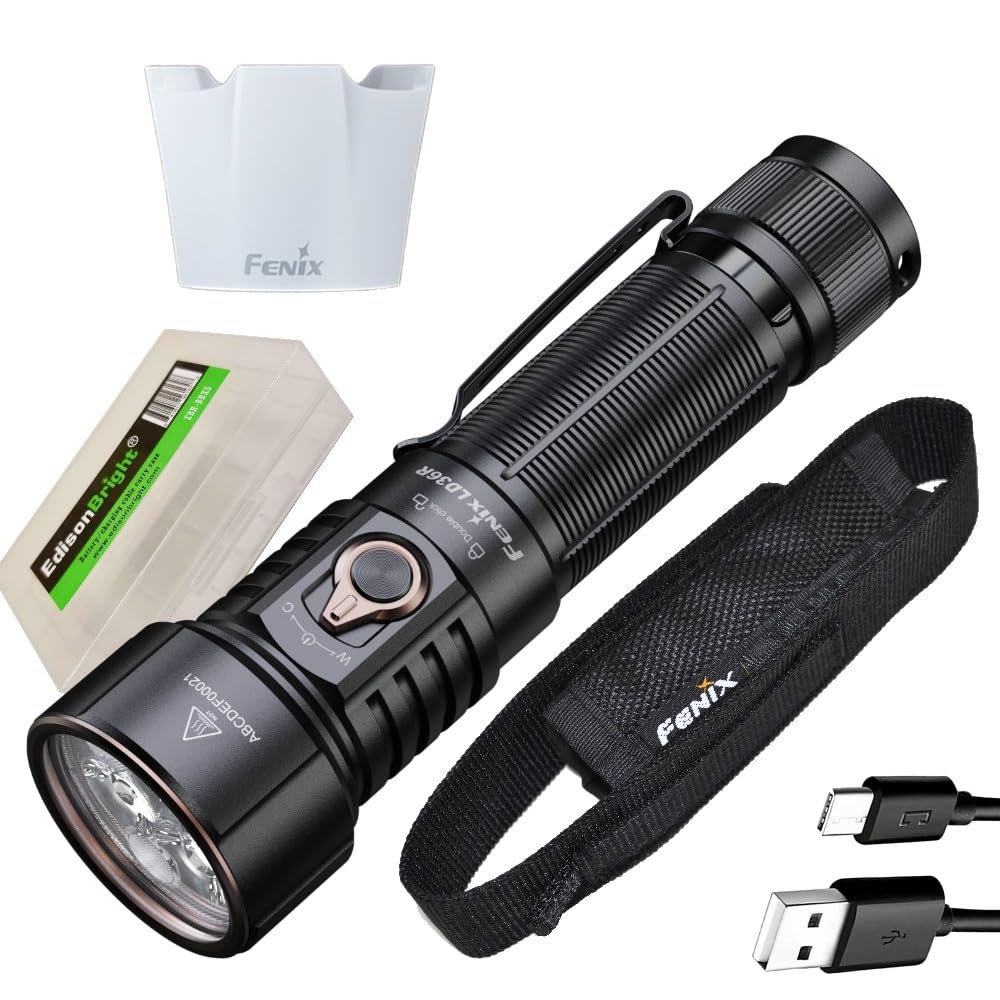
Image: The Fenix LD36R flashlight in black, showcasing its compact design and textured body.
2. Safety Instructions
- Do not shine the flashlight directly into eyes. The powerful beam can cause temporary vision impairment or permanent damage.
- Keep out of reach of children.
- Do not disassemble the sealed head of the flashlight, as doing so may damage the light and will void the warranty.
- Remove the battery if the flashlight will not be used for an extended period or during transport to prevent accidental activation.
- Use only Fenix-approved batteries or batteries with similar specifications to ensure optimal performance and safety.
- Ensure proper battery polarity during installation.
- Avoid exposing the flashlight to extreme temperatures or direct sunlight for prolonged periods.
3. Package Contents
The Fenix LD36R package includes the following items:
- Fenix LD36R Flashlight
- Fenix ARB-L21-6000 Battery
- USB Type-C Charging Cable
- AOD-04 Diffuser Tip
- Holster
- Lanyard
- Spare O-Ring
- User Manual
- Warranty Card
- EdisonBright accessory carrying case (as part of the bundle)
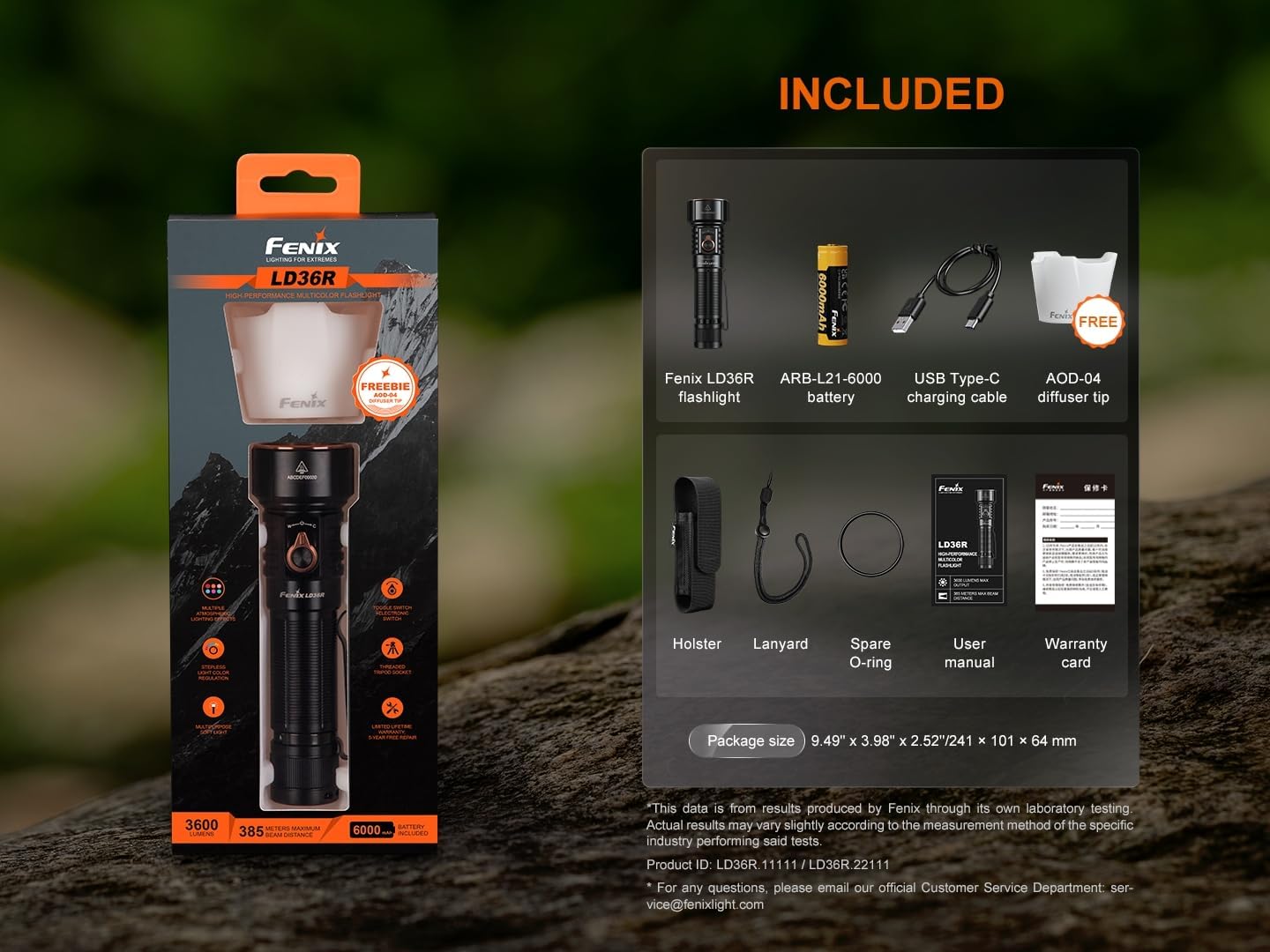
Image: A visual representation of all items included in the Fenix LD36R package, neatly arranged.
4. Setup
4.1 Battery Installation
- Unscrew the tail cap of the flashlight.
- Insert the Fenix ARB-L21-6000 battery with the positive (+) terminal facing towards the head of the flashlight.
- Screw the tail cap back on securely.
4.2 Initial Charging
Before first use, fully charge the battery.
- Locate the USB Type-C charging port on the flashlight body.
- Open the rubber cover of the charging port.
- Connect the USB Type-C cable to the flashlight and plug the other end into a USB power source (e.g., computer, wall adapter).
- The charging indicator will show the charging status. A solid red light indicates charging, and a solid green light indicates a full charge.
- Once charging is complete, disconnect the cable and securely close the rubber cover to maintain waterproofing.
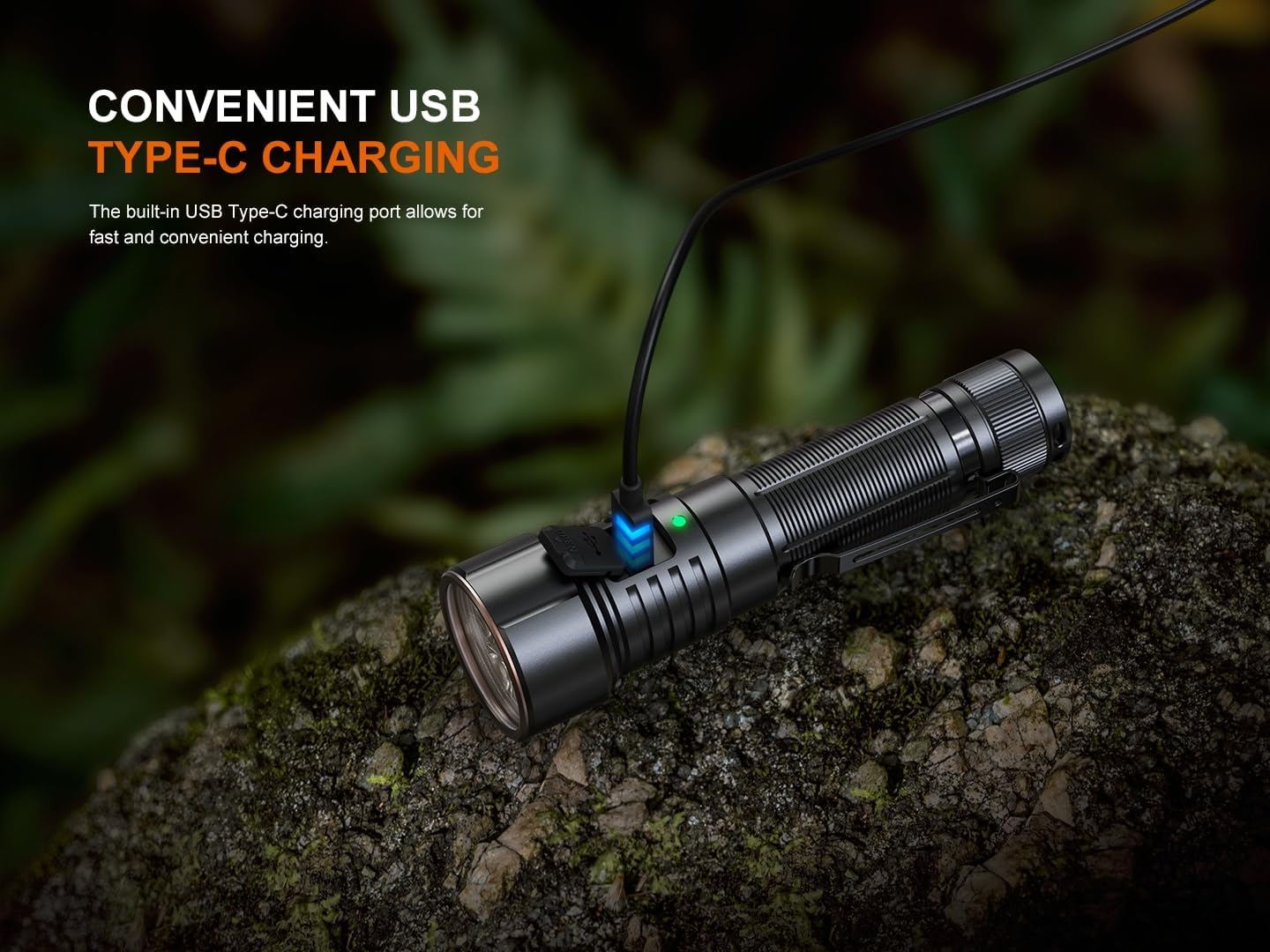
Image: The Fenix LD36R flashlight connected to a USB Type-C charging cable, with the charging indicator visible.
5. Operating Instructions
5.1 Power On/Off
- To Turn On: Press and hold the side switch for 0.5 seconds.
- To Turn Off: Press and hold the side switch for 0.5 seconds.
5.2 White Light Modes
With the flashlight on, single-click the side switch to cycle through the white light modes:
Eco → Low → Med → High → Turbo
5.3 Strobe Mode
With the flashlight on, press and hold the side switch for 1.2 seconds to activate Strobe mode. Single-click the switch to return to the previously used white light mode.
5.4 Colorful Light Modes
The LD36R offers six distinct atmospheric lighting effects and stepless color regulation.
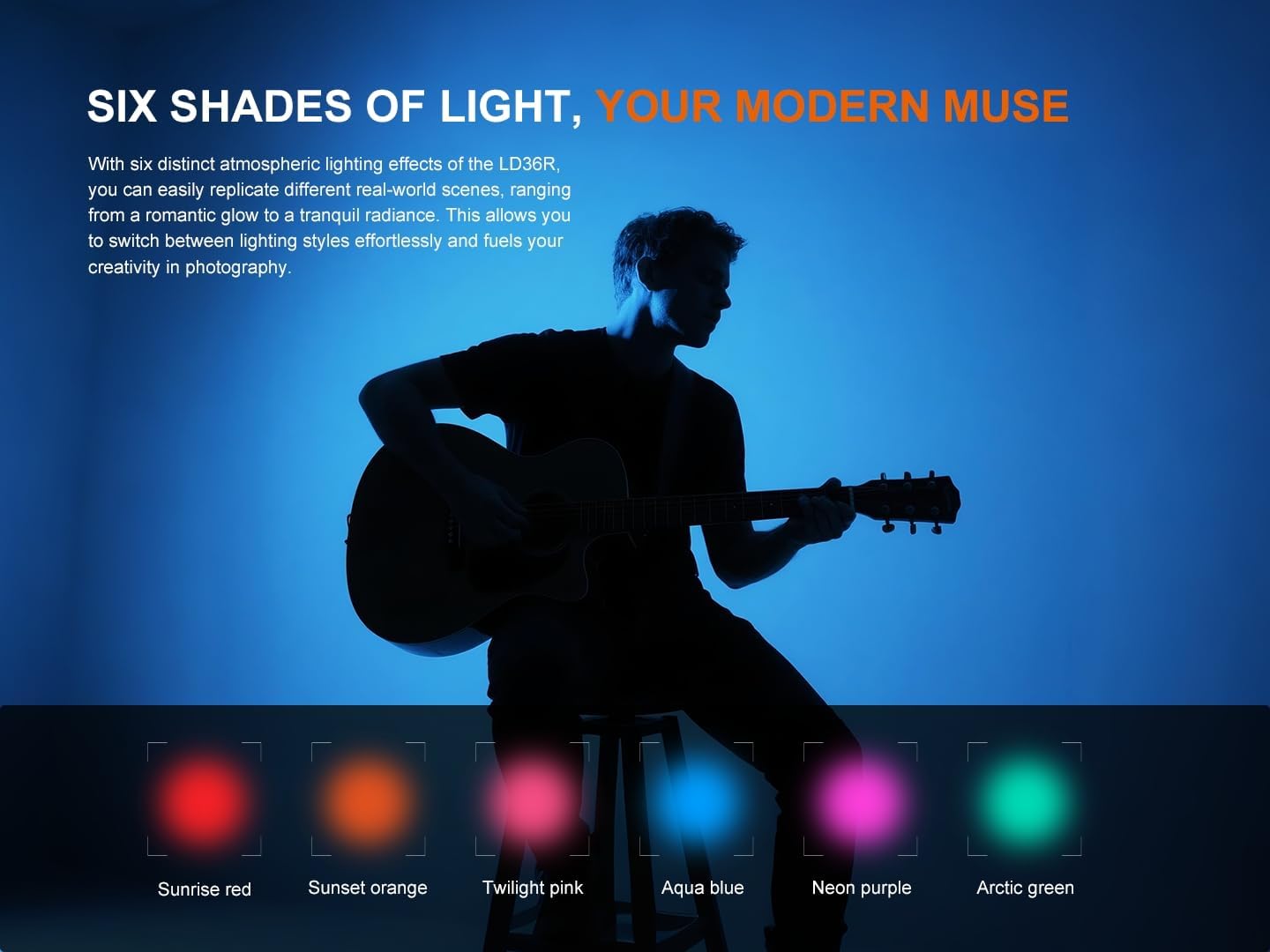
Image: An illustration showing the six distinct colorful light outputs: Sunrise Red, Sunset Orange, Twilight Pink, Aqua Blue, Neon Purple, and Arctic Green.
- To Enter Colorful Modes: From the white light mode, double-click the side switch. The flashlight will enter the last used colorful mode.
- To Cycle Colorful Modes: In colorful mode, single-click the side switch to cycle through: Arctic Green → Neon Purple → Aqua Blue → Twilight Pink → Sunset Orange → Sunrise Red → Breathing Light.
- Stepless Light and Color Regulation: In any colorful mode (except Breathing Light), press and hold the side switch to smoothly adjust the brightness or color. Release the switch to set the desired level.
- To Return to White Light: In colorful mode, double-click the side switch.
5.5 Lockout Function
The lockout function prevents accidental activation.
- Electronic Lockout: With the flashlight off, press and hold the side switch for 5 seconds. The flashlight will blink twice in Eco mode to indicate lockout. To unlock, press and hold the side switch for 5 seconds; the flashlight will blink twice in Eco mode and then activate in Eco mode.
- Physical Lockout: Loosen the tail cap by half a turn to physically prevent activation.
5.6 Diffuser Tip Usage
The included AOD-04 diffuser tip softens and broadens the LD36R's beam, making it suitable for atmospheric lighting, camping, or as a reading light.
- Simply slide the diffuser tip over the head of the flashlight.
- Remove it by gently pulling it off.

Image: The Fenix LD36R flashlight with the AOD-04 diffuser tip attached, illuminating a camping scene.
5.7 Tripod Mounting
The LD36R features a standard 1/4-inch threaded socket at its base for secure mounting on a tripod, providing hands-free illumination and precise beam angle control.
- Locate the threaded socket on the tail end of the flashlight.
- Screw the flashlight onto a compatible tripod mount.
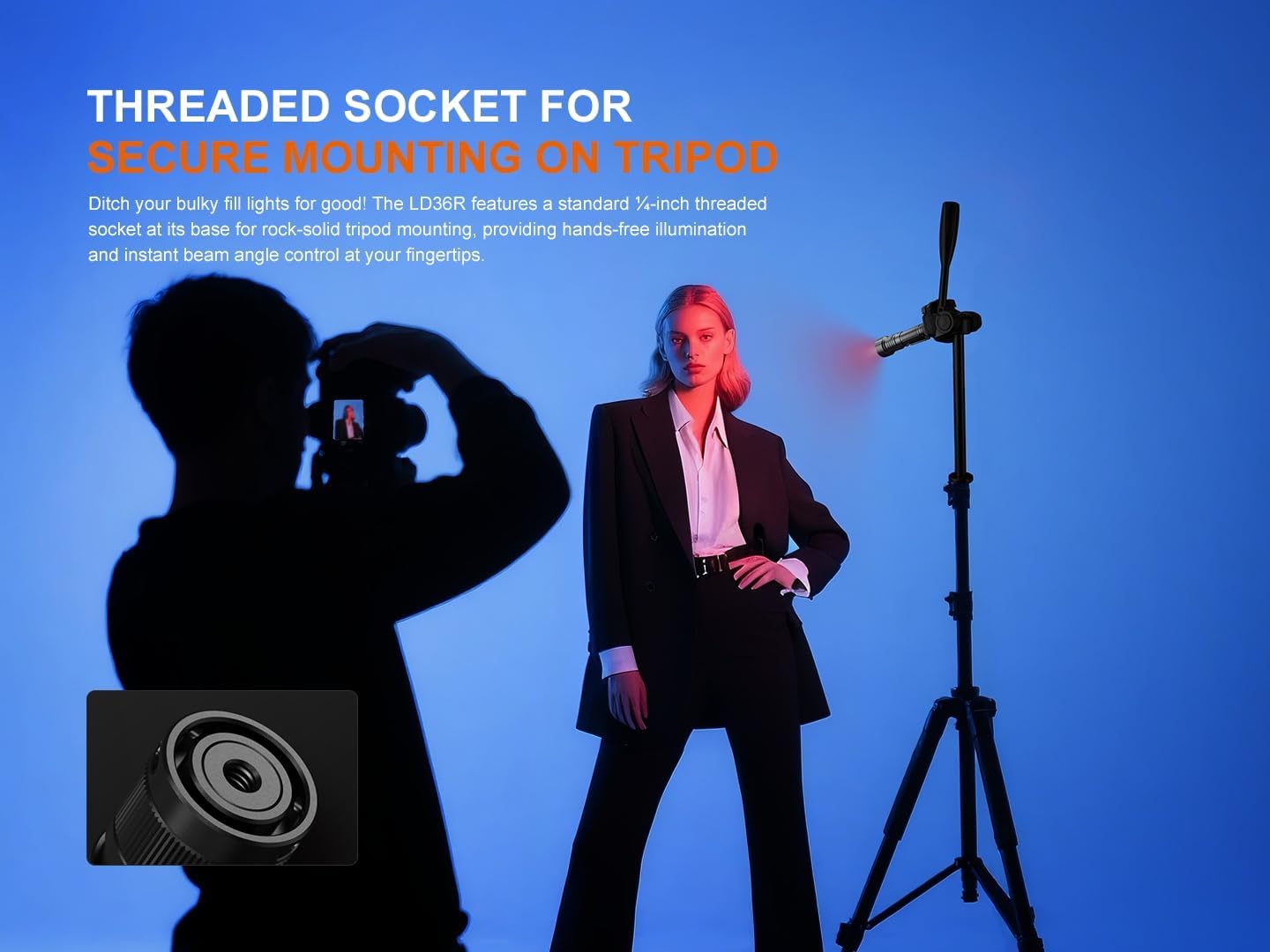
Image: The Fenix LD36R flashlight mounted on a tripod, demonstrating its use for hands-free lighting, with an inset showing the threaded socket.
6. Maintenance
- Cleaning: Periodically clean the flashlight body with a soft cloth. For stubborn dirt, use a damp cloth. Do not use abrasive cleaners.
- O-Ring Maintenance: Regularly inspect the O-rings for wear and tear. Replace them with the included spare O-ring if damaged to maintain the IP68 waterproof rating. Lubricate O-rings with silicone grease to prevent drying and cracking.
- Thread Cleaning: Clean the threads of the tail cap and body regularly to ensure smooth operation and good electrical contact.
- Battery Care: Store the battery in a cool, dry place. If not using the flashlight for an extended period, remove the battery. Recharge the battery every four months to maintain optimal performance.
7. Troubleshooting
If your Fenix LD36R flashlight is not functioning correctly, please refer to the following common issues and solutions:
- Flashlight does not turn on:
- Check if the battery is inserted correctly with the positive (+) terminal facing the head.
- Ensure the tail cap is screwed on tightly.
- The battery may be depleted. Recharge the battery.
- The flashlight may be in electronic lockout mode. Press and hold the side switch for 5 seconds to unlock.
- Output is reduced or modes cannot be selected:
- The battery level may be low. Recharge the battery.
- Overheat protection may be active. The flashlight will automatically reduce output to prevent overheating. Allow it to cool down.
- Charging does not work:
- Ensure the USB Type-C cable is properly connected to both the flashlight and the power source.
- Try a different USB cable or power source.
- Check if the charging port is clean and free of debris.
If the problem persists, please contact Fenix customer support.
8. Specifications
The Fenix LD36R flashlight features the following technical specifications:
| Feature | Specification |
|---|---|
| Maximum White Light Output | 3600 Lumens |
| Maximum Beam Distance | 385 meters (1,263 feet) |
| Maximum Runtime | 65 hours (Eco mode) |
| Light Source Type | LED |
| Battery Type | 1 x 21700 Lithium-Ion (Fenix ARB-L21-6000 included) |
| Charging Port | USB Type-C |
| Material | Anodized Aluminum |
| Water Resistance | IP68 rated (2 meters submersible) |
| Impact Resistance | 1.5 meters |
| Dimensions (L x Head D x Body D) | 5.5 inches x 1.57 inches x 1.04 inches (140mm x 40mm x 26.5mm) |
| Weight (including battery) | 8.15 ounces (231 grams) |
| Special Features | Multicolor output, Stepless light and color regulation, Threaded tripod socket, Diffuser tip included |
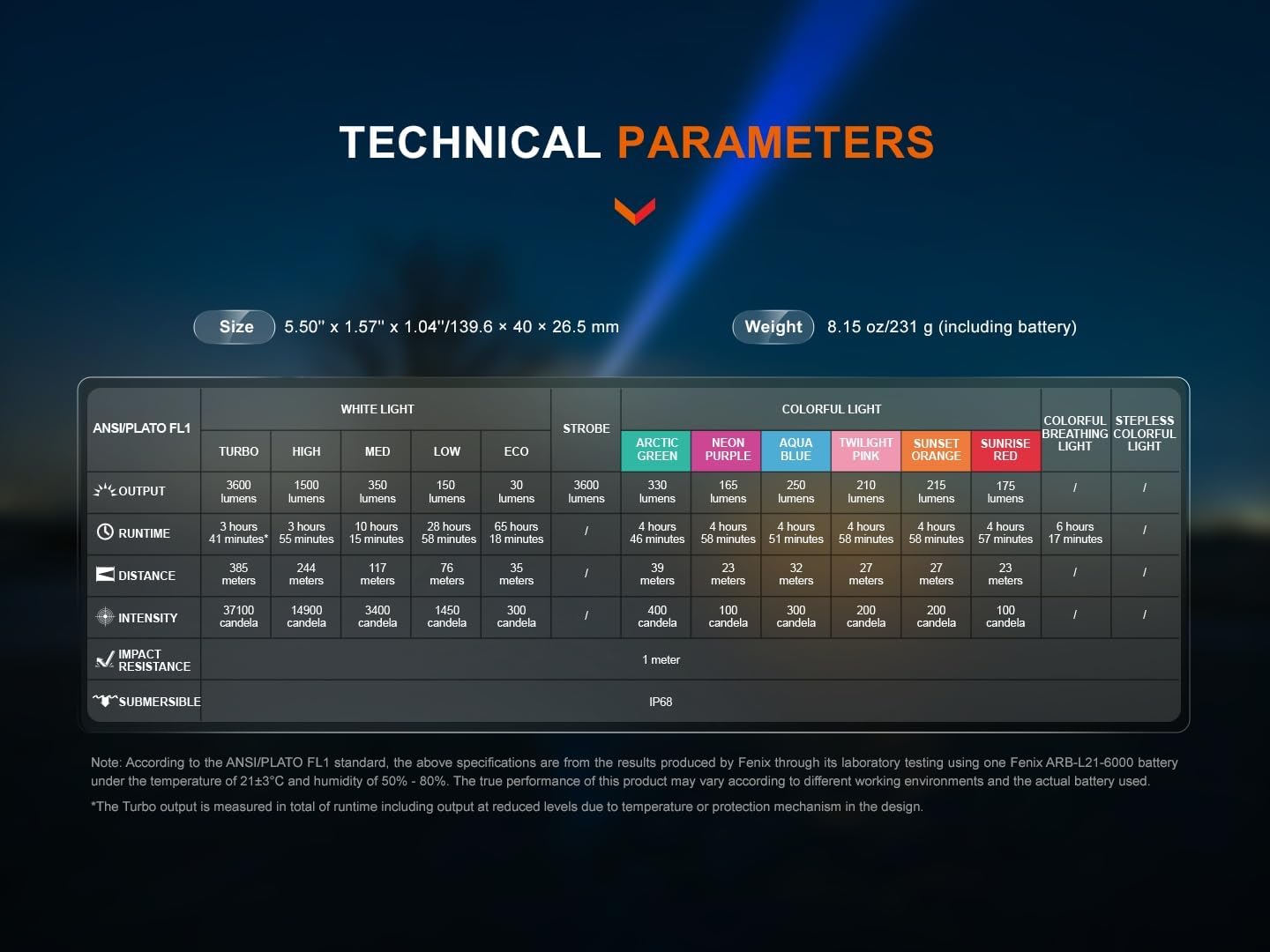
Image: A detailed table outlining the technical parameters of the Fenix LD36R, including output levels, runtime, distance, and intensity for both white and colorful light modes.
9. Warranty & Support
The Fenix LD36R flashlight is covered by a 5-year manufacturer's warranty from the date of purchase. This warranty covers defects in material and workmanship under normal use. Damage caused by misuse, unauthorized modifications, or improper maintenance is not covered.
For warranty claims, technical support, or any inquiries regarding your Fenix product, please refer to the contact information provided on your warranty card or visit the official Fenix website.
Manufacturer: Fenix Flashlights