Introduction
This manual provides detailed instructions for the operation and maintenance of your Baofeng UV-5R Mini Dual Band Radio. Please read this manual thoroughly before using the device to ensure proper function and safety. The Baofeng UV-5R Mini is a compact and versatile two-way radio designed for reliable communication across various environments, featuring dual-band capabilities, extensive channel storage, and modern connectivity options.
Key Features
- Bluetooth APP Programming: Wireless frequency writing via iOS/Android app for convenient channel management.
- 999 Channel Storage: Extensive capacity for storing frequencies, CTCSS/DCS codes, and power settings.
- NOAA Weather Warning: Real-time reception of weather alerts on designated frequency bands.
- Dual Frequency Dual Display Dual Standby: Simultaneous monitoring of VHF/UHF bands with automatic active channel switching.
- USB-C Charging: Convenient charging via USB-C port, compatible with power banks and car adapters.
- Adjustable Power Output: Selectable 5W/2W transmitting power for energy efficiency and extended range.
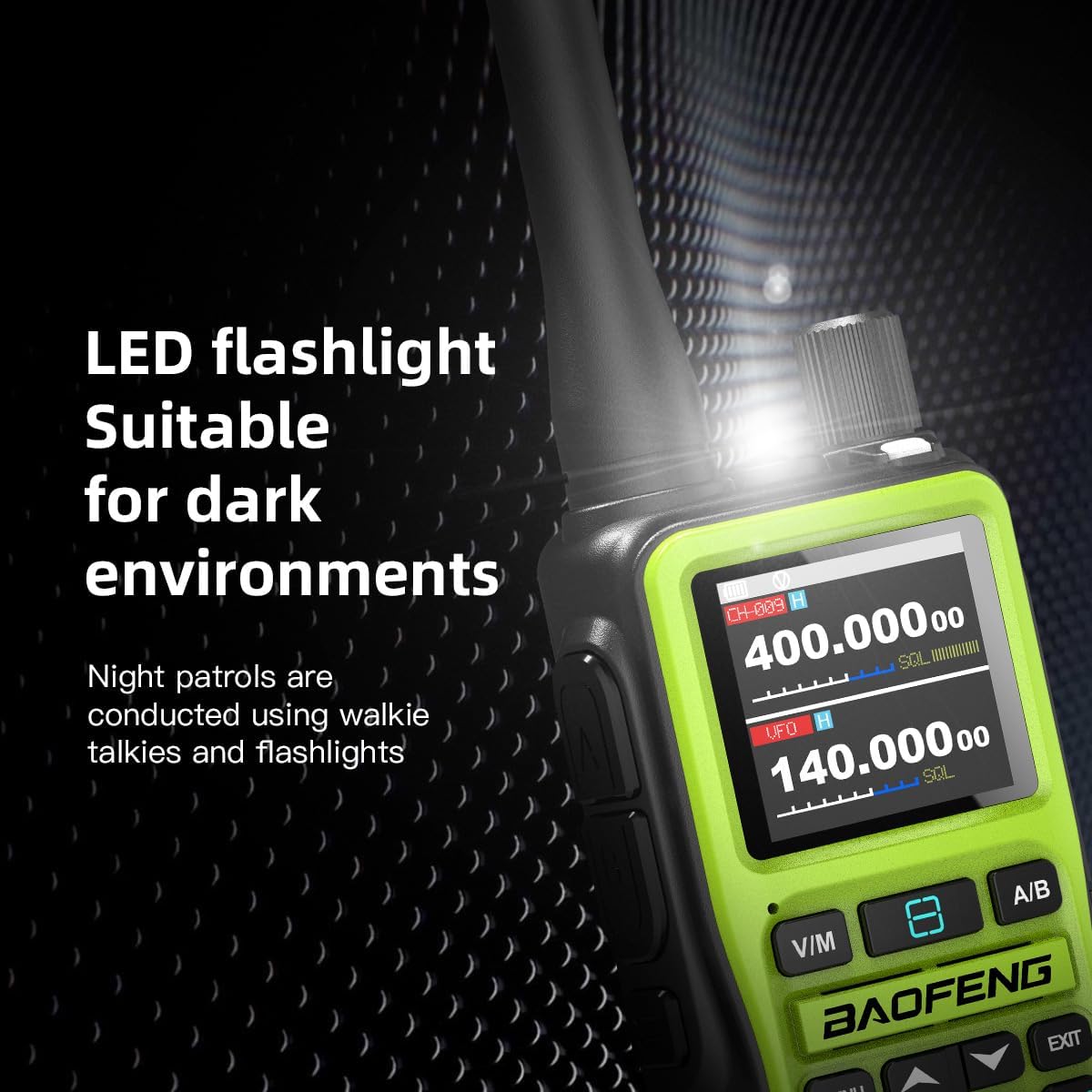
- Integrated LED Flashlight: Provides illumination in low-light conditions.
Package Contents
Verify that all items are present in your package:
- Baofeng UV-5R Mini Radio Unit(s)
- Antenna(s)
- Rechargeable Li-ion Battery(s)
- USB-C Charging Cable(s)
- Belt Clip(s)
- Earpiece(s)
- User Manual

Device Overview
Familiarize yourself with the various parts and controls of your Baofeng UV-5R Mini radio.
- Antenna: For transmitting and receiving signals.
- Volume Knob/Switch: Controls power on/off and audio volume.
- LED Flashlight: Provides illumination.
- Indicator Light Signal: Displays radio status (e.g., transmitting, receiving).
- PTT Emission Key A/B: Push-to-Talk buttons for primary and secondary channels.
- V/M Key: Switches between Frequency (VFO) mode and Channel (Memory) mode.
- Side Key: Programmable function key.
- Keypad: For entering frequencies, channel numbers, and menu navigation.
- LCD Display Screen: Shows frequency, channel, battery status, and other information.
- Headphone Jack: For connecting an external earpiece or microphone.
- Type-C Interface: For charging the radio.
- A/B Key: Switches between the main and sub-display frequencies.
Setup
1. Battery Installation and Charging
- Align the battery pack with the grooves on the back of the radio.
- Slide the battery pack upwards until it clicks into place.
- To charge, connect the USB-C charging cable to the Type-C interface on the radio and to a compatible USB power source (e.g., wall adapter, power bank, car adapter).
- The charging indicator will illuminate during charging and change color when fully charged. A full charge typically takes 3 hours.

2. Antenna Attachment
Screw the antenna clockwise into the connector on the top of the radio until it is finger-tight. Do not overtighten.
3. Initial Power-On
Rotate the Volume Knob/Switch clockwise to power on the radio. Adjust the knob to your desired listening volume.
Operating Instructions
1. Display and Navigation

The 1.44-inch full-color LCD screen displays essential information such as current frequencies, channel numbers, battery level, and signal strength. Use the keypad and navigation buttons (MENU, EXIT, up/down arrows) to access and adjust settings.
2. Mode Switching (VFO/MR)
Press the V/M key to switch between Frequency (VFO) mode and Channel (Memory) mode. In VFO mode, you can manually input frequencies. In Channel mode, you can select pre-programmed channels.
3. Channel Selection and Frequency Input
- In VFO Mode: Use the numeric keypad to directly enter the desired frequency.
- In Channel Mode: Use the up/down arrow keys or the numeric keypad to enter a channel number (e.g., "128") to quickly select a stored channel.
4. Bluetooth APP Programming
The UV-5R Mini supports wireless programming via a dedicated mobile application. This allows for efficient batch modification of frequencies, sub-tone codes, and power settings.
- Download the official Baofeng programming app (e.g., OLA Radio) from your device's app store. iOS App Store | Android Play Store
- Enable Bluetooth on your smartphone and the UV-5R Mini.
- Open the app and follow the on-screen instructions to connect to your radio.
- Once connected, you can read, write, and manage channel data wirelessly.

5. NOAA Weather Warning
The radio can receive NOAA weather alerts. To activate:
- Access the NOAA weather frequency band (162.400 – 163.275MHz).
- Long press the # key to initiate an automatic scan for the strongest weather signal.
- The radio will lock onto the active weather channel, providing real-time disaster warnings.
6. Dual Watch / Dual Standby
The UV-5R Mini monitors two frequencies simultaneously (VHF on the main screen, UHF on the sub-screen). When a signal is detected on either frequency, the radio automatically switches to that active channel.
7. Adjustable Power Output
You can select between high (5W) and low (2W) power output settings through the radio's menu. Use lower power for shorter distances to conserve battery life, and higher power for maximum range.
8. LED Flashlight
Activate the built-in LED flashlight by pressing the designated side key (if programmed) or through the menu. This feature is useful for operating in dark environments.

Maintenance
1. Battery Care
- Charge the battery fully before first use.
- Avoid overcharging or completely draining the battery to prolong its lifespan.
- Store the radio and battery in a cool, dry place when not in use for extended periods.
2. Cleaning
Wipe the radio's exterior with a soft, damp cloth. Do not use harsh chemicals or abrasive cleaners. Ensure the radio is powered off and dry before cleaning.
3. Storage
When storing the radio for long periods, remove the battery and store it separately. Keep the radio away from extreme temperatures, direct sunlight, and moisture.
Troubleshooting
| Problem | Possible Cause | Solution |
|---|---|---|
| Radio does not power on | Battery is low or not installed correctly. | Charge the battery or re-install it securely. |
| Cannot transmit or receive | Incorrect frequency/channel, antenna not connected, or low battery. | Verify frequency/channel settings. Ensure antenna is securely attached. Charge battery. |
| Poor audio quality | Weak signal, incorrect squelch setting, or damaged antenna. | Move to an area with better signal. Adjust squelch level. Check antenna for damage. |
| Bluetooth programming fails | Radio not in pairing mode, app issues, or interference. | Ensure radio Bluetooth is active. Restart app and radio. Try again in a clear area. |
Specifications
- Model: UV-5R Mini
- Frequency Range: VHF (144-148MHz), UHF (420-450MHz)
- Channel Capacity: 999 Channels
- Power Output: 5W / 2W (Selectable)
- Battery: 1600mAh Li-ion (included)
- Charging: USB-C
- Display: 1.44-inch Full-Color LCD
- Connectivity: Bluetooth, USB
- Dimensions: Approximately 7.41 x 6.63 x 2.34 inches (including antenna)
- Weight: Approximately 1.25 pounds
- Special Features: NOAA Weather Warning, Dual Band, Dual Display, Dual Standby, LED Flashlight
Warranty Information
The Baofeng UV-5R Mini radio typically comes with a 2-year warranty from the date of purchase. This warranty covers manufacturing defects and malfunctions under normal use. Please retain your proof of purchase for warranty claims. For specific terms and conditions, refer to the warranty card included with your product or contact Baofeng customer support.
Support
For technical assistance, troubleshooting, or further inquiries, please visit the official BAOFENG website or contact their customer support. You can often find FAQs, firmware updates, and additional resources online.
BAOFENG Official Store: Visit BAOFENG Store on Amazon


