
Introduction
This manual provides detailed instructions for the proper setup, operation, and maintenance of your Baofeng UV-5R Mini Dual Band Radio. Please read this manual thoroughly before using the device to ensure safe and efficient operation.
The Baofeng UV-5R Mini is a compact dual-band two-way radio featuring Bluetooth programming, 999 channel storage, NOAA weather alerts, dual frequency display, and convenient USB-C charging. It is designed for reliable communication in various environments.

Image: The Baofeng UV-5R Mini radio shown with included accessories such as antennas, batteries, and USB-C charging cables.
Setup
1. Unpacking and Initial Inspection
Carefully unpack all components and inspect them for any signs of damage. If any items are missing or damaged, contact your retailer.
2. Components Overview

Image: A detailed diagram illustrating the various parts and function keys of the Baofeng UV-5R Mini radio, including antenna, volume knob, LED flashlight, PTT keys, V/M key, side key, keypad, indicator light, LCD display, headphone jack, Type-C interface, and A/B key.
Familiarize yourself with the radio's controls:
- Antenna: For transmitting and receiving signals.
- Volume Knob/Switch: Controls power on/off and audio volume.
- LED Flashlight: Provides illumination.
- PTT Emission Key A/B: Push-to-Talk buttons for transmitting on selected frequency.
- V/M Key: Switches between Frequency (VFO) mode and Channel (Memory) mode.
- Side Key: Programmable function key.
- Keypad: For direct frequency input, channel selection, and menu navigation.
- Indicator Light: Shows radio status (e.g., transmitting, receiving).
- LCD Display Screen: Shows frequency, channel, and other operational information.
- Headphone Jack: For external audio accessories.
- Type-C Interface: For charging the battery.
- A/B Key: Switches between main and sub-frequency displays.
3. Battery Installation and Charging
Install the provided 1600mAh lithium battery into the radio. Ensure it clicks securely into place. Charge the battery using the supplied USB-C cable and a compatible power source (e.g., power bank, car adapter). A full charge typically takes 3 hours.

Image: The Baofeng UV-5R Mini radio connected to a USB-C charging cable, highlighting its long battery life and convenient charging method.
4. Antenna Attachment
Screw the antenna clockwise onto the antenna connector at the top of the radio until it is finger-tight. Do not overtighten.
Operating Instructions
1. Power On/Off and Volume Adjustment
To power on the radio, rotate the volume knob clockwise. To power off, rotate it counter-clockwise until it clicks. Adjust the volume by rotating the knob.
2. Display and Interface

Image: A close-up of the Baofeng UV-5R Mini radio's 1.44-inch full-color display, showing frequency information and other indicators.
The radio features a 1.44-inch full-color large screen that provides multi-information display, including current frequencies, channel numbers, signal strength, and battery status.
3. Bluetooth APP Wireless Frequency Writing
The UV-5R Mini supports wireless programming via a Bluetooth application on iOS and Android devices. This allows for direct programming of frequencies, sub-tone codes, and power settings without a computer or programming cable.
- Download the official app from your device's app store.
- Enable Bluetooth on your mobile device and the radio.
- Pair the radio with the app.
- Use the app interface to modify channel parameters.
- Synchronize parameters to other devices with one click.

Image: The Baofeng UV-5R Mini radio next to a large Bluetooth symbol, with QR codes provided for downloading the iOS and Android programming applications.
Download the Android App: Google Play Store
Download the iOS App: Apple App Store
4. 999 Channel Massive Storage
The radio supports 999 independent channel storage locations. Each channel can be configured with specific settings:
- Transmission and reception frequency
- CTCSS/DCS Privacy Subtone Code
- Transmitting power (5W/2W)
- Relay frequency difference
To quickly access channels, enter the channel number directly using the numeric keypad or browse with the knob. Group scanning is also available.

Image: Two Baofeng UV-5R Mini radios, one yellow and one black, illustrating the one-click frequency matching feature for convenient and fast setup.
5. NOAA Weather Warning
The radio can receive disaster warnings from ten official meteorological stations within the 162.400 – 163.275MHz frequency band. To activate, long-press the '#' key to automatically scan and lock onto the strongest weather signal, providing advance warning for outdoor safety.
6. Dual Frequency, Dual Display, Dual Standby
The radio monitors both VHF (144-148MHz) and UHF (420-450MHz) frequencies simultaneously. The main and sub-screens display these frequencies, and the radio automatically switches to the active channel. The relay mode enhancement, with its ± frequency difference setting, is compatible with professional relay stations, extending communication range beyond 15 kilometers in complex terrain.
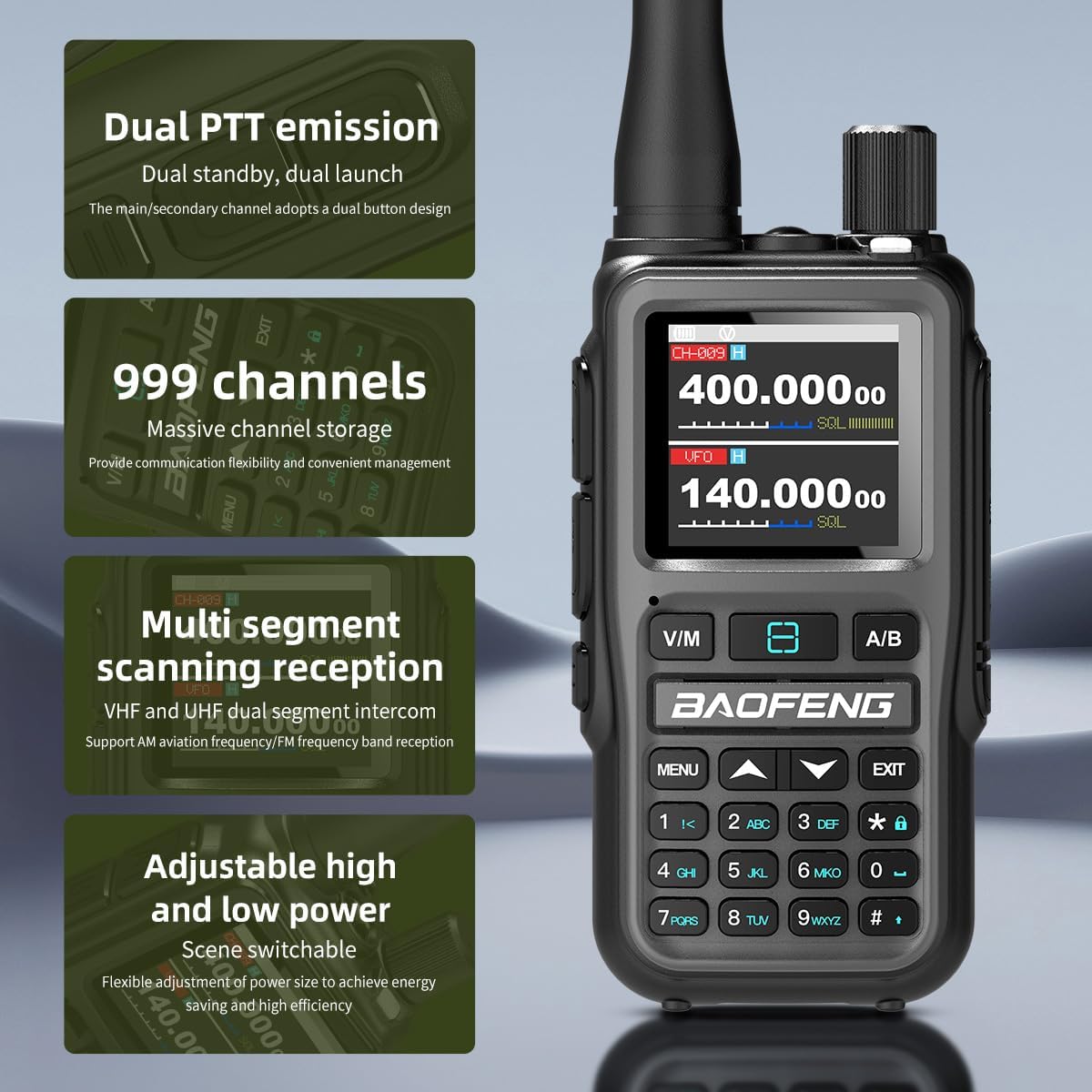
Image: A grey Baofeng UV-5R Mini radio with text overlays describing its features: Dual PTT emission, 999 channels, multi-segment scanning reception, and adjustable high and low power settings.
7. LED Flashlight
The integrated LED flashlight is suitable for use in dark environments, assisting with night patrols or general illumination needs.
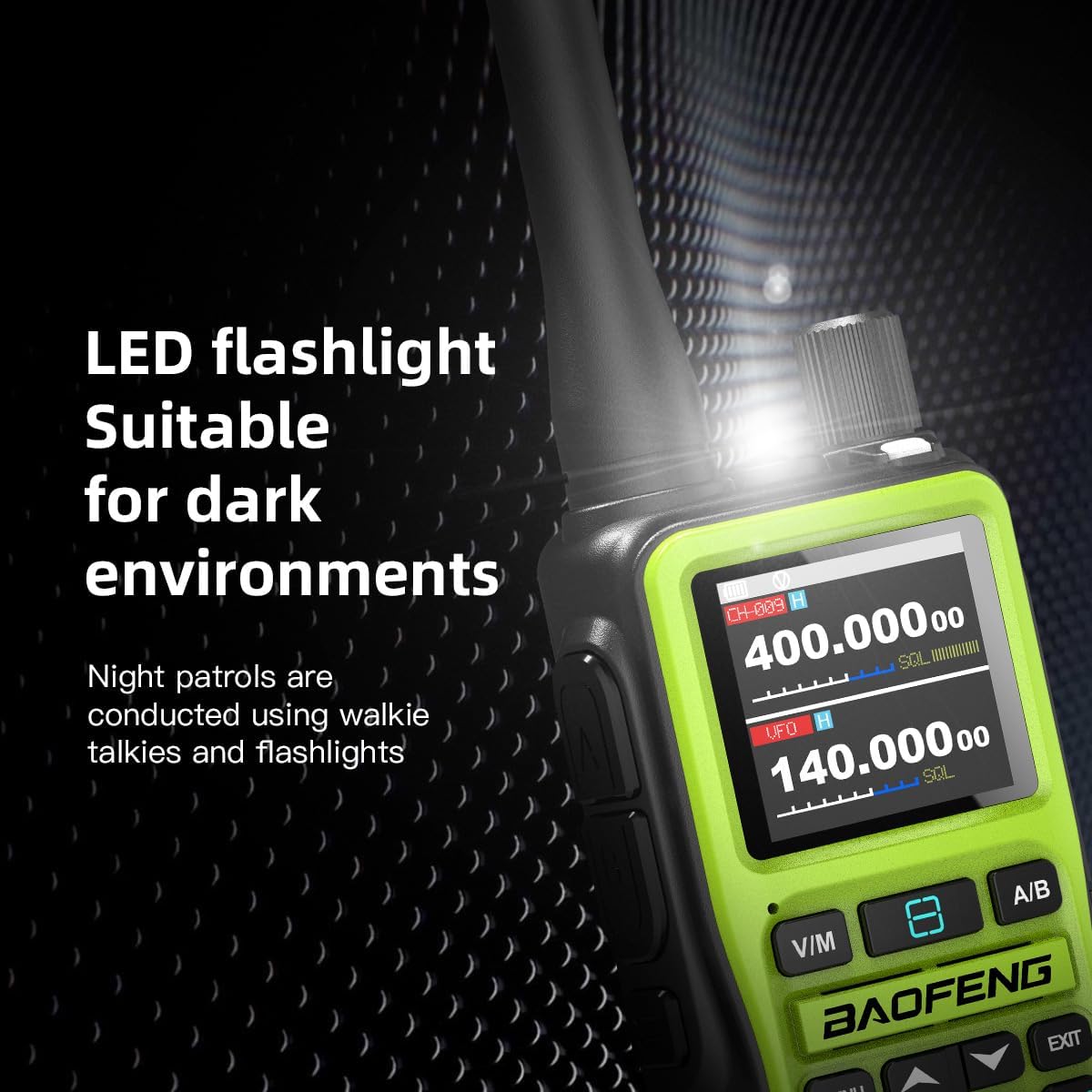
Image: A green Baofeng UV-5R Mini radio with its top-mounted LED flashlight actively shining, demonstrating its utility in low-light conditions.
Maintenance
To ensure the longevity and optimal performance of your Baofeng UV-5R Mini radio, follow these maintenance guidelines:
- Cleaning: Use a soft, damp cloth to clean the radio's exterior. Avoid harsh chemicals or abrasive cleaners.
- Storage: Store the radio in a cool, dry place away from direct sunlight and extreme temperatures. Remove the battery if storing for extended periods.
- Battery Care: Do not overcharge or completely discharge the battery frequently. Charge the battery regularly, even if not in use, to maintain its health.
- Antenna: Handle the antenna carefully to prevent bending or breaking. Do not operate the radio without an antenna attached.
- Water Resistance: This device is not water-resistant. Avoid exposure to rain, splashes, or immersion in water.
Troubleshooting
If you encounter issues with your radio, refer to the following common problems and solutions:
- Radio does not power on:
- Ensure the battery is properly installed and charged.
- Check if the volume knob is rotated to the 'on' position.
- Cannot transmit or receive:
- Verify the antenna is securely attached.
- Check if the frequency or channel is correctly set.
- Ensure you are within range of the other radio or repeater.
- Confirm CTCSS/DCS codes match if in use.
- Check the power setting (high/low).
- Poor audio quality:
- Adjust the volume.
- Check for obstructions between radios.
- Ensure the antenna is not damaged.
- Bluetooth programming issues:
- Ensure Bluetooth is enabled on both the radio and your mobile device.
- Verify you have the correct official app installed.
- Restart both the radio and your mobile device.
If problems persist, consult the official Baofeng support resources or contact your retailer.
Specifications
| Brand | BAOFENG |
| Model | UV-5R Mini |
| Number of Channels | 999 |
| Special Feature | Dual Band, Bluetooth Programming, NOAA Weather |
| Talking Range Maximum | 10 Kilometers (under optimal conditions) |
| Water Resistance Level | Not Water Resistant |
| Battery Type | 1600mAh Lithium Battery (1 AAA battery required, included) |
| Charging Interface | USB-C |
| Item Weight | Approximately 1.25 pounds |
| Package Dimensions | 7.48 x 6.69 x 2.36 inches |
| Manufacturer | Fujian Baofeng Electronics Co., Ltd. |
| Included Components | Antenna, USB-C charging cable, battery |
Warranty
The Baofeng UV-5R Mini Dual Band Radio typically comes with a 2-year limited warranty. Please refer to the warranty card included with your product or contact the manufacturer for specific terms and conditions regarding coverage and service.
Support
For further assistance, technical support, or inquiries, please visit the official BAOFENG website or contact your authorized dealer. You can also refer to the BAOFENG store on Amazon for additional product information and resources: BAOFENG Store.