1. Introduction
Thank you for choosing the Lifelong Under Desk Elliptical Machine. This device is designed to provide a low-impact exercise solution for your legs, suitable for use while seated at a desk, on a sofa, or during rehabilitation. Please read this manual thoroughly before use to ensure safe and effective operation.
2. Safety Information
- Ensure the elliptical is placed on a flat, stable surface before use.
- This device is intended for seated use only. Do not stand on the pedals.
- Keep children and pets away from the device during operation.
- Consult a physician before starting any new exercise program, especially if you have pre-existing medical conditions.
- Stop exercising immediately if you feel pain, dizziness, or discomfort.
- Use only the provided power adapter.
- Keep hands and loose clothing away from moving parts.
3. Package Contents
Verify that all components are present in the package:
- 1N Elliptical Trainer
- 1N Remote Control
- 1N Power Cord
- 1N User Manual
4. Setup
The Lifelong Under Desk Elliptical Machine comes fully assembled and ready for use.
- Unpack the elliptical trainer from its packaging.
- Place the elliptical on a flat, stable surface in your desired exercise location. Ensure there is enough space around the device for comfortable movement.
- Connect the power cord to the elliptical and then to a suitable power outlet.

5. Operating Instructions
5.1 Getting Started
- Sit comfortably in a chair with the elliptical placed in front of you.
- Place your feet securely on the pedals.
- Press the POWER button on the remote control or the main unit to turn on the device. The LCD display will illuminate.
5.2 Using the Remote Control
The included remote control allows you to adjust settings without bending down.

- POWER: Turns the device on or off.
- START/STOP: Starts or pauses the elliptical movement.
- DIRECTION: Changes the direction of pedal rotation (forward or backward).
- MODE: Switches between manual and automatic programs (P1-P3).
- FUNCTION: Cycles through display metrics (Time, Speed, Distance, Calories, Step Count).
- +/- (TIME/SPEED): Adjusts the speed level in manual mode or sets the duration in certain modes.
5.3 Speed Levels and Modes
The elliptical offers 12 adjustable speed levels (P1-P12) and 3 automatic programs (P1-P3).
- Manual Mode: Use the +/- buttons to select a speed from P1 (gentle) to P12 (intense).
- Automatic Programs (P1-P3): Press the MODE button to cycle through pre-set programs. These programs vary speed and direction automatically.

5.4 LCD Display
The easy-to-read LCD screen tracks your workout progress:

- SCAN: Automatically cycles through all metrics.
- TIME: Displays the duration of your workout.
- SPEED: Shows the current speed level.
- DISTANCE: Tracks the virtual distance covered.
- CALORIES: Estimates calories burned during the session.
- STEP COUNT: Counts the number of pedal rotations.
5.5 Product Video Guide
Watch this video for a visual guide on setting up and using your Lifelong Under Desk Elliptical Machine.
6. Features & Benefits
- Smooth & Quiet Operation: Designed for silent use, allowing you to exercise without disturbance in any environment.
- 12 Speed Levels & Dual Modes: Offers a wide range of intensity options from gentle to intense, with both manual control and automatic programs.
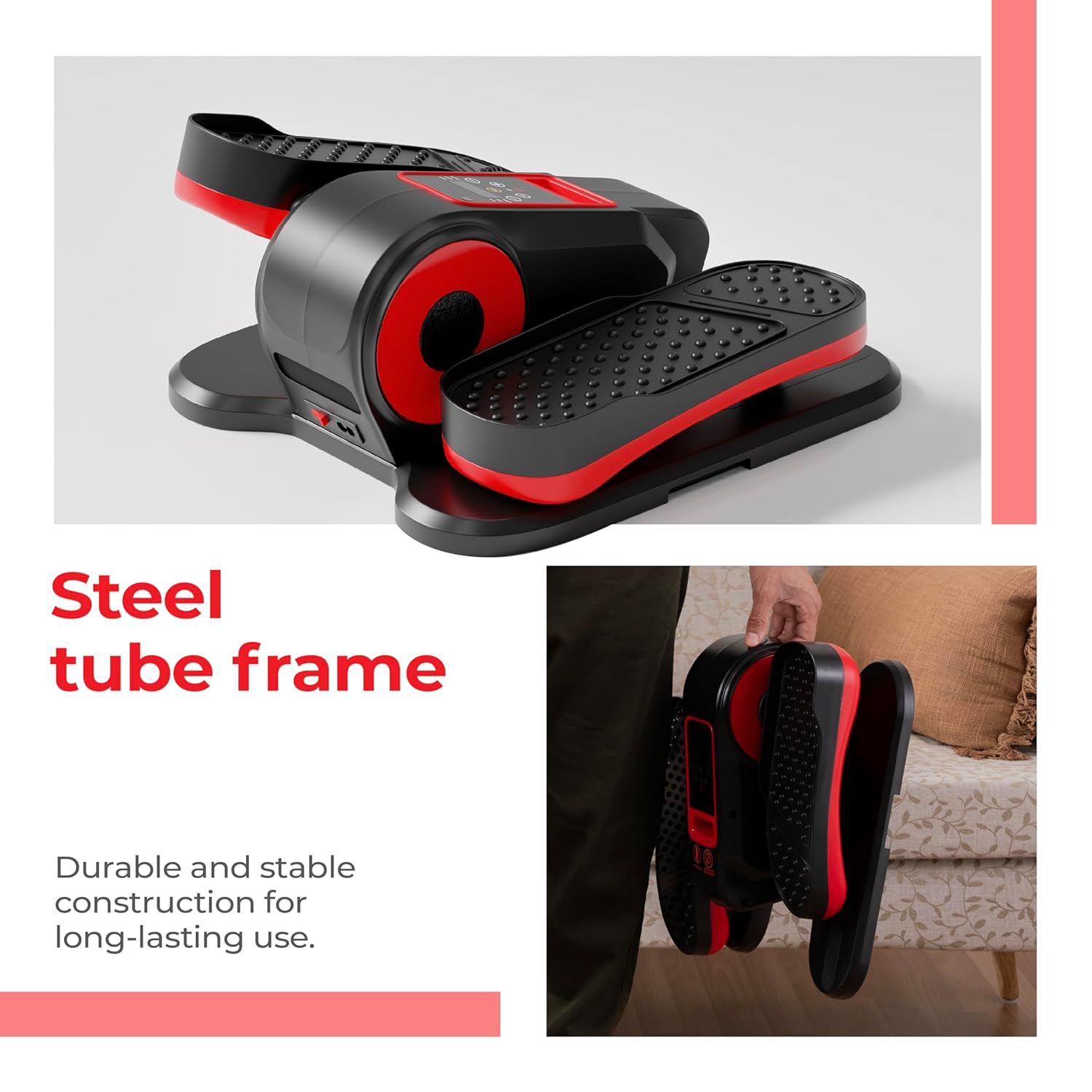
- Durable Steel Tube Frame: Constructed with a heavy-duty steel frame for stability and long-lasting performance.
- LCD Display & Remote Control: Monitor your progress with an easy-to-read screen and adjust settings conveniently with the remote.
- Safe & Low-Impact Exercise: Provides a gentle workout that promotes circulation and strengthens leg muscles without stressing joints, ideal for seniors and rehabilitation.
- Fully Assembled & Portable Design: Ready to use out of the box with a compact and lightweight design for easy transport and storage.

7. Maintenance
- Cleaning: Wipe the device with a soft, damp cloth after each use. Avoid abrasive cleaners or solvents.
- Storage: Store the elliptical in a cool, dry place away from direct sunlight and extreme temperatures.
- Inspection: Periodically check for any loose parts or signs of wear. Do not use the device if any damage is observed.
8. Troubleshooting
- Device not powering on: Ensure the power cord is securely connected to both the elliptical and the power outlet. Check if the outlet is functional.
- Remote control not working: Check if the remote control batteries (1 AAA battery, not included) need replacement. Ensure there are no obstructions between the remote and the elliptical's sensor.
- Unusual noise during operation: Stop using the device and inspect for any foreign objects or loose components. If the noise persists, contact customer support.
9. Specifications
| Specification | Detail |
|---|---|
| Brand | Lifelong |
| Model | B0FK2P7SLD |
| Controls Type | Remote |
| Maximum Stride Length | 39.6 Centimeters |
| Number of Resistance Levels | 12 |
| Operation Mode | Automatic & Manual |
| Power Source | Corded Electric with Battery Backup |
| Material Type | Plastic |
| Item Weight | 5 kg 200 g |
| Product Dimensions (LxWxH) | 39.6 x 27.8 x 18.9 Centimeters |
| Country of Origin | China |

10. Warranty & Support
This product is covered by a manufacturer's warranty. For specific warranty details, please refer to the warranty card included in your package or visit the Lifelong official website.
For customer support, technical assistance, or service inquiries, please contact:
- Manufacturer: Imported and Marketed by Lifelong Online Retail Private Limited
- Address: 5th Floor, Unit No. 508, DLF South Court, Saket District Center, Saket New Delhi, India – 110017
- Phone: +91 9711558877
- Email: customercare@lifelongonline.com


