1. Introduction
This manual provides essential instructions for the safe and efficient operation, maintenance, and troubleshooting of your eufy Robot Vacuum E28. Please read this manual thoroughly before using the product and retain it for future reference.
2. Important Safety Information
To reduce the risk of injury or damage, read these safety instructions carefully and keep them accessible during product use. This device is for indoor use only. Do not use it in commercial or industrial environments.
- Always operate the device according to the instructions provided.
- Keep the device and its accessories out of reach of children.
- Use only the original power adapter and accessories supplied by the manufacturer.
- Do not handle the power cord or device with wet hands.
- Ensure the voltage matches the local power supply before use. (Voltage: 110 Volts)
- Avoid using the device on wet surfaces or in areas with standing water.
- Do not block the air vents or exhaust openings.
- Regularly inspect the device for any damage. Do not operate if damaged.
- For detailed safety guidelines, refer to the Safety Sheet included in your package.
3. Package Contents
Verify that all components are present and in good condition upon unpacking.

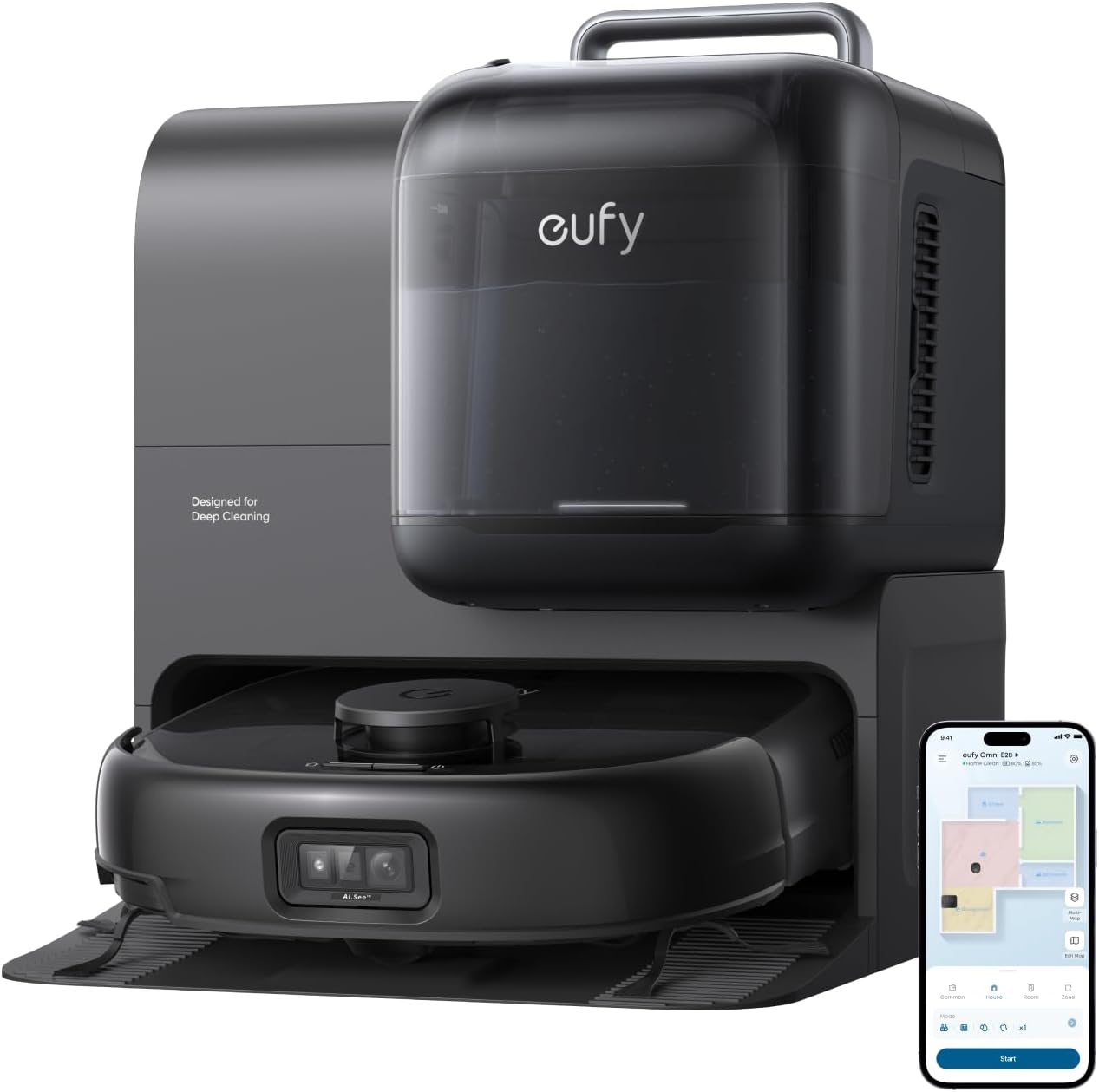
- Omni Station
- Robot Vacuum
- Detachable Base
- Portable Deep Cleaner (PDC)
- Quick Start Guide
- Safety Sheet
- Battery (included in robot)
- Water Tank (included in Omni Station)
4. Product Overview
The eufy Robot Vacuum E28 is an advanced cleaning system designed for comprehensive floor and fabric care. It integrates a robotic vacuum and mop with a versatile portable deep cleaner, all managed by an intelligent Omni Station.
4.1 Key Features
- HydroJet Deep Cleaning System with Roller Mop: Self-cleans the mop in real-time, ensuring continuous fresh cleaning.
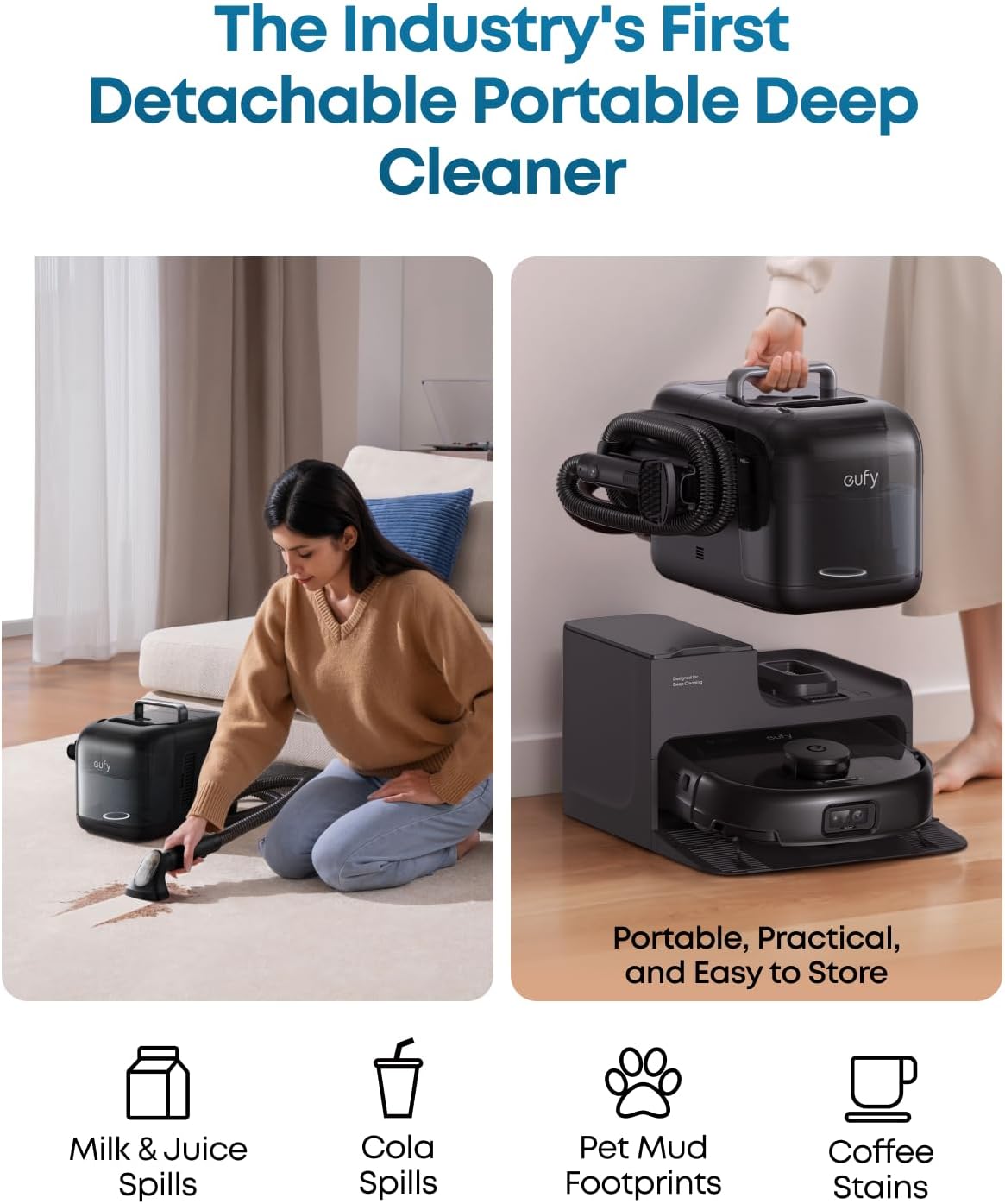
- FlexiOne Portable Deep Cleaner: Detachable unit for targeted cleaning of carpets, stairs, and fabric surfaces.
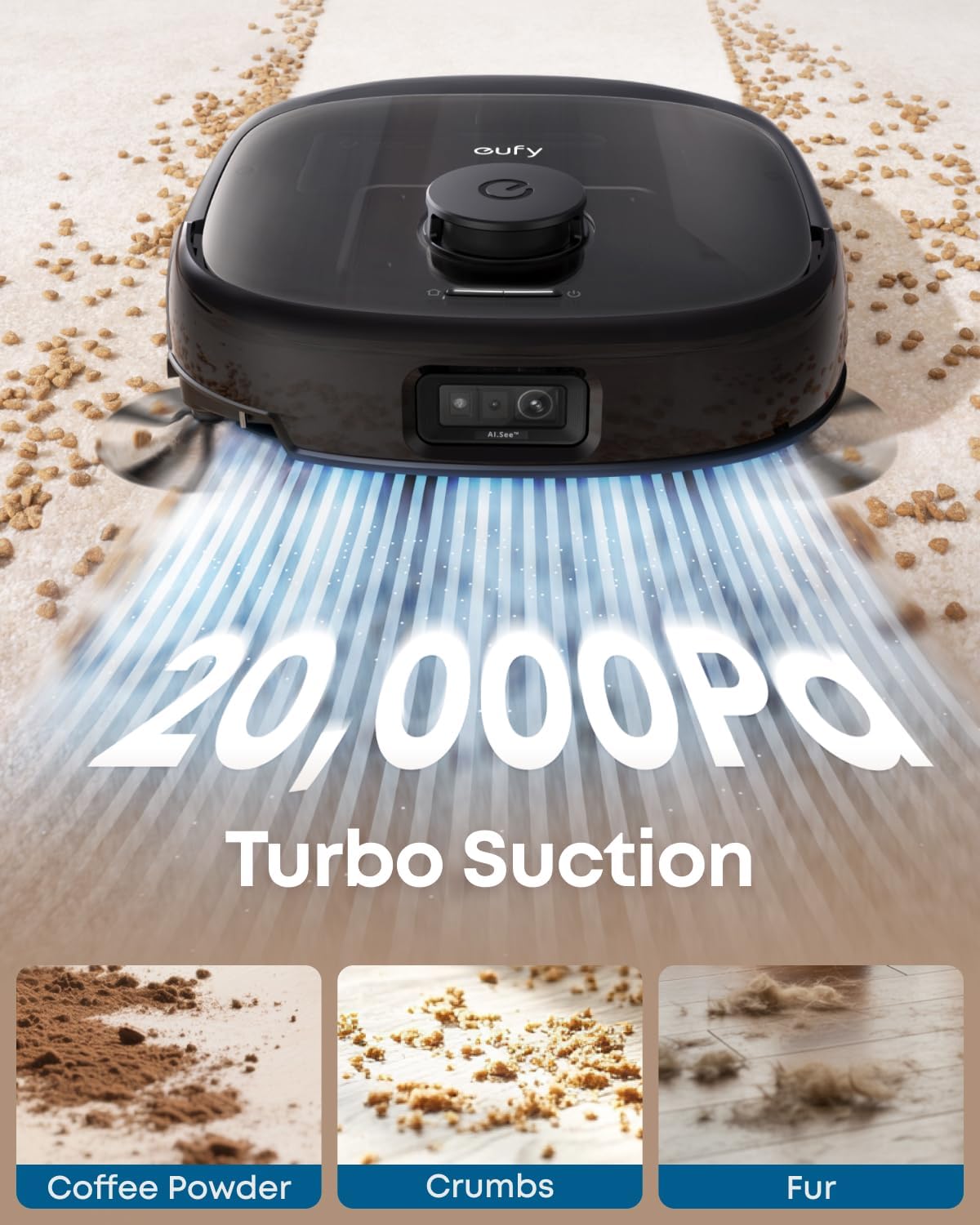
- 20,000 Pa Turbo Suction: Powerful suction for effective removal of dust and hair from various surfaces.
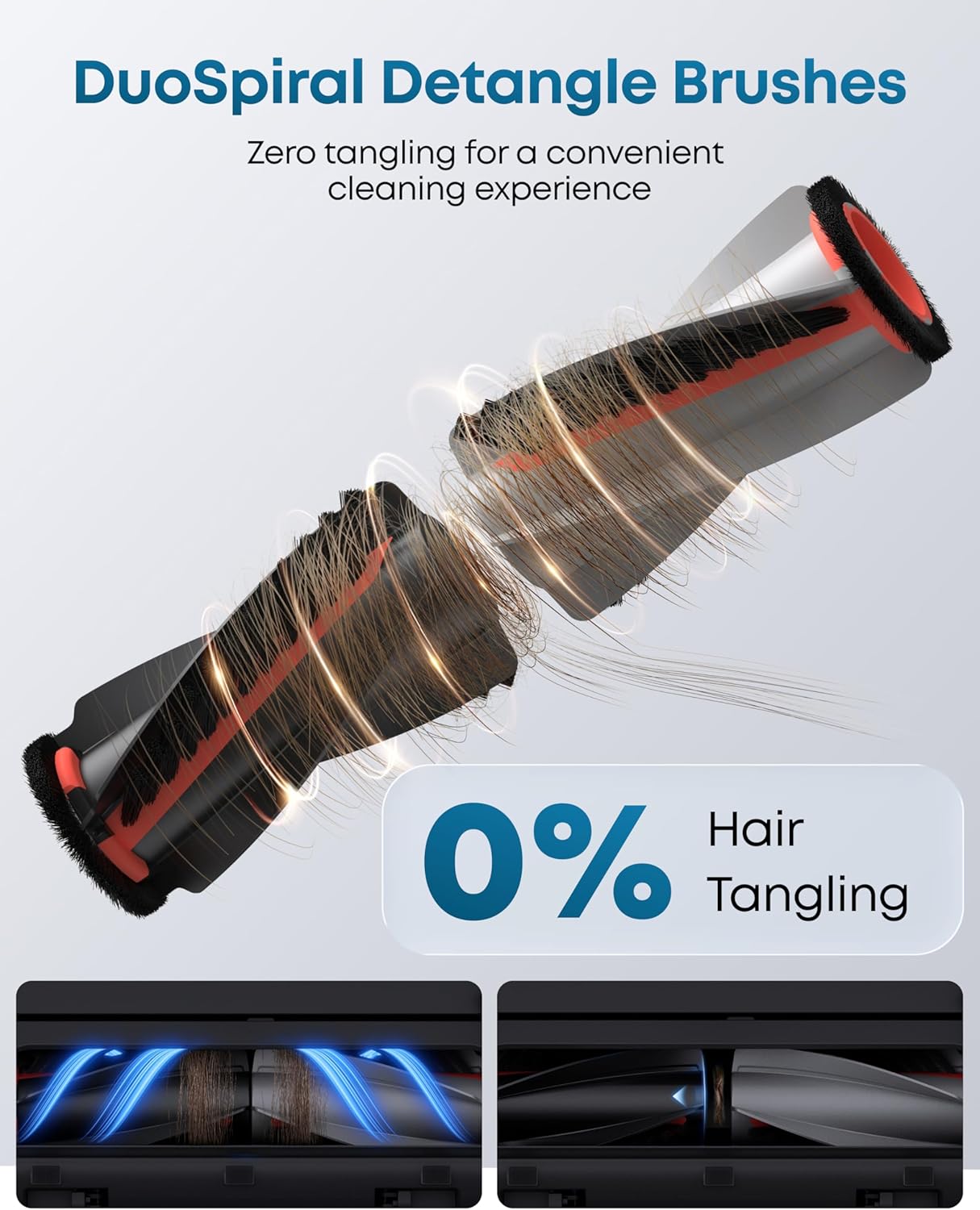
- DuoSpiral Detangle Brushes: Designed to minimize hair tangling for consistent performance.
- CornerRover Arm: Extends to achieve 100% edge coverage for thorough cleaning.
- All-in-One Omni Station: Provides automated self-emptying, self-washing, self-refilling, hot air drying, automatic detergent dispensing, and wastewater storage.
- Advanced AI Recognition and Obstacle Avoidance: Identifies and avoids over 200 objects, equipped with LED lights for low-light environments.
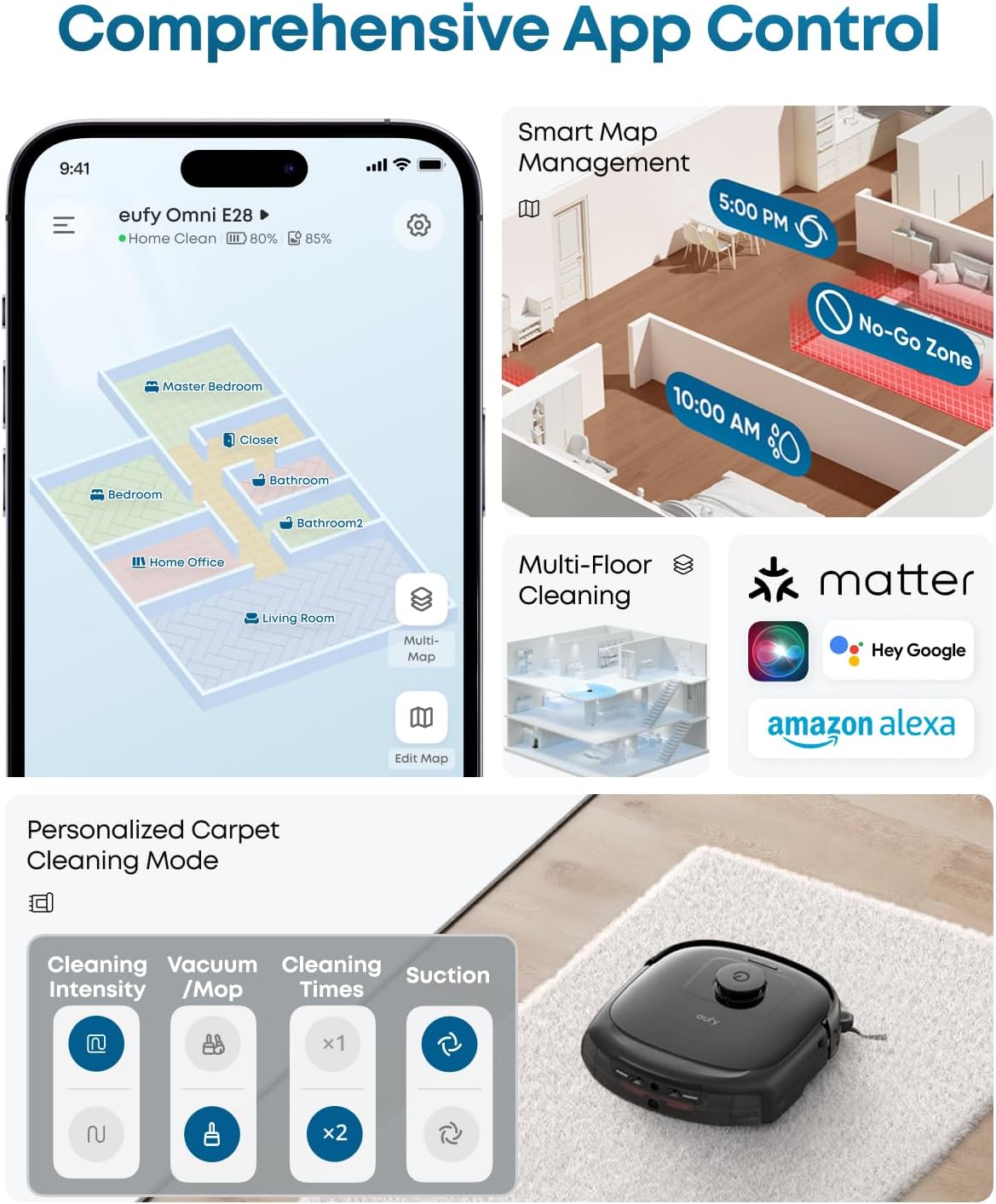
- Comprehensive App Control: Features smart map management, multi-floor cleaning, personalized carpet cleaning modes, and voice control compatibility.
4.2 Component Details




5. Setup
5.1 Unpacking and Placement
- Carefully remove all components from the packaging.
- Choose a suitable location for the Omni Station. Ensure it is placed against a wall on a hard, level surface, with at least 1.5 feet (0.5 meters) of clear space on either side and 5 feet (1.5 meters) in front.
- Connect the Omni Station to a power outlet.
5.2 Initial Charging
Place the robot vacuum onto the Omni Station. Ensure the charging contacts align. The robot will begin charging automatically. For first-time use, fully charge the robot before operation, which may take several hours.
5.3 App Installation and Connection
- Download the eufy Clean app from your smartphone's app store.
- Create an account and follow the in-app instructions to add your E28 robot vacuum.
- Ensure your Wi-Fi network is 2.4GHz, as 5GHz networks are not supported for device connection.
- Perform any available firmware updates through the app to ensure optimal performance and access to the latest features.
6. Operation
6.1 Starting, Pausing, and Stopping Cleaning
- Start Cleaning: Press the power button on the robot or use the eufy Clean app to initiate a cleaning cycle.
- Pause Cleaning: Press the power button once during operation or use the app.
- Stop Cleaning: Press and hold the power button for a few seconds or use the app to send the robot back to the Omni Station.
6.2 Cleaning Modes
The E28 offers various cleaning modes accessible via the eufy Clean app:
- Vacuum-Only Mode: For dry debris collection.
- Vacuum & Mop Mode: Simultaneous vacuuming and mopping for hard floors.
- Spot Cleaning: Targets specific dirty areas.
- Personalized Carpet Cleaning Mode: Customize settings for different carpet types (avoidance, mop lifting, increased suction).
6.3 Using the Portable Deep Cleaner (PDC)
The FlexiOne Portable Deep Cleaner is integrated into the Omni Station for convenient spot cleaning of various surfaces.


- Detach the Portable Deep Cleaner from the Omni Station.
- Fill the clean water tank with water and an appropriate fabric cleaning solution (eufy's Floor Cleaner and Fabric Cleaner recommended).
- Use the spray and suction functions to clean targeted stains on carpets, upholstery, or other fabric surfaces.
- After use, perform the self-cleaning function by holding the self-cleaning button for 5 seconds to clear residual water from the hose.
- Reattach the PDC to the Omni Station for storage and charging.
6.4 Smart Features and App Control
Leverage the eufy Clean app for advanced control and customization:
- Smart Map Management: View and edit cleaning maps, set no-go zones, and define specific cleaning areas.
- Multi-Floor Mapping: The E28 can map up to 5 different floors, ideal for multi-level homes.
- Personalized Cleaning: Customize cleaning modes, suction power, and water usage for individual rooms or zones.
- Voice Control: Integrate with Amazon Alexa, Google Home, or Siri for hands-free operation.


7. Maintenance
Regular maintenance ensures the longevity and optimal performance of your eufy Robot Vacuum E28.
7.1 Omni Station Maintenance
The Omni Station automates many maintenance tasks:


- Emptying the Dust Bag: The 3L dust bag in the Omni Station can last up to 75 days. Replace when full.
- Clean Water Tank: Refill the 2.5L clean water tank as needed.
- Wastewater Tank: Empty the 1.8L dirty water tank regularly.
- Detergent Dispenser: Ensure the detergent reservoir is filled for automatic dispensing.
- Mop Washing & Drying: The station automatically washes and hot-air dries the mop after each cleaning session.
7.2 Robot Vacuum Maintenance
- DuoSpiral Detangle Brushes: Regularly check and clean the main brushes for any trapped hair or debris.
- Side Brushes: Inspect and clean the side brushes. Replace if worn.
- Dustbin and Filter: Although the Omni Station self-empties, occasionally check the robot's internal dustbin and clean or replace the filter as recommended by the app.
- Sensors: Wipe all sensors on the robot with a dry cloth to ensure accurate navigation.
7.3 Portable Deep Cleaner Maintenance
- Clean/Dirty Water Tanks: Empty and rinse both tanks after each use.
- Hose and Nozzle: Clean the hose and nozzle to prevent blockages. Use the self-cleaning function.
- Brush Head: Clean the brush head regularly for optimal performance.
7.4 Firmware Updates
Keep the robot's firmware updated through the eufy Clean app. Firmware updates often include performance improvements, new features, and bug fixes.
8. Troubleshooting
This section addresses common issues you might encounter with your eufy Robot Vacuum E28.
8.1 Optimizing Cleaning Performance

- Pet Mode: Enable in More Settings for stronger suction and higher dust collection if you have pets.
- Carpet Stains: Use the Portable Deep Cleaner (PDC) with its fabric cleaner for effective removal.
- Dirty Spot Cleaning: Activate to detect deep clean stains like coffee spills.
- Dirt Inspection: Turn on to auto-check for leftover stains after cleaning.
- Vacuum-Only Mode: Run vacuum-only mode before the first mopping session to remove dust and hair.
- Accessory Maintenance: Regularly clean and replace accessories like the roller and dustbin filter.
- Software Updates: Keep software and firmware updated for optimal performance.
8.2 Ensuring Optimal Obstacle Avoidance

- Enable AI.See: For smarter object recognition and obstacle avoidance via the eufy Clean app.
- Clear the Floor: Remove wires and small obstacles before cleaning.
- Set No-Go Zones: For dark stairs, thin chair legs (<16mm), and thick carpets (>26mm).
- Secure Carpets: Fix edges of thin carpets to prevent the robot from getting stuck.
- Avoid Dark/Reflective Objects: Keep them away from thresholds if they cause issues.
- Update Software: Regularly update for better performance.
8.3 Improving Carpet Cleaning Performance

- Short-Pile Carpets: Use "Vacuum Only" mode; the mopping module will lift to avoid wetting.
- Medium/Long-Pile Carpets: Use "Carpet Avoidance" mode to skip carpets entirely.
- Dark Carpets: Set No-Go Zones as they may not be detected by sensors.
- Boost IQ: Enable via the app to auto-increase suction on carpets for better cleaning.
- Software Updates: Keep software and firmware updated for optimal performance.
8.4 Using the Portable Deep Cleaner (PDC) Effectively

- Use Properly: Pair with a fabric cleaning solution for liquid stains only (not for fibers, hair, or solids).
- Prevent Overheating: Cool for 3.5 hours after 30 minutes of continuous use.
- Handle Humidity: Dry cleaned areas with a hairdryer in humid weather to prevent mildew.
- Self-Cleaning: Hold the self-cleaning button for 5 seconds to clean pipes.
- Avoid Leaks: Wait 3 seconds after use to drain pipe water.
- Shutdown & Storage: Press the switch to turn off, and avoid pulling the hose tightly when winding.
- Maintenance: Clean the brush head regularly for optimal performance.
9. Specifications
| Feature | Detail |
|---|---|
| Brand | eufy |
| Model Name | E28 |
| Item Model Number | T2352 |
| Special Features | Auto Mop Washing, Obstacle Avoidance, Self-Emptying |
| Color | Black |
| Product Dimensions (Omni Station) | 14.63"L x 19.07"W x 17.29"H |
| Product Dimensions (Portable Deep Cleaner) | 8.74"L x 15.26"W x 10.90"H |
| Product Dimensions (Robot Vacuum) | 12.83"L x 13.72"W x 4.40"H |
| Item Weight | 44.6 pounds (21.75 kg) |
| Included Components | Battery, Robot, Water Tank |
| Filter Type | Others |
| Battery Life | 24 months (estimated) |
| Voltage | 110 Volts |
| Capacity (Clean Water Tank) | 2.5 Liters |
| Capacity (Wastewater Tank) | 1.8 Liters |
| Power Source | Corded Electric |
| Control Method | App, Push Button, Touch, Voice |
| Form Factor | Robotic |
| Wi-Fi Compatibility | 2.4GHz Wi-Fi supported (5GHz not supported) |
| Max Suction Power | 20,000 Pa |
| Edge Cleaning | CornerRover Arm |
| Coverage | Up to 1,600 sq ft |

9.1 Model Comparison
A comparison of key features across different eufy Omni models:
| Feature | Omni E28 | Omni E25 | Omni S1 Pro |
|---|---|---|---|
| Best For | Deep Cleaning Multiple Surfaces (Floors, Carpets, Furniture) | Homes with Pets and Kids | Large Apartments, Tech-Savvy Users |
| Self-Cleaning | 120 Times/Minute | 170 Times/Minute | |
| HydroJet Deep Cleaning System Mop Cleaning Scrapers | Dual | Single | |
| Downward Pressure | 1.5 kg | 1 kg | |
| Omni Station | ✔ | ✔ | |
| Max Suction Power | 20,000 Pa | 8,000 Pa | |
| Brushes | DuoSpiral Brushes for Zero-Tangling | Detangling Rubber Brush | |
| Edge Cleaning | CornerRover Arm for Edge Cleaning | Square Design to Fit in Corners | |
| Coverage | Up to 1,600 sq ft | Up to 2,100 sq ft | |
| Robot Height | 4.40 in (11.2 cm) | 3.78 in (9.6 cm) |
10. Warranty and Support
10.1 Warranty Information
The eufy Robot Vacuum E28 comes with a limited warranty. For detailed warranty terms and conditions, please refer to the official eufy website or the warranty card included with your product. Keep your purchase receipt as proof of purchase.
10.2 Customer Support
If you encounter any issues or have questions regarding your eufy Robot Vacuum E28, please contact eufy customer support. Contact information can typically be found on the eufy website or in the Quick Start Guide.


