
Introduction
This manual provides essential information for the safe and effective use of your Lifepro CosmoPlate Vibration Plate. Please read it thoroughly before operation and retain it for future reference.

The Lifepro CosmoPlate Vibration Plate, a compact and quiet exercise machine designed for whole-body activation.
Important Safety Information
Always consult with a healthcare professional before starting any new exercise program, especially if you have pre-existing medical conditions. Adhere to the following safety guidelines:
- Ensure the device is placed on a stable, level surface.
- Do not exceed the maximum weight capacity of 220 lbs.
- Keep children and pets away from the device during operation.
- Unplug the device when not in use or before cleaning.
- Do not use if the power cord is damaged.
- Use only as instructed in this manual.
What's in the Box
Your Lifepro CosmoPlate package includes:
- Lifepro CosmoPlate Vibration Plate
- Remote Control
- Power Cable
- Yoga Resistance Band
- User Manual (this document)
Setup
- Unpack: Carefully remove all components from the packaging.
- Placement: Place the vibration plate on a firm, level surface. Ensure there is enough space around the device for safe operation. The non-slip surface and stabilizing feet provide stability.
- Power Connection: Plug the power cable into the device and then into a standard electrical outlet.
- Initial Check: Ensure the power switch on the device is in the OFF position before plugging it in.
Operating Instructions
Powering On and Auto Mode
The CosmoPlate features an intuitive auto-start function. To begin:
- Flip the power switch on the device to the ON position.
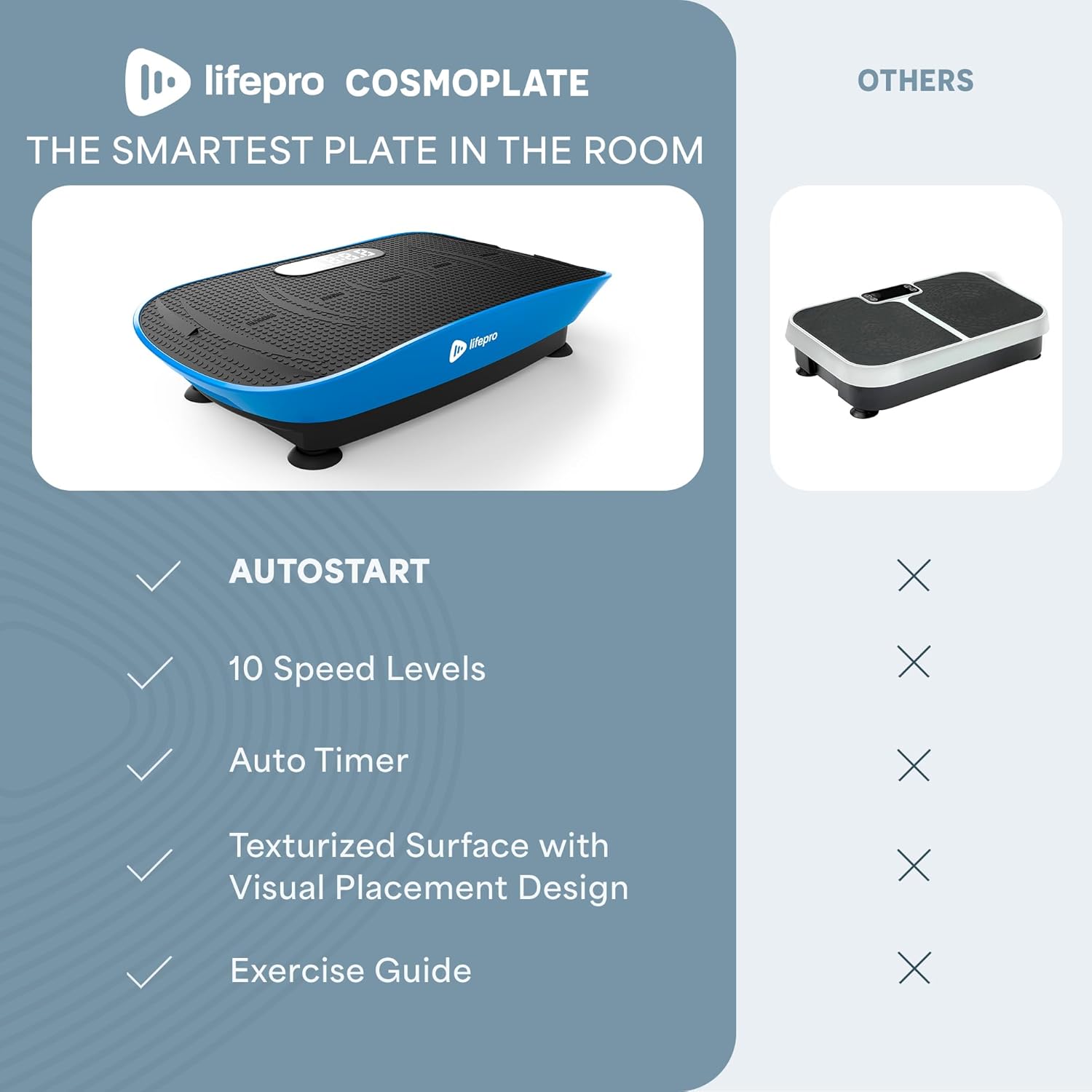
- Step onto the plate. The body-sensing auto mode will detect your movement and automatically start a 10-minute session.

The CosmoPlate automatically starts when you step on it, eliminating the need for a remote to begin your workout.
Video demonstrating the hands-free auto-start feature of the Lifepro CosmoPlate.
Manual Mode and Speed Adjustment
You can switch to manual mode at any time using the included remote control. The device offers 10 speed levels across three intensity tiers:
- Easy: Speed levels 1-3
- Medium: Speed levels 4-6
- Intense: Speed levels 7-10
Adjust the speed using the '+' and '-' buttons on the remote control. The remote allows for safe adjustments during your session.

Key features of the Lifepro CosmoPlate, including its built-in sound, auto-start sensor, anti-slip design, and 10 speed levels.
Video showcasing the Lifepro CosmoPlate's features, including Bluetooth technology and remote control operation.
Bluetooth Speaker
Enhance your workout with music. The CosmoPlate features a built-in Bluetooth speaker:
- Ensure Bluetooth is enabled on your smartphone or audio device.
- Search for "CosmoPlate" in your device's Bluetooth settings and pair.
- Once paired, audio will stream directly through the vibration plate's speaker.
Exercise Positions and Benefits
The oscillation motor engages various muscle groups. Twelve guided exercise positions are included to target different areas for toning, stretching, and circulation support.

Examples of exercise positions on the CosmoPlate for improved circulation, strength training, and recovery.
Video demonstrating various exercises that can be performed with the CosmoPlate.
Maintenance
Proper maintenance ensures the longevity of your Lifepro CosmoPlate:
- Cleaning: Wipe the surface of the device with a soft, damp cloth after each use. Do not use abrasive cleaners or solvents.
- Storage: Store the device in a cool, dry place away from direct sunlight. Its compact design allows it to fit under a bed or desk.
- Inspection: Regularly inspect the power cord for any signs of damage. If damaged, discontinue use and contact customer support.
The compact design of the CosmoPlate allows for easy storage under furniture.
Troubleshooting
If you encounter issues with your CosmoPlate, refer to the following common solutions:
- Device not powering on:
- Ensure the power cable is securely plugged into both the device and a working electrical outlet.
- Check if the main power switch on the device is in the ON position.
- Vibration not starting in auto mode:
- Confirm the device is powered on.
- Ensure you are standing firmly on the plate, allowing the body-sensing feature to activate.
- Remote control not working:
- Check the battery in the remote control and replace if necessary.
- Ensure there are no obstructions between the remote and the device's sensor.
- Bluetooth pairing issues:
- Make sure the CosmoPlate is powered on.
- Ensure your audio device's Bluetooth is enabled and discoverable.
- Try unpairing and re-pairing the device.
If problems persist, please contact Lifepro customer support.
Specifications
| Feature | Detail |
|---|---|
| Brand | Lifepro |
| Model Number | LP-CSMP-BLU |
| Item Weight | 16.5 pounds |
| Color | Blue |
| Material | Plastic |
| Product Dimensions (D x W x H) | 22.8" x 12.4" x 4.7" |
| Controls Type | Remote |
| Display | LED |
| Maximum Speed | 10 rpm |
| Minimum Speed | 1 rpm |
| Motor Horsepower | 0.2 hp |
| Number of Resistance Levels | 10 |
| Operation Mode | Automatic, Manual |
| Power Source | Corded Electric |
| Wattage | 150 |
| Maximum Weight Recommendation | 220 pounds |

Key dimensions, weight, and maximum capacity of the Lifepro CosmoPlate.
Warranty Information
The Lifepro CosmoPlate Vibration Plate comes with Lifetime Support. For detailed warranty terms and conditions, please refer to the official Lifepro website or contact customer support.
Customer Support
For any questions, assistance, or to register your product, please visit the official Lifepro website or contact their customer service team. Contact information can typically be found on the product packaging or the brand's official website.
You can also visit the Lifepro Store on Amazon for more information and products.
