
RadioShack 1202271
Contents
RadioShack 1202271 Multi-Band Portable Radio User Manual
Model: 1202271
Introduction
The RadioShack 1202271 Multi-Band Portable Radio is designed for versatile listening and emergency preparedness. It offers reception across AM, FM, Shortwave (SW 1-9), and a dedicated Weather Band, ensuring access to a wide range of broadcasts and critical weather alerts. Its compact and durable design, combined with battery power, makes it suitable for use at home, during travel, or in emergency situations.

Image: The RadioShack 1202271 Multi-Band Portable Radio, demonstrating its portable nature.
Package Contents
Please check the package for the following items:
- 1x RadioShack 1202271 Multi-Band Portable Radio (Black)
- 1x User Manual

Image: Contents of the product package.
Setup
- Battery Installation: The radio requires two (2) D-size batteries (not included). Open the battery compartment cover on the back of the unit. Insert the batteries according to the polarity markings (+ and -) inside the compartment. Close the cover securely.
- Antenna: For optimal reception, extend the telescopic antenna fully. For AM and Shortwave bands, you may need to adjust the antenna's angle and position for the best signal.
Important Note: This radio is designed for battery operation. An AC adapter is not included, and the unit does not support external power input.
Operating Instructions
- Power On/Off: Locate the POWER switch, typically on the side or front panel. Slide it to the "ON" position to power on the radio. Slide it to "OFF" to power off.
- Band Selection: Use the BAND SELECT switch or button to cycle through the available frequency bands: FM, AM (MW), Shortwave (SW1-SW9), and Weather Band (WB).
- Tuning: Rotate the TUNING knob to scan for radio stations. The frequency dial will indicate the current frequency. For fine-tuning, make small adjustments until the signal is clear.
- Volume Control: Adjust the VOLUME knob to your desired listening level.
- Antenna Adjustment: For FM, Shortwave, and Weather Band, extend and rotate the telescopic antenna for best reception. For AM, the radio uses an internal antenna, so rotating the entire radio may improve reception.
- Headphone Use: If available, plug 3.5mm headphones into the headphone jack for private listening. This will mute the built-in speaker.

Image: Detailed view of the radio's controls and frequency display.
Note: The radio does not feature a backlight for the display or buttons. A separate light source may be needed for operation in low-light conditions.
Maintenance
- Cleaning: Wipe the radio with a soft, dry cloth. Do not use liquid cleaners or abrasive materials, as they may damage the finish or internal components.
- Battery Care: If the radio will not be used for an extended period, remove the D-size batteries to prevent leakage and corrosion.
- Storage: Store the radio in a cool, dry place away from direct sunlight and extreme temperatures.
- Antenna Care: Handle the telescopic antenna gently to avoid bending or breaking. Retract it when not in use or during transport.
Troubleshooting
| Problem | Possible Cause | Solution |
|---|---|---|
| No power | Batteries are dead or incorrectly installed. | Replace batteries with fresh D-size batteries. Ensure correct polarity. |
| Poor reception / Static | Antenna not extended or positioned correctly; weak signal; local interference. | Fully extend and adjust the telescopic antenna. For AM, rotate the radio. Try moving to a different location away from electronic devices that may cause interference. Shortwave reception can vary greatly by time of day and atmospheric conditions. |
| No sound | Volume too low; headphones plugged in. | Increase volume. Unplug headphones if you want to use the speaker. |
Specifications
- Brand: RadioShack
- Model Number: 1202271
- Color: Black
- Dimensions (L x W x H): 6.5" x 1.7" x 4" (167mm x 44mm x 100mm)
- Weight: 10.4 ounces (320g)
- Power Source: 2 x D-size batteries (not included)
- Radio Bands: AM, FM, Shortwave (SW1-SW9), Weather Band (WB)
- Antenna: Telescopic (for FM, SW, WB), Internal (for AM)
- Material: Plastic
- Audio Output: Built-in speaker, 3.5mm headphone jack
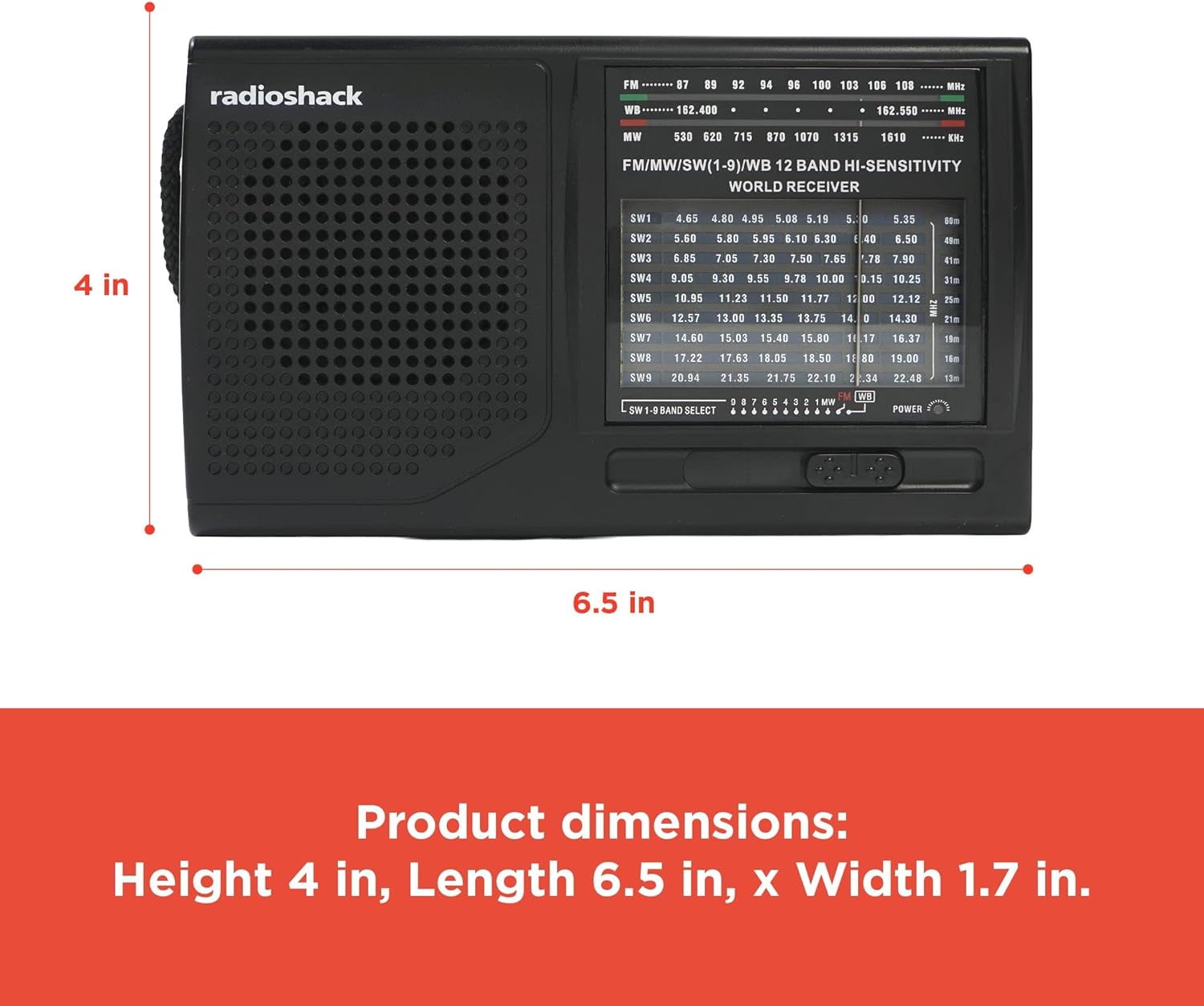
Image: Product dimensions for the portable radio.
Warranty Information
No specific warranty information is provided for this product in the available documentation. Please refer to your point of purchase or the official RadioShack website for any applicable warranty details.
Support
For further assistance or inquiries, please visit the official RadioShack website or contact their customer support.
Ask a question about this manual
Ask about setup, troubleshooting, compatibility, parts, safety, or missing instructions. Manuals+ will review the question and use this page’s manual context to help answer it.