1. Introduction
The Kemot Automatic Voltage Regulator SER-1000-W (Model URZ3439-1000-W) is designed to protect your electronic devices from voltage fluctuations. It provides a stable output voltage, ensuring the longevity and proper functioning of connected equipment. This compact stabilizer offers 1000 VA of power and features high efficiency with multiple protection mechanisms.
- Purpose: To stabilize incoming AC voltage to a consistent 230V output.
- Key Features: 1000 VA power, 98% efficiency, protection against overvoltage, undervoltage, overload, overheating, and short circuits.
- Input Voltage Range: 150 - 270 V AC.
- Output Voltage Precision: 230 V AC ± 8%.
2. Safety Information
Please read all safety instructions carefully before operating the device. Failure to follow these instructions may result in electric shock, fire, or damage to the product or connected equipment.
- Indoor Use Only: This device is intended for indoor use in dry environments. Do not expose it to rain, moisture, or excessive humidity.
- Ventilation: Ensure adequate ventilation around the unit. Do not block ventilation openings.
- Power Source: Connect the device only to a grounded power outlet with the correct voltage and frequency as specified in the specifications.
- Overload: Do not overload the voltage regulator. Ensure the total power consumption of connected devices does not exceed 1000 VA.
- Maintenance: Do not attempt to open or service the unit yourself. Refer all servicing to qualified personnel.
- Placement: Place the unit on a stable, flat surface away from direct sunlight, heat sources, and flammable materials.
- Children: Keep the device out of reach of children.
3. Product Overview
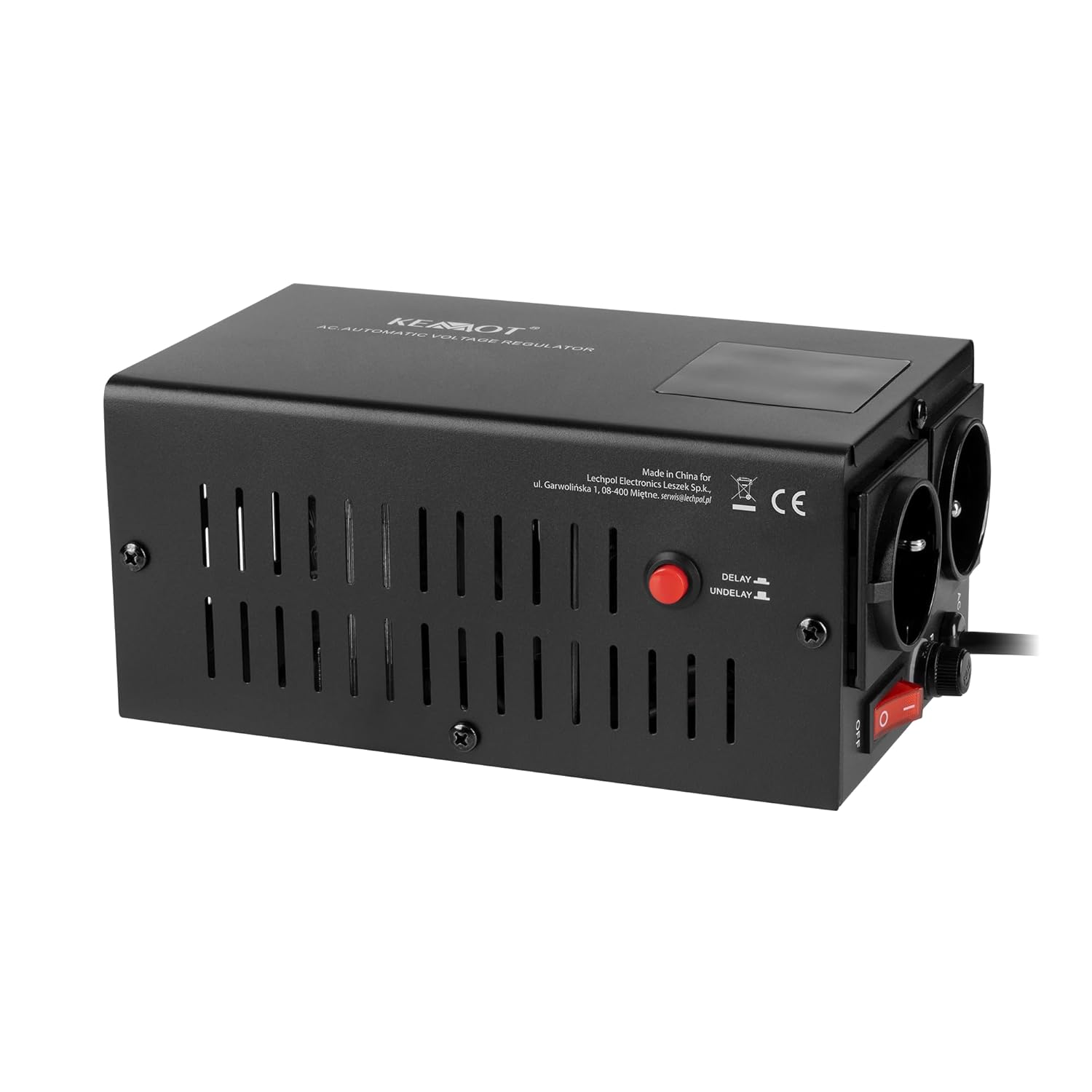
Figure 1: Front and side view of the Kemot SER-1000-W Automatic Voltage Regulator, showing the main body, ventilation slots, and control panel on the side.

Figure 2: Detailed view of the input and output panel. This shows the AC input port, two output sockets, the main ON/OFF switch, and the fuse holder.
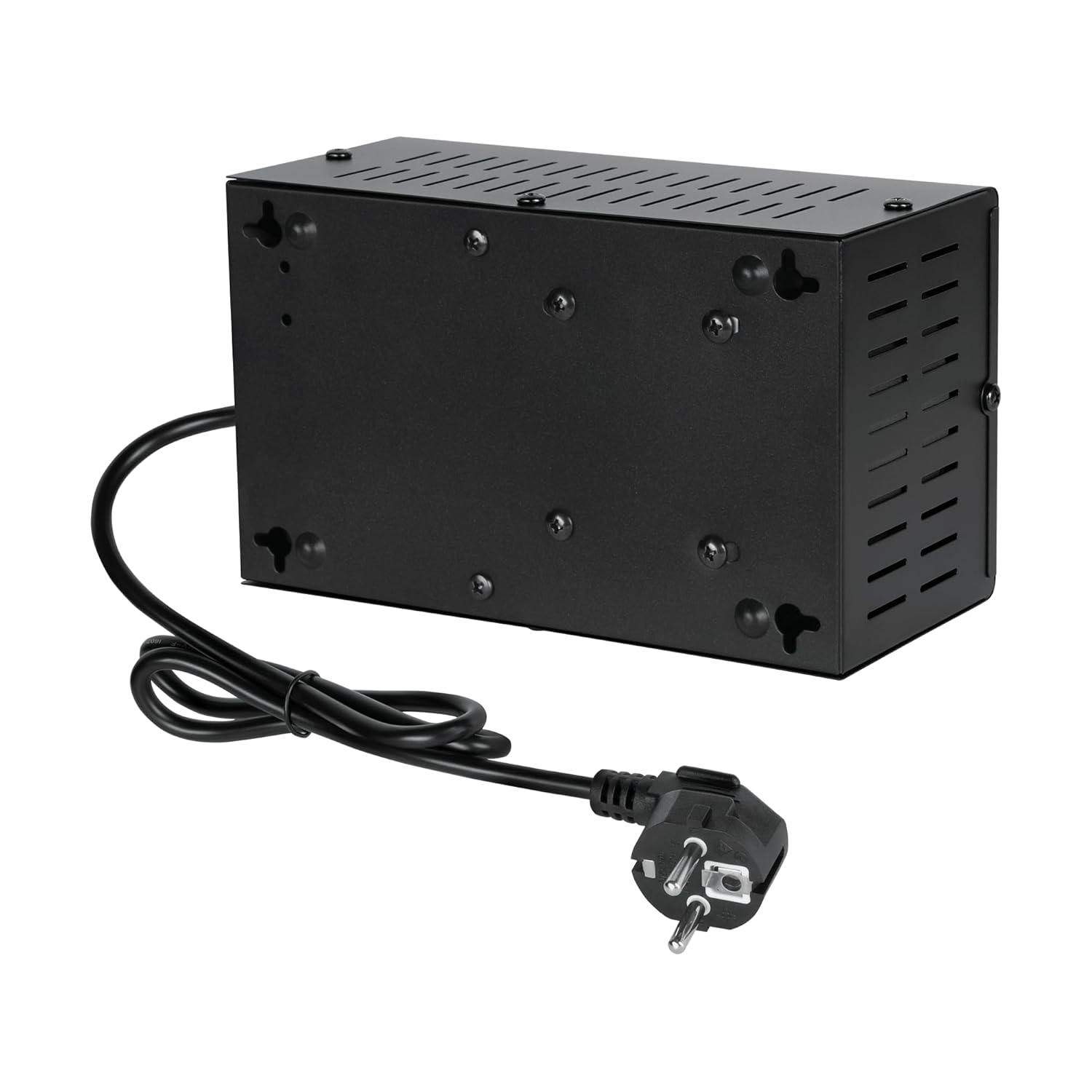
Figure 3: Rear and bottom view of the voltage regulator, illustrating the attached power cord and additional ventilation on the underside.
4. Setup Instructions
- Unpacking: Carefully remove the voltage regulator from its packaging. Inspect the unit for any signs of damage.
- Placement: Place the unit on a flat, stable, and dry surface. Ensure there is sufficient space around the unit for proper ventilation (at least 10 cm on all sides). Avoid placing it near heat sources or in direct sunlight.
- Power Connection:
- Ensure the main power switch on the regulator is in the "OFF" position (see Figure 2).
- Plug the regulator's power cord into a grounded AC power outlet (150-270V AC, 50/60 Hz).
- Device Connection:
- Connect the devices you wish to protect to the "OUTPUT" sockets on the regulator (see Figure 2).
- Ensure the total power consumption of all connected devices does not exceed 1000 VA.
5. Operating Instructions
- Powering On: After connecting all devices, switch the main power switch on the regulator to the "ON" position (see Figure 2).
- Delay Function: The regulator features a delay function to protect connected devices during power fluctuations or restarts.
- The delay can be set to "NO DELAY" or "DELAY" (180/6 seconds). Refer to the switch labeled "DELAY / UNDELAY" (see Figure 1).
- When set to "DELAY", the unit will wait for a specified period (e.g., 6 or 180 seconds, depending on the model/setting) before providing stable output power, allowing connected devices to safely power up after a power event.
- Monitoring: The front panel may feature an LED display (if applicable to your specific unit, not clearly visible in provided images) to show input/output voltage status.
- Powering Off: To turn off the regulator, switch the main power switch to the "OFF" position. Disconnect devices before unplugging the regulator from the wall outlet.
6. Maintenance
The Kemot Automatic Voltage Regulator requires minimal maintenance. Follow these guidelines to ensure optimal performance and longevity:
- Cleaning: Disconnect the unit from the power outlet before cleaning. Use a soft, dry cloth to wipe the exterior. Do not use liquid cleaners, aerosols, or solvents.
- Ventilation: Periodically check that the ventilation openings are free from dust and debris. Use a soft brush or compressed air to clear any blockages.
- Fuse Replacement: If the unit stops functioning, check the fuse. The fuse holder is located on the input/output panel (see Figure 2). To replace, carefully unscrew the fuse cap, remove the old fuse, and insert a new fuse of the same type and rating (e.g., 10A/250V). Ensure the unit is unplugged before attempting fuse replacement.
- Storage: If storing the unit for an extended period, ensure it is clean, dry, and stored in a cool, well-ventilated area.
7. Troubleshooting
If you encounter issues with your Kemot Automatic Voltage Regulator, refer to the following troubleshooting guide:
| Problem | Possible Cause | Solution |
|---|---|---|
| No power output |
|
|
| Output voltage unstable |
|
|
| Unit overheats |
|
|
If the problem persists after attempting these solutions, please contact customer support.
8. Specifications
| Parameter | Value |
|---|---|
| Model | URZ3439-1000-W |
| Input Voltage Range | 150 - 270 V AC |
| Input Frequency | 50/60 Hz |
| Output Voltage | 230 V AC |
| Output Frequency | 50/60 Hz |
| Output Precision | ±8% |
| Output Phase | Single Phase |
| Transformer Type | IE Transformer |
| Efficiency | 98% |
| Protections | Overvoltage, Undervoltage, Overload, Overheating, Short-circuit |
| Delay Function | No delay / Delay (180/6 seconds) |
| Operating Temperature | 0°C ~ 40°C |
| Relative Humidity | 10% ~ 90% |
| Storage Temperature | -15°C ~ 45°C |
| Dimensions (L x W x H) | 19.7 x 11.7 x 9 cm |
| Weight | 2.25 kg |
9. Warranty and Support
This product is manufactured by LECHPOL ELECTRONICS LESZEK Spółka komandytowa (Brand: Kemot).
Information regarding spare parts availability is currently unavailable. For warranty claims or technical support, please refer to the retailer where the product was purchased or contact Kemot customer service through their official channels. Keep your proof of purchase for warranty purposes.
Note: The product packaging (Figure 4) indicates a 2-year warranty. Please consult your retailer for specific warranty terms and conditions applicable to your region.

Figure 4: Product packaging, highlighting key features and a "2 Years Warranty" badge.


