
Introduction
Welcome to the user manual for your PNZEO W9 Waterproof Mini Cam. This guide provides essential information for setting up, operating, and maintaining your 4K compact smart home security camera. Please read this manual thoroughly before use to ensure optimal performance and longevity of your device.
Package Contents
Upon unboxing, please verify that all items listed below are included:
- PNZEO W9 Mini Cam
- Instruction Manual
- Stand
- USB Charging Cable
- Mounting Accessories
Setup
1. Charging the Camera
Before initial use, fully charge the camera using the provided USB cable. Connect the cable to the camera's charging port and a standard USB power adapter (not included). The charging indicator light will show the charging status.
2. App Download and Installation
Download the dedicated smart app to your smartphone or tablet. The app name is typically mentioned in the included quick start guide or on the product packaging. Search for it on your device's app store (Android or iOS).
3. Wi-Fi Connection
- Ensure your camera is charged and powered on.
- Open the installed app on your device.
- Follow the in-app instructions to add a new device.
- Connect the camera to your 2.4GHz Wi-Fi network. Note: 5GHz Wi-Fi networks are not supported.
- Once connected, the camera will be ready for use.
4. Mounting the Camera
The camera comes with a stand and mounting accessories for flexible placement.
- Tabletop Mount: Place the camera on any flat surface using the stand.
- Wall Mount: Use the provided bracket to securely attach the camera to a wall. Ensure the mounting surface is clean and dry for adhesive mounts.

Image: The PNZEO W9 Mini Cam can be easily mounted on a wall or placed on a table, showcasing its compact and simple design for flexible installation.
Operating Instructions
1. Live View and Remote Control
Once connected to Wi-Fi, you can access the live feed and control the camera remotely via the app on your smartphone or tablet.
2. 4K Ultra HD View and Night Vision
The camera features a 4K ultra HD resolution optical lens for clear image capture. It is equipped with 6 IR lights and smart light sensors for enhanced night vision, ensuring visibility even in low-light conditions.

Image: The camera captures details in 4K HD resolution, as demonstrated by a magnified view of a dog playing.

Image: The camera provides clear night vision without visible light, silently monitoring your home safety.
3. PIR Motion Detection and Alerts
The camera features advanced AI motion detection (PIR sensor) that can accurately recognize human or animal movement. When triggered, an instant notification will be sent to your phone via the app.
- Smart Detection: Designed to minimize false alarms by distinguishing between significant movement (humans/animals) and minor changes (light, flying insects).
- Instant Alerts: Receive real-time notifications on your mobile device.

Image: Smart PIR motion detection sends instant alerts when a person is detected, while ignoring minor environmental changes.
4. Two-Way Talk
Utilize the built-in microphone and speaker for two-way communication through the app. This allows you to speak with visitors, family members, or pets remotely.

Image: The two-way audio feature allows you to listen and talk with visitors or couriers at your door.
5. Recording and Storage
The camera supports Micro SD cards up to 256GB (not included) for local storage. It offers two recording modes:
- 24/7 Video Record: Continuous recording.
- PIR Motion Detection Trigger Records: Records only when motion is detected, conserving storage space and battery.
Recordings are stored with advanced encryption for privacy and security. Remote playback is available via the app.

Image: The camera supports optional storage via a Micro SD card (up to 256GB) for smart recording and remote playback.
Maintenance
1. Cleaning
Gently wipe the camera lens and body with a soft, dry cloth. Avoid using harsh chemicals or abrasive cleaners, as these can damage the device.
2. Battery Life and Power Saving
The camera features a built-in 1600mAh rechargeable battery, offering up to 30 days of life in smart power-saving mode. In this mode, the camera enters sleep standby when not actively viewed, conserving power. Ensure the camera is connected to a Wi-Fi network for sleep mode functionality.

Image: The camera features a 1600mAh rechargeable battery and ultra-low power sleep standby for extended battery life.
3. Weather Resistance
The PNZEO W9 Mini Cam is IP66 weather-resistant, making it suitable for both indoor and outdoor use. It is designed to withstand various weather conditions.
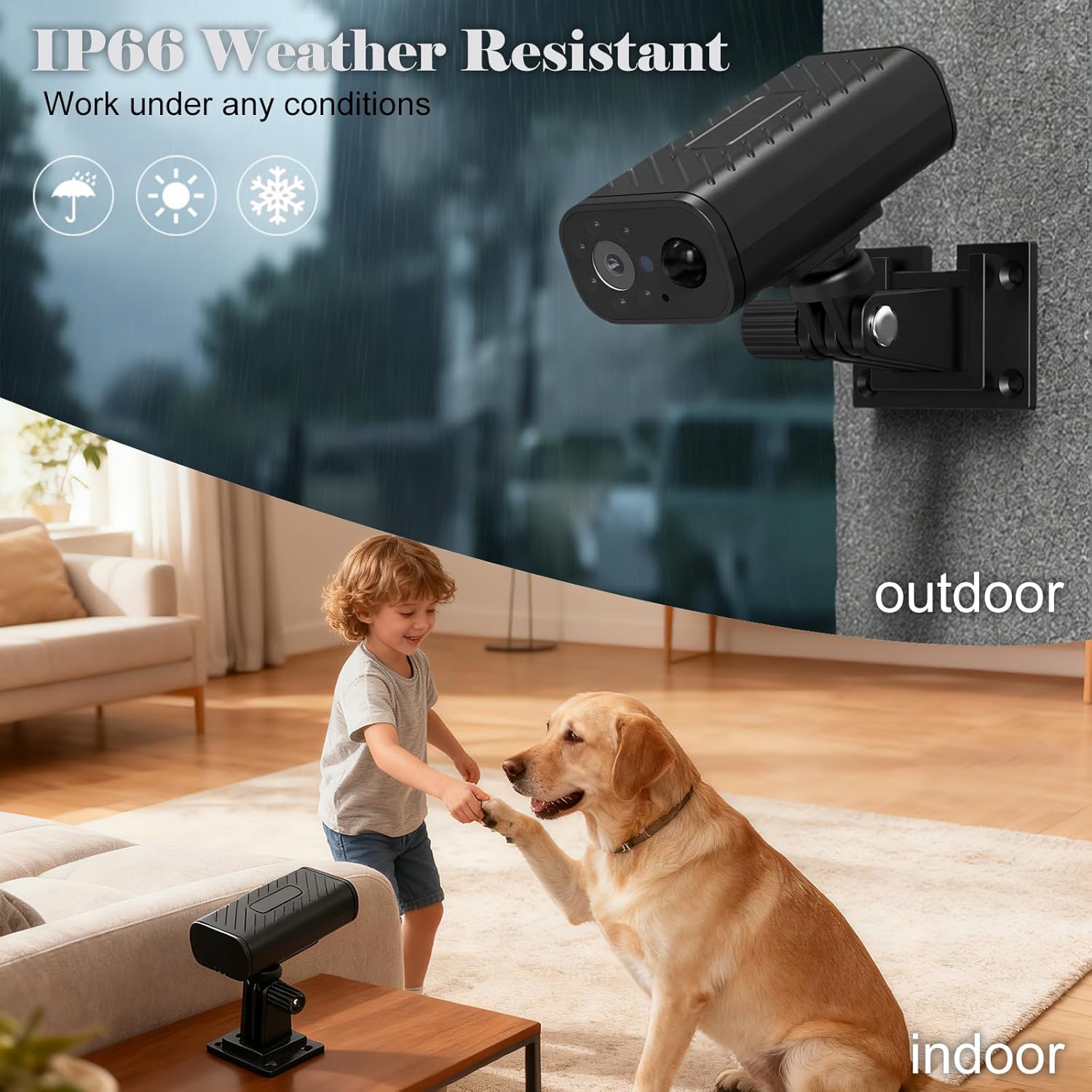
Image: The IP66 weather-resistant design allows the camera to work reliably under various indoor and outdoor conditions.
Troubleshooting
| Problem | Possible Cause | Solution |
|---|---|---|
| Camera not powering on or charging. | Low battery; faulty charging cable/adapter; defective unit. | Ensure the camera is fully charged. Try a different USB cable and power adapter. If the issue persists, contact customer support. |
| Unable to connect to Wi-Fi. | Incorrect Wi-Fi password; connecting to 5GHz network; camera too far from router; network interference. | Verify Wi-Fi password. Ensure you are connecting to a 2.4GHz network. Move the camera closer to the router. Reduce potential interference from other devices. |
| Frequent connection drops or unstable app. | Weak Wi-Fi signal; app software bug; outdated app version. | Improve Wi-Fi signal strength. Update the app to the latest version. Restart the camera and your mobile device. |
| Motion detection not working or false alarms. | Incorrect sensitivity settings; environmental factors (e.g., strong winds, moving branches). | Adjust motion detection sensitivity in the app. Ensure the camera's view is clear of objects that might cause false triggers. |
| Poor night vision quality. | Obstruction of IR lights; camera placement; environmental light. | Ensure the IR lights are not blocked. Reposition the camera to optimize night vision. |
| SD card not recognized or recording issues. | SD card not inserted correctly; incompatible SD card; corrupted SD card. | Reinsert the SD card. Ensure it is a compatible Micro SD card (up to 256GB). Try formatting the SD card via the app or using a new one. |
Specifications
| Feature | Detail |
|---|---|
| Brand | PNZEO |
| Model Name | W9 Pro |
| Model Number | W9 |
| Connectivity Technology | Wireless (Wi-Fi 2.4GHz only) |
| Video Capture Resolution | 1080p, 4K |
| Effective Still Resolution | 200 MP |
| Special Features | 2-Way Audio, HD Resolution, Local Recording, Motion Sensor, Weather Proof |
| Indoor/Outdoor Usage | Indoor, Outdoor |
| Power Source | Battery Powered (Built-in 1600mAh rechargeable battery) |
| Battery Life | Up to 30 days (smart power saving mode) |
| Water Resistance Level | IP66 Water Resistant |
| Night Vision Range | 50 feet |
| Number of IR LEDs | 4 |
| Flash Memory Supported Size Maximum | 256 GB (Micro SD Card, not included) |
| Control Method | App (Android, iOS) |
| Item Dimensions | 2.8 x 1.42 x 0.9 inches |
| Enclosure Material | Acrylonitrile Butadiene Styrene (ABS) |
Warranty Information
PNZEO products typically come with a limited manufacturer's warranty. Please refer to the warranty card included in your product packaging or visit the official PNZEO website for detailed warranty terms and conditions. Keep your proof of purchase for warranty claims.
Customer Support
For further assistance, technical support, or inquiries regarding your PNZEO W9 Mini Cam, please contact PNZEO customer service.
- Website: Visit the official PNZEO website for support resources.
- Email: Refer to your product packaging or the app for specific contact email.
- In-App Support: Many smart device apps include a support or FAQ section.