
Introduction
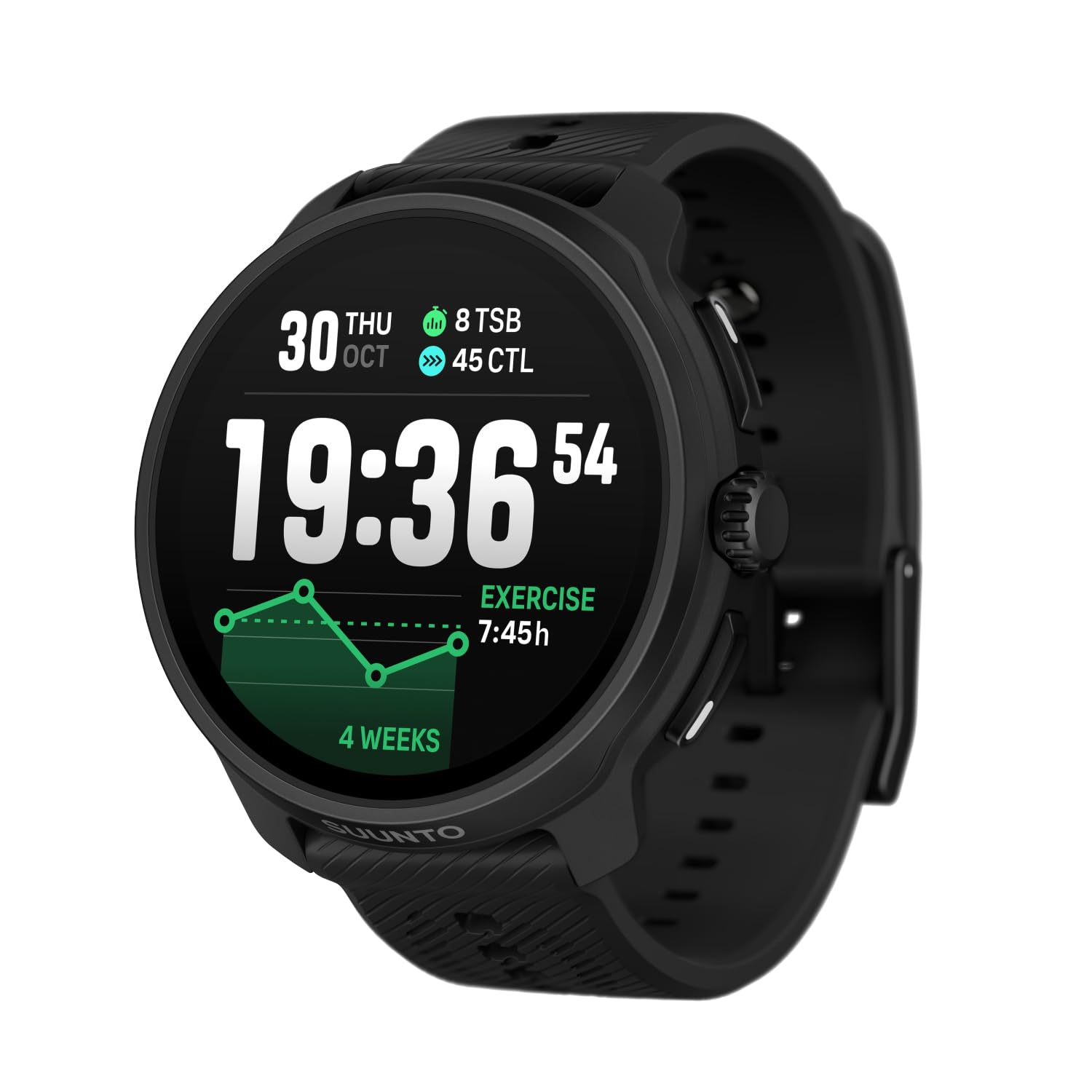
The SUUNTO Race 2 is a high-performance GPS sports watch designed for athletes focused on endurance training, racing, and daily activity tracking. It features a vibrant 1.5-inch AMOLED touchscreen, extended battery life, advanced training metrics, and comprehensive navigation tools. This manual provides essential information for setting up, operating, maintaining, and troubleshooting your device.
Product Overview
The SUUNTO Race 2 combines a sleek, lightweight design with robust functionality to support your active lifestyle. Key features include:
- 1.5-inch AMOLED Touchscreen: For clear visibility in various lighting conditions.
- Extended Battery Life: Up to 16 days in daily use and up to 55 hours in best GPS training mode.
- Advanced Training Metrics: Including Training Stress Score (TSS), Chronic Training Load (CTL), and Training Stress Balance (TSB) for optimized performance.
- Recovery Insights: Track heart rate variability (HRV) and sleep for comprehensive recovery analysis.
- 115+ Sport Modes: Adaptable tracking for a wide range of activities including running, cycling, swimming, and more.
- Dual-Band GNSS: For precise location tracking and navigation.
- 32GB Global Offline Maps: Pre-load maps for navigation without network connectivity.
- ClimbGuidance: Assists with navigation on technical terrain.
- Suunto Coach: Offers personalized training guidance tailored to your goals.
- Music Control: Manage headphone music, podcasts, or audiobooks directly from your wrist.
- Daily Activity and Sleep Tracking: Monitor steps, calories, and sleep patterns.
- Customizable Watch Faces and Straps: Personalize the watch to match your style.
What's in the Box
- SUUNTO RACE 2 ALL BLACK Watch (x1)
- Charging cable (x1)
- Printed user documentation (x1)
Setup
1. Initial Power On
- Press and hold the top right button (digital crown) for a few seconds until the SUUNTO logo appears.
- Follow the on-screen instructions to select your preferred language and basic settings.
2. Downloading and Pairing with Suunto App
- Download the Suunto App from the App Store (iOS) or Google Play Store (Android) on your smartphone.
- Enable Bluetooth on your smartphone.
- Open the Suunto App and create an account or log in.
- Follow the app's instructions to pair your SUUNTO Race 2 watch. The app will guide you through the pairing process, which typically involves confirming a code displayed on both devices.
3. Charging the Watch
Before first use, ensure your watch is fully charged.
- Connect the charging cable to a USB power source (e.g., computer, USB wall adapter).
- Attach the magnetic end of the charging cable to the charging port on the back of your watch. Ensure the pins align correctly.
- The watch display will indicate charging status. A full charge typically takes a few hours.

Operating
1. Basic Navigation
- Digital Crown (Top Right Button): Rotate to scroll through menus and widgets. Press to select an item or wake the display.
- Touchscreen: Swipe up/down/left/right to navigate. Tap to select.
- Back Button (Bottom Right Button): Press to go back to the previous screen or exit a menu.
2. Sport Modes
The SUUNTO Race 2 offers over 115 sport modes. To select a sport mode:
- From the watch face, swipe left or rotate the digital crown to access the sport mode selection.
- Scroll through the list and tap on your desired sport (e.g., Running, Cycling, Pool Swimming).
- Once selected, you can customize settings for that activity or press 'Start' to begin.

3. Navigation and Maps
Utilize the dual-band GNSS and pre-loaded offline maps for accurate navigation.
- Access the map widget from the watch face.
- You can view your current location, pre-loaded routes, or use features like ClimbGuidance.
- Zoom in/out and pan across the map using the touchscreen.

4. Training and Recovery Insights
The watch provides detailed metrics to optimize your training and recovery.
- Training Load: Monitor your weekly TSS to understand your training intensity.
- Progress: Track your CTL and TSB to see long-term fitness development and readiness.
- Recovery: View your heart rate variability (HRV) and sleep data to assess your body's recovery status.

5. Music Control
Control your smartphone's music playback directly from your watch.
- Ensure your watch is connected to your smartphone via Bluetooth.
- Access the music control widget.
- Play, pause, skip tracks, and adjust volume.
Maintenance
1. Cleaning the Watch
- Rinse the watch and strap with fresh water after each workout, especially after swimming in salt water.
- Wipe the watch dry with a soft, clean cloth.
- Regularly clean the optical heart rate sensor area on the back of the watch to ensure accurate readings.
2. Battery Care
- Avoid fully discharging the battery frequently. Charge it before it drops below 20%.
- Store the watch in a cool, dry place when not in use for extended periods.

3. Software Updates
Keep your watch's software up to date to ensure optimal performance and access to new features.
- Connect your watch to the Suunto App.
- The app will notify you if a new software update is available.
- Follow the app's instructions to download and install the update.
Troubleshooting
1. Watch Not Turning On
- Ensure the watch is fully charged. Connect it to the charger for at least 30 minutes.
- Perform a soft reset by pressing and holding the digital crown for 12 seconds.
2. GPS Inaccuracy
- Ensure you have a clear view of the sky when starting an activity.
- Check that Dual-Band GNSS is enabled in your sport mode settings for best accuracy.
- Sync your watch with the Suunto App regularly to update GPS satellite data.
3. App Connectivity Issues
- Ensure Bluetooth is enabled on both your watch and smartphone.
- Restart both your watch and smartphone.
- Try unpairing and re-pairing the watch through the Suunto App.
Specifications
| Feature | Detail |
|---|---|
| Model Name | RACE 2 |
| Screen Size | 4.9 Centimeters (1.5 inches) |
| Display Type | AMOLED |
| Connectivity Technology | Bluetooth |
| Supported Satellite Navigation System | GLONASS, GPS, Galileo, QZSS (Dual-Band GNSS) |
| Memory Storage Capacity | 32 GB |
| Battery Life (Daily Use) | Up to 16 days |
| Battery Life (Best GPS Training Mode) | Up to 55 hours |
| Water Resistance | Waterproof (100m) |
| Human-Interface Input | Buttons, Touchscreen |
| Model Year | 2025 |
Warranty and Support
Warranty Information
The SUUNTO Race 2 GPS Sports Watch comes with a 2-Year Manufacturer Warranty. Please refer to the printed user documentation included in the box for full warranty terms and conditions.
Customer Support
For additional support, troubleshooting, or to explore expanding capabilities and features, please visit the official SUUNTO website or contact SUUNTO customer service. The Suunto App also provides extensive resources and personalized guidance.
Official Product Videos
SUUNTO RACE S: Compact & full-featured outdoor sports watch
This video provides an overview of the SUUNTO RACE S, highlighting its compact design and full features for outdoor sports. It showcases the watch in various active scenarios.
Race 2 Black 360
A 360-degree view of the SUUNTO Race 2 in All Black, showcasing its design from all angles.
Race 2 product intro
An introductory video for the SUUNTO Race 2, highlighting its main features and benefits in a dynamic presentation.


