
1. Introduction
This manual provides essential information for the safe and efficient use of your realme C71 4G Smartphone. Please read it thoroughly before operating your device to ensure optimal performance and longevity. The realme C71 features a 6.745-inch 90Hz Eye Comfort Display, a 6300mAh battery, a 37MP camera system, and is powered by the Unisoc T7250 chipset.
2. Device Overview
Familiarize yourself with the physical components of your realme C71 smartphone.

Image: Front and back view of the realme C71 4G Smartphone, highlighting its slim design, large battery capacity, and triple volume feature.
What's in the Box
- Handset
- Charger
- USB data cable
- SIM Tray Ejector
- Phone Case
3. Setup
3.1 Inserting the SIM Card
- Locate the SIM card tray on the side of your device.
- Use the provided SIM tray ejector tool to open the tray.
- Place your Nano-SIM card(s) and/or microSD card into the tray with the gold contacts facing down.
- Carefully reinsert the tray into the phone.
3.2 Initial Power On and Setup
- Press and hold the Power button until the realme logo appears.
- Follow the on-screen instructions to select your language, region, and connect to a Wi-Fi network.
- Sign in with your Google account or create a new one.
- Complete the setup wizard to personalize your device settings.
4. Operating Your Device
4.1 Display Features
The realme C71 features a 6.745-inch 90Hz Eye Comfort Display. This display offers smooth visuals and is designed to minimize eye strain through blue light reduction and Real Dc-Dimming technology.

Image: The realme C71 display showcasing its 90Hz refresh rate, 563 nit maximum brightness, 6.74-inch size, and up to 180Hz touch sampling rate.
4.2 Performance and Storage
The device is equipped with a Unisoc T7250 octa-core chipset, providing smooth performance for applications and multitasking. It comes with 6GB of RAM and 128GB of internal storage.

Image: Illustration of 6GB dynamic RAM and 128GB ROM, representing the phone's memory and storage capabilities.
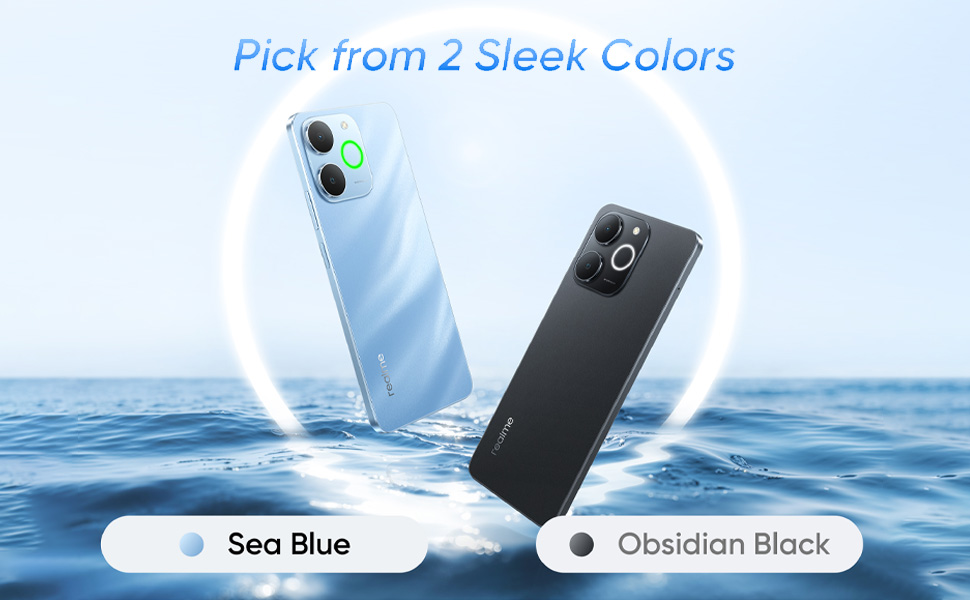
Image: A visual representation of the phone's 128GB storage capacity, showing various app icons and files.
4.3 Camera Usage
Capture clear and vibrant photos and videos with the 37MP camera system. The camera interface offers various modes and settings to enhance your photography experience.
4.4 Battery Management
The realme C71 is equipped with a massive 6300mAh battery, designed to provide extended usage time. To optimize battery life:
- Adjust screen brightness.
- Close unused applications.
- Enable power-saving modes when needed.

Image: An illustration of the 6300mAh battery, showing estimated usage times for phone calls (46.5h), Candy Crush Saga (13.6h), Instagram (19.0h), and YouTube (20.7h).
4.5 Audio Features
Experience enhanced call clarity with 3x volume and AI Noise Reduction technology, minimizing background noise during conversations.

Image: A visual representation of the 3x volume and AI noise reduction feature during a phone call, showing sound waves and a car icon to denote noise cancellation.
5. Special Features
5.1 Pulse Light
The Pulse Light feature provides visual notifications for incoming calls, messages, and other alerts, offering a quick way to stay informed.

Image: The back of the realme C71 smartphone, highlighting the 'Pulse Light' around the camera module, indicating its notification function.
5.2 Durability
The realme C71 incorporates Armor Shell Protection, providing military-grade shock resistance for drops up to 1.8 meters. It also features IP54 dust and splash resistance, protecting against everyday dust and water splashes.

Image: The realme C71 phone on a staircase, illustrating its 'Armor Shell Protection' and military-grade shock resistance.

Image: The realme C71 phone being splashed with water, demonstrating its IP54 dust and water resistance.
6. Maintenance
To maintain your realme C71 in optimal condition:
- Clean the screen and body with a soft, lint-free cloth.
- Avoid exposing the device to extreme temperatures or direct sunlight for prolonged periods.
- Do not use harsh chemicals or abrasive materials for cleaning.
- Keep the device away from strong magnetic fields.
7. Troubleshooting
If you encounter issues with your device, try the following common solutions:
- Device unresponsive: Press and hold the Power button for about 10-15 seconds to force a restart.
- App crashing: Close the app and reopen it. If the issue persists, clear the app's cache or reinstall it.
- Poor battery life: Review section 4.4 on battery management. Ensure background apps are closed and power-saving modes are utilized.
- Network connectivity issues: Toggle Airplane Mode on and off. Restart the device. Check your SIM card insertion.
- Software issues: Ensure your device's software is up to date. Go to Settings > About phone > Software update.
For persistent issues, contact realme customer support or visit an authorized service center.
8. Specifications
| Operating System | Android 14 |
| RAM | 6 GB |
| Internal Storage | 128 GB |
| Product Dimensions | 16.72 x 7.66 x 0.79 cm |
| Item Model Number | RMX5313 |
| Connectivity Technologies | Bluetooth, USB, Wi-Fi |
| Special Features | 90Hz Eye Comfort Display, 6300mAh Battery, IP54 Dust and Splash Resistance |
| Display Resolution | 720 x 1604 |
| Audio Jack | 3.5 mm |
| Color | Sea Blue |
| Battery Power Rating | 6300 mAh |
| Item Weight | 200 g |
| CPU Model | Unisoc T7250 (Octa-core) |
| CPU Speed | 1.8 GHz |
9. Warranty and Support
Your realme C71 smartphone comes with a standard manufacturer's warranty. For detailed warranty terms and conditions, please refer to the warranty card included in your product packaging or visit the official realme support website. For technical assistance, troubleshooting, or service requests, please contact realme customer support.
Official realme website: www.realme.com