
1. Introduction
These Conyat X7 Open Ear Wireless Headphones are designed for comfortable listening while maintaining situational awareness. They feature Bluetooth 5.4 connectivity, a secure ear-hook design, and IP7 waterproofing, making them suitable for various activities. This manual provides instructions for proper use and care of your device.
2. Package Contents
Please verify that all items listed below are included in your package:
- 2 x Conyat X7 Wireless Earbuds
- 1 x Charging Case
- 1 x USB-C Charging Cable
- 1 x User Manual

Image: Conyat X7 package contents including earbuds, charging case, USB-C cable, and user manual.
3. Product Overview
The Conyat X7 headphones feature an open-ear design with secure ear hooks for comfort and situational awareness. The charging case includes a digital display for battery status.
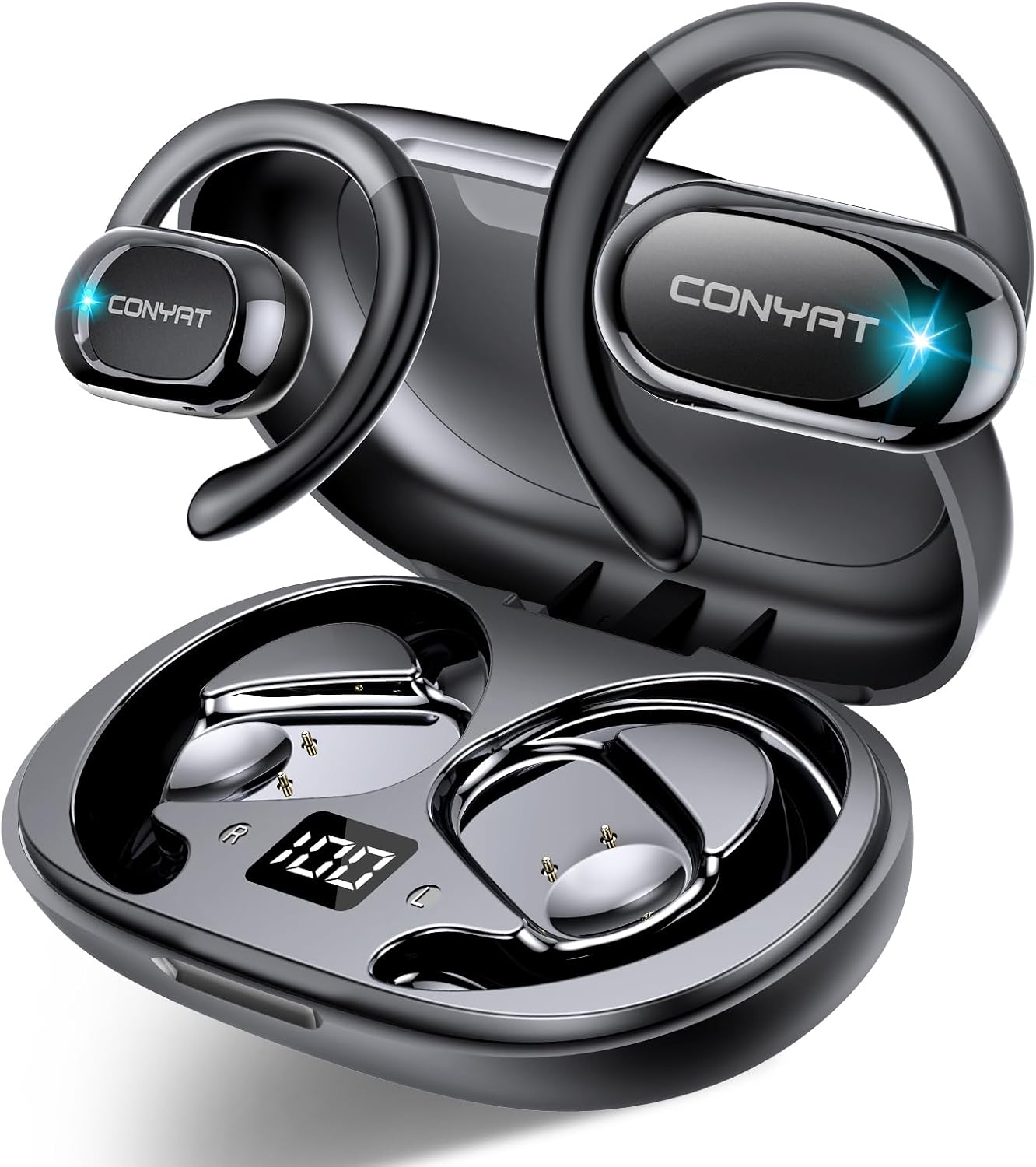
Image: Conyat X7 Open Ear Wireless Headphones and Charging Case.
Earbud Components
- Open-Ear Design: Allows ambient sound awareness.
- Adjustable Ear Hooks: Provide a secure and comfortable fit.
- 14.2mm Dynamic Drivers: Deliver balanced audio with clear vocal details.
- Touch Control Area: For managing music playback and calls.
- Microphone: Built-in for voice calls with environmental noise cancellation (ENC).

Image: Internal view of Conyat X7 earbud showing 14.2mm dynamic driver.
4. Setup
4.1 Charging the Headphones
Before first use, fully charge the headphones and charging case. Connect the provided USB-C cable to the charging port on the case and a power source. The digital display on the case will show the battery percentage. A full charge for the case takes approximately 2 hours.
- Earbud Battery Life: Up to 8 hours on a single charge.
- Total Playtime with Charging Case: Up to 48 hours.

Image: Conyat X7 Charging Case with Digital Battery Display and USB-C Port.
4.2 Bluetooth Pairing
- Ensure the earbuds are charged.
- Open the charging case. The earbuds will automatically enter pairing mode, indicated by a flashing LED light.
- On your device (smartphone, tablet, etc.), enable Bluetooth.
- Search for available Bluetooth devices and select "X7" from the list.
- Once connected, the LED indicator on the earbuds will turn off, and your device will confirm the connection.
- The earbuds will automatically reconnect to the last paired device when removed from the case.

Image: Conyat X7 Bluetooth Pairing Process on a Smartphone.
5. Operating Instructions
5.1 Wearing the Earbuds
For optimal comfort and sound quality, follow these steps to wear your Conyat X7 headphones:
- Take out the headphones and unfold the ear hooks to their maximum angle.
- Slide the ear hook behind your ear.
- Adjust the earbuds to sit comfortably and securely over your ear, ensuring the sound outlet is positioned correctly. The ear hooks are 90-degree rotatable for a customized fit.

Image: Step-by-step guide on how to correctly wear Conyat X7 Open Ear Headphones.
5.2 Touch Controls
The Conyat X7 headphones feature intuitive touch controls on each earbud:
| Action | Left Earbud (L) | Right Earbud (R) |
|---|---|---|
| Play/Pause | Double-tap | |
| Volume Up | N/A | Single-tap |
| Volume Down | Single-tap | N/A |
| Next Track | N/A | Long press (2 seconds) |
| Previous Track | Long press (2 seconds) | N/A |
| Answer/End Call | Single-tap | |
| Reject Call | Long press (2 seconds) | |
| Activate Voice Assistant | Triple-tap | |

Image: Conyat X7 Earbud Touch Control Functions.
6. Maintenance
To ensure the longevity and optimal performance of your Conyat X7 headphones, follow these maintenance guidelines:
- Cleaning: Regularly wipe the earbuds and charging case with a soft, dry, lint-free cloth. Avoid using abrasive materials or harsh chemicals.
- Water Resistance: The headphones are IP7 waterproof, meaning they can withstand sweat and splashes. However, they are not designed for swimming or prolonged submersion. Ensure the charging port is dry before charging.
- Storage: When not in use, store the earbuds in their charging case to protect them from dust and damage. Store in a cool, dry place away from extreme temperatures.
- Battery Care: Avoid fully depleting the battery frequently. Charge the device regularly to maintain battery health.

Image: Conyat X7 earbuds being splashed with water, demonstrating their IP7 waterproof and sweatproof capabilities.
7. Troubleshooting
If you encounter issues with your Conyat X7 headphones, refer to the following common problems and solutions:
- No Sound:
- Ensure earbuds are charged and connected to your device.
- Check the volume level on both your device and the earbuds.
- Try re-pairing the earbuds with your device.
- Pairing Issues:
- Make sure Bluetooth is enabled on your device and the earbuds are in pairing mode.
- Ensure the earbuds are not connected to another device. Turn off Bluetooth on other nearby devices.
- Place earbuds back in the case, close it, then open it again to reset pairing mode.
- Charging Problems:
- Verify the USB-C cable is securely connected to both the case and the power source.
- Try a different USB-C cable or power adapter.
- Ensure the charging contacts on the earbuds and inside the case are clean and free of debris.
- Poor Call Quality:
- Ensure the microphone is not obstructed.
- Move closer to your connected device to improve signal strength.
- Check for environmental noise; the ENC feature works best in moderate noise conditions.
If the problem persists, please contact customer support.
8. Specifications
| Feature | Specification |
|---|---|
| Model Name | X7 |
| Brand | Conyat |
| Ear Placement | Open Ear |
| Form Factor | Over Ear |
| Connectivity Technology | Wireless (Bluetooth 5.4) |
| Bluetooth Version | 5.4 |
| Bluetooth Range | 15 Meters |
| Audio Driver Type | Dynamic Driver (14.2mm) |
| Earbud Battery Life | Up to 8 Hours |
| Total Playtime (with case) | Up to 48 Hours |
| Charging Time (Case) | Approx. 2 Hours |
| Water Resistance | IP7 Rated |
| Control Type | Touch Control |
| Noise Control | Passive Noise Cancellation (ENC for calls) |
| Material | Silicone |
| Item Weight | Approx. 100 Grams (3.53 ounces) |
| Product Dimensions | 1.97 x 1.57 x 2.36 inches |
9. Warranty and Support
Conyat is committed to providing quality products and customer satisfaction.
- Quality Guarantee: Your Conyat X7 headphones come with a 12-month quality guarantee from the date of purchase.
- Worry-Free Trial: A 30-day worry-free trial period is offered for your peace of mind.
- Customer Service: For any inquiries, technical support, or warranty claims, please contact our 24-hour customer service. Refer to the contact information provided in your product packaging or on the official Conyat website.

