
Monstrum G3F62450-FDE, ZS226
Contents
Monstrum G3F62450-FDE 6-24x50 FFP Optic and ZS226 Anti-Cant Mount Instruction Manual
Models: G3F62450-FDE (Rifle Scope), ZS226 (Scope Mount)
1. Introduction
This manual provides comprehensive instructions for the safe and effective use of your Monstrum G3F62450-FDE 6-24x50 First Focal Plane (FFP) Precision Optic and the Monstrum ZS226 Anti-Cant Scope Mount. Please read this manual thoroughly before installation and operation to ensure proper functionality and to prevent damage to the product or injury.

Figure 1.1: Monstrum G3F62450-FDE 6-24x50 FFP Optic and ZS226 Anti-Cant Mount shown together.
2. Safety Information
Always prioritize safety when handling firearms and accessories. Failure to follow these safety guidelines may result in serious injury or death.
- Ensure the firearm is unloaded and pointed in a safe direction before installing or adjusting any accessories.
- Always wear appropriate eye protection during installation, adjustment, and use.
- Do not look directly at the sun or any intense light source through the scope, as this can cause permanent eye damage.
- Keep all components out of reach of children.
- If you are unfamiliar with firearm accessories installation, seek assistance from a qualified gunsmith.
3. Package Contents
Verify that all items are present in your package:
- Monstrum G3F62450-FDE 6-24x50 First Focal Plane Rifle Scope
- Monstrum ZS226 Anti-Cant Scope Mount
- Lens Covers
- Cleaning Cloth
- Mounting Hardware and Tools (e.g., Hex Keys)
4. Setup and Installation
4.1. Monstrum ZS226 Anti-Cant Scope Mount Installation
The ZS226 mount is designed to provide a stable platform for your scope and includes an integrated anti-cant bubble level for precise alignment.
- Ensure your firearm is unloaded and secured.
- Loosen the ring screws on the ZS226 mount.
- Place the G3F62450-FDE scope into the mount rings. Ensure the scope is positioned correctly for eye relief.
- Lightly tighten the ring screws to hold the scope in place, allowing for minor adjustments.
- Attach the ZS226 mount to your rifle's Picatinny or Weaver rail using the base clamps. Ensure the mount is seated fully forward in the rail slots.
- Tighten the base clamp nuts securely according to manufacturer specifications (typically 65 in-lbs).
- Level the rifle using a separate leveling tool or by ensuring the rifle's action is plumb.
- Rotate the scope within the rings until the reticle is perfectly level. Use the integrated anti-cant bubble level on the ZS226 mount as a primary reference.
- Once the reticle is level, tighten the scope ring screws evenly and incrementally in a crisscross pattern until secure (typically 18-20 in-lbs). Do not overtighten.

Figure 4.1: Monstrum ZS226 Anti-Cant Scope Mount, side view.

Figure 4.2: Close-up of the Monstrum ZS226 Anti-Cant Scope Mount, highlighting the integrated bubble level.
4.2. Initial Zeroing
After installation, the scope must be zeroed to your rifle. This process typically involves firing at a target at a known distance (e.g., 25 or 100 yards) and adjusting the scope's windage and elevation turrets until the point of impact matches the point of aim.
- Start at a close range to ensure shots are on paper.
- Adjust the elevation and windage turrets. Each click on the G3F62450-FDE scope adjusts the point of impact by 1/4 MOA (Minute of Angle).
- Make adjustments carefully, observing the impact shifts.
- Once zeroed at a close range, confirm zero at your desired primary zero distance.
5. Operating the Optic
5.1. Magnification Adjustment
The G3F62450-FDE features a variable magnification range from 6x to 24x. Rotate the magnification ring, located near the eyepiece, to adjust the desired power setting.
5.2. Windage and Elevation Turrets
The scope is equipped with exposed, tactical-style windage and elevation turrets. Each click provides 1/4 MOA adjustment. The turrets can be reset to zero after initial zeroing by loosening the set screws, rotating the turret cap to '0', and re-tightening the screws.

Figure 5.1: Side view of the Monstrum G3F62450-FDE scope, showing the windage and elevation turrets.
5.3. Parallax Adjustment
The side parallax knob allows for adjustment to eliminate parallax error at various distances. Rotate the knob until the target appears sharp and the reticle does not shift relative to the target when you move your head slightly.
5.4. First Focal Plane (FFP) Reticle
The G3F62450-FDE features a First Focal Plane (FFP) reticle. In an FFP scope, the reticle's size changes proportionally with the magnification. This means that the subtensions (hash marks) on the reticle remain accurate for range estimation and holdovers at all magnification settings.

Figure 5.2: Diagram illustrating the Monstrum Custom Type-H First Focal Plane (FFP) reticle at minimum and maximum magnification, showing consistent subtensions.

Figure 5.3: Comparison diagram explaining the difference between First Focal Plane (FFP) and Second Focal Plane (SFP) reticles, demonstrating how FFP reticles scale with magnification.
5.5. Using the Anti-Cant Level Bubble
The integrated anti-cant level bubble on the ZS226 mount helps ensure your rifle is perfectly level before each shot. Imperfect vertical alignment (cant) can lead to horizontal drift of your shots, especially at longer distances. Always check the bubble level to confirm a level rifle before firing.

Figure 5.4: Monstrum guide explaining the importance of an anti-cant level bubble and its effect on shot placement at various distances.
6. Maintenance
6.1. Cleaning
- Lenses: Use the provided lens cloth or a high-quality optical cleaning cloth. For stubborn smudges, use a small amount of lens cleaning fluid specifically designed for optics. Avoid using harsh chemicals or abrasive materials.
- Body: Wipe the scope and mount body with a soft, damp cloth to remove dirt and debris.
6.2. Storage
- Store the optic in a cool, dry place, away from direct sunlight and extreme temperatures.
- Ensure lens covers are in place to protect the lenses from dust and scratches.
7. Troubleshooting
- Blurry Image: Adjust the eyepiece focus (diopter) and parallax knob until the reticle and target are sharp.
- Point of Impact Shift: Check that the scope mount screws and ring screws are securely tightened. Verify that the barrel and action are free of obstructions. Re-confirm zero.
- Reticle Not Level: Re-check the scope's rotation within the rings using the ZS226 anti-cant bubble level and re-tighten ring screws.
8. Specifications
8.1. Monstrum G3F62450-FDE 6-24x50 FFP Optic
- Magnification: 6-24x
- Objective Lens Diameter: 50mm
- Reticle: Custom Type-H, First Focal Plane (FFP)
- Adjustment Click Value: 1/4 MOA
- Color: FDE (Flat Dark Earth)
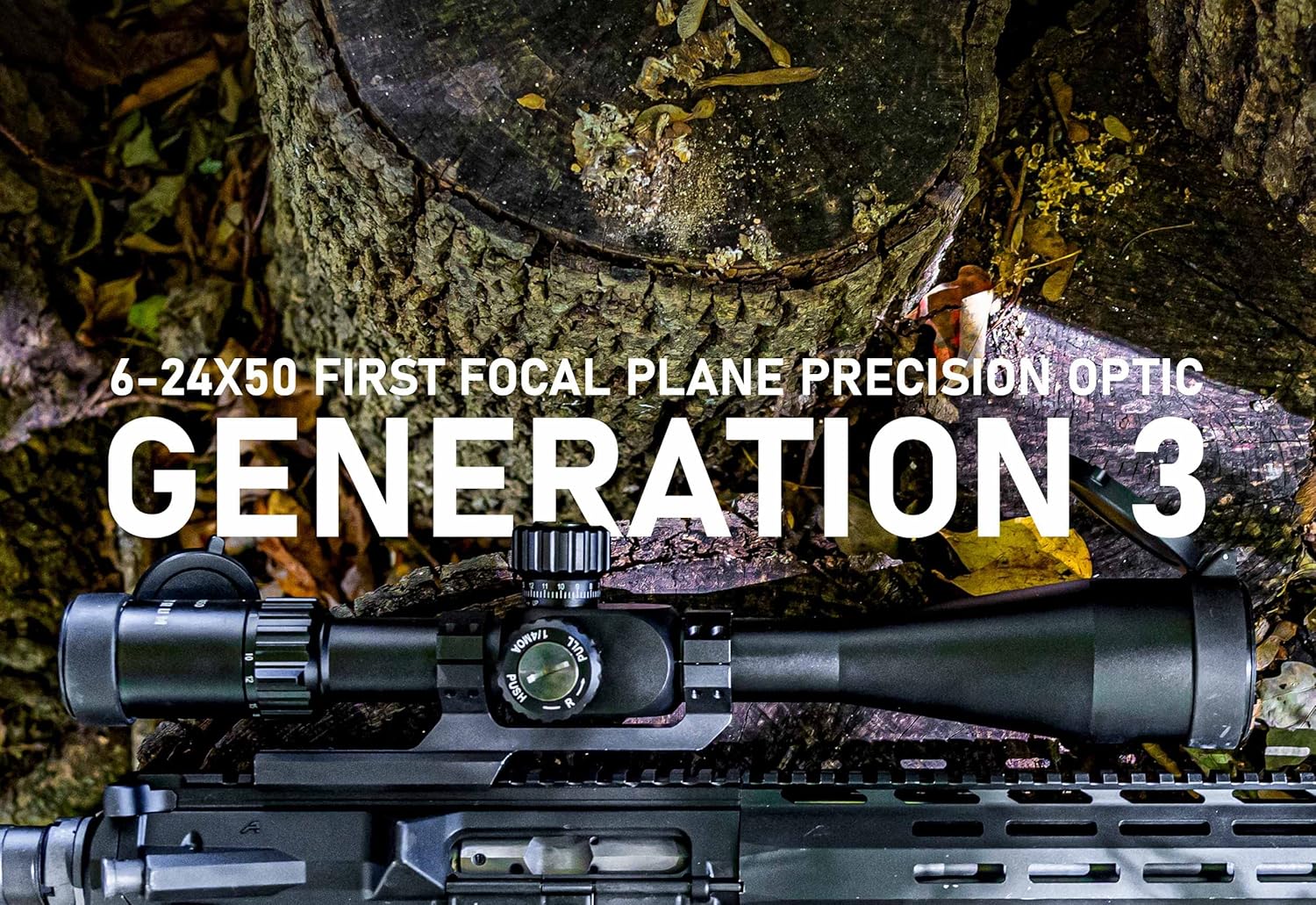
Figure 8.1: Monstrum Generation 3 6-24x50 First Focal Plane Precision Optic mounted on a rifle.
8.2. Monstrum ZS226 Anti-Cant Scope Mount
- Ring Diameter: (Assumed to match scope, e.g., 30mm or 34mm - not specified in product data, but standard for such scopes)
- Mount Type: Picatinny/Weaver Rail
- Feature: Integrated Anti-Cant Bubble Level
- Material: Aluminum (typical for scope mounts)
9. Warranty and Support
All Monstrum products are backed by a lifetime guarantee. For warranty claims, technical support, or further assistance, please refer to the official Monstrum website or contact their customer service directly.
Monstrum Tactical
Website: Visit the Monstrum Store on Amazon (for general information)
Ask a question about this manual
Ask about setup, troubleshooting, compatibility, parts, safety, or missing instructions. Manuals+ will review the question and use this page’s manual context to help answer it.