
dbsono N8A
dbsono Portable Bluetooth Speaker Wireless User Manual
Model: N8A
Introduction
This manual provides essential information for the safe and efficient operation of your dbsono Portable Bluetooth Speaker Wireless (Model: N8A). Please read this manual thoroughly before using the product and retain it for future reference.
Safety Information
- Do not expose the speaker to extreme temperatures or direct sunlight for prolonged periods.
- Avoid dropping or subjecting the speaker to strong impacts.
- Do not disassemble, repair, or modify the speaker yourself. Contact qualified service personnel for any repairs.
- Keep the speaker away from medical devices.
- Ensure the charging port cover is securely closed when near water to maintain IPX5 water resistance.
- Use only the provided power cable for charging.
Package Contents
Verify that all items are present in the package:
- dbsono Portable Bluetooth Speaker (Model: N8A)
- Power Cable
- Quick Start Guide
Product Overview

Figure 1: Front view of the dbsono Portable Bluetooth Speaker. This image displays the speaker's red mesh grille and the top panel with control buttons.
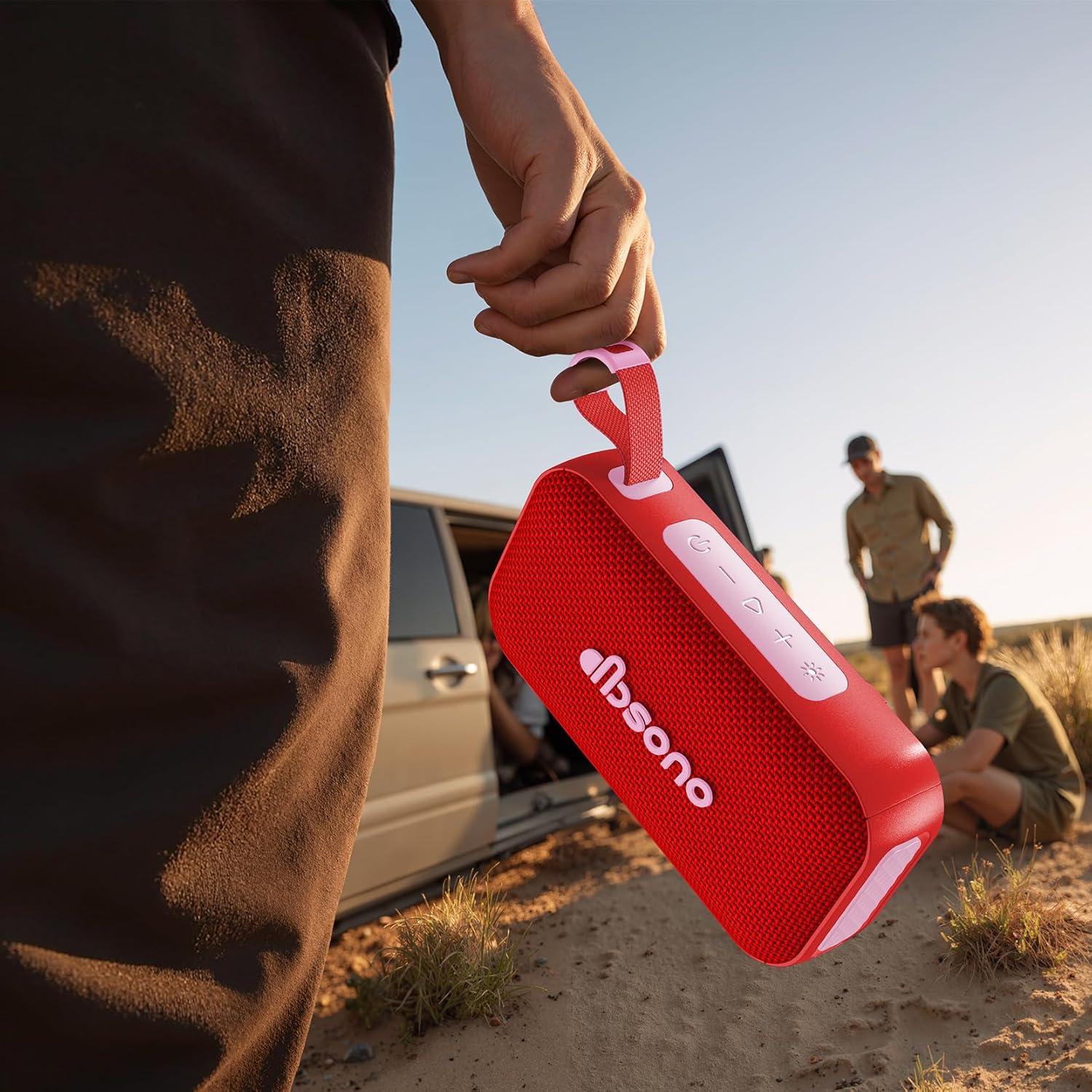
Figure 2: The dbsono speaker being held, illustrating its compact size and portability for outdoor use.
Controls and Indicators:
- Power Button: Press and hold to turn on/off.
- Volume Up (+): Short press to increase volume. Long press for next track.
- Volume Down (-): Short press to decrease volume. Long press for previous track.
- Play/Pause Button: Press to play or pause audio.
- Bluetooth Button: Press to enter pairing mode.
- Light Mode Button: Press to cycle through RGB light modes.
- Charging Port: USB-C port for charging.
- LED Indicator: Shows power status, charging status, and Bluetooth connection.
Setup
1. Charging the Speaker
Before first use, fully charge the speaker. Connect the provided power cable to the speaker's charging port and the other end to a USB power adapter (not included). The LED indicator will show charging status and turn off when fully charged. A full charge provides up to 30 hours of playtime.
2. Powering On/Off
- To Power On: Press and hold the Power Button for 2-3 seconds until you hear an audible prompt and the LED indicator lights up.
- To Power Off: Press and hold the Power Button for 2-3 seconds until you hear an audible prompt and the LED indicator turns off.
3. Bluetooth Pairing
- Ensure the speaker is powered on and within 10 meters (33 feet) of your Bluetooth device.
- The speaker will automatically enter Bluetooth pairing mode when powered on for the first time, or if no device is connected. The LED indicator will flash blue.
- On your device (smartphone, tablet, laptop), enable Bluetooth and search for available devices.
- Select "dbsono N8A" from the list of devices.
- Once connected, the LED indicator will turn solid blue, and you will hear a confirmation sound.
- To pair with a new device, disconnect from the current device or press the Bluetooth button to enter pairing mode again.
4. True Wireless Stereo (TWS) Pairing
TWS allows you to connect two dbsono N8A speakers for a combined 40W stereo sound experience.
- Ensure both speakers are powered on and not connected to any Bluetooth device.
- On one speaker (this will be the primary speaker), press and hold the Bluetooth button for 3 seconds. You will hear a prompt indicating TWS pairing mode.
- The primary speaker will automatically search for the second speaker.
- Once connected, both speakers will emit a confirmation sound, and their LED indicators will synchronize.
- Now, connect your Bluetooth device to the primary speaker as described in the "Bluetooth Pairing" section. Audio will play through both speakers in stereo.
- To disconnect TWS, press and hold the Bluetooth button on either speaker for 3 seconds.
Operating
Basic Audio Controls
- Play/Pause: Press the Play/Pause button.
- Volume Up: Short press the '+' button.
- Volume Down: Short press the '-' button.
- Next Track: Long press the '+' button.
- Previous Track: Long press the '-' button.
RGB Lightshow Modes
Press the Light Mode button to cycle through various RGB light effects. The speaker offers multiple dynamic light modes to enhance your listening experience.

Figure 3: The speaker positioned on a rock in an outdoor setting, demonstrating its suitability for adventures.

Figure 4: The speaker on a table during an outdoor gathering, illustrating its use in social environments.
Maintenance
Cleaning
Wipe the speaker with a soft, damp cloth. Do not use abrasive cleaners, alcohol, or chemical solvents, as these may damage the surface or internal components.
Storage
When not in use for extended periods, store the speaker in a cool, dry place, away from direct sunlight and extreme temperatures. It is recommended to charge the speaker at least once every three months to maintain battery health.
Water Resistance (IPX5)
The speaker is IPX5 water resistant, meaning it can withstand splashes and light rain. It is not designed to be submerged in water. Ensure the charging port cover is securely closed before exposing the speaker to water. After exposure to water, wipe the speaker dry before charging.
Troubleshooting
| Problem | Possible Cause | Solution |
|---|---|---|
| Speaker does not turn on. | Battery is low or depleted. | Charge the speaker using the provided power cable. |
| Cannot pair with Bluetooth device. | Speaker is not in pairing mode; Bluetooth is off on device; Device is too far. | Ensure speaker is in pairing mode (flashing blue LED). Turn on Bluetooth on your device. Move device closer to speaker (within 10m). |
| No sound or low volume. | Volume on speaker or device is too low; Speaker is not connected. | Increase volume on both the speaker and your connected device. Ensure the speaker is successfully paired. |
| TWS pairing fails. | Speakers are too far apart; One speaker is already connected to a device. | Ensure both speakers are within close proximity. Disconnect any Bluetooth devices from both speakers before initiating TWS pairing. |
Specifications
| Model Name | N8A |
| Brand | dbsono |
| Speaker Type | Portable Speaker |
| Connectivity Technology | Bluetooth 5.4 |
| Speaker Maximum Output Power | 20 Watts (40W in TWS mode) |
| Playtime | Up to 30 hours |
| Water Resistance Level | IPX5 |
| Product Dimensions | 6.85"D x 2.05"W x 3.66"H |
| Item Weight | 1.15 pounds |
| Battery | 1 C battery (included) |
Warranty and Support
For warranty information or technical support, please refer to the contact details provided in the Quick Start Guide included with your product, or visit the official dbsono website. Please have your model number (N8A) and purchase details ready when contacting support.
Online Support: Visit the dbsono Store on Amazon
Related documentsN8A


Ask a question about this manual
Ask about setup, troubleshooting, compatibility, parts, safety, or missing instructions. Manuals+ will review the question and use this page’s manual context to help answer it.