
1. Introduction
Thank you for choosing the iScooter DX5 Electric Scooter. This manual provides essential information for the safe operation, assembly, maintenance, and troubleshooting of your new electric scooter. Please read this manual thoroughly before your first ride to ensure optimal performance and safety. Retain this manual for future reference.

2. Safety Guidelines
Your safety is paramount. Always adhere to local traffic laws and regulations. Failure to follow these guidelines may result in serious injury or property damage.
- Always wear a helmet and appropriate safety gear (knee pads, elbow pads) when riding.
- Do not ride under the influence of alcohol or drugs.
- Ensure all components are securely fastened before each ride.
- Maintain a safe speed and distance from other vehicles and pedestrians.
- Avoid riding in adverse weather conditions (heavy rain, snow, ice).
- The maximum load capacity is 330 lbs (150 kg). Do not exceed this limit.
- This scooter is UL2272 certified, ensuring electrical safety standards are met.
3. Package Contents
Verify that all items are present in the package:
- iScooter DX5 Electric Scooter (main unit)
- Battery Charger
- Detachable Front Basket
- Multifunctional Scooter Bag
- Assembly Tools (Hex keys, wrench)
- User Manual (this document)
4. Assembly & Initial Setup
Follow these steps to assemble and prepare your scooter for its first ride:
- Unpack the Scooter: Carefully remove all components from the packaging.
- Install the Handlebars: Attach the handlebar assembly to the steering column. Ensure all bolts are tightened securely.
- Attach the Seat: Secure the seat to the designated mounting points on the scooter frame.
- Mount the Front Basket: Install the detachable front basket using the provided hardware.
- Charge the Battery: Before first use, fully charge the scooter's battery. Connect the charger to the charging port and then to a power outlet. The indicator light on the charger will change when fully charged (typically 6-8 hours).
- Power On: Locate the main power breaker (often near the battery compartment) and switch it to the 'ON' position after assembly.
5. Operating Your Scooter
5.1 Power On/Off
After ensuring the main breaker is ON, tap your NFC card to the designated area on the display to unlock and power on the scooter. To power off, tap the NFC card again or hold the power button (if available) on the display.
5.2 Speed Modes
The iScooter DX5 offers four adjustable speed settings to suit various riding conditions. Use the 'S' Gear Button on the handlebar to cycle through these modes:
- 1st Gear Mode: 15 MPH (Easy start, energy-saving mode)
- 2nd Gear Mode: 21 MPH (Urban commuting, steady speed)
- 3rd Gear Mode: 28 MPH (Balanced power, faster ride)
- 4th Gear Mode: 35 MPH (Turbo sprint, full power)

5.3 Braking System
The scooter is equipped with responsive front and rear hydraulic disc brakes for reliable stopping power. Squeeze both brake levers simultaneously for effective and controlled deceleration. The power cut-off feature automatically shuts off the motor when braking for added safety.

5.4 Display and Controls
The 9-inch LCD dashboard provides real-time information such as speed, battery level, and system alerts. The handlebars feature intuitive controls for turn signals, headlight, horn, and speed mode selection.


5.5 Lighting System
For enhanced visibility and safety, the scooter is equipped with a comprehensive lighting system:
- Super Bright LED Headlight: Illuminates your path during night rides.
- Integrated Turn Signals: Clearly indicate your turning intentions to others.
- Taillight: Automatically brightens when braking, improving rear visibility.
- Electronic Horn: Alert pedestrians and traffic when necessary.

5.6 Security Features
The iScooter DX5 includes built-in security measures:
- NFC Unlock: Provides a quick and secure way to activate your scooter.
- Anti-Theft Alarm: An integrated alarm system deters unauthorized access.
- Auto P-Lock: The scooter automatically locks after 10 seconds when stationary. Hold the brake or shift gear to unlock.
6. Features Overview
The iScooter DX5 is engineered with advanced features for a superior riding experience:

6.1 High-Performance Motor
Equipped with a powerful peak 1500W (rated 1000W) brushless motor, the DX5 delivers instant acceleration and a top speed of 35 MPH. It also provides strong climbing ability for inclines up to 15 degrees.

6.2 Extended Range Battery
The 48V 15.6Ah lithium battery (748.8Wh) provides an impressive range of up to 37-45 miles on a single charge, depending on riding conditions. Fast charging allows for a full charge in 6-8 hours.

6.3 Durable Tires
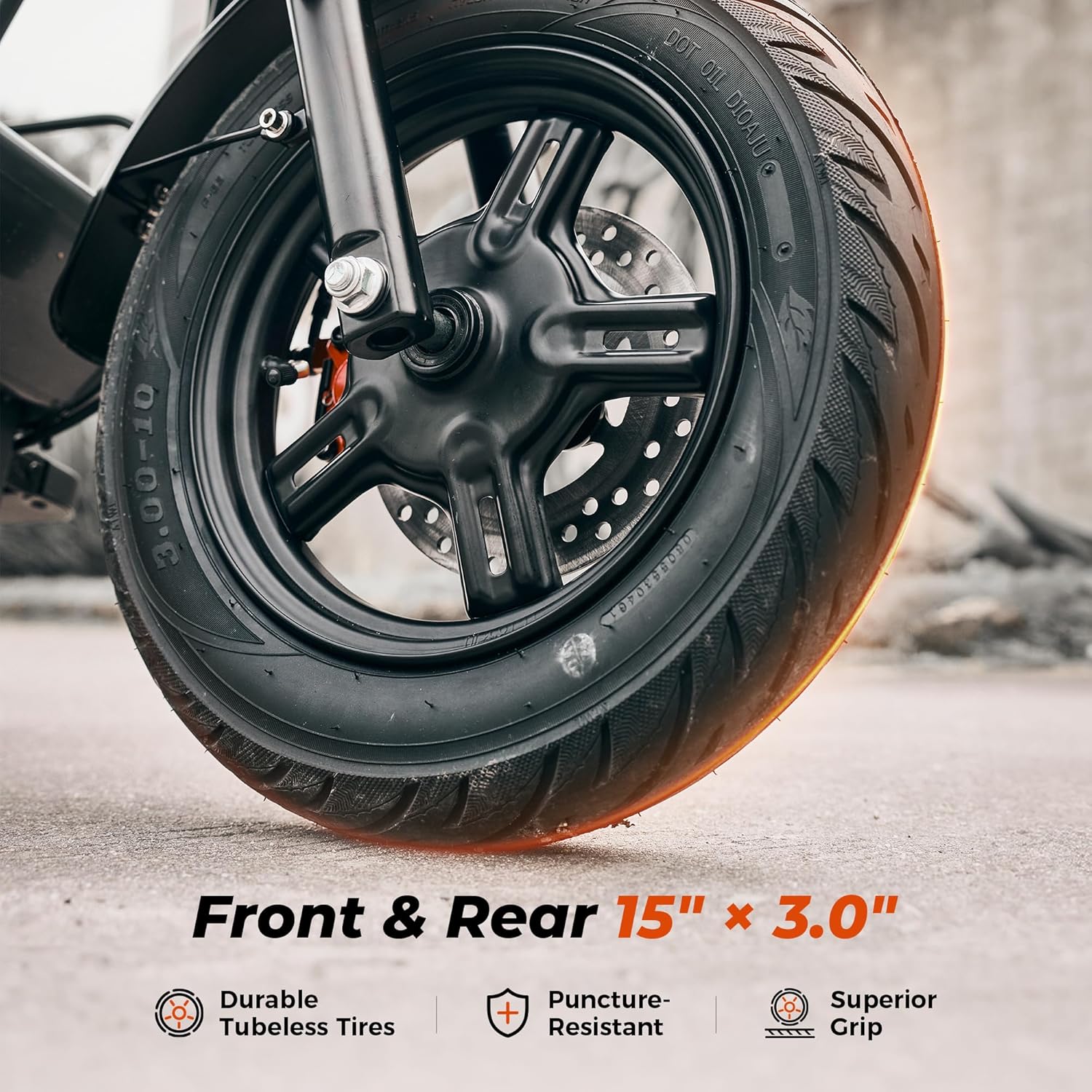
The scooter features extra-wide 15" x 3.0" tubeless pneumatic e-motorcycle tires, providing superior grip, puncture resistance, and stability on various terrains.
6.4 Advanced Dual Suspension System
Experience a smooth and stable ride with the advanced dual suspension system, featuring hydraulic front shocks and air rear shock absorbers. This system effectively reduces bumps and vibrations on uneven surfaces.

6.5 Comfort and Storage
The DX5 is designed for comfort and utility, featuring an enlarged comfort saddle with upgraded padding and a ventilated surface. It also includes a detachable front basket and a multifunctional scooter bag for convenient storage of personal items or groceries.


7. Maintenance
Regular maintenance ensures the longevity and safe operation of your iScooter DX5.
- Battery Care: Charge the battery regularly, even if not in use, to maintain its health. Avoid completely draining the battery. Store the scooter in a cool, dry place.
- Tire Pressure: Check tire pressure before each ride. Maintain recommended pressure for optimal performance and safety.
- Brake Inspection: Regularly inspect brake levers, cables, and disc pads for wear. Adjust or replace as needed.
- General Cleaning: Wipe down the scooter with a damp cloth. Avoid using high-pressure water jets directly on electrical components.
- Fastener Checks: Periodically check all bolts and fasteners for tightness. Tighten any loose components.
8. Troubleshooting
If you encounter issues with your iScooter DX5, refer to the following common problems and solutions:
| Problem | Possible Cause | Solution |
|---|---|---|
| Scooter does not power on | Battery depleted; Main breaker OFF; Loose connection | Charge battery; Switch main breaker to ON; Check all cable connections |
| Reduced range/speed | Low battery; Overload; Tire pressure low; Riding uphill frequently | Fully charge battery; Reduce load; Inflate tires to recommended pressure; Adjust riding style |
| Brakes feel weak | Brake pads worn; Brake fluid low; Cable adjustment needed | Inspect and replace brake pads; Consult service for hydraulic system; Adjust brake cable tension |
| Unusual noises during ride | Loose components; Debris in wheels/brakes; Worn bearings | Check and tighten all fasteners; Inspect wheels/brakes for obstructions; Contact customer support if persistent |
For issues not listed here or if troubleshooting steps do not resolve the problem, please contact iScooter customer support.
9. Technical Specifications
Detailed specifications for the iScooter DX5 Electric Scooter:

| Feature | Specification |
|---|---|
| Brand | iScooter |
| Model Name | DX5 |
| Motor Power | 1500W Peak (1000W Rated) Brushless Motor |
| Battery | 48V 15.6Ah Lithium (748.8Wh) |
| Max Speed | 35 MPH (56 km/h) |
| Max Range | 45 Miles (72 km) |
| Tires | 15" x 3.0" Vacuum Pneumatic Tubeless |
| Brake Style | Dual Hydraulic Disc Brakes (Front & Rear) |
| Suspension | Front Hydraulic Shock Absorber, Rear Air Shock Absorber |
| Max Load Capacity | 330 Pounds (150 kg) |
| Charging Time | 6-8 Hours |
| Product Dimensions | 58.3"L x 26.8"W x 46.5"H (148cm L x 68cm W x 118cm H) |
| Water Resistance | IPX4 |
| Certifications | UL2272 |
10. Warranty & Customer Support
iScooter is committed to providing quality products and support.
10.1 Warranty Information
This iScooter DX5 Electric Scooter comes with a 1-year limited warranty from the date of purchase. The warranty covers manufacturing defects under normal use. It does not cover damage caused by misuse, accidents, unauthorized modifications, or normal wear and tear. Please retain your proof of purchase for warranty claims.
10.2 Customer Support
For any questions, technical assistance, or warranty inquiries, please contact our customer support team:
- Call Center: +1 (855) 916-2366
- Live Chat/Email Support: support@iscooterglobal.com
