
1. Introduction
This manual provides comprehensive instructions for the safe and efficient use of your aonidi 20000mAh Portable Charger Power Bank. Please read this manual thoroughly before operating the device and retain it for future reference. This power bank is designed to provide portable charging for a variety of electronic devices, featuring built-in cables and an integrated AC wall plug for convenience.
2. Product Overview
The aonidi 20000mAh Portable Charger Power Bank is a versatile charging solution equipped with multiple charging options. It features an integrated AC wall plug for direct recharging from an outlet, built-in USB-C and Lightning cables for device charging, and additional USB-A and USB-C ports for external cable use. An LED display indicates the remaining battery percentage.

Figure 1: aonidi 20000mAh Portable Charger Power Bank with built-in cables and AC wall plug.

Figure 2: Detailed view of the 6-in-1 features, highlighting the digital display, USB-A ports, USB-C port, built-in Type-C cable, built-in wall plug, and built-in iPhone (Lightning) cable.
3. Package Contents
- aonidi 20000mAh Portable Charger Power Bank (x1)
- User Manual (x1)
- USB-C Cable (x1)
4. Setup
4.1. Charging the Power Bank
The power bank can be recharged using two methods:
- Using the Built-in AC Wall Plug:
Fold out the integrated AC wall plug from the side of the power bank. Plug the power bank directly into a standard wall outlet. The LED display will show the charging progress. Full charge via wall plug takes approximately 11 hours. - Using the USB-C Input Port:
Connect the provided USB-C cable to the USB-C input port on the power bank and to a compatible USB wall adapter (not included). Plug the adapter into a wall outlet. The LED display will show the charging progress. Full charge via Type-C 18W input takes approximately 5 hours.

Figure 3: Two methods for recharging the power bank: using the built-in AC wall plug or the USB-C input port.
4.2. Connecting Devices for Charging
The power bank offers multiple options for charging your devices:
- Using Built-in Cables:
Pull out the integrated USB-C cable or Lightning (iOS) cable from the sides of the power bank. Connect the appropriate cable directly to your device. - Using USB-A Ports:
Connect your device's USB-A charging cable to one of the two USB-A output ports on the power bank. The USB-A2 port supports 22.5W fast charging for compatible Android and other smart devices. - Using USB-C Output Port:
Connect your device's USB-C charging cable to the USB-C output port on the power bank. This port supports PD20W fast charging for compatible devices, including iPhone 16/17 series.

Figure 4: The power bank's built-in AC wall plug and integrated cables provide convenient charging without extra accessories.
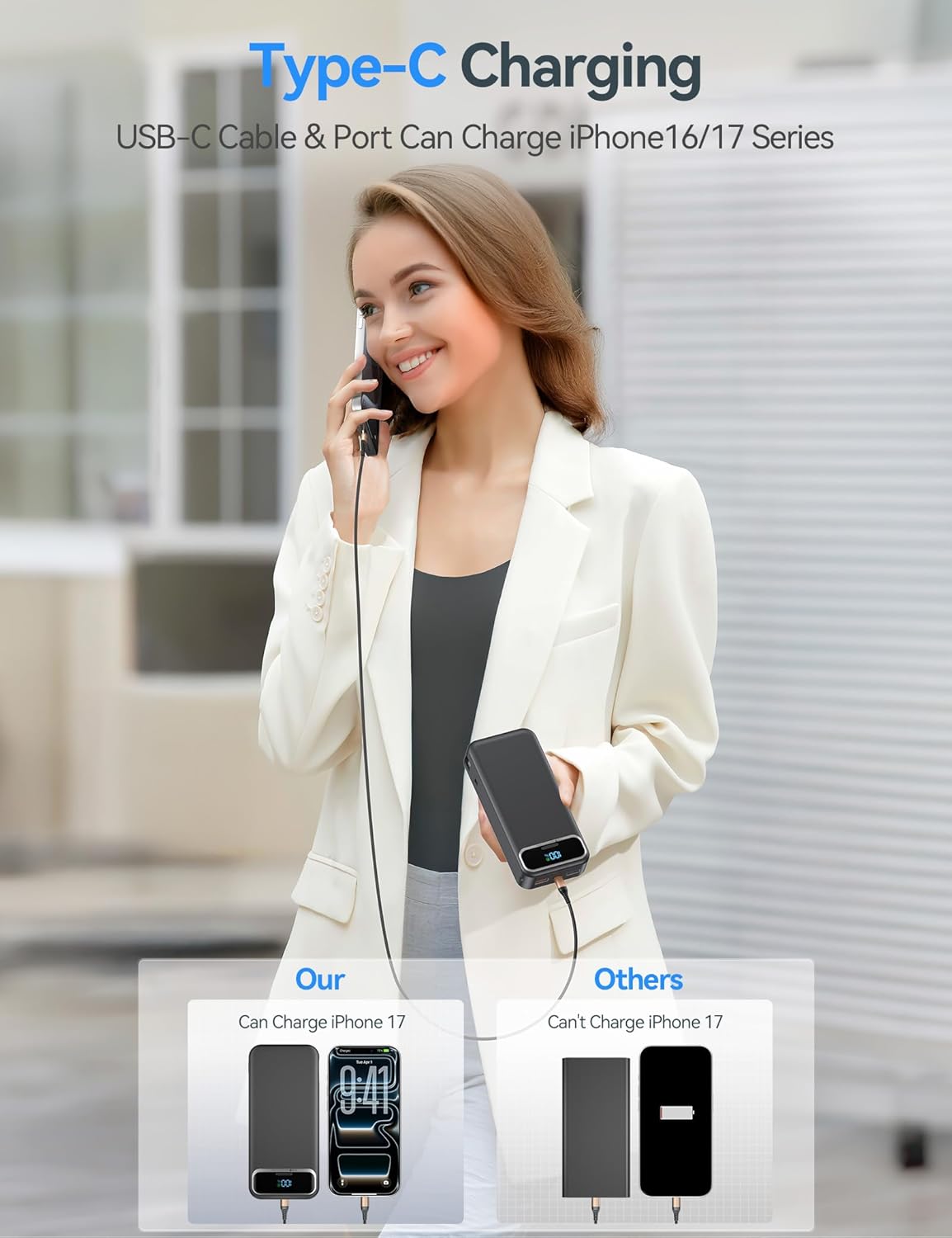
Figure 5: USB-C charging capability, compatible with iPhone 16/17 series.

Figure 6: The USB-A2 port supports 22.5W fast charging for compatible Android devices.
5. Operating Instructions
5.1. Charging Devices
Once your device is connected to the power bank using either the built-in cables or external ports, the power bank will automatically begin charging. If charging does not start, press the power button on the power bank to activate it.
5.2. Checking Battery Level
The integrated LED digital screen displays the remaining battery percentage of the power bank. Press the power button once to activate the display and view the current charge level, accurate to 1%.
6. Key Features
- Built-in AC Wall Plug: Allows direct recharging of the power bank from any standard wall outlet, eliminating the need for extra adapters.
- Integrated Cables: Includes built-in USB-C and Lightning (iOS) cables for convenient charging of various devices without carrying separate cables.
- Fast Charging: Features PD20W USB-C and 22.5W USB-A fast charging capabilities for rapid power delivery to compatible smartphones and tablets.
- LED Digital Display: Provides an accurate, real-time display of the power bank's remaining battery percentage.
- High Capacity: 20000mAh battery capacity provides multiple charges for most smartphones (approximately 3-4 charges).
- Compact & Lightweight: Designed for portability, making it ideal for travel, business trips, or daily use. Dimensions: 5.91 x 2.71 x 1.17 inches, Weight: 0.81 lbs.
- Multi-Device Compatibility: Supports charging for iPhone, Samsung, Android, iPad, and other USB-powered devices.
- Airplane Approved: Meets regulations for air travel, making it a suitable companion for flights.

Figure 7: The ultra-compact and lightweight design makes the power bank easy to carry.
7. Safety Protections
The aonidi Power Bank is equipped with multiple safety features to ensure reliable and secure operation:
- Overcharge Protection
- Overcurrent Protection
- Overvoltage Protection
- Temperature Protection
- Overdischarge Protection
- Short Circuit Protection
- Auto Shut-off
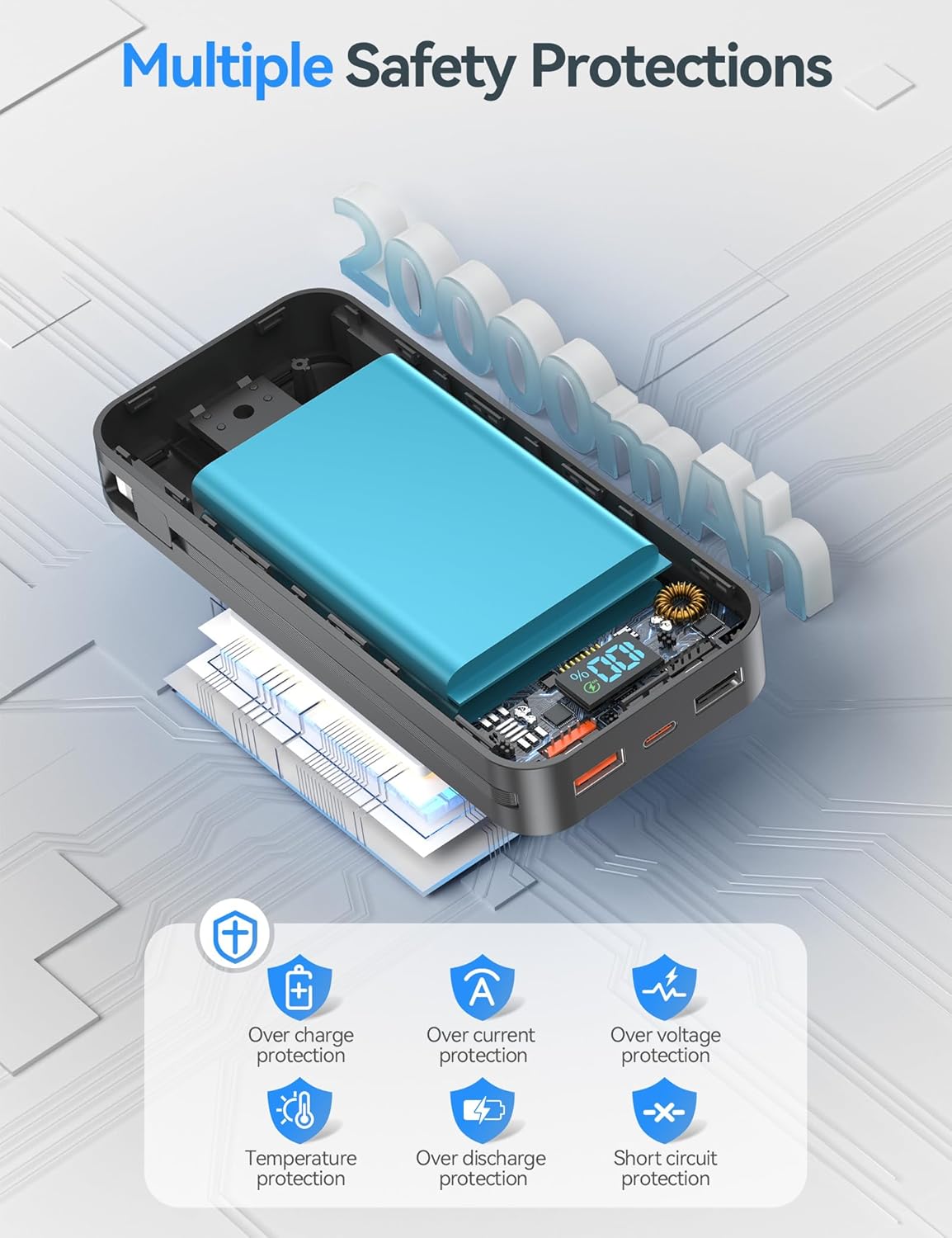
Figure 8: Overview of the multiple safety protections integrated into the power bank.
8. Maintenance
- Keep the power bank dry and away from moisture.
- Avoid exposing the device to extreme temperatures (hot or cold).
- Clean the device with a soft, dry cloth. Do not use harsh chemicals or abrasive materials.
- Store the power bank in a cool, dry place when not in use.
- Avoid dropping or subjecting the device to strong impacts.
9. Troubleshooting
- Device not charging:
Ensure the power bank is sufficiently charged. Press the power button to activate charging. Check that the cables are securely connected to both the power bank and your device. Try a different cable or port. - Power bank not recharging:
Ensure the AC wall plug is fully extended and securely plugged into a live outlet. If using the USB-C input, ensure the cable and wall adapter are functional and properly connected. - Slow charging:
Verify that your device supports fast charging and that you are using the appropriate fast-charging port (USB-C PD20W or USB-A2 22.5W). Ensure the cable used is also capable of fast charging. - LED display not working:
Press the power button to activate the display. If it still doesn't light up, the power bank might be completely discharged or require service.
10. Specifications
| Feature | Detail |
|---|---|
| Model Number | AC-02EP |
| Battery Capacity | 20000 Milliamp Hours (mAh) |
| Product Dimensions | 5.91 x 2.71 x 1.17 inches |
| Item Weight | 13 ounces |
| Input (AC Wall Plug) | Approx. 11 hours for full charge |
| Input (USB-C) | Type-C 18W input, Approx. 5 hours for full charge |
| Output (USB-C) | PD20W Fast Charging |
| Output (USB-A) | USB-A1: 5V/2A, USB-A2: 22.5W Fast Charging |
| Built-in Cables | USB-C, Lightning (for iPhone) |
| Special Features | AC wall plug, built-in cables, LED indicator, over charging protection, short circuit protection, auto shut-off, scratch resistant, lightweight, pocket size, airplane travel necessities |
| Color | Black |
11. Warranty and Support
Your aonidi 20000mAh Portable Charger Power Bank comes with a 12-month support period. For any issues or inquiries, please contact our customer service team. We offer 7-day/24-hour friendly customer service and aim to resolve problems within 24 hours.
For assistance, please refer to the contact information provided in your product packaging or visit the official aonidi website.