
1. Product Overview
The Xiaomi A Pro 43 2026 Series is a 43-inch 4K QLED Google TV designed for a modern viewing experience. This tuner-less smart TV allows direct access to various video-on-demand (VOD) services without the need for an antenna. It features HDR10+ for enhanced contrast, Dolby Atmos for immersive audio, and MEMC for smooth motion. With Google TV built-in, you can manage content from over 10,000 apps and use voice commands via "OK Google".
Key features include:
- Tuner-less Design: Enjoy streaming services like YouTube, Netflix, and Prime Video directly. An external tuner is required for terrestrial broadcasts.
- Google TV Smart Experience: Access and manage content from over 10,000 apps. Voice search with "OK Google" for easy navigation.
- Stunning 4K QLED Display: Wide color gamut and precise color adjustment deliver vivid images. HDR10+ and HLG support provide enhanced detail in bright and dark scenes.
- Versatile Monitor Functionality: Three HDMI ports allow connection to gaming consoles, PCs, and other devices. Low-latency game mode ensures a smooth gaming experience.
- Screen Sharing: Supports Chromecast built-in and Apple AirPlay for easy content sharing from iPhone and Android devices.
2. Setup Guide
2.1 Unpacking and Assembly
Carefully remove the TV from its packaging. Ensure all components are present: Bluetooth remote control, screw kit, stand parts, safety and setup instructions, and power cable.
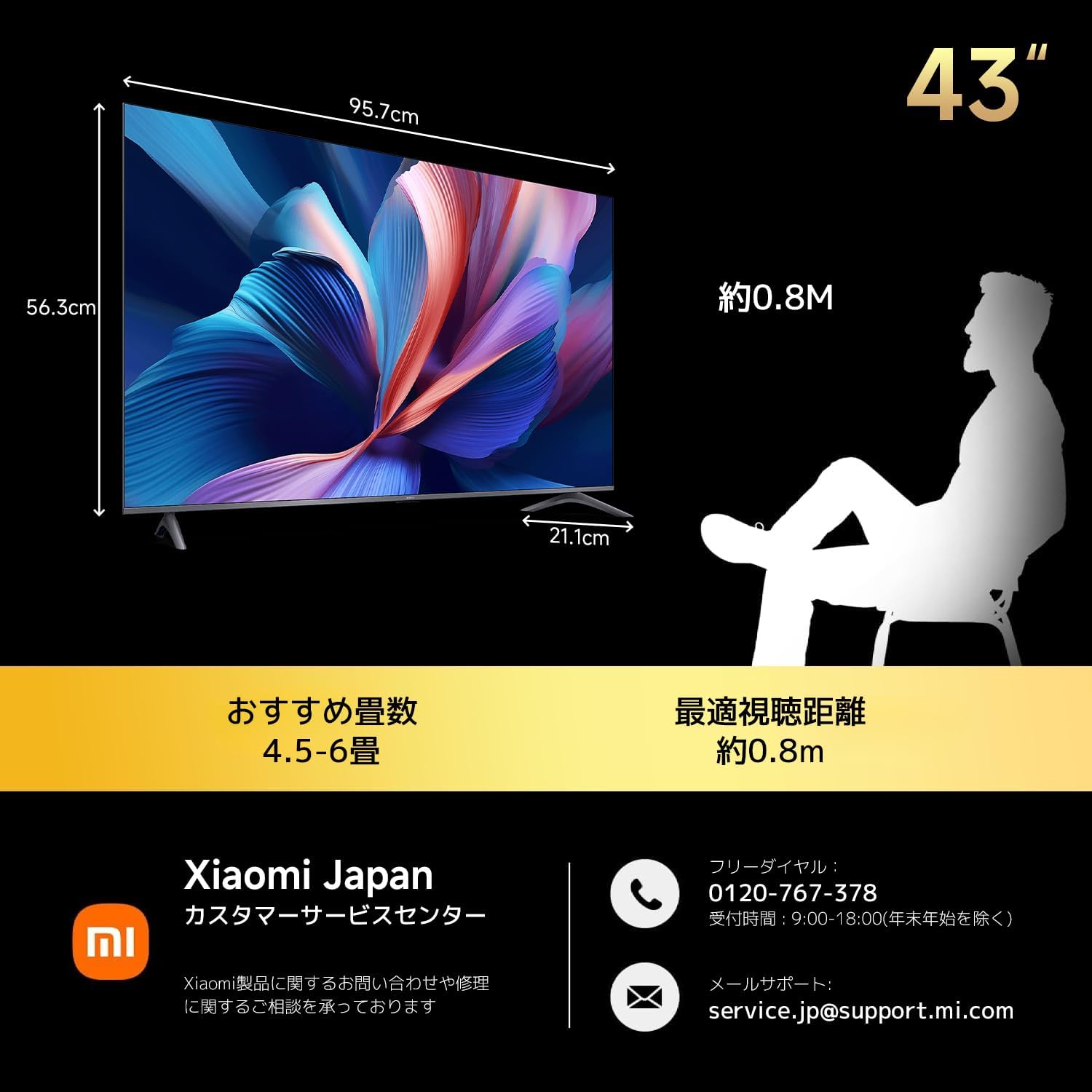
Image: Xiaomi A Pro 43 TV dimensions (95.7cm width, 56.3cm height, 7.2cm depth) and recommended viewing distance (approx. 0.8m).
Attach the stand parts to the TV using the provided screw kit. Refer to the included safety and setup instructions for detailed assembly steps. For wall mounting, ensure compatibility with VESA standards.
2.2 Connecting Peripherals
The TV features multiple connectivity options:
- HDMI Ports: Connect up to three HDMI devices suchs as gaming consoles, Blu-ray players, or PCs.
- USB Ports: For connecting USB storage devices.
- Network: Connect to the internet via Wi-Fi (dual-band) or Ethernet cable.
- Bluetooth: For connecting the remote control and other compatible Bluetooth devices.
Plug in the power cable and connect it to a power outlet.
2.3 Initial Setup (Google TV)
Upon first power-on, the TV will guide you through the initial Google TV setup process. This includes connecting to your Wi-Fi network, logging into your Google account, and configuring basic settings. Follow the on-screen prompts.
3. Operating Instructions
3.1 Google TV Navigation
The Google TV interface organizes movies, shows, and apps from your subscriptions. Use the Bluetooth remote control to navigate through the menus and select content.

Image: The Google TV home screen displaying recommended content and various streaming applications.
3.2 Voice Control with "OK Google"
The TV supports voice search. Simply say "OK Google" and use voice commands to find content, control playback, or adjust settings. The remote control also has a dedicated voice search button.
3.3 Screen Sharing (Chromecast & AirPlay)
Easily cast photos, videos, and other content from your smartphone or tablet to the TV. The TV supports Chromecast built-in for Android devices and Apple AirPlay for iOS devices. Ensure your device and TV are on the same Wi-Fi network.
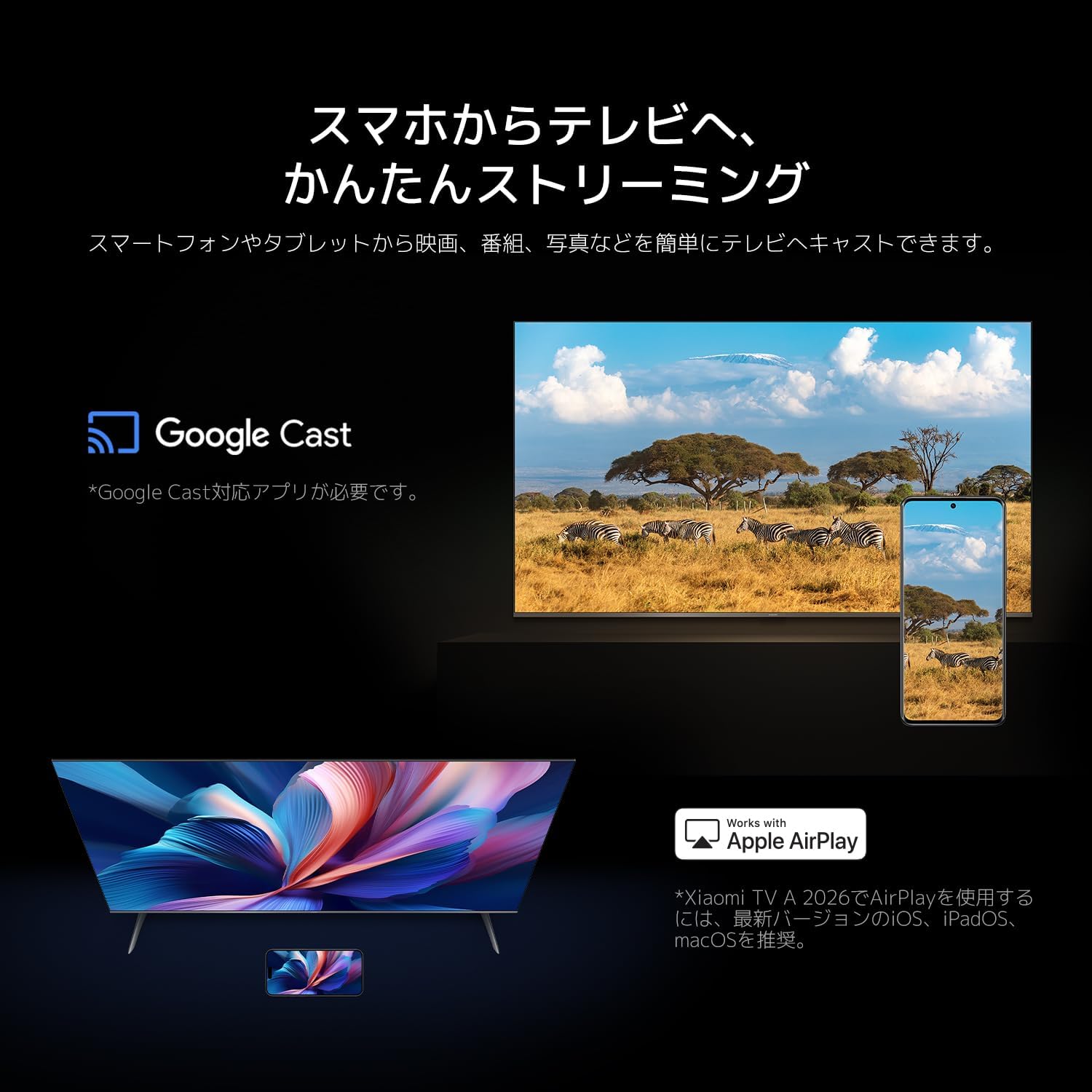
Image: A smartphone screen being mirrored onto the Xiaomi TV, demonstrating Google Cast and Apple AirPlay functionality.
3.4 Remote Control Functions
The included Bluetooth remote control offers quick access to popular streaming services with dedicated buttons for Netflix, YouTube, and Prime Video. It also features a voice search button and standard navigation controls.

Image: The 360° Bluetooth voice remote control, highlighting dedicated buttons for Netflix, Prime Video, YouTube, and an Apps button.
3.5 Gaming Features
The TV supports a low-latency game mode, providing a responsive gaming experience. Connect your gaming console via HDMI for optimal performance. The 60Hz refresh rate and MEMC technology contribute to smoother visuals.
4. Media Integration
4.1 Visual Experience
The 4K QLED display offers a wide color gamut and precise color tuning, delivering vibrant and immersive visuals. HDR10+ support enhances brightness and contrast, revealing intricate details in both bright and dark scenes.

Image: Illustration of QLED Quantum Dot technology, emphasizing its ability to produce vivid and immersive images with 1.07 billion colors and 94% DCI-P3 coverage.

Image: A scenic landscape displayed in 4K UHD resolution, highlighting the clarity and fine detail reproduction.

Image: A split-screen comparison demonstrating HDR enhancement, showing improved detail and contrast in a mountain landscape with HDR10+.
4.2 Audio Experience
Experience immersive audio with Dolby Atmos and DTS:X support. The TV's speaker system delivers clear sound, enhancing your viewing experience.
4.3 Product Video
Video: An official product video showcasing the Xiaomi A Pro Series, highlighting its design, display quality, and smart features.
5. Maintenance
To ensure the longevity and optimal performance of your Xiaomi A Pro TV, follow these maintenance guidelines:
- Cleaning the Screen: Use a soft, lint-free cloth specifically designed for electronics. Gently wipe the screen to remove dust and smudges. Avoid using harsh chemicals or abrasive materials.
- Cleaning the Body: Wipe the TV's frame and stand with a soft, dry cloth.
- Software Updates: Ensure your TV's software is up to date. Google TV automatically checks for and installs updates, but you can manually check in the settings menu. Regular updates improve performance and security.
- Ventilation: Ensure adequate ventilation around the TV to prevent overheating. Do not block the ventilation openings.
6. Troubleshooting
If you encounter issues with your TV, refer to the following common solutions:
| Issue | Possible Solution |
|---|---|
| No picture/No sound | Check power connection, ensure correct input source is selected, verify cable connections (HDMI, etc.). |
| Remote control not responding | Check batteries, ensure no obstructions between remote and TV, re-pair Bluetooth remote if necessary. |
| Network connection issues | Restart your router/modem, check Wi-Fi password, ensure TV is within Wi-Fi range, try Ethernet connection. |
| Apps not loading or crashing | Ensure stable internet connection, clear app cache/data in TV settings, update the app, or reinstall. |
| Picture quality issues (e.g., glare) | Adjust TV picture settings, reduce ambient light, reposition the TV to avoid reflections. |
For more complex issues, please contact Xiaomi customer support.
7. Specifications
| Feature | Detail |
|---|---|
| Screen Size | 43 inches |
| Display Type | QLED (VA Panel) |
| Resolution | 4K UHD |
| Refresh Rate | 60 Hz |
| HDR Support | HDR10+, HLG |
| Smart TV Platform | Google TV |
| Audio Features | Dolby Atmos, DTS:X, Dolby Audio |
| HDMI Ports | 3 |
| Connectivity | Bluetooth, Wi-Fi (Dual-band), USB, Ethernet |
| Aspect Ratio | 16:9 |
| Product Dimensions (W x H x D) | 95.7 cm x 56.3 cm x 7.2 cm |
| Weight | 8.2 kg |
| Included Accessories | Bluetooth remote control, screw kit, stand parts, safety and setup instructions, power cable |
8. Warranty and Support
Your Xiaomi A Pro 43 2026 Series TV comes with a standard manufacturer's warranty. Please refer to the warranty card included in the packaging for specific terms and conditions.
For technical support, inquiries, or service requests, please contact Xiaomi Japan Customer Service:
- Customer Service Center: Xiaomi Japan
- Free Dial: 0120-767-378 (Available 9:00 - 18:00, excluding year-end holidays)
- Email Support: service.jp@support.mi.com
Please have your product model number (A Pro 43 2026) and serial number ready when contacting support.


