
Mova R9504C

Mova E40 Ultra Robot Vacuum and Mop User Manual
Model: R9504C
1. Introduction
Welcome to the Mova E40 Ultra Robot Vacuum and Mop. This manual provides essential information for the safe and efficient operation, maintenance, and troubleshooting of your device. Please read this manual thoroughly before using the product and retain it for future reference.
2. Important Safety Instructions
To reduce the risk of injury or damage, read these safety instructions carefully before setting up, using, and maintaining your robot.
- Read all instructions before operating the appliance.
- This appliance can be used by children aged 8 years and above and persons with reduced physical, sensory or mental capabilities or lack of experience and knowledge if they have been given supervision or instruction concerning use of the appliance in a safe way and understand the hazards involved.
- Only use attachments recommended or sold by the manufacturer.
- Do not use the appliance in areas where there are lit candles or fragile objects on the floor to be cleaned.
- Do not use the appliance in extremely hot or cold environments (below 0°C / 32°F or above 40°C / 104°F).
- Do not use the appliance to pick up large objects, sharp objects, or liquids.
- Ensure the power adapter is compatible with your local voltage.
- Always unplug the appliance from the power outlet before cleaning or performing maintenance.
- Dispose of batteries according to local regulations.
3. What's in the Box
The package includes the following components:

Image: All components included in the Mova E40 Ultra packaging.
- Robot Vacuum x1
- Side Brush x1 (Pre-installed)
- Mop Pad Holder x2
- Mop Pad x2 (Pre-installed)
- 3.2L Dust Bag x1 (Pre-installed)
- Base Station Ramp Extension Plate x1
- Base Station x1
- User Manual x1
- Floor Brush x1
4. Product Overview

Image: The Mova E40 Ultra robot vacuum, its all-in-one station, and companion app interfaces.
4.1 Robot Vacuum Components
- Lidar Sensor
- Control Buttons
- Front Bumper
- Obstacle Avoidance Sensor
- Side Brush
- Main Brush
- Driving Wheels
- Omnidirectional Wheel
- Cliff Sensors
- Mop Pad Holders with Mop Pads
- Built-in Water Tank (80ml)
4.2 All-in-One Station Components
- Clean Water Tank
- Dirty Water Tank
- Dust Bag Compartment
- Charging Contacts
- Mop Washing Tray
- Hot Air Drying Vent
- Power Inlet
5. Setup
5.1 Base Station Placement
Choose a location for the base station with sufficient clear space around it. Ensure at least 0.5 meters (1.6 feet) of clear space on both sides and 1.5 meters (4.9 feet) in front. Place the station on a hard, level surface against a wall, away from direct sunlight or heat sources. Connect the power cable to the station and plug it into a wall outlet.
5.2 Initial Charging
Carefully place the robot vacuum onto the base station, ensuring the charging contacts on the robot align with those on the station. The robot will begin charging automatically. For optimal battery life, fully charge the robot before its first use.

Image: The Mova E40 Ultra robot vacuum docked and charging at its base station.
5.3 App Connection
Download the 'Mova' app from your smartphone's app store (available on iOS and Android). Open the app and follow the on-screen instructions to connect your E40 Ultra robot vacuum to your home Wi-Fi network. The app allows for advanced control, scheduling, and monitoring of your device.

Image: The Mova app interface showing 3D mapping and cleaning settings.
6. Operating Instructions
6.1 Cleaning Modes
The Mova E40 Ultra supports various cleaning modes, selectable via the Mova app:
- Vacuum Only: Ideal for dry debris and carpeted areas.
- Mop Only: For wet cleaning of hard floors.
- Vacuum & Mop: Simultaneous cleaning for comprehensive floor care.
6.2 Suction Power and Water Flow Adjustment
Adjust the suction power and water flow levels through the Mova app to suit your cleaning needs:
- Suction Power: Choose from multiple levels, up to 19,000 Pa, for effective dirt removal from various surfaces.
- Water Flow (80ml Built-in Water Tank):
- Gentle Mode: Suitable for areas with pets, preventing excessive moisture.
- Normal Mode: Recommended for daily cleaning tasks.
- Intensive Mode: Designed for heavily soiled floors requiring deep cleaning.

Image: The Mova E40 Ultra showcasing its 19,000Pa suction power.

Image: The 80ml built-in water tank providing precise mop hydration.
6.3 Edge Cleaning (MaxiReach Mop Tech)
The E40 Ultra features MaxiReach Mop Tech, allowing the mop to automatically extend and reach into tight spaces, corners, and along edges up to 4 cm deep, ensuring thorough cleaning.

Image: The MaxiReach mop extending for seamless edge cleaning.
6.4 Obstacle Avoidance
Equipped with a single-line laser obstacle avoidance system, the E40 Ultra detects and navigates around objects, minimizing collisions and ensuring an uninterrupted cleaning cycle.

Image: Single-line laser obstacle avoidance in action.
6.5 Carpet Detection and Mop Lifting
The robot features ultrasonic carpet detection. When a carpet is detected, the mop pads are automatically lifted by 10.5mm to prevent wetting, and suction power is boosted for effective carpet cleaning.

Image: Smart carpet cleaning with auto mop lift and suction boost.

Image: Ultrasonic carpet detection technology.
7. Maintenance
Regular maintenance ensures optimal performance and extends the lifespan of your Mova E40 Ultra.
7.1 All-in-One Station Maintenance
- Dust Bag Replacement: The 3.2L dust bag provides up to 75 days of hands-free dust collection. Replace the dust bag when the app indicates it is full or when you notice a decrease in suction performance.
- Water Tank Cleaning: Regularly empty and clean the dirty water tank to prevent odors and bacterial growth. Refill the clean water tank as needed.
- Mop Pad Washing & Drying: The station automatically washes and hot-air dries the mop pads after each cleaning cycle. Periodically clean the mop washing tray to remove any residue.
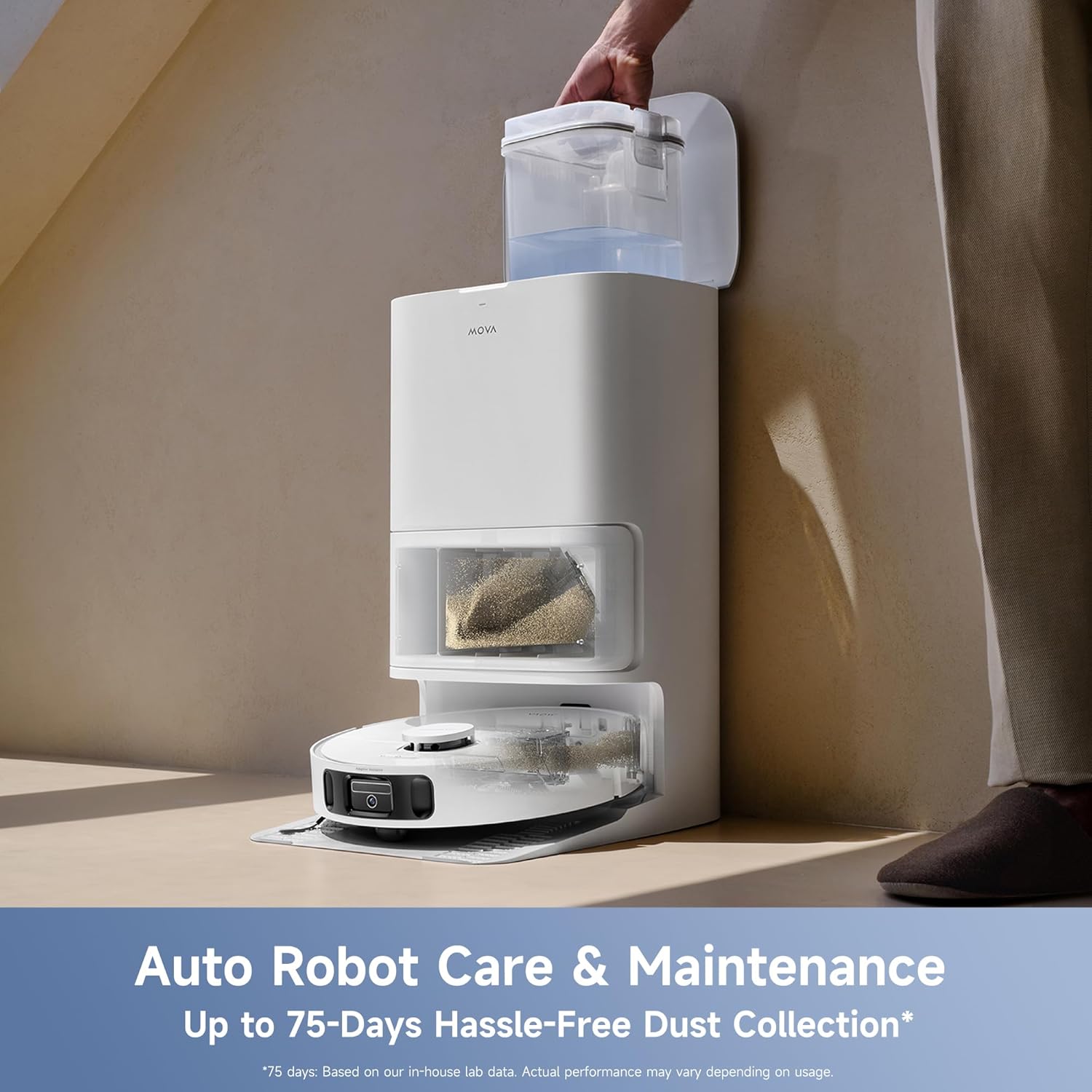
Image: Auto robot care and maintenance features of the all-in-one station.

Image: Detailed view of the All-in-One Station's auto mop washing and hot-air drying process.
7.2 Robot Vacuum Maintenance
- Main Brush Cleaning: Remove the main brush and use the cleaning tool to cut and remove any tangled hair or debris.
- Side Brush Cleaning: The anti-tangle side brush is designed to minimize hair tangles. Inspect and clean it periodically to ensure optimal performance.

Image: The anti-tangle side brush design.
- Filter Cleaning: Remove the HEPA filter from the dustbin and tap it gently to remove dust. Do not wash the HEPA filter with water. Replace the filter every 3-6 months, depending on usage.
- Sensor Cleaning: Wipe all sensors (cliff sensors, obstacle avoidance sensor, charging contacts) with a soft, dry cloth to ensure accurate navigation and operation.
8. Troubleshooting
This section addresses common issues you might encounter. For more detailed troubleshooting, refer to the Mova app or contact customer support.
| Problem | Possible Cause | Solution |
|---|---|---|
| Robot not charging | Robot not properly docked; power cable disconnected. | Ensure the robot is correctly aligned with the charging contacts. Check if the power cable is securely plugged into the base station and wall outlet. |
| Poor cleaning performance | Full dust bag; tangled brushes; dirty filter; empty water tank. | Empty the dust bag. Clean the main brush and side brush. Clean or replace the HEPA filter. Refill the clean water tank. |
| Robot gets stuck frequently | Too many obstacles; dark surfaces triggering cliff sensors. | Clear obstacles from the cleaning path. Use virtual walls or no-go zones in the app for problematic areas. |
| Mop not wetting floor | Empty water tank; clogged water nozzle; mop pads dry. | Refill the clean water tank. Check for blockages in the water nozzle. Ensure mop pads are properly attached and moistened. |
9. Specifications
| Feature | Detail |
|---|---|
| Brand | Mova |
| Model Name | E40 Ultra |
| Item Model Number | R9504C |
| Special Feature | Cordless |
| Color | White |
| Product Dimensions | 17"L x 25.51"W x 17.8"H |
| Included Components | Floor Brush, Robot Vacuum, Side Brush, Mop Pad Holder, Mop Pad, Dust Bag, Base Station Ramp, Base Station, User Manual |
| Filter Type | HEAP |
| Battery Life | 3.5 Hours |
| Voltage | 110 Volts |
| Power Source | Battery Powered |
| Batteries Included | Yes (1 12V battery) |
| Control Method | App, Voice |
| Form Factor | Round |
| UPC | 850073660683 |
| Item Weight | 30.3 pounds |
| Manufacturer | MOVA |
10. Warranty and Support
Mova is committed to providing high-quality products and excellent customer service.

Image: Mova Service Policy overview.
- Warranty: The Mova E40 Ultra comes with up to a 36-month warranty. Please refer to the official Mova website for complete warranty terms and conditions, as specific parts may have different coverage.
- Money Back Service: Enjoy a 30-Day Money Back Service from the date of purchase.
- Customer Support: Mova offers a 24/7 Rapid Responding Service Team to assist you with any inquiries or issues. For further assistance, visit the official Mova website or contact customer support directly through the app.
Related documentsR9504C


Ask a question about this manual
Ask about setup, troubleshooting, compatibility, parts, safety, or missing instructions. Manuals+ will review the question and use this page’s manual context to help answer it.