
BAOFENG DM-32UV
Contents
BAOFENG DM32 DMR Radio User Manual
Model: DM-32UV
1. Introduction
The BAOFENG DM32 is a professional handheld DMR (Digital Mobile Radio) and analog two-way radio designed for reliable long-range communication. It features dual-mode compatibility, GPS functionality, NOAA weather radio reception, and flexible charging options, making it suitable for various environments and communication needs.
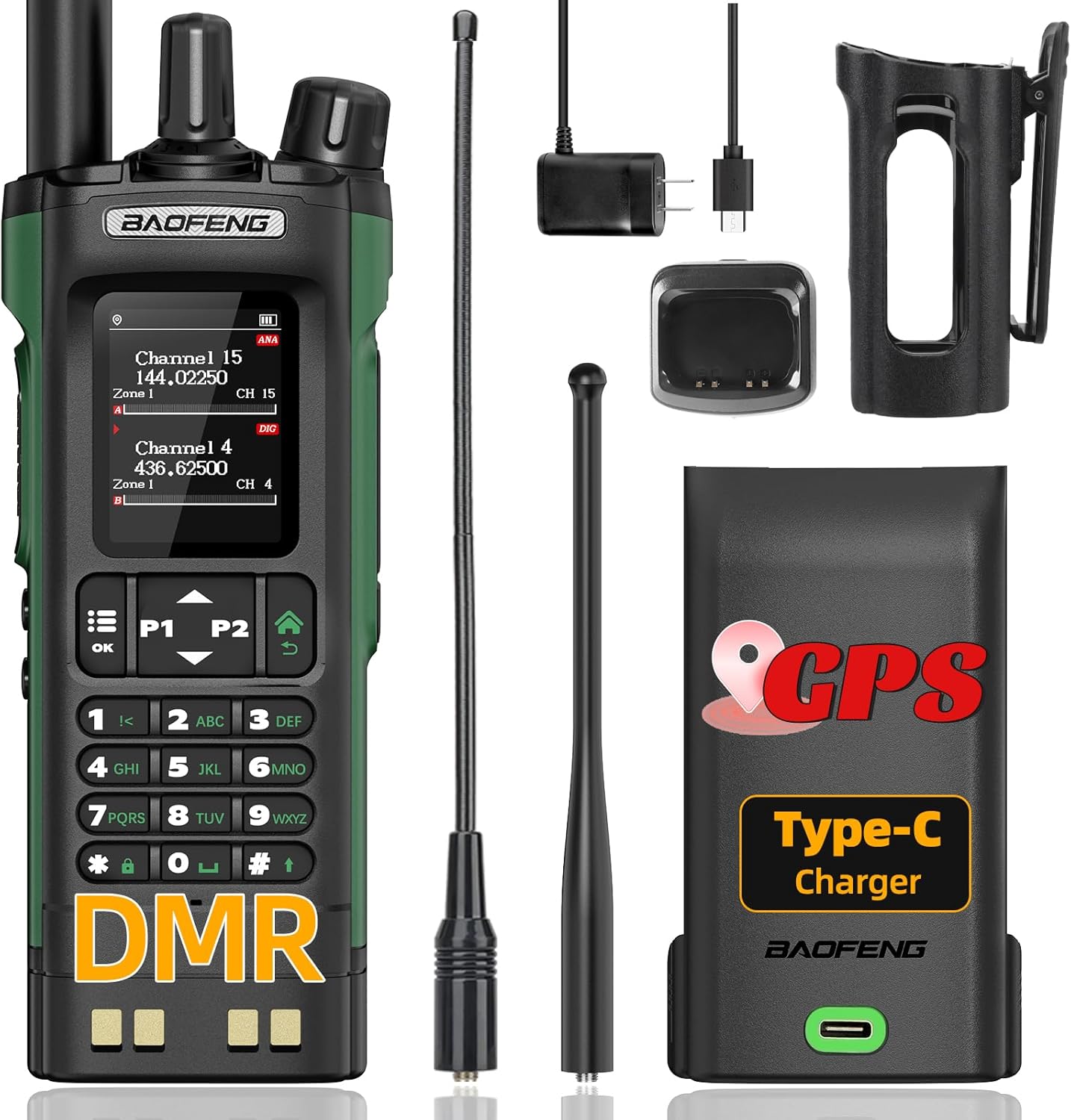
Image 1.1: BAOFENG DM32 DMR Radio with all included accessories, showcasing the radio, two antennas, USB-C charging cable, base charger, battery, and radio holster.
2. Package Contents
Please verify that all items listed below are included in your package:
- 1 x BAOFENG DM32 Radio
- 1 x 2500mAh Battery
- 1 x 21CM Antenna
- 1 x 38CM Antenna
- 1 x Headset
- 1 x USB-C Charging Cable
- 1 x Base Charger
- 1 x Back Clip
- 1 x User Manual

Image 2.1: The included radio holster, designed for secure, convenient, and protective carrying of the BAOFENG DM32 radio.
3. Key Features
- Dual-Mode Compatibility: Supports both DMR digital mode and traditional analog mode.
- Extended Range: Signal waves penetrate wood, steel, and concrete for improved performance in urban environments.
- High Channel Capacity: Up to 4000 programmable channels.
- GPS Functionality: Built-in GPS for location tracking and APRS support.
- NOAA Weather Radio: Receives weather forecasts and emergency alerts.
- TDMA Dual Time Slot: Allows two communications on a single frequency resource.
- Flexible Charging: Supports USB-C direct charging and base charger.
- SMS Function: Supports text messages up to 128 characters.
- Customizable Keys: Side keys can be configured for various functions (e.g., SOS, location info).
- Tri-Power Switching: High/Mid/Low power output options.
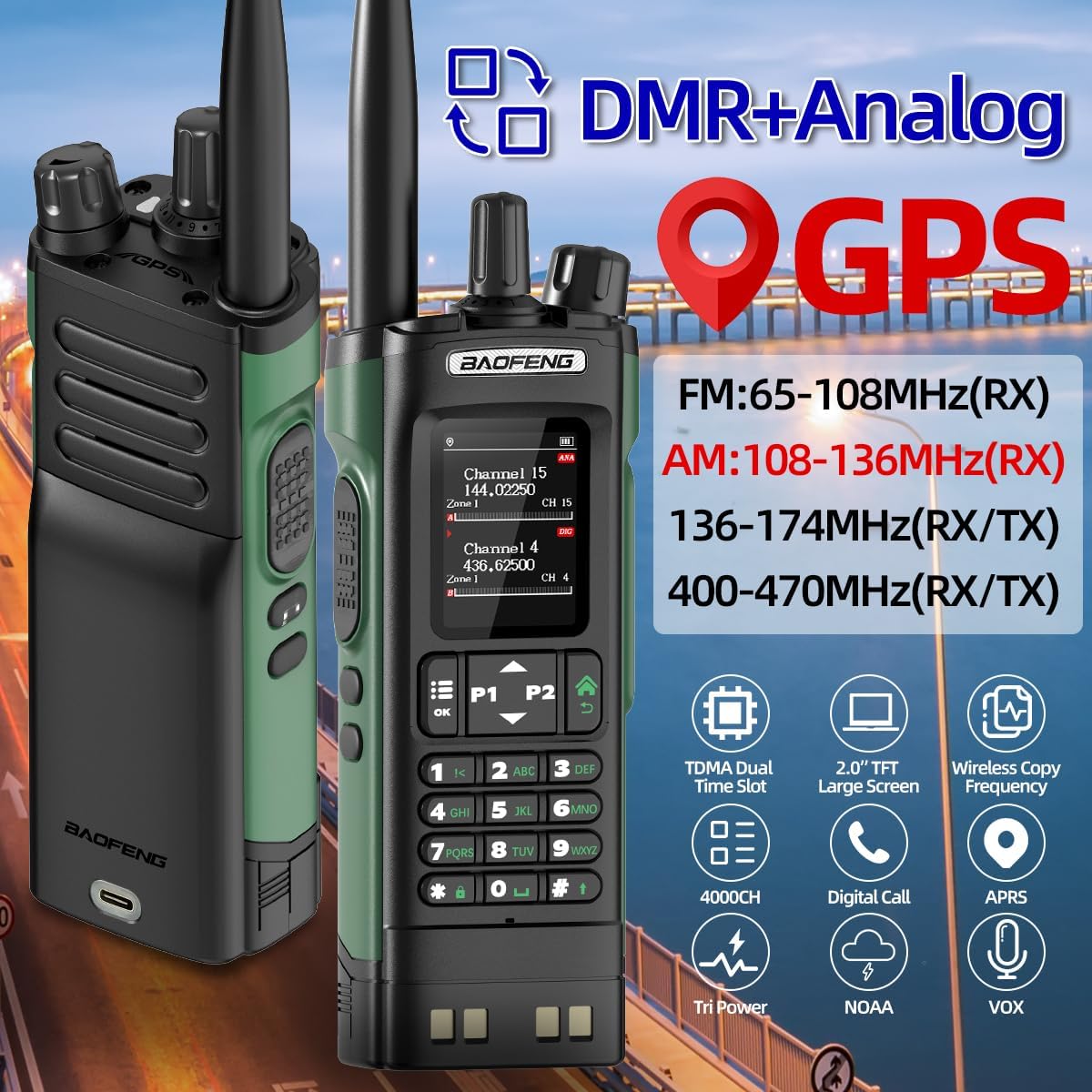
Image 3.1: Visual representation of the BAOFENG DM32's key features, including DMR+Analog, GPS, frequency ranges, TDMA Dual Time Slot, 2.0" TFT Large Screen, Wireless Copy Frequency, 4000 Channels, Digital Call, Tri Power, NOAA, and VOX.
4. Setup
4.1 Battery Installation and Charging
The BAOFENG DM32 comes with a 2500mAh rechargeable battery. Ensure the battery is fully charged before first use.
- Align the battery with the battery compartment on the back of the radio.
- Slide the battery into place until it clicks securely.
- To charge, you have two options:
- USB-C Direct Charging: Connect the provided USB-C cable to the Type-C port on the back of the battery and to a compatible USB power source (e.g., wall adapter, power bank, car charger, laptop).
- Base Charger: Place the radio with the battery installed into the charging cradle. Ensure the charging contacts align. The indicator light on the base charger will show charging status.
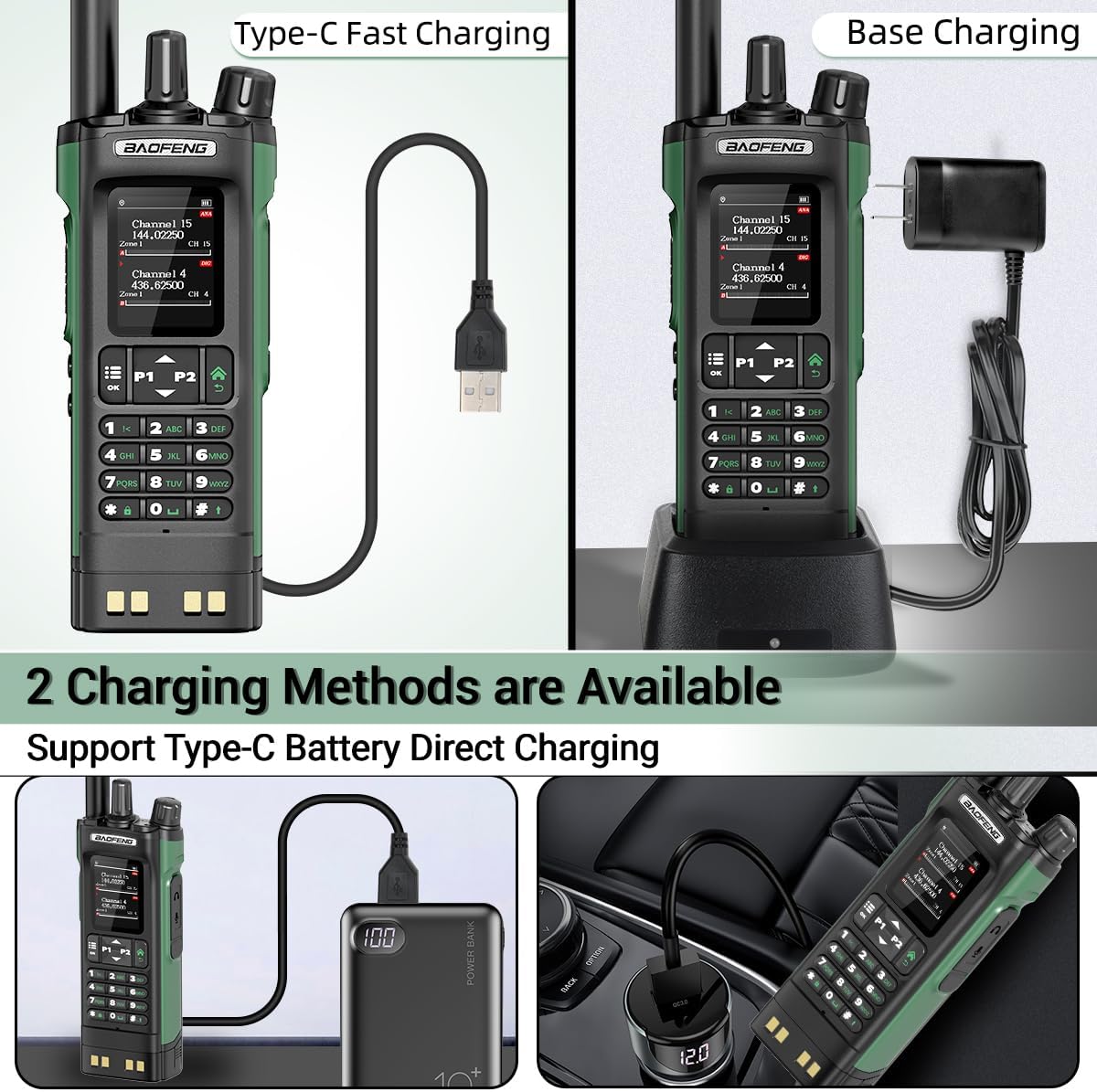
Image 4.1: Illustration of the two available charging methods for the BAOFENG DM32: Type-C fast charging directly to the battery and traditional base charging.
4.2 Antenna Attachment
Select the appropriate antenna (21CM or 38CM) based on your communication needs and frequency band. Screw the antenna clockwise onto the antenna connector on top of the radio until it is finger-tight.
4.3 Powering On/Off
To power on the radio, rotate the power/volume knob clockwise. To power off, rotate it counter-clockwise until it clicks.
5. Operating Instructions
5.1 Dual-Mode Operation (DMR & Analog)
The DM32 supports both digital (DMR) and analog communication. The radio automatically detects the mode of the incoming signal. For transmitting, ensure your channel is configured for the desired mode.

Image 5.1: Diagram illustrating the TDMA Dual Time Slot technology and the seamless transition between Digital and Analog modes for both transmission and reception.
5.2 Channel Management
The radio supports up to 4000 channels. You can manually set channel parameters and communication lists using the 2.0-inch screen and full keyboard. Refer to the programming software for advanced channel configuration.
5.3 GPS and SMS Functions
The built-in GPS function allows for real-time location tracking and APRS (Automatic Packet Reporting System) capabilities. The radio also supports sending and receiving text messages up to 128 characters, with text editing and draft storage features.

Image 5.2: Visual representation of the global positioning feature, showing the radio's ability to display location information and support APRS and NOAA functions.

Image 5.3: Depiction of the SMS function, highlighting its compatibility with Motorola, Hytera, and DMR Alliance message formats.
5.4 NOAA Weather Radio
Utilize the NOAA reception feature to obtain weather forecasts and receive emergency alerts for severe weather conditions, ensuring your safety.

Image 5.4: The NOAA Weather Radio feature, providing alerts for various weather events like snowstorms, hurricanes, floods, and earthquakes.
5.5 TDMA Dual Time Slot
The TDMA dual slot technology allows the device to carry two simultaneous communications on a single frequency, optimizing frequency utilization.
5.6 Digital Call Types
The radio supports multiple calling methods in digital mode:
- Single Call: Direct communication with a specific radio.
- Group Call: Communication with a predefined group of radios.
- All Call: Broadcast communication to all radios within range.

Image 5.5: Overview of digital call options including All Call, Group Call, Private Call, and One-Touch Call.
5.7 One-Touch Search Frequency
The radio features a one-touch search frequency function, allowing for quick frequency acquisition without complex programming.

Image 5.6: Step-by-step guide for using the One Touch Search Frequency feature, demonstrating how to activate search, view results, and save channels.
6. Maintenance
6.1 Battery Care
- Avoid fully discharging the battery frequently.
- Store the battery in a cool, dry place when not in use for extended periods.
- Do not expose the battery to extreme temperatures.
6.2 Cleaning
Wipe the radio with a soft, damp cloth. Do not use harsh chemicals or abrasive cleaners. Ensure the radio is dry before use.
6.3 General Handling
- Avoid dropping the radio or subjecting it to strong impacts.
- Keep the radio away from excessive dust and moisture. Note that the radio is not water resistant.
- Do not attempt to disassemble the radio, as this will void any potential warranty.
7. Troubleshooting
If you encounter issues with programming the radio or require programming software, please contact BAOFENG's after-sales service for assistance. Many operational issues can be resolved by ensuring proper channel configuration and battery charge.
8. Specifications
| Feature | Specification |
|---|---|
| Model Number | DM-32UV |
| Item Weight | 1.83 pounds |
| Package Dimensions | 10.59 x 8.74 x 2.64 inches |
| Batteries | 1 x 12V battery (included) |
| Number of Channels | 4000 |
| Frequency Range | VHF UHF |
| Special Features | Copy Frequency, Digital Display, Long Range |
| Voltage | 12 Volts |
| Water Resistance Level | Not Water Resistant |
| Manufacturer | Baofeng |
9. Warranty and Support
9.1 Warranty Information
Please note that there is no explicit warranty information provided for this product. For any warranty-related inquiries, it is recommended to contact the seller or manufacturer directly.
9.2 Customer Support
For technical support, programming software, or any other inquiries, please contact BAOFENG's after-sales service. Their contact information can typically be found on the product packaging or the official BAOFENG website.
Documents and downloads
Ask a question about this manual
Ask about setup, troubleshooting, compatibility, parts, safety, or missing instructions. Manuals+ will review the question and use this page’s manual context to help answer it.