
1. Introduction and Overview
Welcome to the Nostalgia Retro 1000W Microwave Oven. This appliance combines a classic retro design with modern functionality to simplify your cooking and reheating tasks. This manual provides essential information for safe and efficient operation, maintenance, and troubleshooting.

Figure 1: Nostalgia Retro 1000W Microwave Oven, Aqua color variant. This image displays the front view of the microwave, highlighting its retro design, oval window, and control panel.
2. Safety Information
Please read all instructions carefully before using the microwave oven to prevent potential hazards and ensure proper operation. Keep this manual for future reference.
- Do not attempt to operate this oven with the door open as this can result in harmful exposure to microwave energy.
- Do not place any object between the oven front face and the door, or allow soil or cleaner residue to accumulate on sealing surfaces.
- Do not operate the oven if it is damaged. It is particularly important that the oven door closes properly and that there is no damage to the door (bent), hinges and latches (broken or loosened), or door seals and sealing surfaces.
- The oven should not be adjusted or repaired by anyone except properly qualified service personnel.
- Ensure proper ventilation around the appliance.
3. Setup
3.1 Unpacking
Carefully remove all packaging materials from the microwave oven. Inspect the appliance for any signs of damage. If any damage is found, do not operate the microwave and contact customer support.
3.2 Placement
Place the microwave oven on a flat, stable, heat-resistant surface, such as a countertop. Ensure there is adequate space around the unit for proper ventilation. Maintain a minimum of 4 inches (10 cm) of clearance on the top, back, and sides of the oven.
3.3 Power Connection
Plug the microwave oven into a standard 120 Volts (AC) electrical outlet. Ensure the outlet is properly grounded.
3.4 Turntable Assembly
Place the rotating glass carousel onto the turntable support within the microwave cavity. Ensure it is seated correctly for even heating.
4. Operating Instructions
4.1 Control Panel Overview
The microwave features an easy-to-operate button control panel with a digital display. Buttons include options for Auto Cook/Reheat, Power Level, Clock/Timer, Stop, Cancel, Defrost, and Express Cook. A rotary knob is used for setting time and weight.

Figure 2: The microwave's interior showing the 1.1 Cu Ft capacity and the rotating glass turntable. Key features like 1000W power and 8 cooking settings are highlighted.
4.2 Setting the Clock
To set the clock, press the 'Clock/Timer' button, then use the rotary knob to adjust the hour and minutes. Press 'Clock/Timer' again to confirm.
4.3 Basic Microwave Cooking (Time Cook)
Place food in the microwave. Close the door. Use the rotary knob to set the desired cooking time. Press 'Start' to begin cooking.
4.4 Power Levels
To adjust the power level, press the 'Power Level' button, then use the rotary knob to select from the available power settings (e.g., 100P for 100% power, 80P for 80% power, etc.). Then set the cooking time and press 'Start'.
4.5 Express Cooking
For quick heating, press the 'Express Cook' button (buttons 1-6). Each press adds 30 seconds of cooking time at full power. Alternatively, press the 'Start' button for instant 30-second cooking.
4.6 Auto Cook Programs
The microwave features 8 auto-cook programs for common food types. Select the desired program (e.g., Popcorn, Potato, Pizza, Frozen Vegetable, Fresh Vegetable, Beverage, Meat, Reheat, Bread) using the dedicated buttons or by cycling through options with the rotary knob. The display will show the program code (e.g., A-1 for Popcorn). Follow the on-screen prompts for quantity if applicable, then press 'Start'.
4.7 Defrosting
The microwave offers defrosting by weight or time. Press the 'Defrost' button, then use the rotary knob to select either time or weight. Adjust the value accordingly and press 'Start'.
4.8 Child Safety Lock
To activate the child safety lock, press and hold the 'Stop' button for 3 seconds. The display will indicate that the lock is active. To deactivate, press and hold the 'Stop' button again for 3 seconds.

Figure 3: The control panel of the microwave with the 'Child Lock' feature indicated. A hand is shown pressing the 'Stop' button to activate the lock.
5. Maintenance and Cleaning
Regular cleaning and maintenance will ensure the longevity and optimal performance of your microwave oven.
- Exterior Cleaning: Wipe the exterior surface with a soft, damp cloth. Avoid abrasive cleaners or solvents.
- Interior Cleaning: Clean the interior cavity with a mild detergent and a soft cloth. For stubborn food splatters, place a bowl of water with lemon slices inside and microwave for a few minutes to loosen residue, then wipe clean.
- Glass Turntable: The glass turntable is removable and dishwasher safe for easy cleaning.
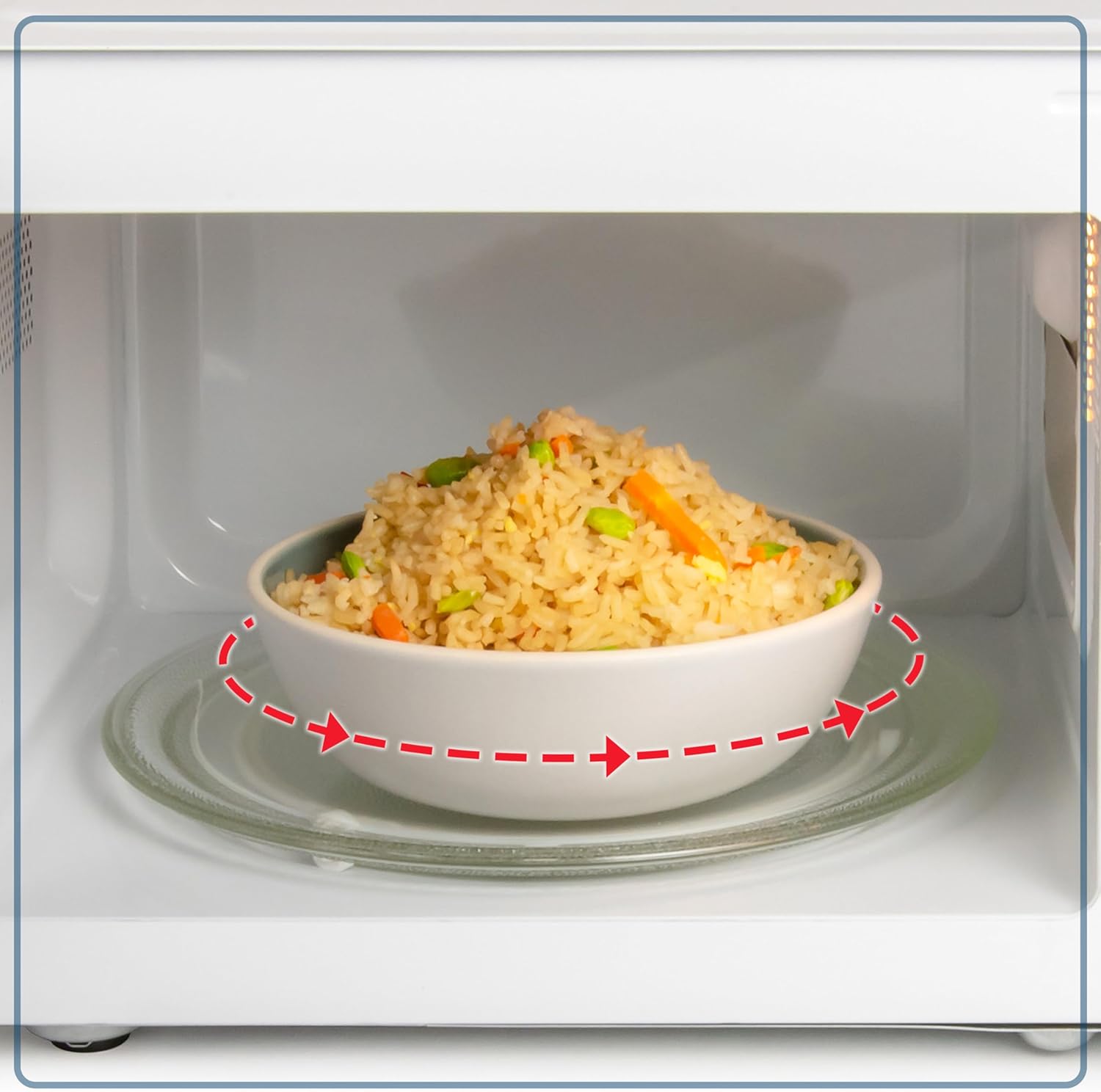
Figure 4: A close-up view of the rotating glass turntable inside the microwave, illustrating its function for even heating.
6. Troubleshooting
If you encounter any issues with your microwave oven, refer to the following common troubleshooting steps:
| Problem | Possible Cause | Solution |
|---|---|---|
| Oven will not start | Door not closed properly; Power cord unplugged; Fuse blown or circuit breaker tripped. | Ensure door is securely closed; Check power cord connection; Check household fuse/circuit breaker. |
| Food not heating evenly | Food not stirred or rearranged; Incorrect power level or cooking time. | Stir or rearrange food during cooking; Adjust power level and cooking time as needed. |
| Light not working | Bulb needs replacement. | Contact qualified service personnel for bulb replacement. |
7. Specifications
- Brand: Nostalgia
- Model: Nostalgia Retro 1000W Microwave Oven 1.1 Cu Ft
- Power Output: 1000 Watts
- Capacity: 1.1 Cubic Feet
- Voltage: 120 Volts (AC)
- Product Dimensions (D x W x H): 17.59 x 12.29 x 10.06 inches
- Item Weight: 33.8 pounds
- Installation Type: Countertop
- Material: Painted Metal
- Special Feature: Digital Timer, Child Safety Lock, 8 Auto Cook Programs

Figure 5: The microwave shown with its compact dimensions, indicating a width of 20.25 inches, depth of 16 inches, and height of 12 inches.
8. Warranty and Support
For warranty information or technical support, please refer to the product packaging or contact Nostalgia customer service directly. Keep your proof of purchase for any warranty claims.
