Introduction
This manual provides essential instructions for the safe and efficient operation, maintenance, and troubleshooting of your Ninja Detect Kitchen System TB400. Please read all instructions carefully before use and retain this manual for future reference.
What's Included
Your Ninja Detect Kitchen System TB400 includes the following components:
- 1700-peak-watt motor base
- 72 oz. Total Crushing Pitcher with lid
- Total Crushing & Chopping Blade Assembly
- Two (2) 24 oz. Single-Serve Cups with Spout Lids
- Hybrid Edge™ Blade Assembly (for single-serve cups)
- 64 oz. Power Food Processor Bowl with lid
- Chopping Blade Assembly (for food processor bowl)
- Dough Blade Assembly (for food processor bowl)
- Single-Touch Preset Program (integrated into base)
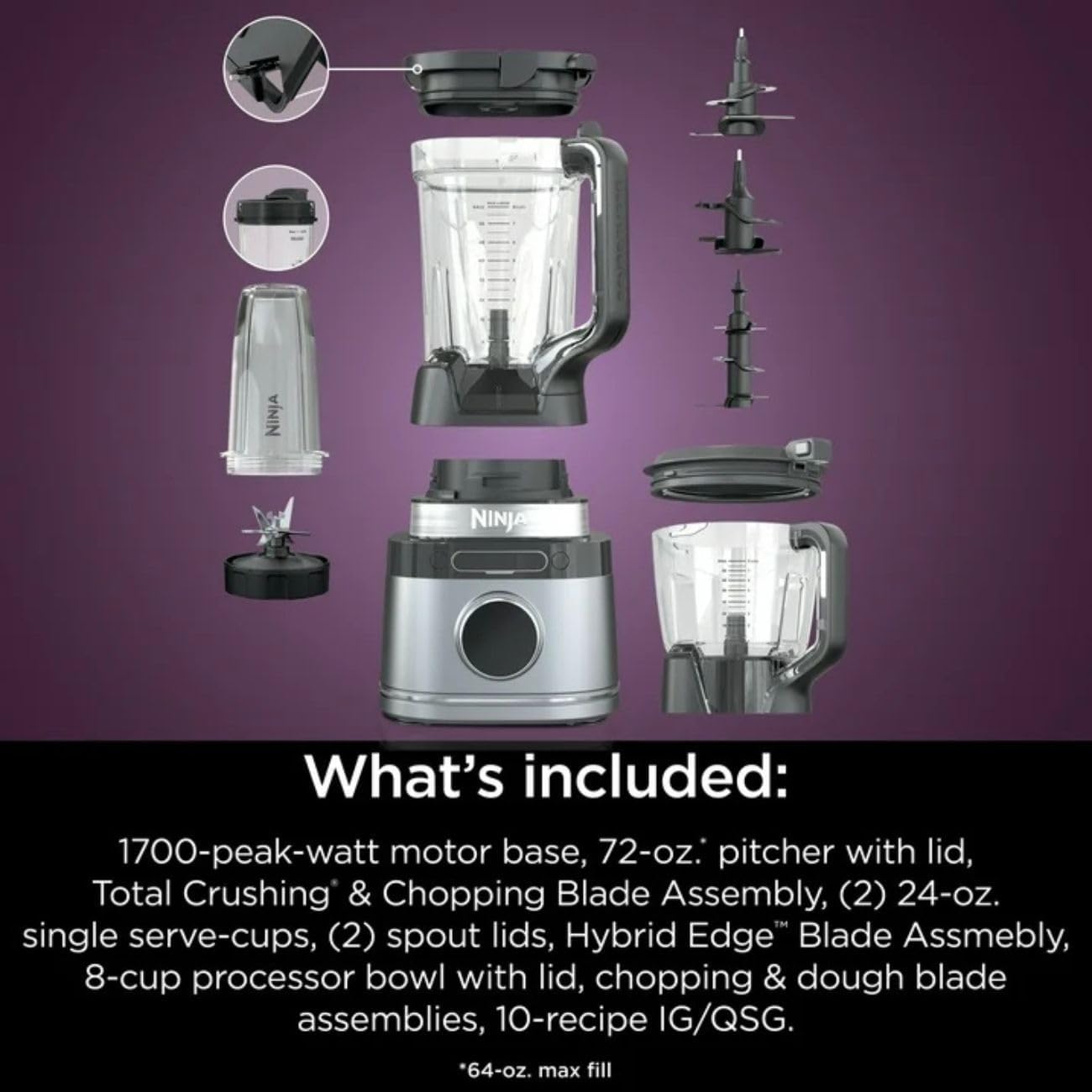
Image: All components included with the Ninja Detect Kitchen System TB400, including the motor base, 72oz pitcher, two single-serve cups, 64oz food processor bowl, and various blade assemblies.
Key Features
- BlendSense Technology: Automatically detects the load and adjusts speed, power, and timing for optimal results. This intelligent system senses ingredients, detects if they are fresh or frozen, and adjusts blending parameters accordingly.

Image: A visual representation of the BlendSense Technology, illustrating how it senses ingredients, detects their state (fresh or frozen), adjusts speed and time, and delivers perfect results.
- XL 72oz Total Crushing Pitcher: Designed for large batches of smoothies, frozen drinks, and more. Features a one-hand easy open lid and pour spout for convenience.

Image: The Ninja Detect Kitchen System TB400 with its 72oz Total Crushing Pitcher, two single-serve cups, and food processor bowl, showcasing the complete system.
- 64oz Food Processor Bowl: Ideal for chopping, mixing, shredding, or kneading dough. Comes with precision accessories for various food preparation tasks.
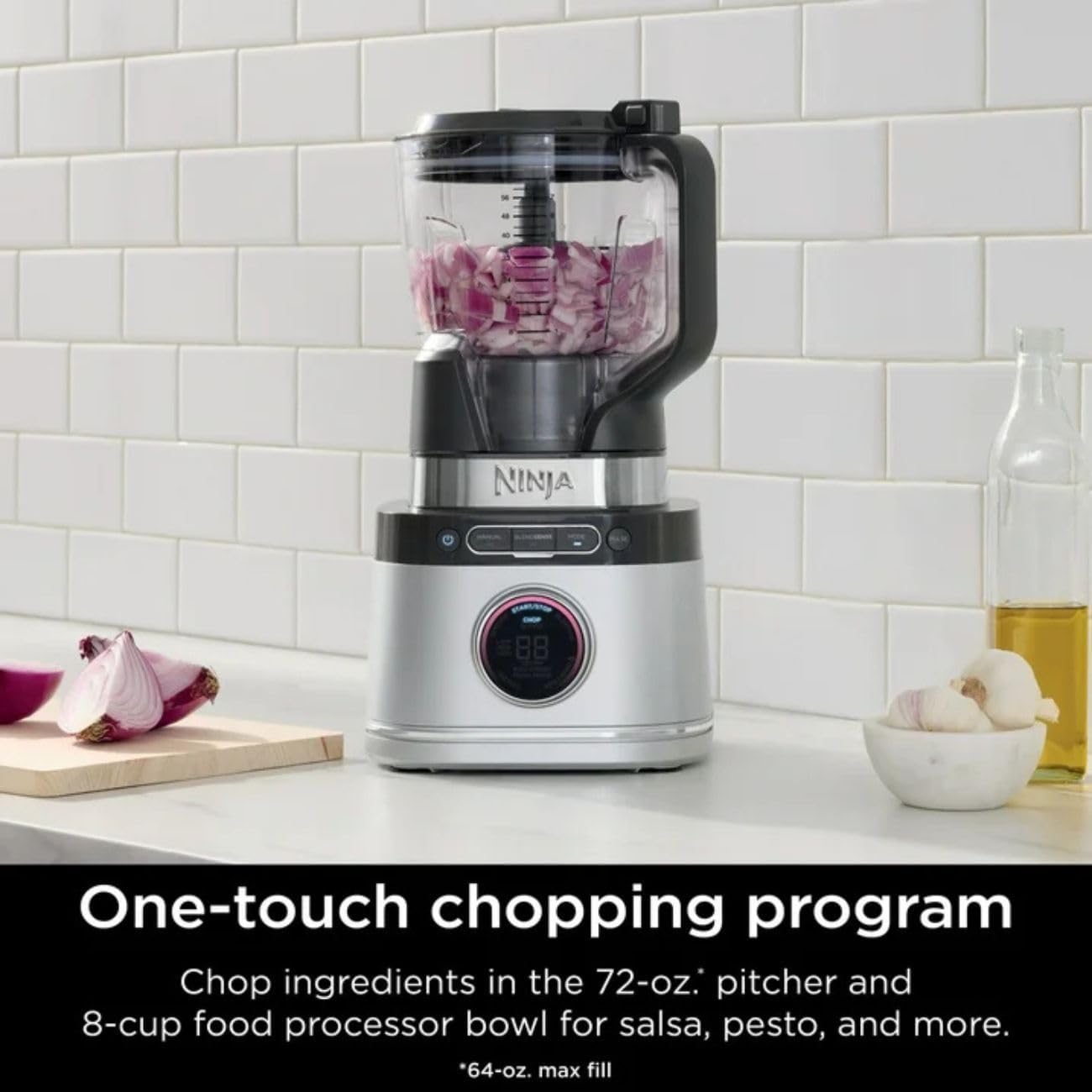
Image: The Ninja Detect Kitchen System TB400 configured with the 64oz food processor bowl, actively chopping onions on a kitchen counter.
- Total Crushing Blades: Engineered to pulverize ice and tough ingredients quickly for smooth blends and sauces.
- Smart Motor System: Maintains speed under heavy loads, preventing stalling and eliminating the need to stop, stir, or shake.
- Liquid Detect: Alerts the user when additional liquid is required, ensuring silky-smooth drinks, especially when using single-serve cups.
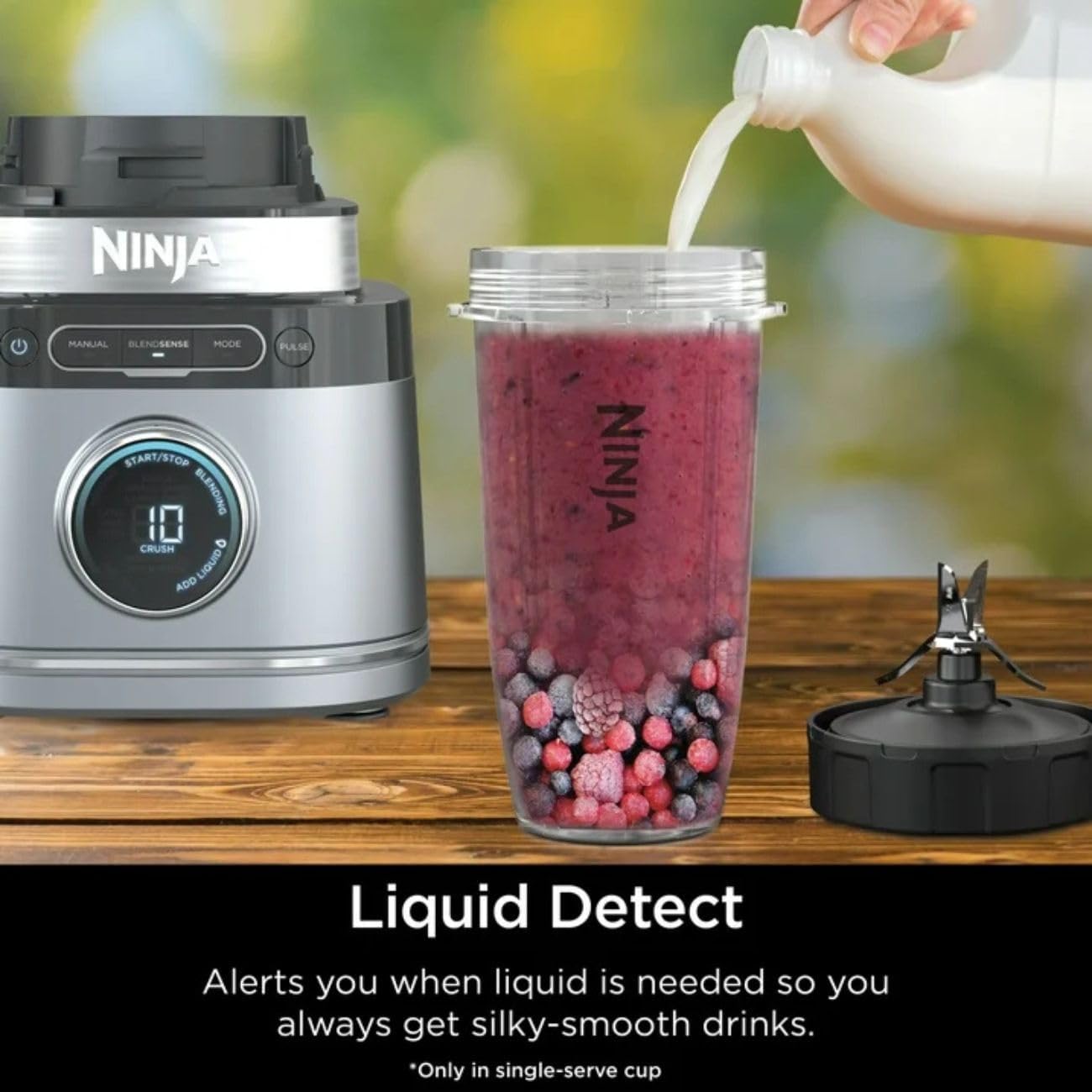
Image: The Ninja Detect Kitchen System TB400's control panel showing a 'Add Liquid' alert, with a single-serve cup filled with berries and ice next to it.
- Detect Dial: An innovative dial that indicates the precise blending program and progress.
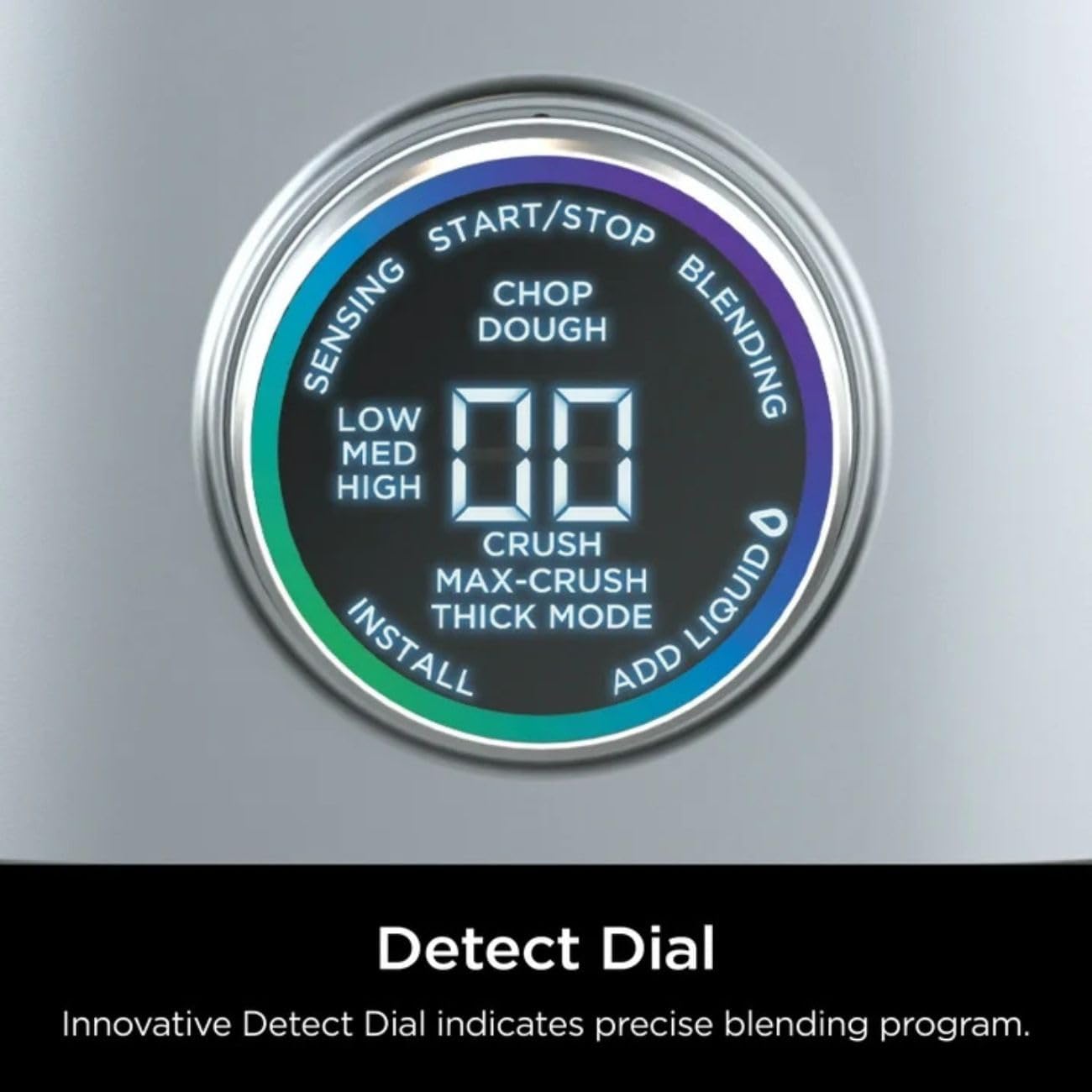
Image: A close-up view of the Ninja Detect Dial on the motor base, showing various blending modes and the digital display.
- Portion Detect: Actively adjusts time and speed based on the amount of ingredients in the container.

Image: The 72oz pitcher of the Ninja Detect Kitchen System filled with berries and ice, demonstrating the Portion Detect feature.
- Torque Detect: Identifies fresh or frozen ingredients and automatically boosts power for consistent results.
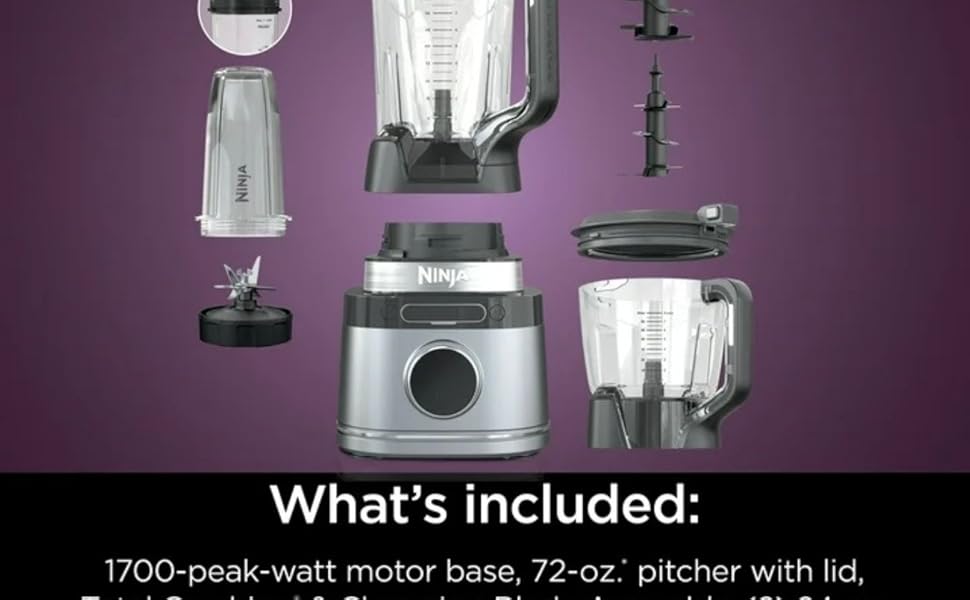
Image: The Ninja Detect Kitchen System TB400 blending ingredients in the pitcher, with text overlay explaining the Torque Detect feature.
Product Overview Video
Watch this video for a visual overview of the Ninja Detect Kitchen System TB400 and its capabilities.
Video: An official product video showcasing the Ninja Detect Kitchen System, its various components, and the BlendSense Technology in action.
Setup Instructions
- Unpack Components: Carefully remove all parts from the packaging.
- Clean Before First Use: Wash all containers, lids, and blade assemblies in warm, soapy water. Rinse thoroughly and dry. The components are also dishwasher safe (top rack only).
- Place Motor Base: Position the motor base on a clean, dry, level surface. Ensure the suction cups on the bottom firmly adhere to the counter for stability during operation.
- Assemble Pitcher/Bowl:
- For the 72oz Pitcher: Place the Total Crushing & Chopping Blade Assembly onto the drive gear inside the pitcher.
- For the 64oz Food Processor Bowl: Place either the Chopping Blade Assembly or Dough Blade Assembly onto the drive gear inside the bowl.
- For Single-Serve Cups: Fill the cup with ingredients, then screw on the Hybrid Edge™ Blade Assembly.
- Attach Container to Base: Place the assembled pitcher, bowl, or single-serve cup onto the motor base. Turn clockwise until it clicks securely into place. The unit will not operate unless properly assembled.
- Secure Lid: Place the appropriate lid onto the container and press down firmly until it locks. For the 72oz pitcher, ensure the handle is aligned and the lid clicks into place.
- Plug In: Connect the power cord to a standard electrical outlet. The control panel will illuminate.
Operating Instructions
Using BlendSense Technology (Automatic Programs)
- Prepare Ingredients: Add your desired ingredients to the pitcher, food processor bowl, or single-serve cup. Ensure ingredients do not exceed the MAX FILL line.
- Assemble & Secure: Follow the setup instructions to properly assemble the container and secure the lid onto the motor base.
- Select BlendSense: Press the 'BlendSense' button on the control panel. The Detect Dial will illuminate and begin sensing the ingredients.
- Start Blending: Press the 'Start/Stop' button. The system will automatically detect the load, adjust speed, power, and timing to achieve optimal results.
- Monitor Progress: The Detect Dial will display the blending progress. The unit will automatically stop when the program is complete.
- Serve: Once blending is complete, remove the container from the base and serve.
Using Manual Mode
- Prepare Ingredients: Add your desired ingredients to the container.
- Assemble & Secure: Properly assemble the container and secure the lid onto the motor base.
- Select Manual: Press the 'Manual' button on the control panel.
- Adjust Speed: Use the Detect Dial to select your desired speed (Low, Med, High).
- Start Blending: Press the 'Start/Stop' button to begin blending.
- Stop Blending: Press the 'Start/Stop' button again to stop blending, or press the 'Pulse' button for short bursts of power.
Maintenance and Cleaning
Proper maintenance ensures the longevity and performance of your Ninja Detect Kitchen System TB400.
- Immediate Cleaning: Always clean the unit immediately after each use to prevent food from drying onto components.
- Dishwasher Safe Parts: The pitcher, food processor bowl, single-serve cups, and all blade assemblies are BPA-free and dishwasher safe (top rack only).
- Hand Washing: For hand washing, use warm, soapy water and a non-abrasive cloth or sponge. Exercise caution when handling blade assemblies as they are sharp.
- Motor Base Cleaning: Wipe the motor base with a clean, damp cloth. Do not immerse the motor base in water or any other liquid.
- Storage: Store the unit disassembled or with the lid securely fastened to prevent accidental contact with blades.
Troubleshooting
| Problem | Possible Cause | Solution |
|---|---|---|
| Unit does not turn on. | Not plugged in; container/lid not properly assembled. | Ensure power cord is securely plugged in. Verify container is twisted clockwise until it clicks, and lid is firmly locked. |
| Ingredients are not blending smoothly. | Too little liquid; too many ingredients; ingredients too large. | Add more liquid. Reduce ingredient quantity. Cut large ingredients into smaller pieces. Use Pulse function for tough ingredients. |
| Motor stalls during operation. | Overloaded; ingredients too dense. | Reduce the amount of ingredients. Add more liquid. Use a lower speed setting or pulse. The Smart Motor System is designed to prevent stalling, but extreme loads may still cause it. |
| "Add Liquid" alert appears. | Insufficient liquid for desired consistency (especially with single-serve cups). | Add more liquid to the single-serve cup or pitcher until the alert clears and blending can proceed. |
Specifications
- Brand: Ninja
- Model Number: TB400
- Power: 1700 Watts (peak)
- Voltage: 120 Volts (AC)
- Capacity (Pitcher): 72 Fluid Ounces
- Capacity (Food Processor Bowl): 64 Fluid Ounces (8 cups)
- Product Dimensions: 8.5"D x 8.5"W x 17.5"H
- Item Weight: 19 pounds
- Control Type: Preset, Manual
- Special Features: Auto Shut Off, Dishwasher Safe Parts, Variable Speed, BlendSense Technology
- Container Material: Stainless Steel (base accents), BPA-free plastic (pitcher/bowls)
Warranty and Support
The Ninja Detect Kitchen System TB400 comes with a 1 Year Limited Warranty from the manufacturer, SharkNinja.
For warranty claims, technical support, or replacement parts, please contact Ninja customer service. Refer to the product packaging or the official Ninja website for the most current contact information.
Always register your product upon purchase to facilitate warranty service and receive important product updates.