
1. Important Safety Information
Please read this instruction manual carefully before operating the Dickie Toys RC Drone Spider-Man. Keep this manual for future reference.
- Adult Supervision Required: This product is recommended for ages 8 and up. Always use under the direct supervision of an adult.
- Battery Safety: Do not mix old and new batteries. Do not mix alkaline, standard (carbon-zinc), or rechargeable (nickel-cadmium) batteries. Insert batteries with correct polarity. Remove batteries from the remote control when not in use for extended periods.
- Flight Environment: Fly in open, clear areas away from people, animals, buildings, and power lines. Avoid flying in strong winds or rain.
- Propeller Safety: Keep fingers, hair, and loose clothing away from rotating propellers. Do not touch the drone while propellers are spinning.
- Charging: Only use the provided USB charging cable. Do not leave charging batteries unattended.
2. Package Contents
Ensure all items are present in the package:
- 1 x RC Drone Spider-Man (17 cm)
- 1 x Remote Control (2.4 GHz)
- 1 x 3.7V-400mAh Lithium Polymer Battery (for drone)
- 3 x R03 1.5V Batteries (for remote control)
- 1 x USB Charging Cable

Image: Product packaging showing the drone, remote control, and Spider-Man figure.
3. Setup
3.1 Charging the Drone Battery
- Locate the 3.7V-400mAh Lithium Polymer battery for the drone.
- Connect the drone battery to the provided USB charging cable.
- Plug the USB cable into a suitable USB power source (e.g., computer USB port, USB wall adapter).
- The charging indicator light on the USB cable will show the charging status (refer to the cable's specific indicator behavior).
- Charging time is approximately 70 minutes. Do not overcharge.
3.2 Installing Remote Control Batteries
- Open the battery compartment on the back of the remote control.
- Insert 3 x R03 1.5V (AAA) batteries, ensuring correct polarity (+/-).
- Close the battery compartment securely.
3.3 Powering On and Pairing
- Ensure the drone battery is fully charged and connected to the drone.
- Place the drone on a flat, level surface.
- Turn on the drone using the power switch (usually located on the underside or side of the drone). The drone's indicator lights will flash.
- Turn on the remote control. The remote's indicator light will flash.
- To pair, push the left joystick (throttle) fully up, then fully down. The drone and remote indicator lights will become solid, indicating successful pairing.

Image: Rear view of the drone, highlighting the power switch and battery compartment area.

Image: Top-down view of the drone, illustrating charging time (70 min) and flying time (7 min).
4. Operating Instructions
4.1 Basic Controls
The remote control operates on a 2.4 GHz frequency for stable connection up to 50 meters.
- Left Joystick (Throttle):
- Push up: Increase altitude (Ascend)
- Push down: Decrease altitude (Descend)
- Push left/right: Rotate drone left/right (Yaw)
- Right Joystick (Direction):
- Push up: Fly forward
- Push down: Fly backward
- Push left: Fly left (Strafe left)
- Push right: Fly right (Strafe right)
- Trim Buttons: Use these buttons to fine-tune the drone's stability if it drifts in any direction during hover.

Image: The Spider-Man drone flying alongside its remote control, illustrating active use.
4.2 Speed Settings
The drone features 3 selectable speeds, with a maximum speed of 6 km/h. Use the speed button on the remote control to cycle through the speed modes (usually indicated by beeps or LED flashes).
4.3 Headless Mode
Headless Mode simplifies control by eliminating the need to orient the drone. In this mode, the drone's 'front' is always relative to the pilot's position when headless mode was activated, regardless of the drone's actual orientation. Activate Headless Mode using the dedicated button on the remote control.
4.4 Stunt Function
The drone can perform impressive changes of direction. Refer to the remote control diagram for the specific stunt button. Typically, pressing this button and then moving the right joystick in a direction will execute a flip or roll.
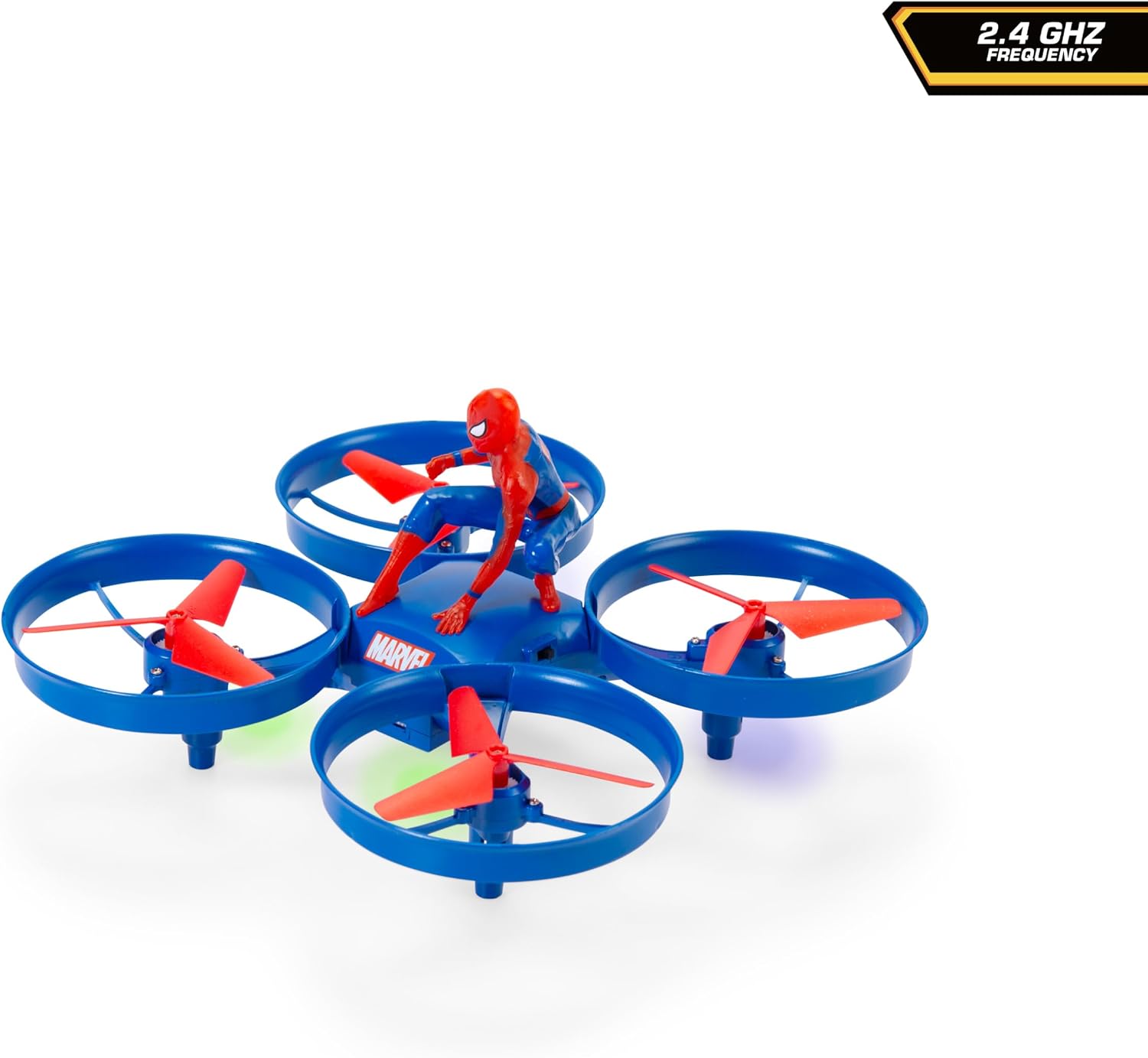
Image: Front view of the Spider-Man drone, showcasing the Spider-Man figure mounted on top.
5. Maintenance
- Cleaning: Use a soft, dry cloth to clean the drone and remote control. Do not use water or chemical cleaners.
- Battery Care: Store batteries in a cool, dry place. Remove batteries from the remote control if not used for extended periods. Do not expose batteries to extreme temperatures.
- Propeller Inspection: Regularly check propellers for damage. Replace any bent or broken propellers to ensure stable flight.
- Storage: Store the drone and remote control in a safe place when not in use, away from direct sunlight and moisture.
6. Troubleshooting
- Drone not powering on:
- Ensure the drone battery is fully charged and correctly connected.
- Check the drone's power switch is in the 'ON' position.
- Remote control not working:
- Check if the remote control batteries are installed correctly and are not depleted.
- Ensure the remote control is powered on.
- Drone not pairing with remote:
- Ensure both drone and remote are powered on and within range.
- Repeat the pairing procedure (throttle up, then down).
- Ensure there is no strong interference from other 2.4 GHz devices.
- Drone drifts during flight:
- Use the trim buttons on the remote control to adjust stability.
- Ensure the drone was placed on a flat, level surface before powering on and pairing.
- Check for any damaged propellers.
- Short flight time:
- Ensure the drone battery is fully charged before each flight.
- Battery performance may decrease over time with repeated use.
7. Specifications
| Brand | DICKIE TOYS |
| Model Number | 203225004 |
| Drone Length | 17 cm |
| Max Speed | 6 km/h |
| Max Range | 50 meters |
| Frequency | 2.4 GHz |
| Charging Time | Approx. 70 minutes |
| Flight Time | Approx. 7 minutes |
| Drone Battery | 3.7V-400mAh Lithium Polymer (included) |
| Remote Control Batteries | 3 x R03 1.5V (AAA) Alkaline (included) |
| Material | Plastic |
| Item Weight | 0.57 Kilograms |
| Recommended Age | 8 years and up |
8. Warranty and Support
For warranty information and customer support, please refer to the contact details provided on the product packaging or visit the official Dickie Toys website. Keep your proof of purchase for any warranty claims.
Manufacturer: Dickie Toys
Global Trade Identification Number (GTIN): 04006333094446