1. Introduction
The Huepar SW-T120 is a versatile 3-in-1 measurement tool designed for various applications in construction, home improvement, and DIY projects. It integrates a laser distance meter, a green cross-line laser level, and a traditional 6.5ft tape measure into a single compact device. This manual provides detailed instructions for safe and effective operation of your device.
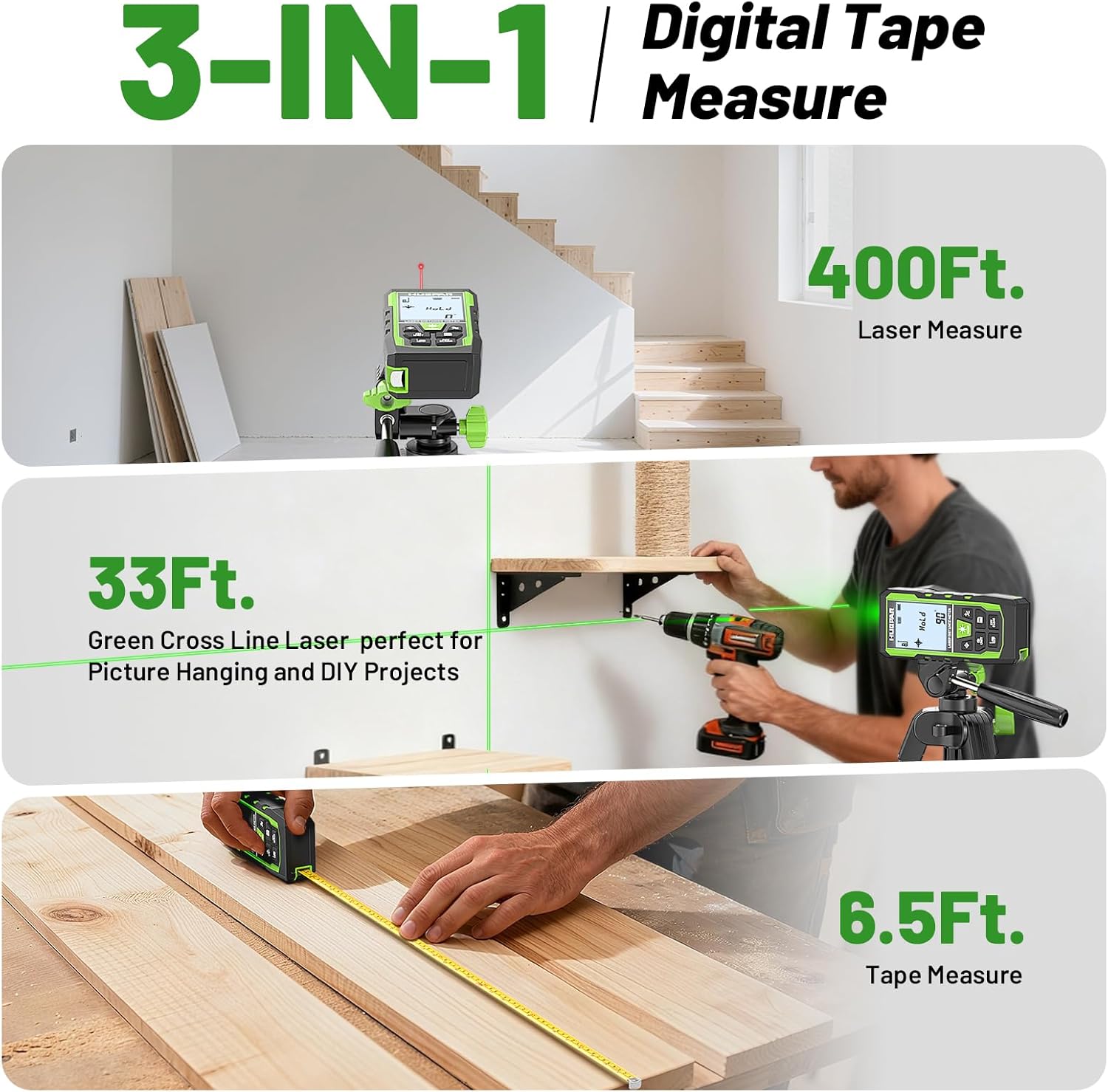
Image 1.1: The Huepar SW-T120 device demonstrating its three core functionalities: laser distance measurement, green cross-line laser leveling, and a built-in tape measure.
2. What's in the Box
Verify that all components are present upon unboxing:
- 1x Huepar SW-T120 3-in-1 Laser Measuring Tool (400ft/120M)
- 1x Auxiliary Measuring Target Plate
- 1x Type-C Charging Cable
- 1x Portable Carrying Bag
- 1x Hand Strap
- 1x User Manual
- 1x Paper Color Box
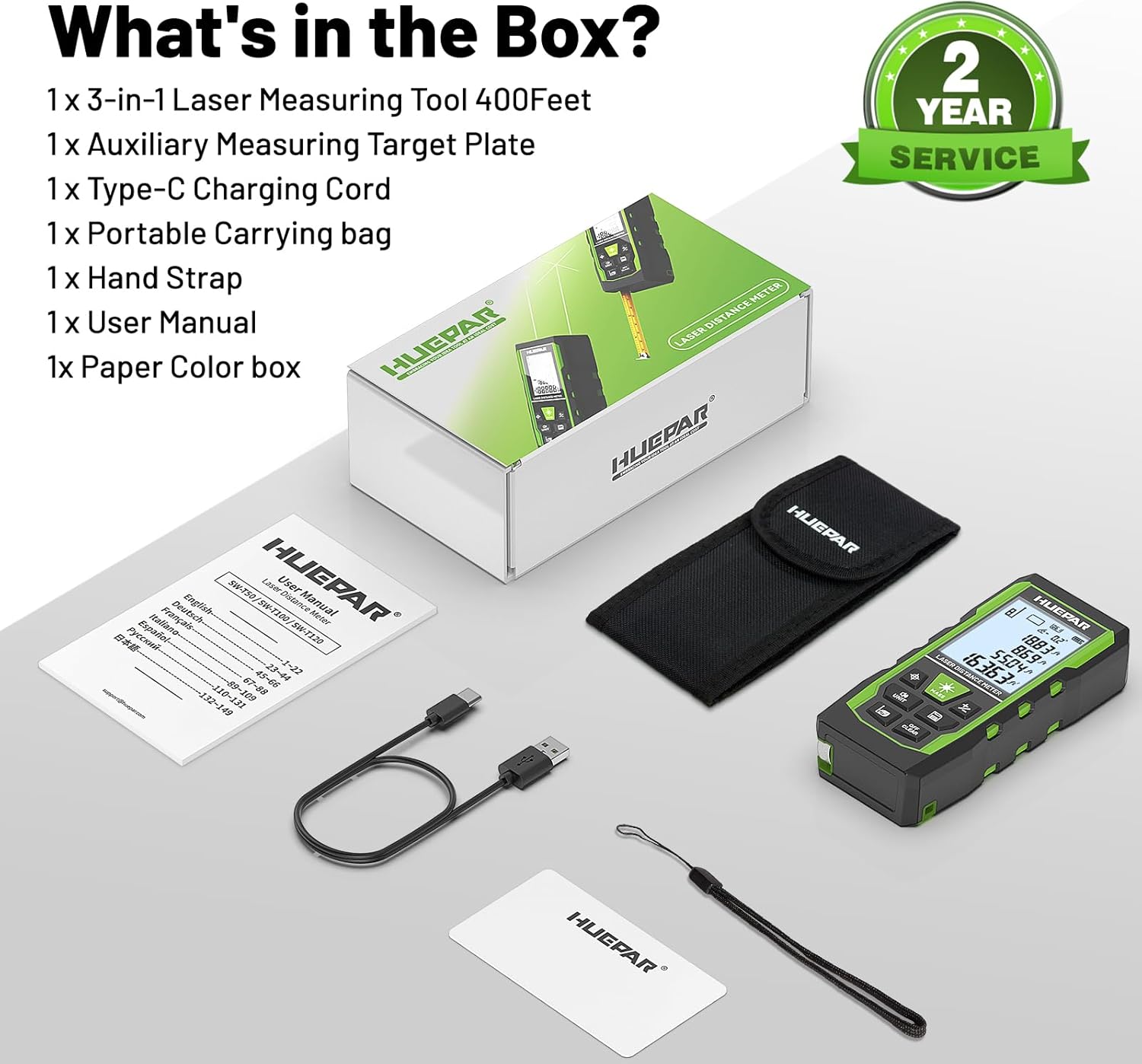
Image 2.1: All items included in the Huepar SW-T120 product package.
3. Setup and Charging
Before initial use, ensure the device is fully charged. The SW-T120 features a built-in 3.7V / 600mAh Lithium-Ion battery.
- Charging: Connect the provided Type-C charging cable to the device's charging port and a suitable USB power source. The battery indicator on the display will show charging status.
- Power On/Off: Press and hold the Power ON/Measure button to turn the device on or off.

Image 3.1: The Type-C charging port and hand strap attachment point on the device.
4. Operating Instructions
4.1 Laser Distance Measurement
This mode allows for precise distance measurements up to 400ft (120m) with an accuracy of ±1/16 inch.
- Activate: Press the Power ON/Measure button to activate the laser.
- Measure: Aim the laser at the target point and press the Power ON/Measure button again to take a measurement. The result will be displayed on the screen.
- Reference Points: The device supports measurements from three reference points: front, rear, or screw-hole. Use the Benchmark/Mode switch button to cycle through these options.

Image 4.1: Understanding the different measurement reference points for accurate readings.
4.2 Green Cross Line Laser Level Mode
The integrated green cross-line laser provides horizontal and vertical lines for leveling and alignment tasks, with a working distance of up to 33ft (10m) and an angle accuracy of ±1°.
- Activate: Press the Laser Level Mode button to project the green cross lines.
- Leveling: Place the device on a stable surface. The screen displays angles from -90° to +90° horizontally. If the angle exceeds ±4°, the 'Out' icon will flash, and the laser line will flash rapidly, indicating it is out of level.
- Tripod Mount: For enhanced stability and precise positioning, the device features a 1/4"-20 tripod mount.

Image 4.2: Using the green cross line laser level for precise alignment.
4.3 Tape Measure
A traditional 6.5ft (2m) physical tape measure is integrated for short-distance measurements or when a laser is not suitable.
- Usage: Pull out the tape measure from the side of the device. Ensure it retracts smoothly after use.
4.4 Measurement Modes and Functions
The SW-T120 supports various measurement calculations:
- Distance Measurement: Single distance measurement.
- Area Measurement: Calculates the area of a surface.
- Volume Measurement: Calculates the volume of a space.
- Indirect Height (Pythagoras): Calculates height using two or three measurements.
- Continuous Measurement: Provides real-time distance updates as the device is moved.
- Addition/Subtraction: Allows for adding or subtracting measurements.

Image 4.3: Overview of the multiple measurement modes available on the device.
4.5 Voice Broadcast
The device features real-time voice feedback for measurements, enhancing readability and efficiency, especially in challenging conditions or for users with limited vision.
- Activation: Long press the UNIT button to switch between English voice, Chinese voice, or to turn off the sound.
- Note: Voice broadcast is not active while the device is charging.

Image 4.4: The voice broadcast feature provides audible measurement readings.
4.6 Data Memory and Units
The device can store up to 100 sets of measurement data, allowing for easy recall without manual notes. It also supports multiple measurement units.
- Data Saving: Valid measurements are automatically saved. The top of the screen indicates how many groups are saved.
- Unit Switching: Press the UNIT button (short press) to cycle through available units: inches (in), feet (ft), meters (m), feet and inches (ft'in"), feet and fractions (ft'in 1/X"), and meters with decimals (m.mm).
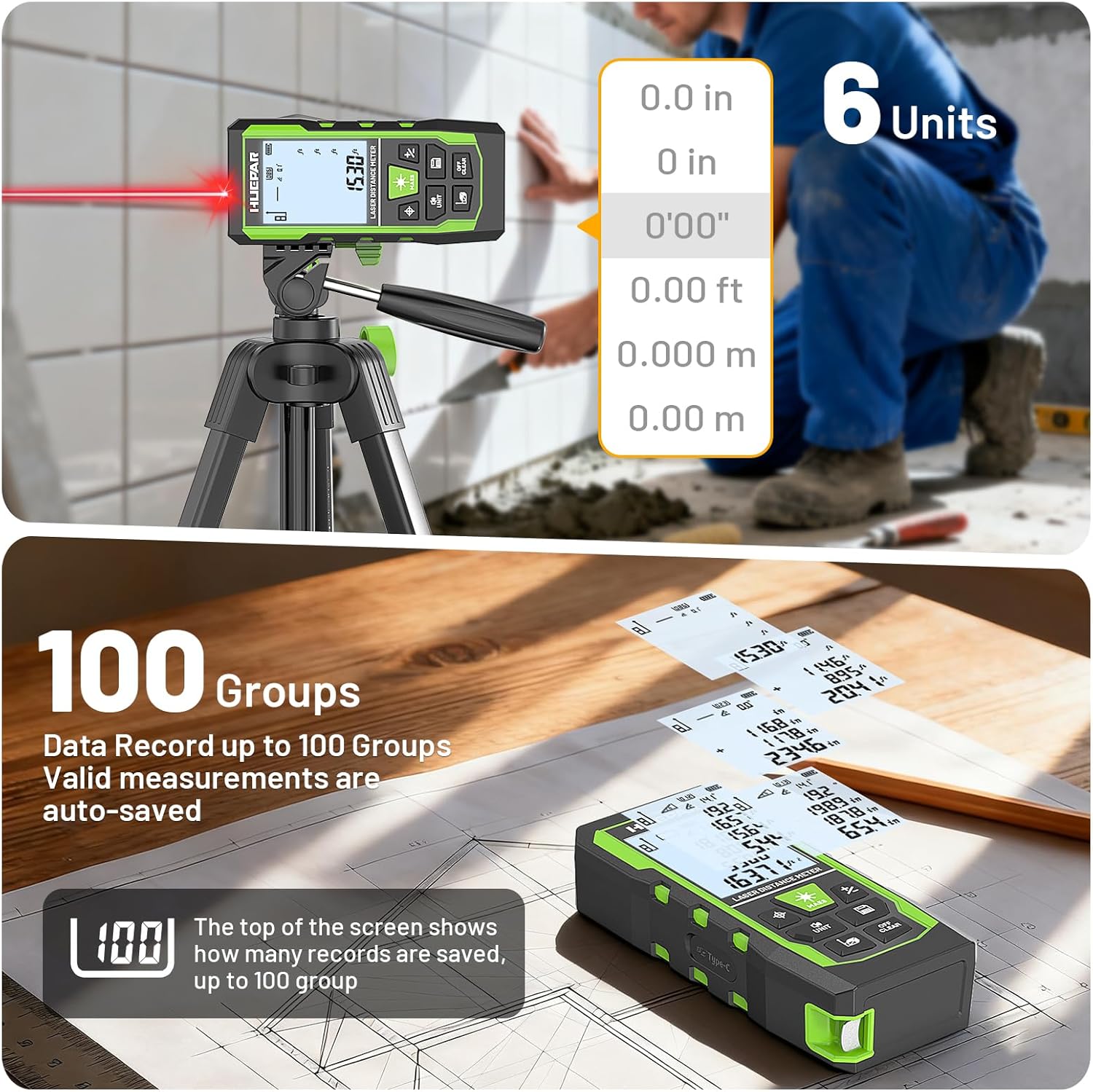
Image 4.5: Data memory and unit selection on the device display.
5. Maintenance and Care
- Cleaning: Use a soft, damp cloth to clean the device. Do not use abrasive cleaners or solvents.
- Storage: Store the device in its portable carrying bag in a dry, cool place when not in use.
- Durability: The rugged TPE housing provides resistance against drops, dust, and light water spray (IP54 rated). However, avoid submerging the device in water.

Image 5.1: The device's robust design and accessories for protection and portability.
6. Troubleshooting
- Inaccurate Readings: Ensure the laser target is clear and unobstructed. Verify the correct reference point (front, rear, screw-hole) is selected. For long distances, use the auxiliary measuring target plate to enhance laser visibility and accuracy.
- Device Shuts Off Unexpectedly: The device has an auto shut-off feature that activates after 150 seconds of inactivity to conserve battery. This setting cannot be changed. Ensure you are actively using the device or restart it if needed.
- Laser Not Visible: In bright light conditions, the green laser line may be less visible. Use the auxiliary measuring target plate to help locate the laser spot.

Image 6.1: The auxiliary target plate helps improve laser visibility and measurement accuracy.
7. Specifications
| Feature | Specification |
|---|---|
| Model | SW-T120 |
| Laser Distance Measurement Range | 400ft / 120m |
| Laser Distance Accuracy | ±1/16 inch |
| Green Cross Line Laser Working Distance | 33ft / 10m |
| Angle Accuracy | ±1° |
| Tape Measure Length | 6.5ft / 2m |
| Laser Class | Class 2, <1mW |
| Laser Type | 490-560nm |
| Battery Type | Lithium-Ion, 3.7V, 600mAh |
| Display | 2.2" Backlit LCD |
| Data Storage | Up to 100 readings |
| Auto Shut-off | 150 seconds |
| Material | Acrylonitrile Butadiene Styrene, TPE |
| IP Rating | IP54 (Water Resistant, Dustproof) |
| Item Weight | 200 g |
8. Warranty and Support
The Huepar SW-T120 laser measuring tool comes with a 2-year quality assurance. Free repair or replacement is provided if the product is found to be faulty under normal use conditions.
For technical support, service inquiries, or warranty claims, please refer to the contact information provided in the product packaging or visit the official Huepar website. Huepar is committed to providing responsive customer service and lifetime technical support.

Image 8.1: Huepar's 2-year quality assurance and service commitment.
9. Product Demonstration Video
Video 9.1: A brief demonstration of the Huepar SW-T120's 3-in-1 functionality, including laser distance measurement, green cross-line laser, and tape measure. This video highlights the voice broadcast feature and various applications.


