
PAIRIER CH-911
PAIRIER CH-911 Key Safe Instruction Manual
Model: CH-911
Introduction
The PAIRIER CH-911 Key Safe is a robust, wall-mounted key storage solution designed for secure key management. Constructed from high-strength aluminum alloy with an ABS protective case, it offers resistance against manipulation and protection from environmental elements like rain, wind, snow, and dust. This key safe features a 4-digit illuminated combination code, ensuring easy access even in low-light conditions. It provides a secure location for spare keys, car keys, bank cards, cash, or other small items, eliminating the need for insecure hiding spots.
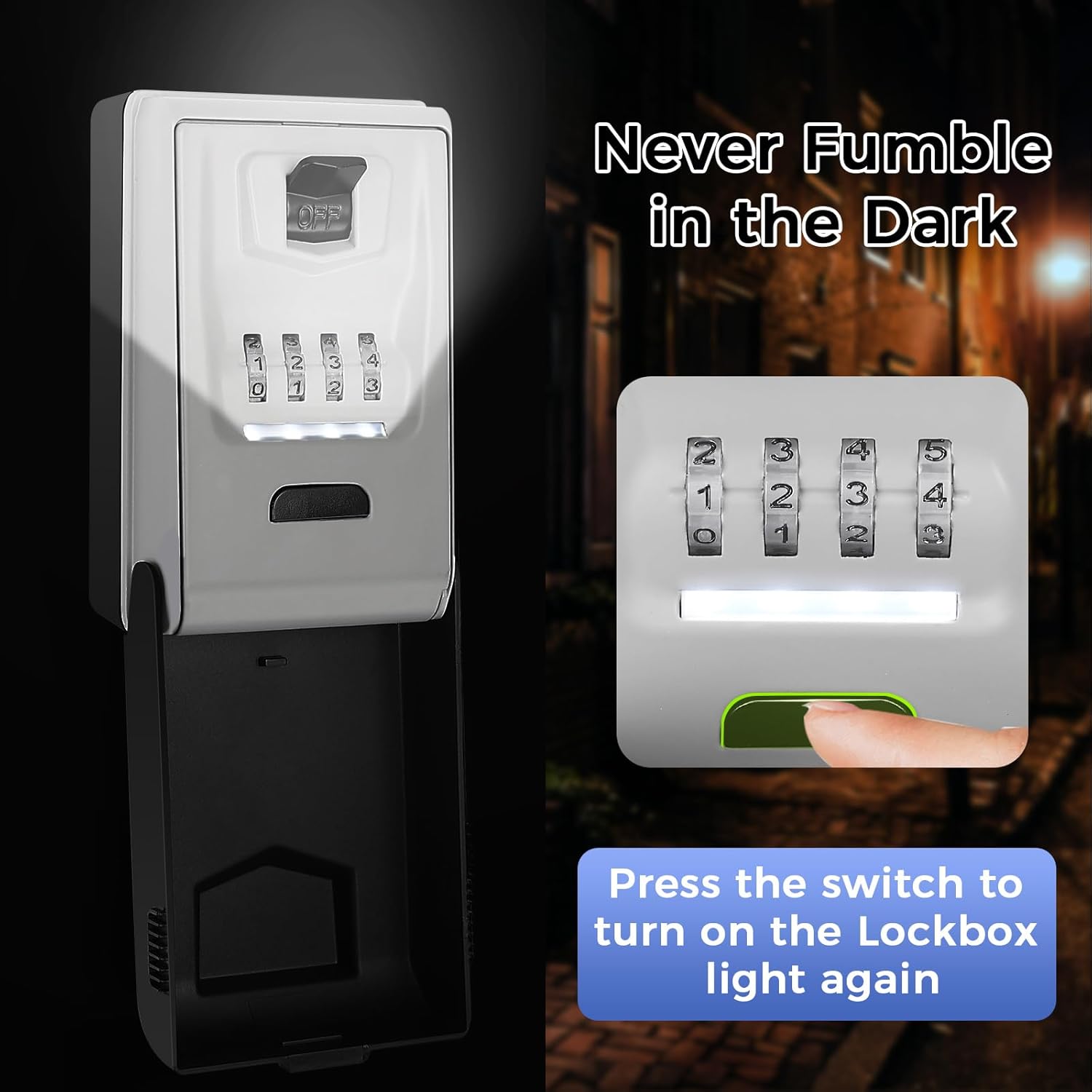
Image: The PAIRIER Key Safe providing a secure alternative to traditional key hiding spots.

Image: Key features of the PAIRIER Key Safe, including its robust construction and secure combination.
Setup
Installation
The key safe comes with all necessary installation accessories, including 4 screws, 4 nylon expansion bolts, and a double-head screwdriver. Follow these steps for proper wall mounting:
- Mark Screw Positions: Place the key safe against the desired wall surface and use a marker to indicate the drilling points for the screws.
- Drill Holes: Use an appropriate drill bit to create holes at the marked positions.
- Insert Dowels: Gently tap the nylon expansion bolts (dowels) into the drilled holes until they are flush with the wall surface.
- Attach Box with Screws: Align the key safe with the inserted dowels and secure it firmly to the wall using the provided screws and screwdriver.

Image: Step-by-step guide for installing the key safe on a wall.
Initial Password Setting
The default password for the key safe is 0000. To set your personalized 4-digit combination, follow these instructions:
- Open the Box: Enter the current password (default is 0000) and move the switch to open the key safe.
- Reset Lever Position: Locate the reset lever inside the key safe and push it from position A to position B.
- Enter New Password: Rotate the combination dials to set your desired new 4-digit password. Ensure the numbers are aligned with the command prompt line.
- Record Password: It is crucial to write down your new password or take a photo of it immediately to prevent forgetting.
- Return Reset Lever: Push the reset lever back from position B to position A.
- Close the Box: Move the switch to close the key safe. Your new password is now set.

Image: Detailed steps for changing the key safe's combination code.
Operating Instructions
Opening the Key Safe
To open the key safe, rotate the combination dials to your set 4-digit code. Once the correct code is entered, move the switch to the open position. The lid will release, allowing access to the contents.
Closing the Key Safe
After placing or retrieving items, close the lid and move the switch to the closed position. Scramble the combination dials to secure the key safe and prevent unauthorized access.
Using the Illuminated Keypad
The PAIRIER Key Safe features an illuminated keypad for visibility in dark environments. When the lid is opened, the light automatically activates for 15 seconds. If more light is needed, press the black button located on the keypad to reactivate the illumination.
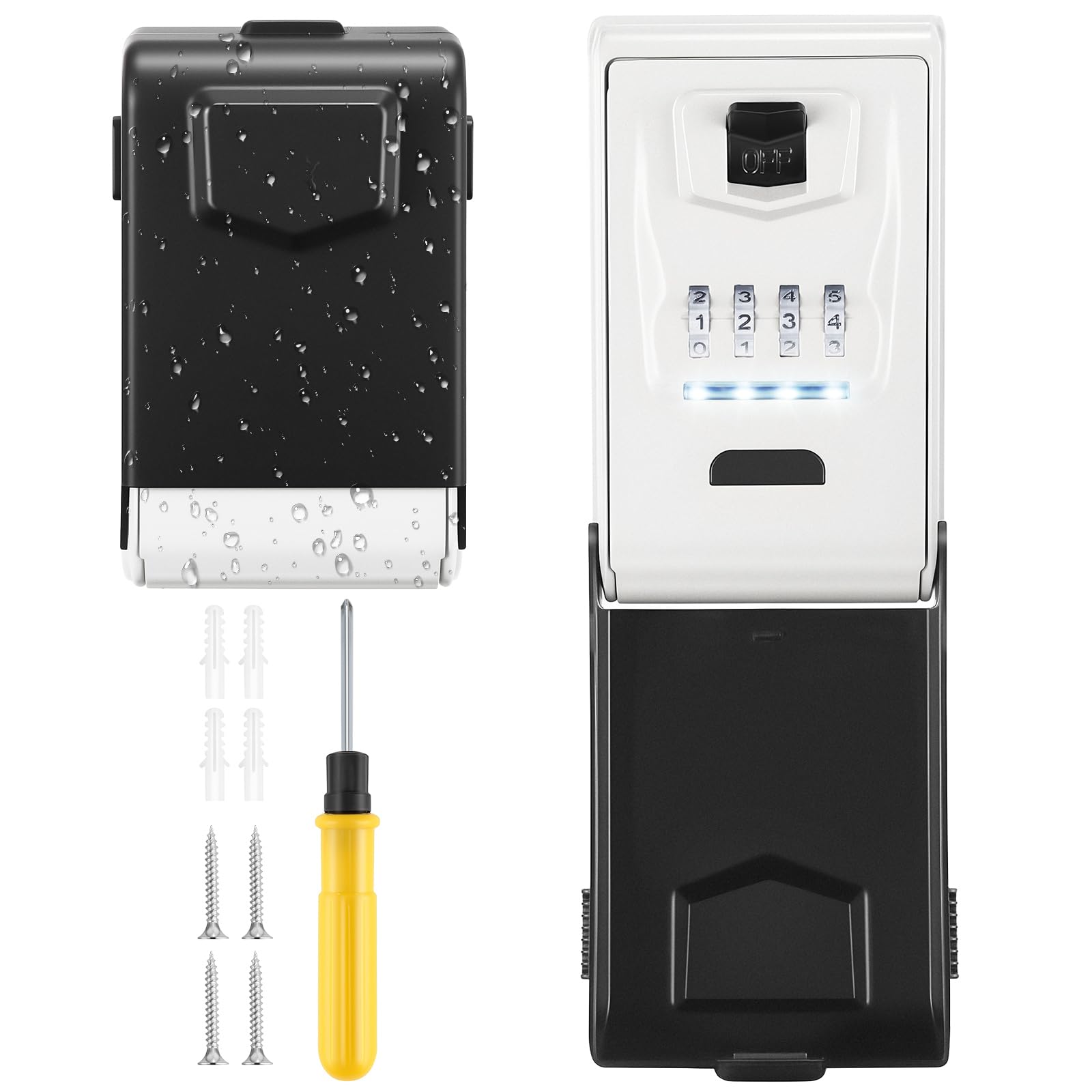
Image: The illuminated keypad feature for easy code entry in low light.
Maintenance
Battery Replacement for Illumination
The illuminated keypad is powered by a replaceable CR2032 battery. When the illumination becomes dim or stops working, replace the battery. Refer to the internal mechanism for the battery compartment location, typically accessible by opening the key safe and removing a small cover.
Cleaning
To maintain the appearance and functionality of your key safe, wipe the exterior with a soft, damp cloth. Avoid using abrasive cleaners or solvents, as these can damage the finish or internal components. Ensure the combination dials are free from dirt or debris to ensure smooth operation.
Troubleshooting
- Cannot Open Key Safe:
- Ensure you are entering the correct 4-digit combination. Double-check the numbers and their alignment.
- Verify that the combination dials are fully rotated to each number.
- If you recently changed the password, ensure you are using the new code.
- Illumination Not Working:
- Press the black button on the keypad to manually activate the light.
- Check if the CR2032 battery needs replacement.
- Difficulty Closing the Lid:
- Ensure no items inside the key safe are obstructing the lid from closing completely.
- Check that the closing mechanism is free from debris.
Important: Always record your combination code in a secure, memorable location immediately after setting or changing it. The manufacturer cannot retrieve forgotten codes.
Specifications
| Model Number | CH-911 |
| Brand | PAIRIER |
| Dimensions (L x W x H) | 13.5 cm x 8 cm x 7 cm (5.31 in x 3.15 in x 2.76 in) |
| Weight | 500 grams |
| Material | High-strength Aluminum Alloy, ABS Protective Case |
| Combination Type | 4-Digit Mechanical Combination (10,000 combinations) |
| Illumination | Self-luminous keypad, CR2032 battery (included) |
| Capacity | Approximately 7-15 keys, 3-4 car keys, bank cards, cash |
| Weather Resistance | Waterproof, Weatherproof (rain, wind, snow, dust) |

Image: Dimensions and storage capacity of the key safe.
Warranty and Support
Information regarding specific warranty terms or direct customer support contacts is not provided in this manual. For warranty claims or technical assistance, please refer to the product packaging or contact your retailer. Keep your purchase receipt as proof of purchase.
Related documentsCH-911

Ask a question about this manual
Ask about setup, troubleshooting, compatibility, parts, safety, or missing instructions. Manuals+ will review the question and use this page’s manual context to help answer it.